How to Check Samsung Device Model Number?
To help you accurately identify your Samsung device model, please follow the appropriate method based on the type of your device:
1. For Sealed Phones (Non-removable Battery)
Step 1. Check the back of your device.
Step 2. The model number is usually printed directly on the back cover.
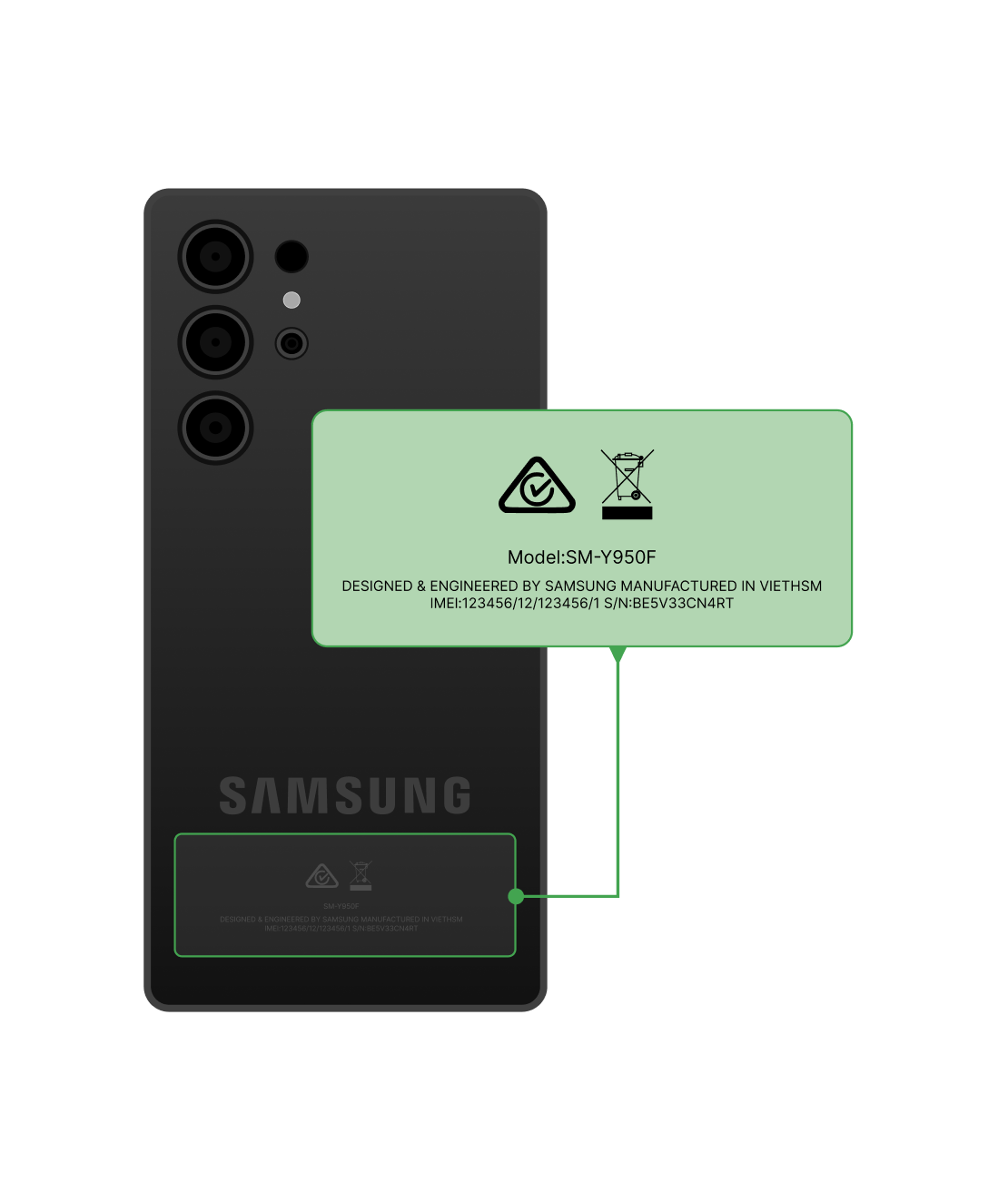
Check from the Back of Device
2. For Unsealed Phones (Removable Battery)
Step 1. Remove the back cover and take out the battery.
Step 2. Check the label underneath the battery for the model number.
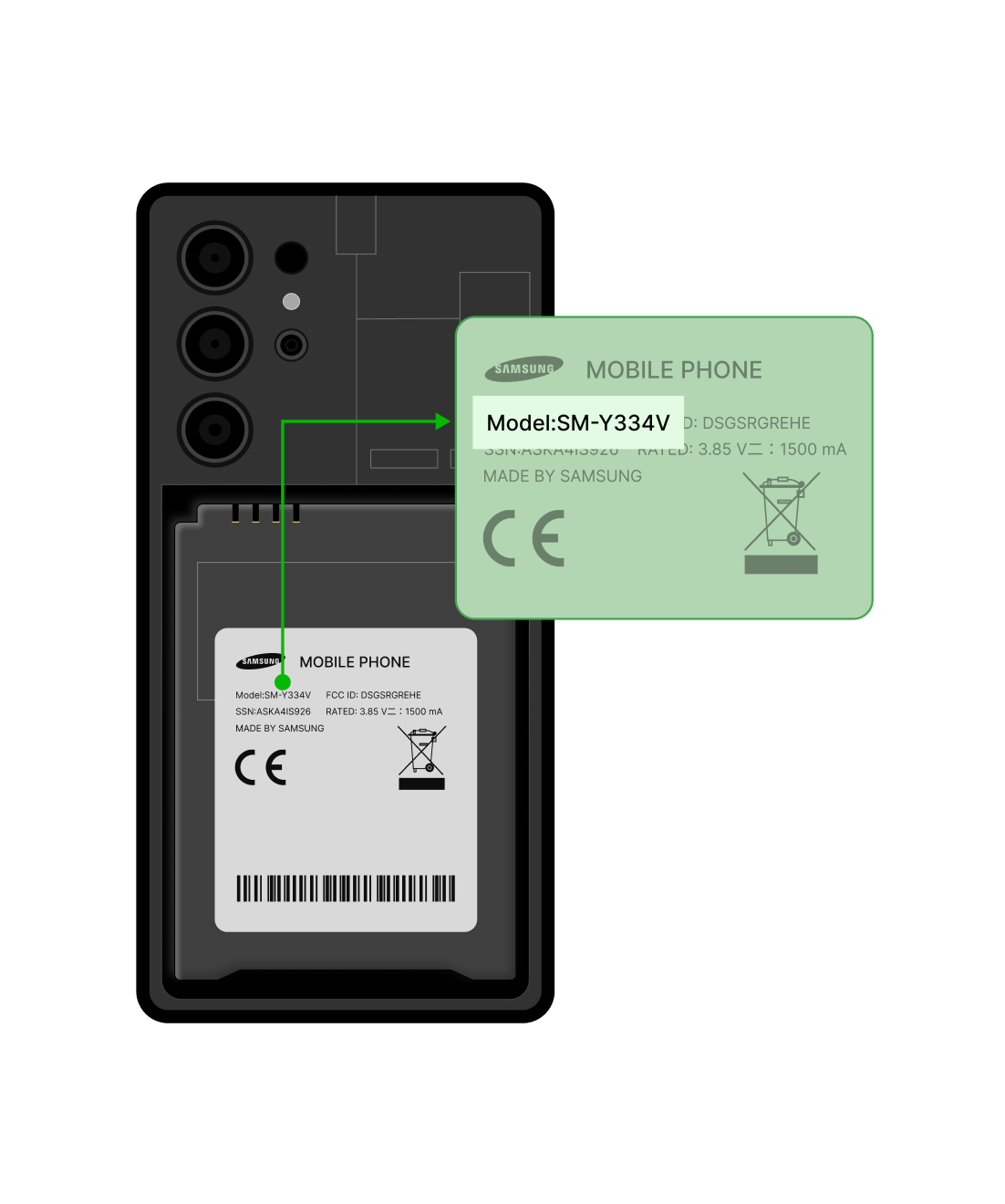
Check the Label of the Battery
If the model number is not shown on the battery label, please check the inner part of the phone body—behind where the battery was placed. The model number should be printed in that section.