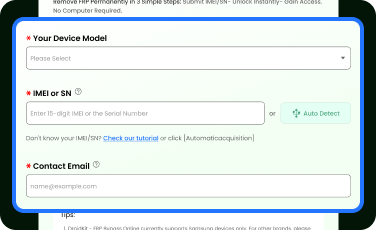
Select your device model and enter the IMEI/SN. Or use Auto Detect to read the info automatically.
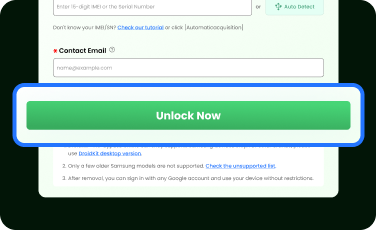
Click Unlock Now, and then wait for the unlock within a few minutes. No extra steps to follow.
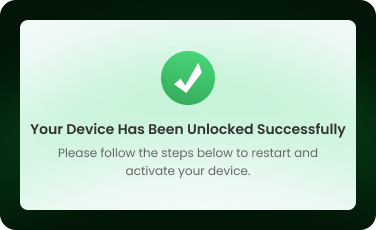
Congrats! Your device has been unlocked successfully! Now, you can restart your device, connect to WiFi, activate it, and then use it freely.
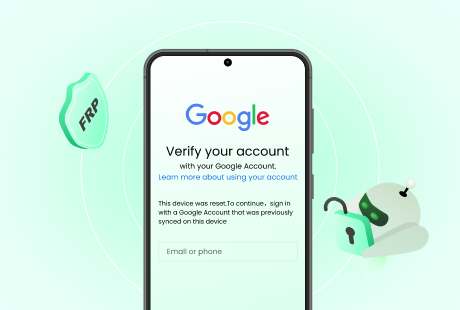
Unlock FRP easily and instantly on Samsung phones & tablets with our advanced online FRP bypass tool
All Models
Compatible with almost all Samsung series. (Support for S25 is coming soon…)
* Most Samsung models are supported. Check if your device is supported .
All Systems
Support Android 1-14. (Android 15 support coming soon…)
All Types
Works with both Samsung phones and tablets.
All Regions
Available worldwide – wherever you are, we can help.
Q1. What is FRP and why do I need to bypass it?
Q2. Is it safe to enter my IMEI or SN?
Q3. Is FRP removal 100% guaranteed?
Q4. Do I need a computer to bypass FRP?
Q5. What if my device isn't supported?
Q6. How long does the online FRP bypass take?
Q7. What if the unlock fails?
Q8. Is it possible to unlock Samsung FRP without technical skills?
Q9. How do I perform Samsung IMEI unlock online?
Q10. What is FRP bypass online and how does it work?
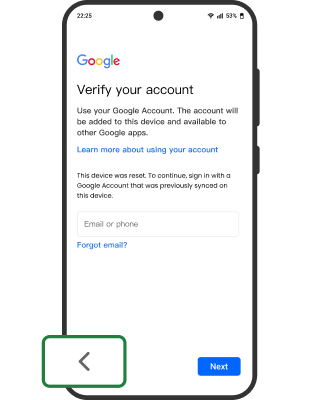
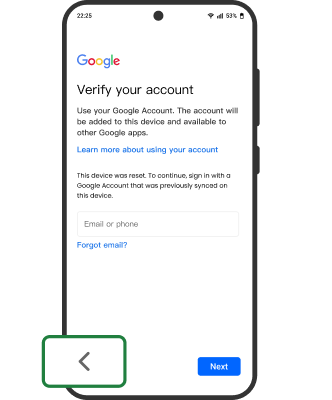
Get the IMEI or SN through the dial pad
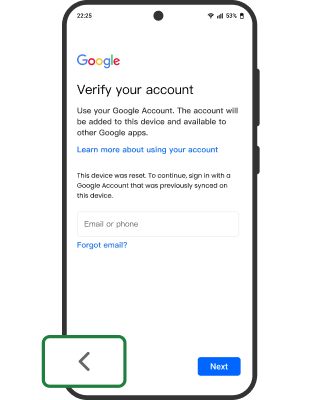
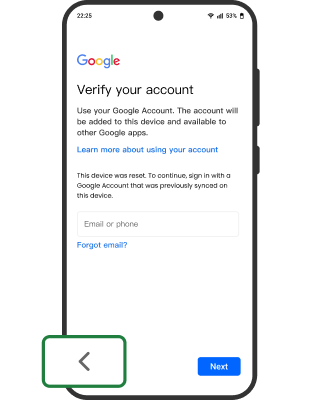
Tap the "Back" button
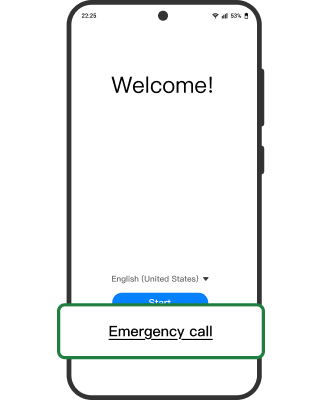
On the "Welcome!" screen, tap the "Emergency call" button
Open the device's dial pad
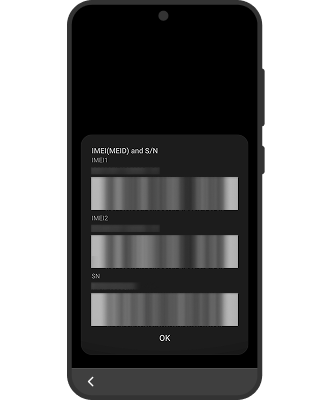
Enter "*#06#" (without the quotation marks) then dial the number, and the system will automatically display the device’s IMEI or SN
Get the IMEI or SN from the device’s original packaging
If you still have the device’s original packaging, the IMEI or SN should be printed there or on an affixed label
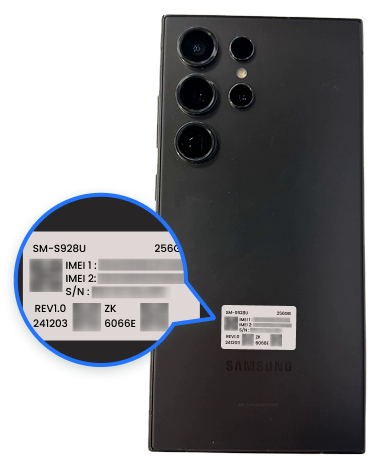
Get the IMEI or SN from the label on the back of the device
Some Android devices have a label on the back that lists the device's serial number, alongside information such as the brand and model
Follow the Steps to Automatically Read IMEI/SN
Step 1.
Install Samsung Android USB Driver
Download and install Samsung Android USB driver . Skip this step if already installed or if you’re using a Mac.
Step 2.
Plug in your device
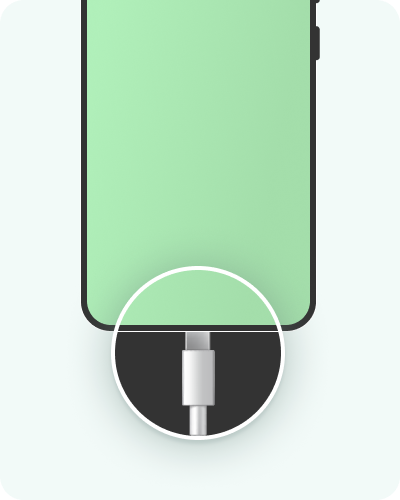
Connect your device using a USB data cable
Step 3.
Select device
Click the Add Device below. Often named
If the browser menu doesn’t appear or your device isn’t listed, follow the troubleshooting tips below.
Troubleshooting Tips
Unlocking...
It will take 1-10 minuttes to remove the FRP lock. Please wait a moment.
Your Device Has Been Unlocked Successfully
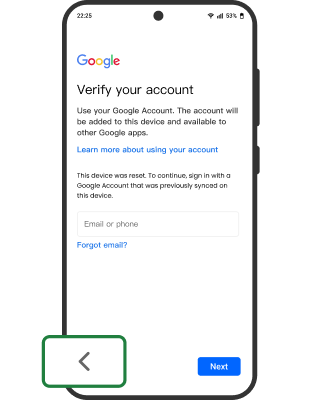
Please follow the steps below to restart and activate your device.Tap the "Back" button
On the "Welcome!" screen, tap the "Emergency call" button
Open the device's dial pad
Enter "*#06#" (without the quotation marks) then dial the number, and the system will automatically display the device’s IMEI or SN
Unlock Failed
Sorry! The unlock failed due to an unknown error. Please contact us — we’ll help you resolve the issue. Contact Us
Having trouble connecting your device?
Chrome menu didn't appear
Check that Chrome allows websites to ask for access to USB devices. Go to Settings > Advanced > Site Settings > USB Devices.
Phone wasn’t listed in the Chrome menu
Disconnect and reconnect the USB cable. Then try connecting again.
Try a different USB cable.
Make sure you have downloaded and installed the Samsung Android USB Driver .
Phone was listed but unable to connect
Make sure there are no any application using your phone port.
Try restarting your phone.
Failed to read IMEI/SN automatically. Please try again or follow the step-by-step guide instead.
Buy DroidKit - FRP Bypass Online to Unlock Your Samsung Devices
100% Money Back Guarantee if Unlocking Fails
One-Time Purchase
$39.99
(Incl. Sales Tax)
Purchase Completed!
Thanks for your purchase!
Your Order Number: ----
Your Order Amount: ----
To unlock your Samsung device, please click the button below to begin the unlocking process.
Loading your order, please wait a few seconds...
Order loading timed out. Please click "OK" button to load again.
No Unlock Attempts Left
You’ve run out of unlock attempts. Purchase more to continue your device without interruption.
Double-Check Your IMEI/SN.
Make sure your IMEI/SN is correct. Incorrect info may cause unlock failure.
Currently Entered IMEI/SN:
----
These are few old Samsung models which aren't supported with IMEI-based service. To unlock these devices, please download DroidKit desktop version on a PC or Mac.
Galaxy A01
SM-S111DL, SM-A015V, SM-A015U1, SM-A015U, SM-A015T1, SM-A015AZ, SM-A015A, SM-A015F, SM-A015G, SM-A015M
Galaxy A02
SM-M022G, SM-M022M, SM-A022G, SM-M022F, SM-A022F, SM-A022M
Galaxy A02s
SM-A025M, SM-M025F, SM-A025F, SM-A025G, SM-E025F, SM-A025U1, SM-A025V, SM-A025AZ, SM-A025U, SM-A025A,
Galaxy A03
SM-A035F, SM-A035M, SM-A035G
Galaxy A03s
SM-A037F, SM-A037M, SM-A037G, SM-A037U, SM-A037U1, SM-A037W, SM-S134DL, SM-S135DL
Galaxy A04
SM-A045M, SM-A045F
Galaxy A04e
SM-A042M, SM-A042F
Galaxy A05
SM-A055M, SM-A055F
Galaxy A10s
SM-A107F, SM-A107M, SM-M017F
Galaxy A11
SM-A115M, SM-A115F, SM-A115W, SM-A115AP, SM-A115A, SM-A115AZ, SM-A115U1, SM-A115U, SM-S115DL
Galaxy A14
SM-A145M, SM-A145F, SM-A145P, SM-A145R
Galaxy A14 5G
SM-A146W, SM-A146U, SM-A146U1, SM-A146M, SM-A146B, SM-A146P, SM-S146VL
Galaxy A20s
SM-A2070, SM-A207M, SM-A207F
Galaxy A21
SM-A215W, SM-S215DL, SM-A215U1, SM-A215U
Galaxy A22 5G
SM-A226B, SM-A226L, SM-A226BR
Galaxy A6s
SM-G6200
Galaxy F04
SM-E045F
Galaxy F42 5G
SM-E426S, SM-E426B
Galaxy F52 5G
SM-E5260
Galaxy J1 Mini Prime
SM-J106F
Galaxy J2 2018
SM-J250N
Galaxy J3 2016
SM-J320F
Galaxy M01
SM-M015G, SM-M015F
Galaxy M04
SM-M045F
Galaxy M10
SM-M105F, SM-M105G, SM-M105M, SM-M105Y
Galaxy M11
SM-M115M, SM-M115F
Galaxy M14
SM-M145F
Galaxy M20
SM-M205F, SM-M205FN, SM-M205G, SM-M205M, SM-M205N
Galaxy M21
SM-M215F
Galaxy M21 2021
SM-M215G
Galaxy M30
SM-M305F, SM-M305M
Galaxy M30s
SM-M3070, SM-M307F, SM-M307FN
Galaxy M31
SM-M315F, SM-F415F
Galaxy M40
Galaxy On5 2015
SM-G550FY
Galaxy Tab A 7 2016
SM-T285
Galaxy Tab A8 2019
SM-T295N, SM-T290, SM-T295, SM-T295C, SM-T297
Galaxy A01 Core
SM-A013F, SM-A013G, SM-M013F, SM-A013M
Galaxy A03 Core
SM-A032M, SM-A032F
Galaxy A2 Core
SM-A260G, SM-A260F
Galaxy J2 Core
SM-J260M, SM-J260Y, SM-J260G, SM-J260F, SM-J260GU, SM-J260MU, SM-J260FU
Galaxy J4 Core
SM-J410G, SM-J410F
Unlocking Samsung S25 Requires the Desktop Version
Currently, the online tool doesn’t support Samsung S25. Please download the DroidKit desktop version to unlock it on your PC or Mac.
Download Now
Got my Galaxy S24 unlocked in under 15 minutes. The process was super smooth, and I didn't need any tech skills. Highly recommended!
Used this for my Z Fold6, and it worked like a charm. The process was straightforward, and the support team was quick to answer my questions. Best online FRP tool I've tried!
I tried other methods before, but nothing worked. This service was fast, clear, and safe. The refund guarantee also gave me peace of mind, though I didn’t need it since my device unlocked successfully.