How to Check if a Samsung Device Supports Online FRP Bypass?
Bypasing the FRP (Factory Reset Protection) lock online on a Samsung device requires confirming whether your device is supported. This guide explains how to obtain your Samsung device model and check its compatibility using official resources.
Step 1. Obtain Your Samsung Device Model.
Option 1: Direct Device Model Verification.
Some Samsung devices provide the model identifier directly on the rear housing of the device.
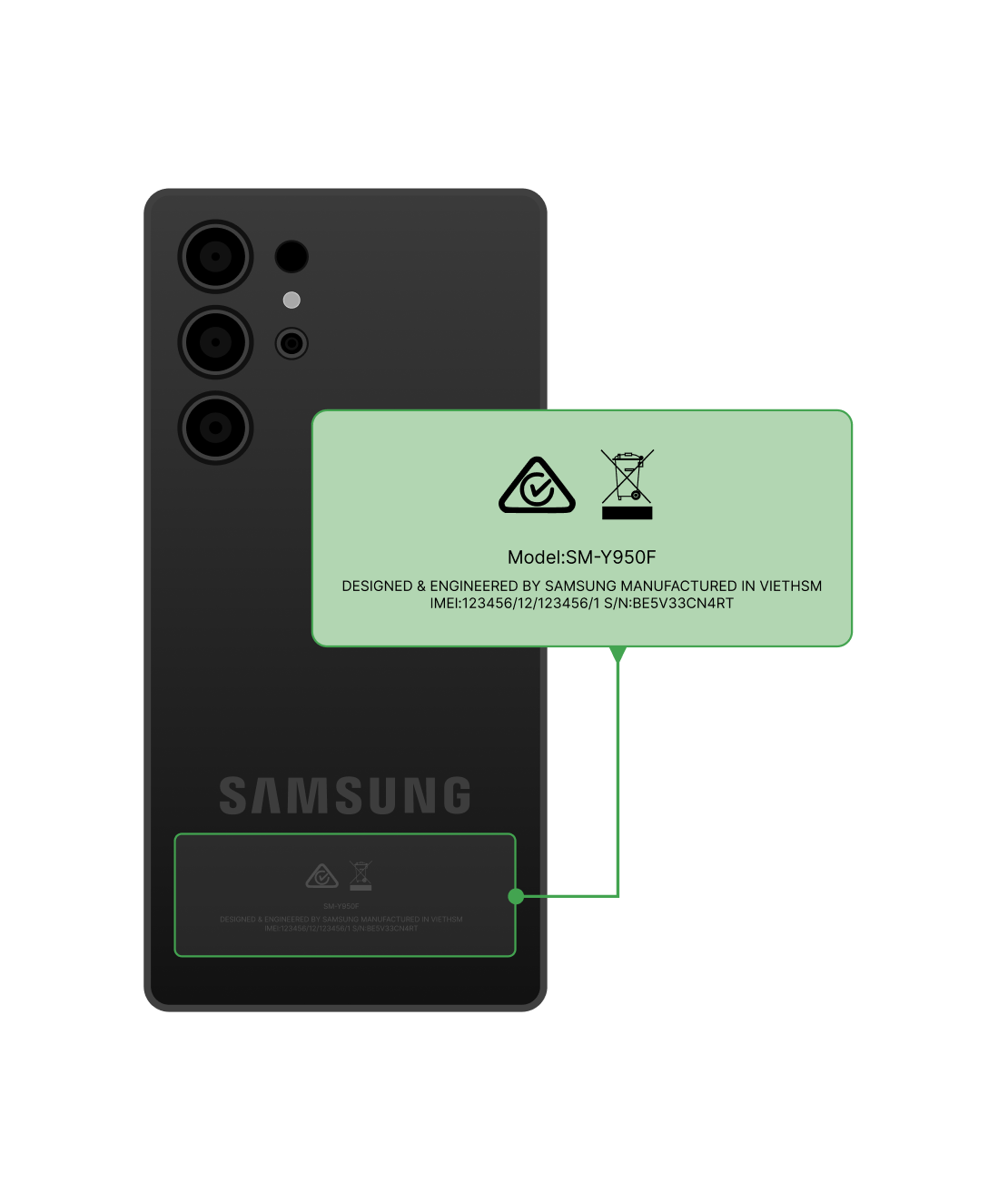
Check Device Model from the Back of Device
Alternatively, you may refer to the device's original packaging or purchase invoice, where the model number is also typically indicated.
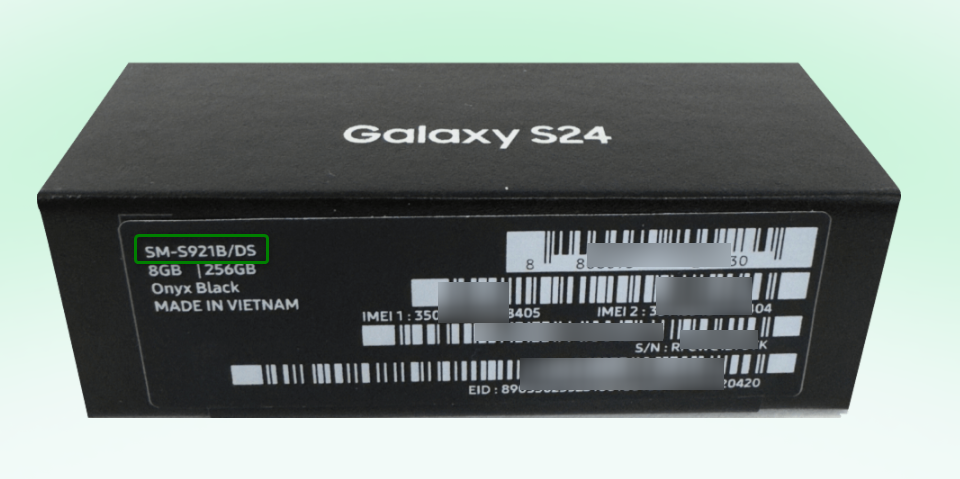
Check Device Model from Original Packaging
Option 2: Device Model Identification via IMEI Analysis.
If the model number is not easily accessible, you can retrieve it using your IMEI. Please open the phone dialer (on uninitialized devices, use the emergency call option) and dial *#06# to obtain your IMEI.
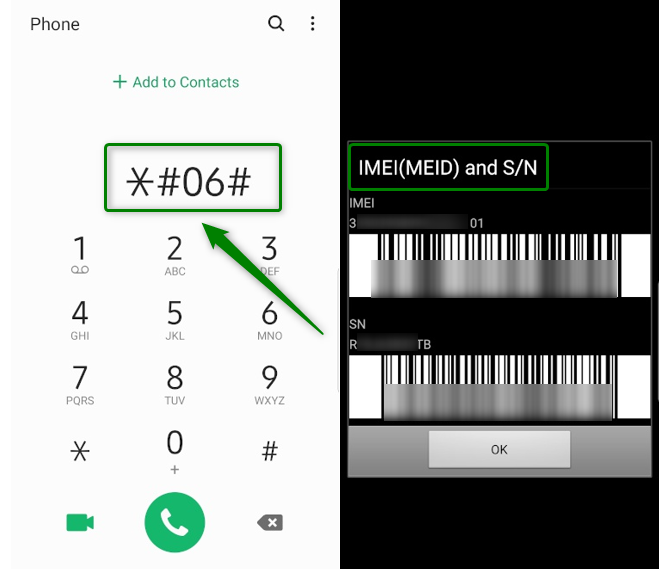
Check IMEI Number
Then, visit a third-party IMEI lookup website, such as IMEI.net, and enter your IMEI number.
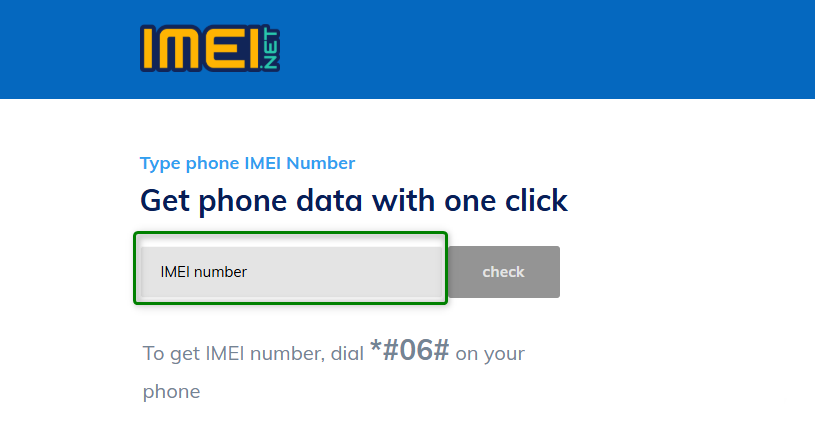
Enter IMEI Number
Follow the instructions to view the detailed device information. The Code name listed corresponds to your device model.
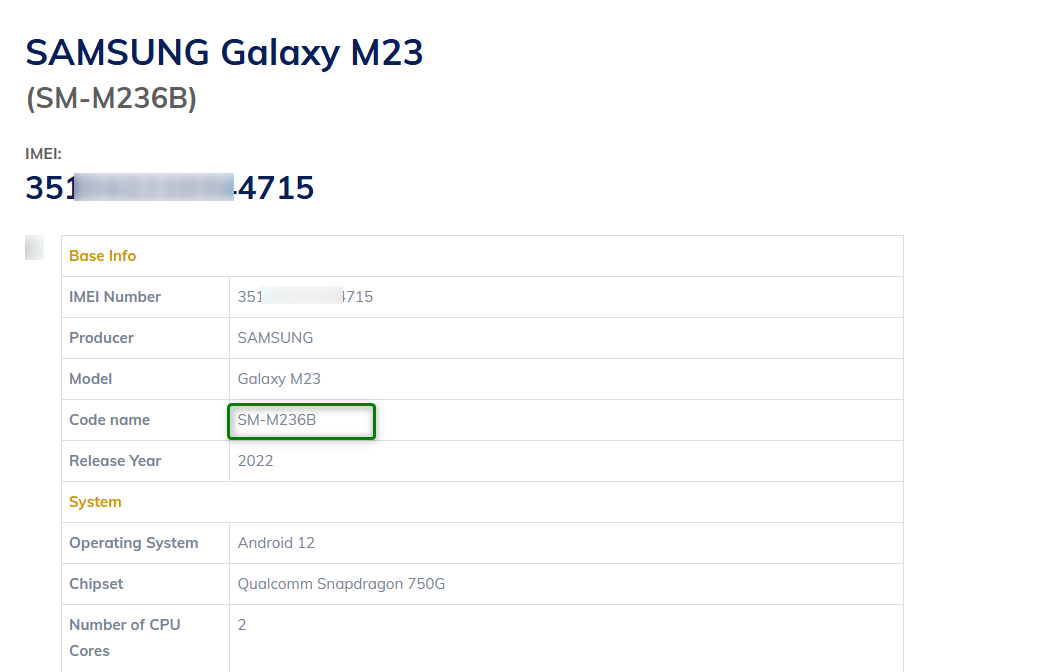
Obtain Device Code Name
Step 2. Verify if Your Samsung Device Supports Online FRP Bypass.
Please access the Samsung Knox official page: Samsung Knox Supported Devices.
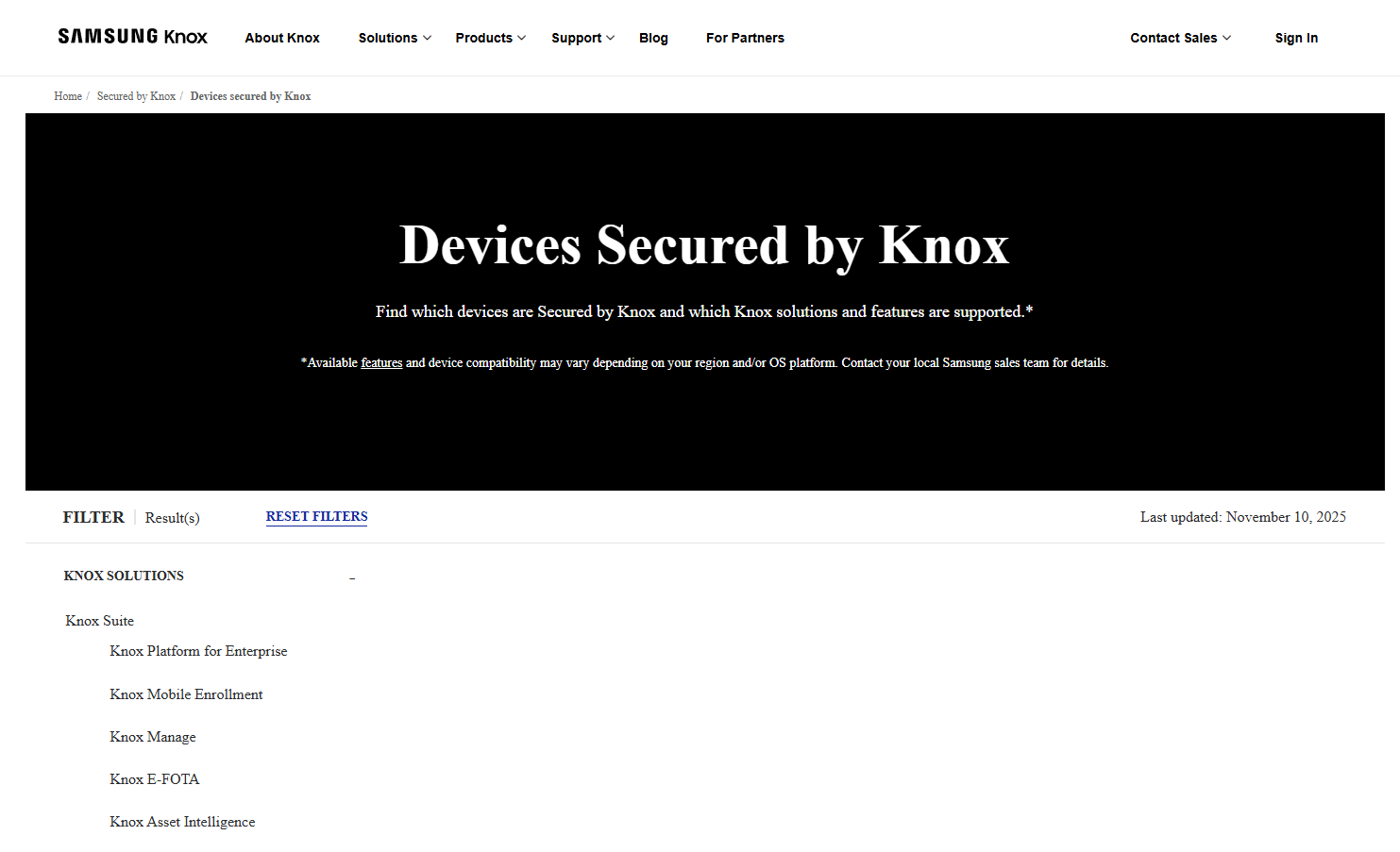
Access Samsung Knox Official Page
Search for your Samsung device model. And then, check the device's OS information: If it displays "Android - Secured by Knox", your device supports online FRP bypass. If it does not, your device is currently not supported for online FRP bypass.
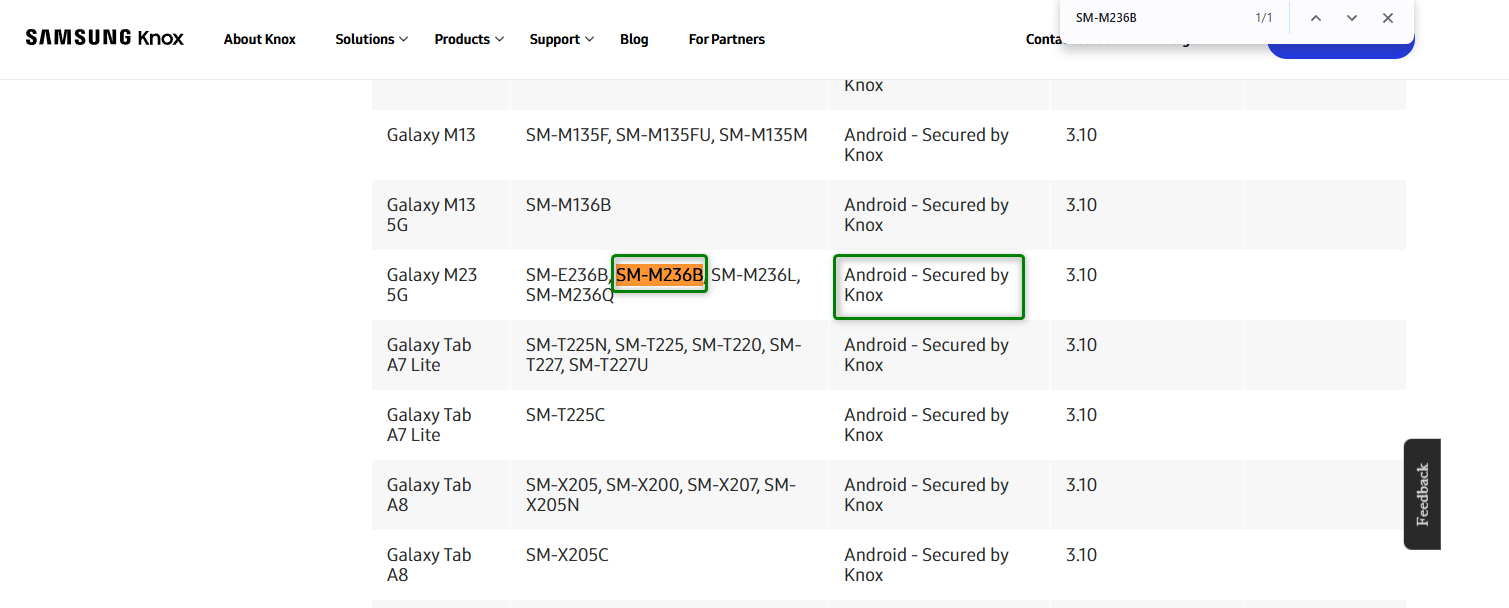
Search Device Model
If you still have questions after reading this guide, please visit our FAQs page for more solutions, or contact our Support Team for further assistance. We're always here to help!