AnyTransThe Ultimate Apple Devices ManagerClick to Learn More >

For Any Devices
Supports All Models of iPhone, iPod, iPad

For Any Content
Manage Music, Playlists, Photos, Apps, Messages & More

From Anywhere
For Your Content in Devices, Computer, iTunes or iCloud

In Any Way
iPhone to Computer, iPhone to iTunes even between iPhones
PhotoTrans
- Overview
- Guide
- Tech Specs
- Download


Thanks for choosing PhotoTrans
Please click here to start downloading...
PhotoTrans Download Page
Runs on: Windows (XP, Vista, 7, 8, 10) and Mac OS X (10.7-10.11)
- 1. Updated to fully support the latest iOS 8.3.
- 2. Fixed some minor bugs and improved the running performance.
- Download PhotoTrans Windows (for iTunes 12.1 and later / for older iTunes)
- Download PhotoTrans Mac Version (runs on OS X 10.7-10.11)
- Click below buttons to spread a word on PhotoTrans.
What's New on PhotoTrans v1.8.2.20150417:
Related Download:
More iMobie Essentials Picked Up for You

-
An Ultimate iPhone iPod Manager Solution
- AnyTrans is an emphasized and complete iOS content manager software. It gives both control and freedom over all users iOS data and files, including music, videos, photos, messages, books, Safari history, voicememo, etc.

-
Clean Up & Speed Up Your iPhone iPad in 1-Click
- PhoneClean gives you an option to clean App caches, cookies and off-line files; sweep off media temp files and reclaim Other storage space on all your iOS devices with one single tap. World's first and only iPhone Cleaner tool!
Installation Instruction Tips:
1. Free Download PhotoTrans setup file and click 'Run' to start the installation.

2. PhotoTrans is 100% clean & safe. So when User Account Control asks for permission, please click 'Yes' to allow PhotoTrans to make the change.
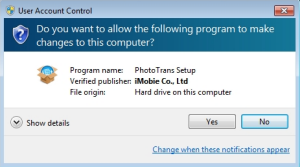
3. And then, you can follow the installation instructions given by PhotoTrans installer.
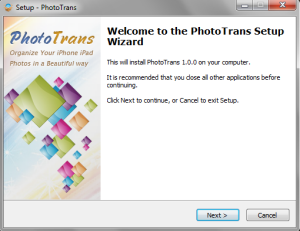
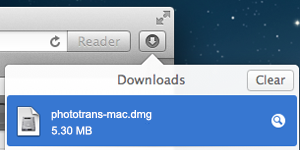
1. Free download Phototrans dmg file and double-click it to start the installation.
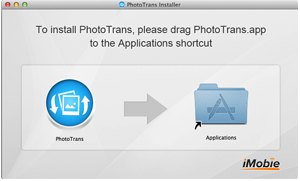
2. Drag the Phototrans.app icon to the Applications shortcut.
3. Phototrans is now installed! Open it on your Launchpad or keep it in dock for quick launch