Can You Play Brawl Stars on PC? The Ultimate Guide!
Brawl Stars is a popular mobile game. But can you play Brawl Stars on PC? Here is a guide outlining everything you need to know about playing Brawl Stars on PC.

Can You Play Brawl Stars on PC? The Ultimate Guide!
Screen mirroring your iPhone and Android to the computer with ease.
- Fast response time within 10 ms and 60fps frame rate.
- A stunning visual experience with no color difference.
- Lag-free screen mirroring and 4k resolution.
Available for both Win & Mac
You must have heard of Brawl Stars, right? It’s an incredibly popular mobile game that has captured the hearts of players worldwide!
Developed by Supercell, the same folks who created Clash of Clans and Clash Royale, Brawl Stars offers thrilling multiplayer action that’s fun for all ages.
Now, the big question is: Can you play Brawl Stars on PC?
Well, you are in luck because YES YOU CAN! However, you may have to go through an extensive setup. Nevertheless, it is possible.
In this article, we’ll guide you through the process step-by-step so you can keep the fun going on your computer.
Table of ContentsHide
Why You Can’t Play Brawl Stars on PC?
If you’re a fan of Brawl Stars but prefer playing on a larger screen, you might be wondering if it’s possible to play the game on your PC.
Unfortunately, there’s no official PC version of the game available for download. However, there’s good news, too: you can use emulators or other third-party apps to play Brawl Stars on your computer!
But before we get to that, here are some reasons why you can’t play Brawl Stars on PC:
- Since Brawl Stars is still a fairly new game, it’s important for the developers, Supercell, to ensure that the mobile platform is well-polished and free of any bugs.
- Another reason why there is no PC version of Brawl Stars may be because Supercell wants to maintain fair play among all players. Brawl Stars is a competitive game, and giving PC players an advantage over mobile players could ruin the game’s competitive integrity.
- The developers of Brawl Stars may not be considering a PC version of the game. Perhaps they feel that the mobile gaming market is already big enough to keep the game going, and they don’t see the need to invest in developing a PC version.
Even though Brawl Stars doesn’t have a PC version, you can still play it on your computer using emulators or third-party screen-mirroring apps.
However, it is important to remember that using an emulator to play Brawl Stars isn’t officially supported by Supercell. This means that if you face any issues while playing the game on an emulator, Supercell may not be able to provide you with assistance.
Below, you will find detailed step-by-step instructions on how to play Brawl Stars on your PC using various methods.
Method 1: Play Brawl Stars on PC with Emulators
If you’re interested in playing Brawl Stars on your PC, all you need to do is download an emulator.
Don’t worry, it’s not complicated at all!
There are some great emulators out there, like BlueStacks and LD Player, which are free to download and completely safe to use.
BlueStacks
If you want to play Brawl Stars on your PC, we definitely recommend checking out Bluestacks.
It’s one of the most reliable emulators out there and has been around for quite some time. Plus, it works with a wide range of PC hardware and software, which is always a plus!
One of the best things about Bluestacks is that it offers awesome features like high-resolution graphics, smooth gameplay, and keymapping customization, all of which can make your gaming experience even more enjoyable. Follow these easy steps and start playing Brawl Stars on your PC:
Step 1. Download and install BlueStacks on your PC.
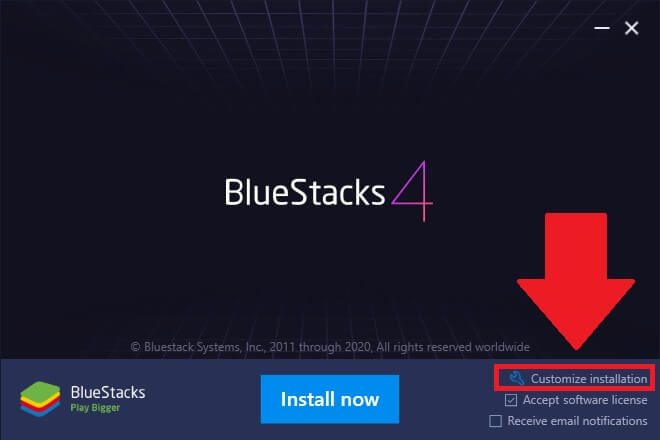
Download and install BlueStack on PC
Step 2. Launch BlueStacks and sign in to the Google Play Store using your Google account.
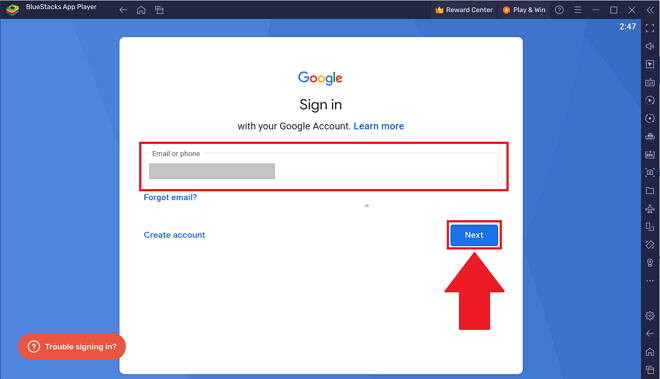
Configure BlueStack
Step 3. Search for “Brawl Stars” in the search bar to download and install it on your PC via BlueStacks.
Step 4. Simply launch the game and start playing!
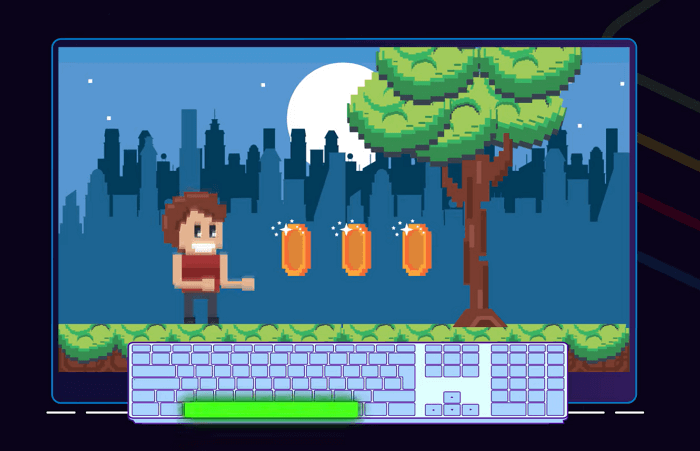
Launch and Playing Brawl Stars Game
So, can you play Brawl Stars on PC? With BlueStacks, yes, you can!
LDPlayer
Another reliable way to play Brawl Stars on your PC is via LDPlayer. It’s a newer emulator, but it’s quickly gaining popularity thanks to its great performance and user-friendly interface.
LDPlayer is quite similar to Bluestacks, but it does have some unique features that make it stand out, like a built-in macro recorder and support for the Vulkan graphics API.
Nevertheless, if it enables you to play mobile games on a PC, who’s complaining?
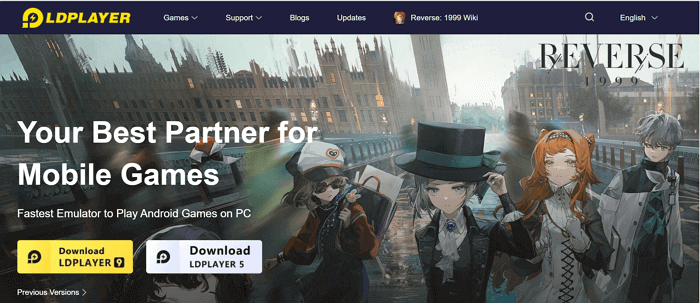
Try LDPlayer Game on PC
If you think downloading and using emulators is not your cup of tea, you can try screen mirroring your mobile to your PC and enjoy gaming on a large screen.
Method 2: Mirror and Control Brawl Stars on PC
You will find several screen mirroring apps out there that enable you to mirror your smartphone’s screen to your PC and even control it.
One such screen mirroring tool is Scrcpy.
It is a free and open-source tool that lets you easily display and control your Android device right on your computer. The best part is that it’s super lightweight and works on Linux, Windows, and macOS.
Plus, you don’t even need to root your device to use it!
With Scrcpy, you can mirror your device’s screen with or without audio. It’s a fantastic way to enjoy Brawl Stars from the comfort of your PC.
To play Brawl Stars on PC via Scrcpy, follow these steps:
Step 1. Download and install Scrcpy on your PC.
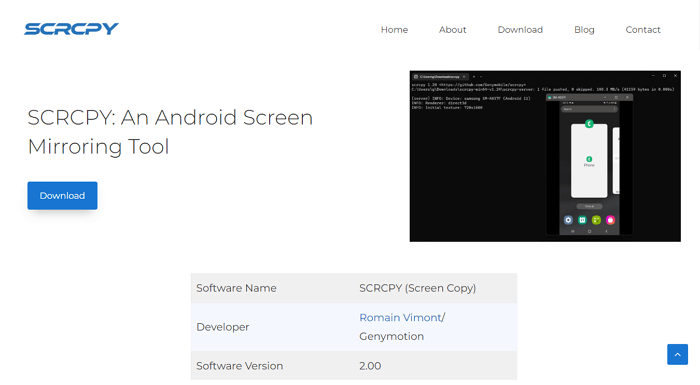
Download Scrcpy on PC
Step 2. Now connect your Android device to your PC and enable USB debugging by accepting the pop-up on the screen.
Step 3. Open “Command Prompt” on your PC and run the command “scrcpy.”
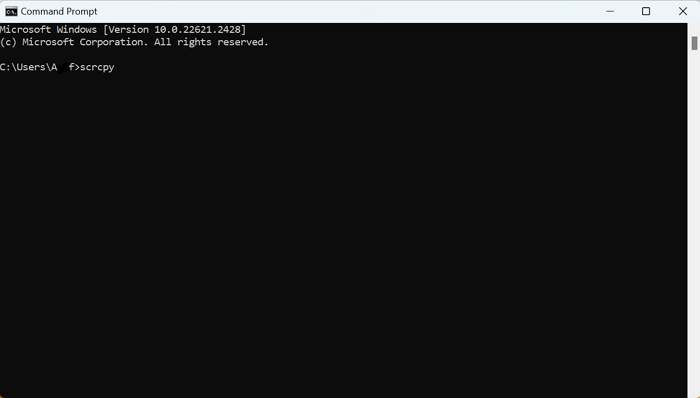
Run Scrcpy Command
And that’s all you need to do to play Brawl Stars on PC.
Bonus Tip: Light and Handy Screen Mirroring Tool – AnyMiro
Are you looking for a tool to mirror your phone screen on your PC but haven’t found a reliable one yet? Don’t worry; we’ve got you covered!
Say hello to iMobie AnyMiro: your ultimate solution for all your screen mirroring needs.
AnyMiro is a super simple and lightweight tool that lets you seamlessly mirror your mobile device on your computer. Whether you’re an iOS lover or an Android fan, and no matter if you’re on a PC or a Mac, AnyMiro has got you covered.
The best part is that it supports both wireless and USB connections so that you can use it with any smartphone, regardless of its age or model.
Key Features of AnyMiro
Here are some features that make AnyMiro one of the best screen-mirroring apps:
- High-resolution Screen Mirroring
AnyMiro can mirror your screen in 4K resolution and cast the actual screen colors. As a result, you get an excellent experience for sharing media files, games, drawing, and more. - Stable and Lag-free Screen Mirroring
The best thing about AnyMiro is that it ensures a smooth and seamless mirroring experience, even when you’re mirroring high-bandwidth content. - Simultaneous Audio and Video Mirroring
The issue with most screen mirroring apps is that you can either mirror your screen or the background audio. But with AnyMiro, you can mirror both the audio and video from your device at the same time, sharing your screen with sound. - Support for Popular Live Streaming Tools
You can use AnyMiro to stream your phone online, using live streaming tools like OBS and Streamlabs. So, if you’re a live streamer and want to broadcast your game or want to share your screen with a large audience, AnyMiro is the ideal choice.
 AnyMiro – Real-Time Screen Mirroring Tool
- More than 10 hours of stable screen mirroring connection.
- Up to 4K resolution providing a stunning visual experience.
- Integrates with live streaming tools such as OBS and Streamlabs.
- Auto-sync video and background audio with timestamp adjustments.
Free Download
100% Clean & Safe
Free Download
100% Clean & Safe
Free Download 100% Clean & Safe
Frequently Asked Questions (FAQs)
1. Is BlueStacks safe?
Bluestacks is a trusted and well-known emulator that has been around for a long time. Security firms regularly check it for any malicious code, and it has always passed those tests with flying colors.
That being said, some anti-virus software may mistake Bluestacks for malware because it uses virtualization technology. But don’t worry, there is no evidence that Bluestacks itself is harmful.
2. Is Brawl Stars only a mobile game?
Yes, Brawl Stars can only be played on mobile devices. But don’t worry, there’s some good news! There have been whispers going around that Supercell, the creators of Brawl Stars, are thinking about making a PC version of the game.
But, till that happens, you can use an emulator or third-party screen-mirroring app to play Brawl Stars on PC.
3. What can you play Brawl Stars on?
You can play Brawl Stars on your mobile. However, if you would like to enjoy it on a larger screen, an emulator or a third-party screen-mirroring app like AnyMiro can help you out.
The Bottom Line
Can you play Brawl Stars on PC? Well, Brawl Stars is primarily a mobile game, which does not have an official PC version yet. However, if you are willing to use a third-party tool, such as an emulator or a screen mirroring tool, then you can play Brawl Stars on a PC.
Emulators allow you to run mobile apps on your computer, and a screen mirroring tool, like Scrcpy, allows you to mirror your mobile device’s screen to your computer. But, there are some potential drawbacks to using these tools, such as input lag and performance issues.
Therefore, if you want to enjoy a seamless battle of Brawl Stars on your PC, we suggest using AnyMiro. AnyMiro is a great choice for anyone who wants to mirror their Android or iOS device’s screen to their computer in a simple, reliable, and stress-free way!
AnyMiro – Real-Time Screen Mirroring Tool
Free download AnyMiro to enjoy a fast, stable, and smooth screen mirroring experience. You can mirror for better game playing, video watching, or live streaming mobile phone content.
Product-related questions? Contact Our Support Team to Get Quick Solution >
