Top 4 GBA Emulators for PC in 2026
The top 4 GBA emulator for PC in 2026 are covered in this article. With these emulators, you can easily play Game Boy Advance games on your PC. Discover how to play your favorite GBA games on your PC in this detailed guide.

Top 4 GBA Emulators for PC in 2026
Try AnyMiro to mirror Android & iPhone to PC for free via USB and WiFi.
- Fast response time within 10 ms and 60fps frame rate.
- A stunning visual experience with no color difference.
- Lag-free screen mirroring and 4k resolution.
Consider discovering a beloved old Game Boy Advance game. Even though you no longer have the console, you still want to play it. How can you help? Using a GBA emulator on a PC is a straightforward solution! You can use a specialized program called a GBA emulator to play games on your PC.
Without the device, you may still enjoy all of your favorite games because it functions like the real console. The top four GBA emulators for PC in 2026 will be given in this article. These emulators provide you with excellent functionality and smooth gameplay. Furthermore, a different method of playing GBA games without an emulator will also be demonstrated. So, let’s begin to learn this!
What is a GBA Emulator?
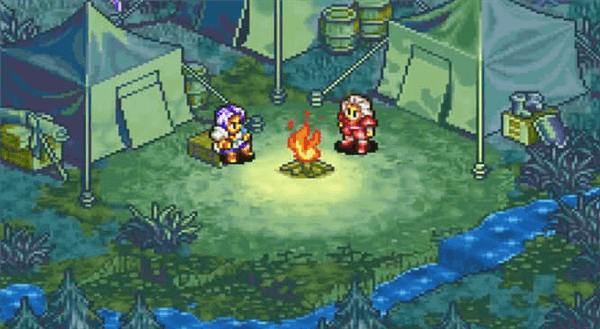
A GBA emulator software program allows you to play Game Boy Advance games on devices like PCs and cellphones. It mimics the features of the original Game Boy Advance console, allowing you to play vintage games without needing the actual hardware. With contemporary additions like a bigger screen and more buttons, several gadgets use emulation to deliver a portable gaming experience like the original GBA.
Game Boy Advance
Key Features:
- Save and load game states at any point during gameplay.
- Support for cheating codes to enhance or modify the gaming experience.
- Customizable controls suit individual preferences.
- Full-screen mode for an immersive gaming experience.
- Screen captures capabilities to take in-game screenshots.
- Support for external controllers for a console-like feel.
- Cross-platform availability on Windows, macOS, and Linux.
Top 4 GBA Emulators for PC in 2026
Now, let’s have a detailed look at the top 4 GBA emulators for PC in 2026:
Visual Boy Advance
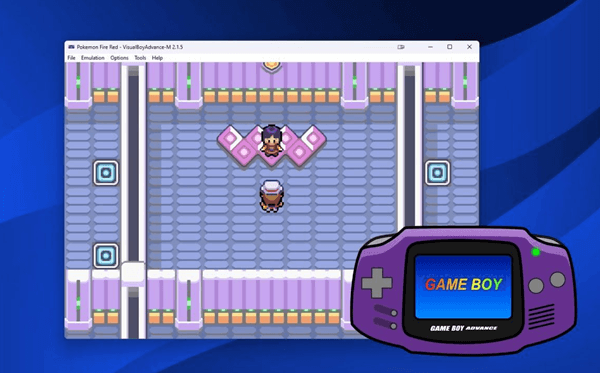
To play Game Boy, Game Boy Color, and Game Boy Advance games on a PC, you can use the free and dependable Visual Boy Advance (VBA) emulator. It has numerous helpful features and runs games smoothly. You can record games, capture screenshots, and apply special filters to enhance graphics. To access additional settings, VBA also supports GameShark and Codebreaker cheat codes.
VBA is an excellent option for retro gamers because it has a lot of useful features, including save/load states, real-time IPS patching, autofire, and debugging.
Top GBA Emulator – Visual Boy Advance
Key Features:
- Supports GBA, GBC, and GB ROMs for smooth gameplay.
- Includes cheat codes from GameShark and Codebreaker.
- Full-screen mode and graphic filters for better visuals.
- Local and remote linking for multiplayer support.
- Records gameplay with audio and video capture.
Pros
- Easy cheat code integration
- Fast and stable performance
- Joystick and controller support
Cons
- No official updates
- Limited customization options
Pricing: Free
No$GBA
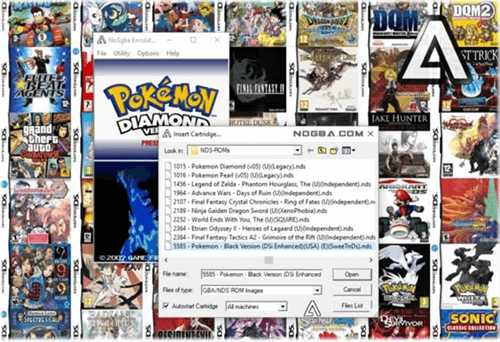
NO$GBA, short for “No Cash Game Boy Advance,” is a versatile emulator developed by Martin Korth. It lets users play Nintendo DS and Game Boy Advance (GBA) games on Windows and MS-DOS systems. Notably, it can emulate multiple GBA systems for multiplayer modes. The emulator accurately displays colors as they appear on actual LCD screens and uniquely includes multiplayer support.
Top GBA Emulator – No$GBA
Key Features:
- Supports GBA and NDS games with accurate color display.
- Emulates multiple systems for multiplayer gaming.
- Offers various save methods and cartridge reading options.
- Compatible with Windows and MS-DOS platforms.
- Provides debugging tools for developers.
Pros
- Accurate color display
- Multiplayer support
- Developer debugging tools
- Low system requirements
Cons
- Limited 3D rendering
- No Wi-Fi support
- High CPU usage
Pricing: Starting from $15
BatGBA
BatGBA is a simple emulator to run native Game Boy (GB), Game Boy Advance (GBA), and Game Boy Color (GBC) games on Windows PCs. It supports some basic features, including fullscreen mode for enhanced gameplay, loading ROM files, and audio and video config options. Owing to its famed simplicity and ease of use, BatGBA can be used by everyone without needing to resort to complicated configurations or hardware. The chief aim of BatGBA is to provide a sound and fast environment for playing classic Nintendo handheld titles.
Key Features:
- Support for GB, GBA, and GBC ROMs for various gameplay options.
- Allows for the tweaking of audio and video parameters.
- Offers fullscreen mode for engaging gameplay.
- While playing, it shows frames per second (FPS).
- Low CPU utilization is guaranteed by the lightweight design.
Pros
- Simple user interface
- Easy to set up
- Low system requirements
Cons
- Lacks advanced features
- No cheat code support
Pricing: Not stated
Boycott Advance
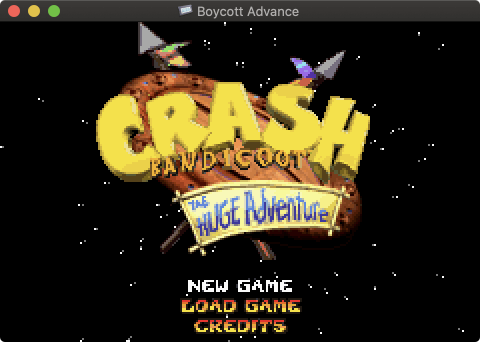
Boycott Advance is a Game Boy Advance (GBA) emulator compatible with Windows, macOS, Linux, and Unix systems. It offers features like USB gamepad support, full-screen mode, and audio effects. The emulator provides frame-skipping and auto-frame-skipping options, real BIOS support, load/save states, WAV/MP3 sound recording, input recording, Zip/GZip file support, a built-in debugger, and joystick support. BoycottAdvance is designed to run homebrew GBA software and is compatible with some commercial games. Its highly optimized CPU emulation ensures full-speed performance on supported Macs and fully supports GBA video features, including scaling and rotation.
Top GBA Emulator – Boycott Advance
Key Features
- Supports USB gamepads for enhanced control.
- Offers full-screen mode for immersive gaming.
- Provides audio effects for better sound quality.
- Includes frame-skipping to maintain smooth gameplay.
- Supports load/save states for game progress management.
Pros
- Cross-platform compatibility
- Full-screen mode available
- Audio effects supported
Cons
- Limited classic Game Boy support
- Compatibility with commercial games varies
Pricing: Free
How to Play GBA games on your PC without Emulators?
AnyMiro is a fantastic tool for mirroring your phone’s screen to play GBA games on your PC without emulators. It smooths gaming by providing a steady and lag-free connection for up to ten hours. 4K high-resolution mirroring allows you to see crisp, clear images. It ensures that game sounds match precisely by providing real-time audio sync. You can use live annotations to highlight important game details for more interaction. Whether playing classic GBA titles or streaming, AnyMiro makes it easy and smooth.
Key Features:
- Provides stable, lag-free mirroring for long gaming sessions
- Delivers 4K high-resolution visuals with accurate colors
- Syncs game sounds perfect in real-time
- Supports direct streaming to Twitch, YouTube, and Facebook
- Allows easy screen recording and live annotations for sharing gameplay
- Offers up to 10 hours of smooth, uninterrupted gameplay
Now, let’s explore the complete steps to use AnyMiro for this purpose:
From iPhone to PC Via Wi-Fi:
Step 1. Free download AnyMiro and open it on your computer and click “iOS/iPadOS.”
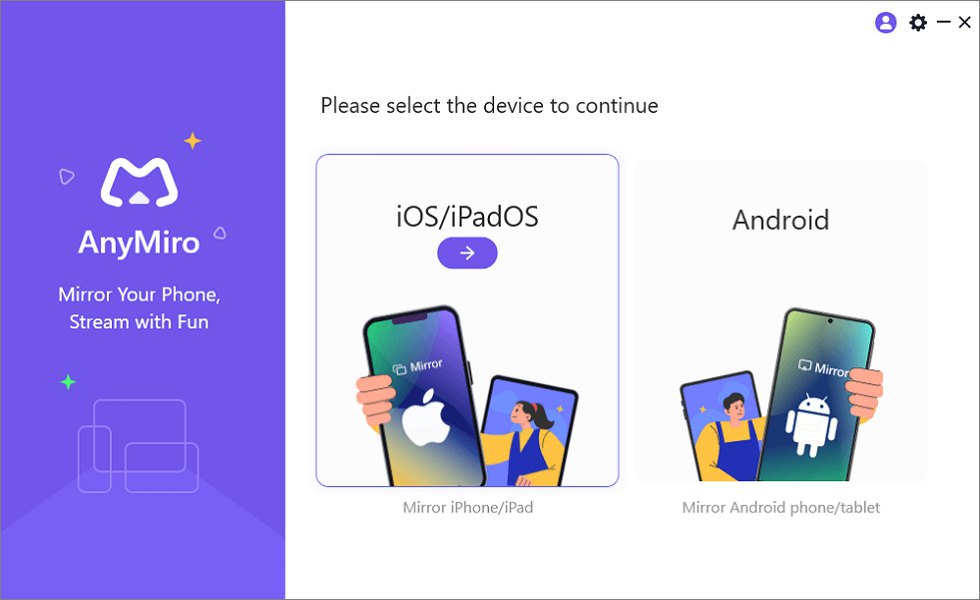
Mirror iPhone to Computer
Step 2. Select the “Wi-Fi connection” option.
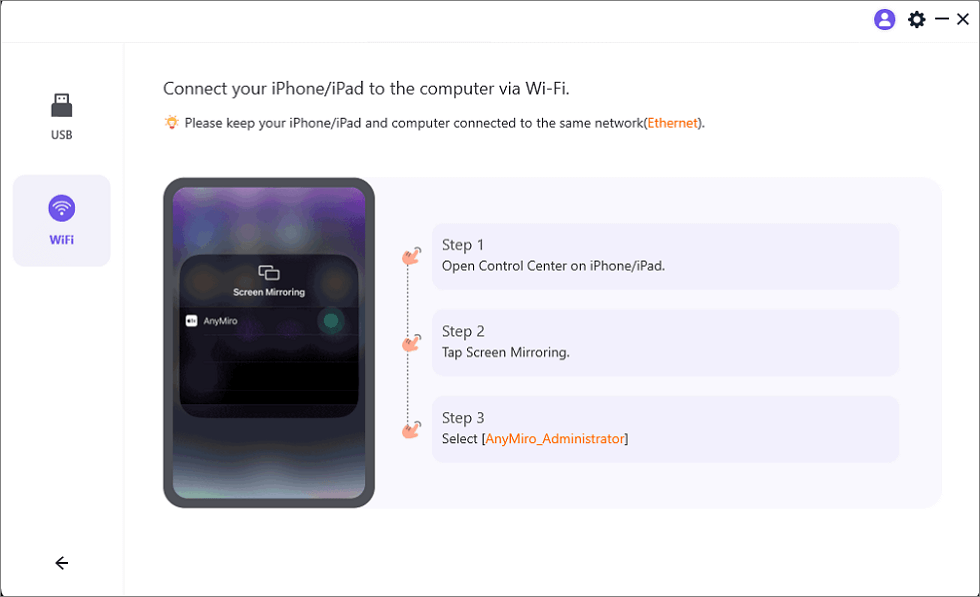
Mirror iOS to Computer via WiFi
Step 3. Ensure your iPhone/iPad and computer are connected to the same Wi-Fi network.
Step 4. On your iPhone/iPad, go to Control Center, tap “Screen Mirroring“, and select “AnyMiro_Computer Name.”
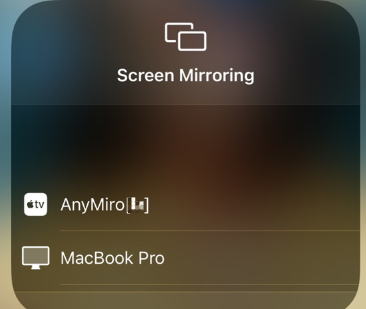
Select AnyMiro to Mirror iPhone to MacBook Bluetooth
Step 5. Your screen will start mirroring your computer.
From Android to PC Via USB:
Step 1. Install AnyMiro on your computer and launch it.
Free Download for all windows & 100% safe Free Download for all mac & 100% safe
Free Download100% Clean & Safe
Step 2. Click on “Android” to begin the setup.
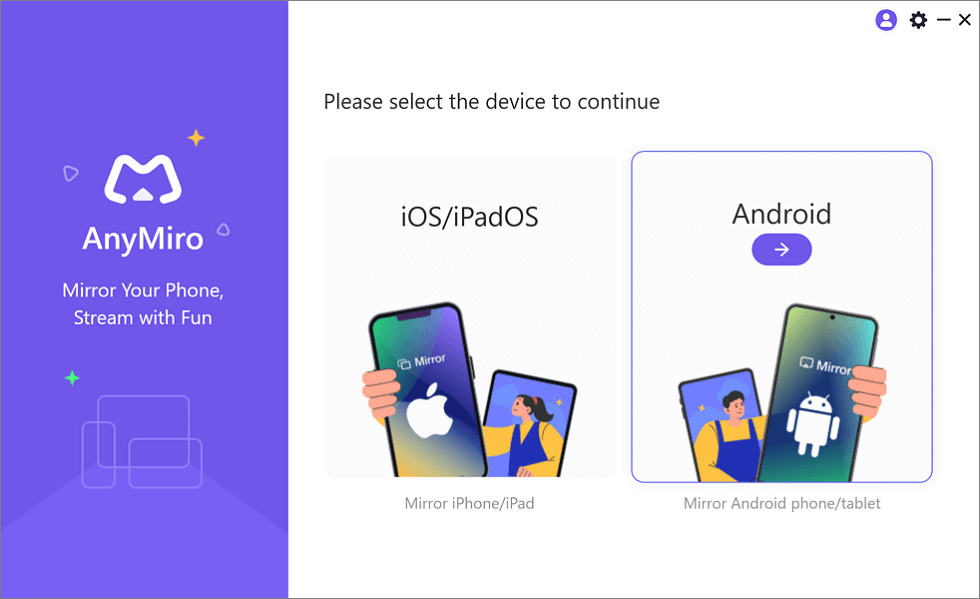
Mirror Android to Computer
Step 3. Tap the “USB” icon and connect your Android device with a USB cable.
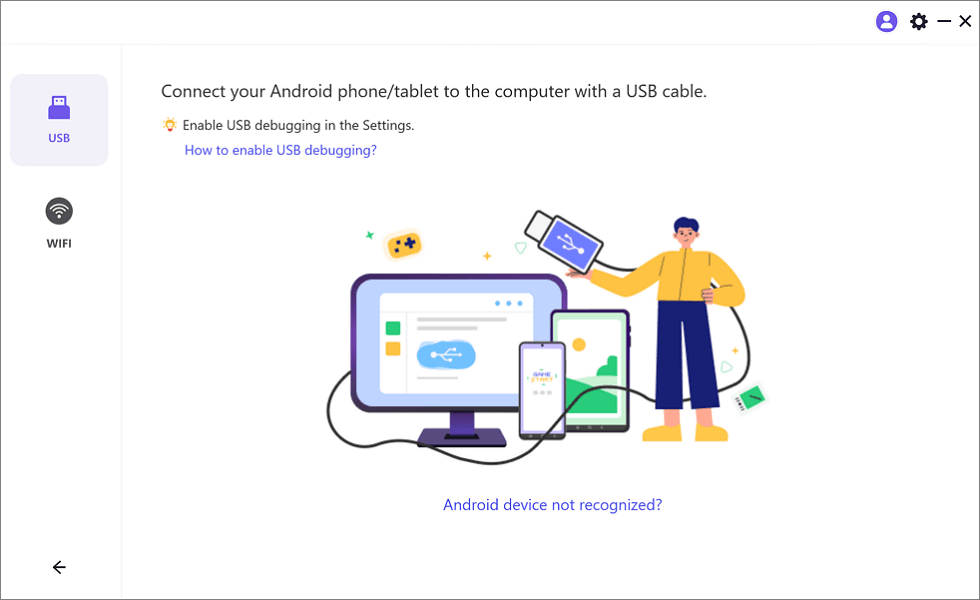
Select the USB Option for Screen Mirroring Android to PC
Step 4. Enable “USB debugging” and choose “MTP Mode” when asked.
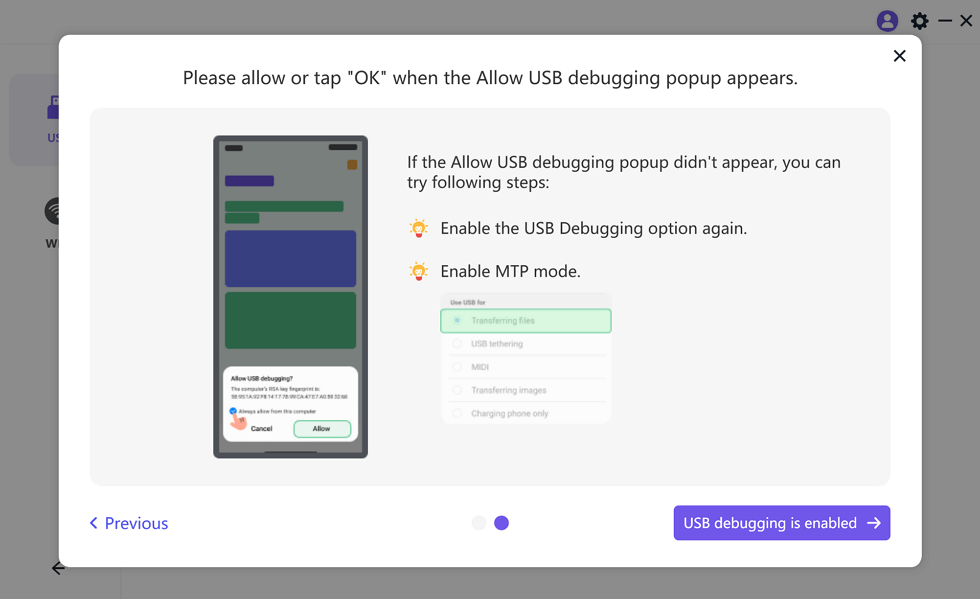
Enable USB Debugging and MTP Mode for a USB Connection
Step 5. Your Android screen will now appear on your computer.
FAQs on GBA Emulators for PC
1. Do I need a powerful PC to run GBA emulators?
No, GBA emulators don’t need a powerful PC. They work well on most computers, even older ones since Game Boy Advance games are not demanding.
2. Can I use a controller with a GBA emulator?
Yes, most GBA emulators support controllers. In the emulator settings, you can configure the buttons on a controller that you connect to your computer by Bluetooth or USB.
3. What is the best way to use a computer to play GBA games?
The most effective method for playing games from your phone on a larger screen is to use a GBA emulator or screen mirroring software like AnyMiro. It lets you mirror your phone to your PC with HD quality and lag-free streaming.
Final Words
Playing your favorite Game Boy Advance games on a PC with GBA emulators is easy. The four emulators mentioned here have wonderful features, seamless gameplay, and compatibility with most GBA games. But if you want to play GBA games on your PC without any emulator, then AnyMiro is an excellent choice. It gives you a stable connection, allows you to cast your phone onto your PC in high definition, and provides ten hours of lag-free streaming. Experience smooth and easy gaming with AnyMiro!
Product-related questions? Contact Our Support Team to Get Quick Solution >
