10 Best Pokémon Emulators for Android in 2026
Pokémon fans wanting to play old games on their smartphones must use Pokémon emulators for Android. The guide compares the functionality, performance, and legality of the top ten Pokémon emulators on Android in 2025.

10 Best Pokémon Emulators for Android in 2026
Try AnyMiro to mirror iPhone to PC for free via USB and WiFi.
- Fast response time within 10 ms and 60fps frame rate.
- A stunning visual experience with no color difference.
- Lag-free screen mirroring and 4k resolution.
Want to play Pokémon on your Android but face lag, crashes, or missing features? Many emulators fail to deliver a smooth experience, making battles slow and gameplay frustrating. The best Pokémon emulators solve this with fast performance, stable controls, and enhanced graphics. In this guide, you’ll find the best Pokémon emulators for Android with the best features. Get ready for the ultimate Pokémon experience on Android!
Table of ContentsHide
Comparison Table of Pokemon Emulators for Android
| Compatibility | Specific Games | User Interface | Performance | |
| DraStic DS | Android 4.0+ | Nintendo DS Pokémon Games | Simple & Clean | Fast & Smooth |
| My Boy! Lite | Android 4.0+ | GBA Pokémon Games | Customizable Interface | Battery-efficient |
| John GBA | Android 6.0+ | GBA Pokémon Games | Easy to use | Works offline |
| Pizza Boy A Basic | Android 6.0+ | GBA Pokémon Games | Customizable Controls | Fast & Lightweight |
| GBA.emu | Android 2.3+ | GBA Pokémon Games | Simple & Minimal | Low Latency |
| RetroArch | Android 5.0+ | Multiple Pokémon Games | Complex but powerful | Multi-core support |
| Lemuroid | Android 6.0+ | Multiple Pokémon Games | Clean user interface | Cloud Sync Support |
| Citra | Android 8.0+ | 3DS Pokémon Games | User-friendly | High-Resolution |
| Dolphin Emulator | Android 5.0+ | GameCube, Wii Pokémon Games | Advanced UI | Needs high-end device |
| Redream | Android 5.0+ | Classic Pokémon Games | Simple & Efficient | Smooth & Fast |
10 Best Pokemon Emulators for Android
Let’s have a detailed look at the best Pokemon Emulators for Android:
DraStic DS Emulator
Playing Pokémon games on Android can be slow and frustrating. DraStic DS Emulator makes gameplay fast, smooth, and lag-free. It improves 3D graphics, supports cheat codes, and allows auto-save and load states. You can use external controllers for better control and enjoy the fast-forward feature to speed up gameplay. It works on Android 4.0 and up and runs efficiently on most devices.
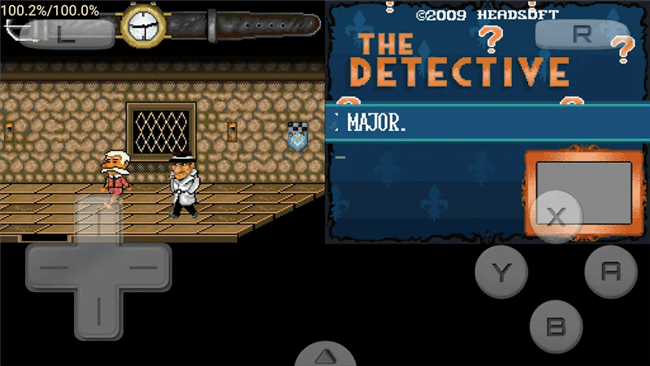
Pokemon Emulators for Android – DraStic DS
Key Features
- Enhance Pokémon game graphics for better colors and sharp details.
- The Fast-forward feature speeds up battles and long game dialogues.
- Auto-save ensures game progress is never lost after shutdown.
- Supports external controllers for smoother and better gameplay.
- Cheat codes unlock rare Pokémon and hidden game features.
Pros
- Fast and smooth performance
- Customizable controls
- Supports external controllers
- Lightweight and efficient
Cons
- No official multiplayer
- Limited ROM compatibility
Pricing: Free
My Boy! Lite
Playing Pokémon games on Android is now smooth and fast with My Boy! Lite. This GameBoy Advance emulator requires Android 4.0 and up. It saves battery, supports cheat codes, and offers fast-forward and slow-motion features. You can also link with friends via Bluetooth or Wi-Fi. No BIOS file is needed, making setup simple and hassle-free.

Pokemon Emulators for Android – My Boy! Lite
Key Features
- Pokémon games run fast and smoothly on all devices.
- Supports cheat codes for GameShark, ActionReplay, and CodeBreaker.
- Fast-forward skips long dialogs, and slow-motion helps tricky levels.
- Customizable controls and external controller support.
Pros
- Fast and smooth gameplay
- Saves battery life
- Supports cheat codes
- Easy to set up
Cons
- Lite version has save limitations
- Some games may have minor issues
Pricing: Free with in-app purchases
John GBA Lite
John GBA is a lightweight and fast emulator that lets you play Pokémon games smoothly on Android. It works on Android 6.0 and up and is small at 17 MB, making installation easy. For a better experience, you can enjoy high-quality graphics, cheat code support, and save/load states. It includes a fast-forward feature to skip slow parts and customizable controls for comfort. Offline play ensures you can enjoy games without an internet connection.
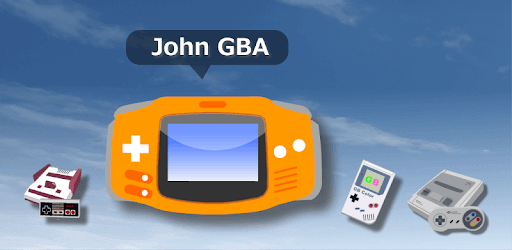
Pokemon Emulators for Android – John GBA Lite
Key Features
- Supports cheat codes for better gameplay.
- Users can easily save and load game progress anytime.
- Fast-forward option to skip long scenes.
Pros
- Works offline without issues
- Easy-to-use interface
- Supports cheat codes
Cons
- No multiplayer support
- Lacks frequent updates
- Limited features in the free version
Pricing : Free
Pizza Boy A Basic
Pizza Boy A Basic is a fast and lightweight 32-bit emulator for Android. It ensures 60 FPS performance on Android 6.0 and up. The emulator is ad-free, battery-efficient, and smooth, making it ideal for long gaming sessions. It includes fast-forward, slow-motion, and customizable controls for a better experience. Hardware controller support and OpenGL/OpenSL integration provide improved graphics and sound.
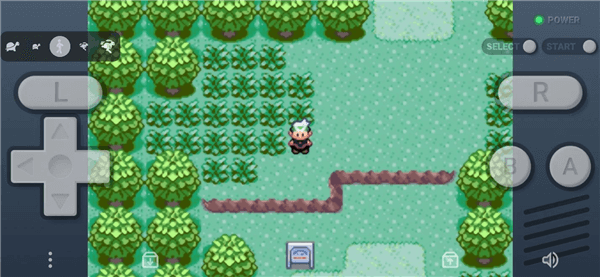
Pokemon Emulators for Android – Pizza Boy A Basic
Key Features
- Save and load game progress anytime with a quick one-tap function.
- Customizable button size and position for a comfortable gaming experience.
- Supports external controllers for better control and improved gameplay precision.
Pros
- Fast and smooth gameplay
- Battery-efficient performance
- High-quality graphics and sound
Cons
- No built-in game library
- No online multiplayer mode
Pricing: Free
GBA.emu
GBA.emu is an advanced open-source Game Boy Advance Pokémon emulator with fast performance, low latency, and broad device support. It has customized controls, support for cheat codes, and high-level BIOS emulation. It offers a seamless and entertaining gaming experience and is compatible with gamepads, keyboards, and Android 2.3 and higher.
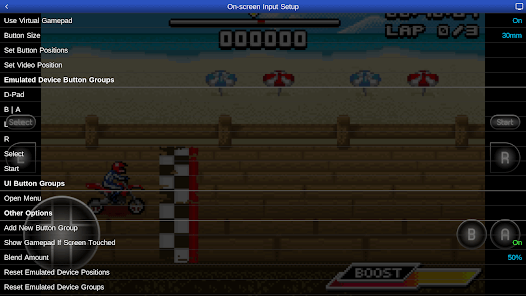
Pokemon Emulators for Android – GBA.emu
Key Features
- Cheat codes use VBA-M files without master codes.
- On-screen controls that can be customized for a comfortable gaming experience.
- Enables keyboards, gamepads, and sensors such as gyroscopes and accelerometers.
Pros:
- Runs on many devices.
- Supports external controllers.
- No BIOS file is needed.
- Includes a free game.
Cons:
- No built-in ROMs.
- Some settings are limited.
Pricing: US$4.99
RetroArch
RetroArch is a highly capable open-source emulator for Android 5.0 or higher, ideal for playing classic games such as Pokémon and more. It is compatible with various emulator cores, has cheat support, save states, and NetPlay. With a smooth design, game sorting, and control customization, it is the best way to enjoy Pokémon on Android.
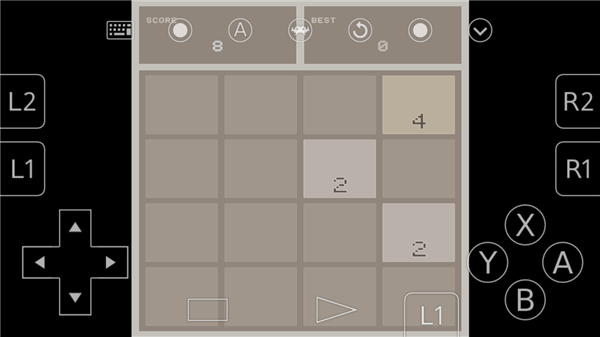
Pokemon Emulators for Android – RetroArch
Key Features
- Save states let you continue your Pokémon adventure anytime.
- Supports NetPlay for online multiplayer Pokémon battles.
- Scan and organize Pokémon ROMs into a neat game collection.
Pros:
- Supports multiple emulator cores.
- Works with game controllers.
- No ads or tracking.
- Free and open-source.
Cons:
- No built-in game ROMs.
- Some features need manual setup.
Pricing: Free
Lemuroid
Lemuroid is a powerful open-source Pokemon emulator designed for smooth and easy gaming on Android 6.0 and up. It offers fast performance, low battery usage, and high compatibility with multiple gaming systems. The app is lightweight, user-friendly, and works on most Android devices.
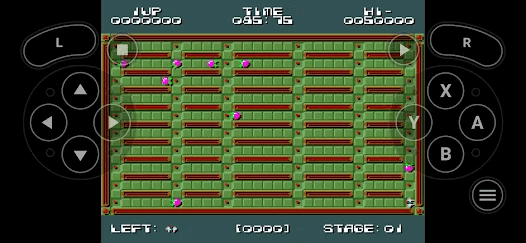
Pokemon Emulators for Android – Lemuroid
Key Features
- Fast and lag-free gameplay on most Android devices.
- Auto-save and cloud sync to continue gaming anywhere.
- Controller support for a better gaming experience.
Pros:
- Works on multiple gaming systems.
- Cloud sync for easy saves.
- Supports external controllers.
Cons:
- No built-in game ROMs.
- Limited advanced settings.
Pricing: Free
Citra
Citra is an open-source Nintendo 3DS emulator for Windows, Mac, Linux, and Android. It runs 3DS games smoothly, offering higher resolutions and better graphics than the original console. It includes network play, save states, and performance tweaks for a great experience. The emulator supports many 3DS titles and provides a user-friendly interface. It requires Android 8.0 or higher to run on mobile devices.
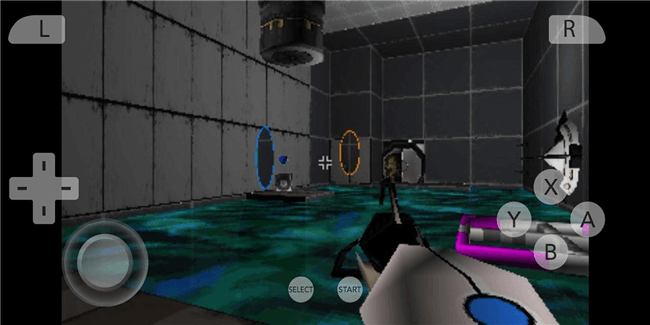
Pokemon Emulators for Android – Citra
Key Features
- Upscale game graphics for a high-definition visual upgrade.
- Adjustable settings help optimize performance on any device.
- Network play allows online multiplayer with friends worldwide.
Pros:
- High compatibility.
- Improved graphics and resolution.
- User-friendly interface.
Cons:
- Some games may not run perfectly.
- Official support has been discontinued.
Pricing: Free
Dolphin Emulator
For Android 5.0 and later, Dolphin Emulator is a robust and quick emulator ideal for playing Pokémon games. It provides fast gameplay, adjustable controls, and excellent graphics. It’s among the greatest methods to enjoy Pokémon on Android because it works with various devices.
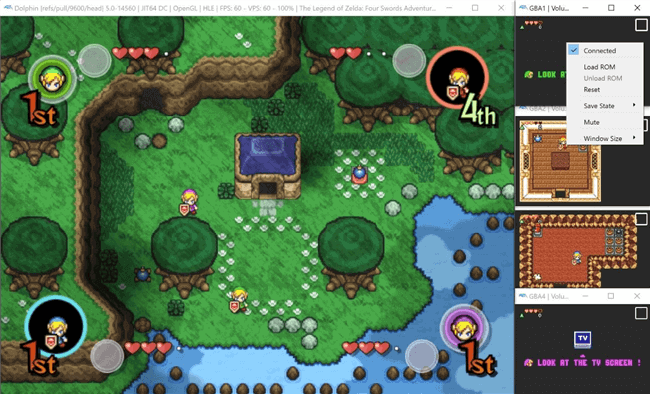
Pokemon Emulators for Android – Dolphin Emulator
Key Features
- High-quality graphics for a better gaming experience.
- Customizable controls for easy and comfortable gameplay.
- Supports external controllers for better Pokémon battles.
- Regular updates for better performance and features.
Pros:
- High-quality graphics support.
- Supports game controllers.
- Regular updates.
Cons:
- No built-in game ROMs.
- Needs a powerful device.
Pricing: Free
Redream
Redream is a fast and easy-to-use emulator for Android 5.0+, perfect for playing Pokémon and other classic games. It offers smooth performance, HD graphics, customizable controls, and external support. With a small download size and regular updates, it ensures a seamless gaming experience for Pokémon fans.
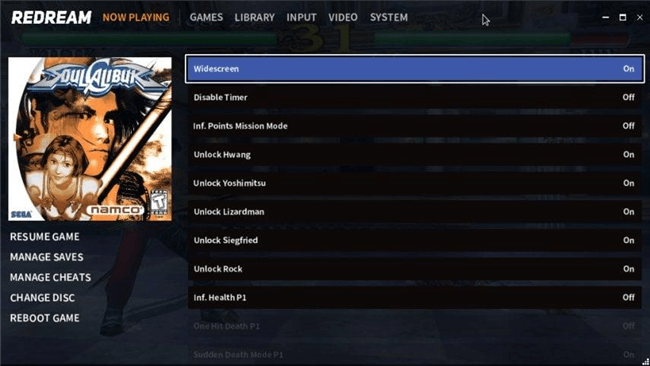
Pokemon Emulators for Android – Redream
Key Features
- Customizable controls to suit your play style.
- Supports external controllers for easy gameplay.
- Small and lightweight, easy to install and use.
Pros:
- User-friendly interface.
- Supports game controllers.
- Regular performance updates.
Cons:
- No built-in game ROMs.
- Some features require payment.
Pricing: Free
Bonus Tip | Use AnyMiro to Play Pokémon on PC
If you love playing games, AnyMiro makes mirroring your mobile screen to a PC easy. It offers stable and lag-free mirroring, letting you play and stream without interruptions. You can enjoy HD and 4K quality, ensuring your screen looks as clear as your phone.
The real-time audio sync keeps the game sound perfectly in place while streaming. AnyMiro supports OBS and streaming tools, so you can easily broadcast to YouTube, Twitch, and more. It also provides screen recording and screenshot features, helping you save exciting moments. You can use live annotation to highlight important game actions while streaming.
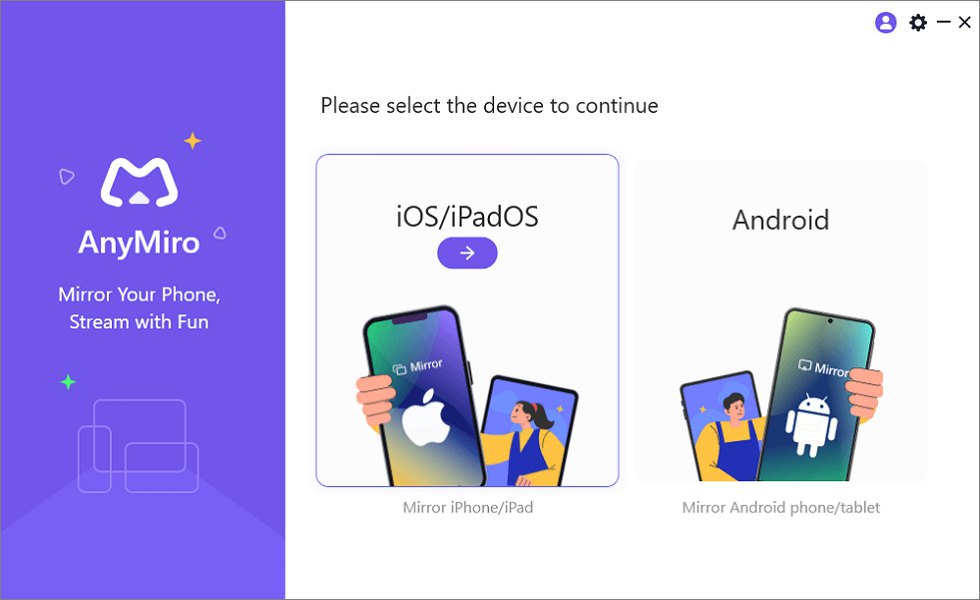
Mirror iPhone to Computer
Free Download for all windows & 100% safe Free Download for all mac & 100% safe
Free Download100% Clean & Safe
Key Features:
- Works with all Android devices and mirrors them easily without lag.
- Streams mobile gameplay to PC with sharp HD visuals and clear colors.
- Captures and records key gaming moments with built-in tools.
- Syncs game sounds and screen movements perfectly without delay.
- Keeps the connection stable for up to 10 hours of smooth gameplay.
FAQs on Pokemon Emulators for Android
Do Pokémon emulators work on all Android phones?
Most emulators work on Android 5.0 and up, but performance depends on your phone’s RAM and processor. High-end phones run games smoothly, while older devices may lag. If your game is slow, try changing emulator settings like frame skip or lowering graphics.
Can I use a controller with a Pokémon emulator?
Yes, most Pokémon emulators support Bluetooth controllers. Your Android phone can be linked to a PS4, Xbox, or third-party controller. Many emulators also allow you to change the button layouts to play as comfortably as you would on a real game system.
Is it safe to use Pokémon emulators?
When acquired from reliable sources like the Google Play Store or official websites, Pokémon emulators are secure. Be clear of unfamiliar websites, which can be infected with malware or viruses. Before installing any emulator, make sure to read reviews and ratings.
Final Remarks
You can play vintage Pokémon games on your phone with Pokémon emulators for Android. Some of these emulators ‘ capabilities are save states, fast-forward, cheat codes, and multiplayer options. Certain emulators run smoothly on low-end phones when configured properly, while others perform better on high-end phones. If you want a smooth Pokémon gameplay experience, AnyMiro is a great option. It helps you mirror and control your game from a PC, reducing lag and improving performance. Try AnyMiro for better graphics, controls, and an overall enhanced Pokémon adventure on Android!

 AnyMiro – Real-Time Screen Mirroring Tool
- More than 10 hours of stable screen mirroring connection.
- Up to 4K resolution providing a stunning visual experience.
- Integrates with live streaming tools such as OBS and Streamlabs.
- Auto-sync video and background audio with timestamp adjustments.
Free Download
100% Clean & Safe
Free Download
100% Clean & Safe
Free Download 100% Clean & Safe
Product-related questions? Contact Our Support Team to Get Quick Solution >
