How to Stream Crunchyroll on Discord [2 Ways]
Crunchyroll streaming on Discord makes watching anime with friends more enjoyable. You will discover two simple methods in this guide. To rapidly set it up, adhere to the detailed instructions.

How to Stream Crunchyroll on Discord [2 Ways]
Try AnyMiro to mirror mobile phone to PC for free via USB and WiFi.
- Fast response time within 10 ms and 60fps frame rate.
- A stunning visual experience with no color difference.
- Lag-free screen mirroring and 4k resolution.
Suppose you want to watch anime with your friends, but you all reside in different cities. You attempt to use Discord to broadcast Crunchyroll, but it fails. Perhaps the audio is not playing, or the screen is blank. It can be annoying. Do not be concerned!
There are two simple methods for trouble-free Crunchyroll streaming on Discord. Utilizing a web browser is the first method. This approach is quick and easy. The second method involves using AnyMiro, a tool that facilitates smooth streaming. This guide will walk you through both processes step by step. Whether you use a browser or AnyMiro, you can enjoy watching Crunchyroll together!
Way 1. Stream Crunchyroll on Discord using Browser
The easiest way to stream Crunchyroll on Discord is via screen share on a web browser. It lets you share anime with your friends in real time. Black screens or silence, however, could be problems you might be facing. Adjusting your browser and Discord setup should help you avoid both problems and have a smooth streaming experience. Here’s how you do it in a few easy steps.
For this:
Step 1. Access Safari, Edge, or Chrome. Go to the Crunchyroll website and click “Log In.” Enter your username and password to sign in.
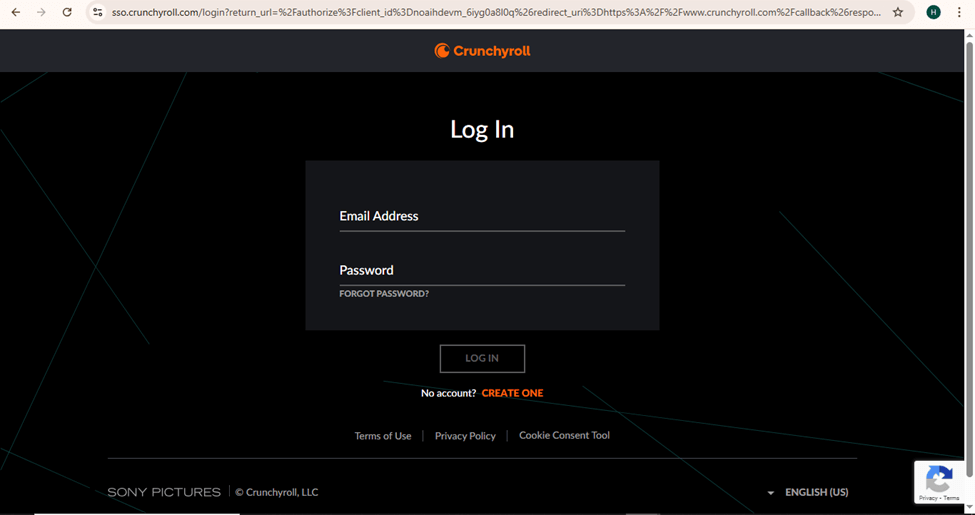
Enter Log In Details
Step 2. Choose a series or film to stream after logging in. Browse the categories or use the “Search Bar” if you know what you’re looking for. Once you pick one, keep the tab open.
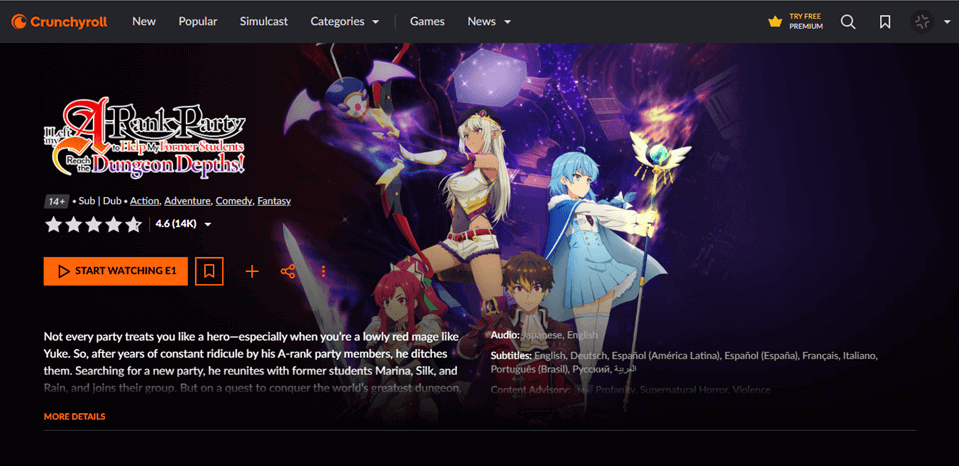
Pick Your Movie
Step 3. Disable hardware acceleration in your browser to prevent a black screen when streaming.
For Google Chrome:
- Begin by clicking three dots in the top-right corner.
- Access “Settings” and then “System.”
- Turn off “Use graphics acceleration when available.” Restart your browser.
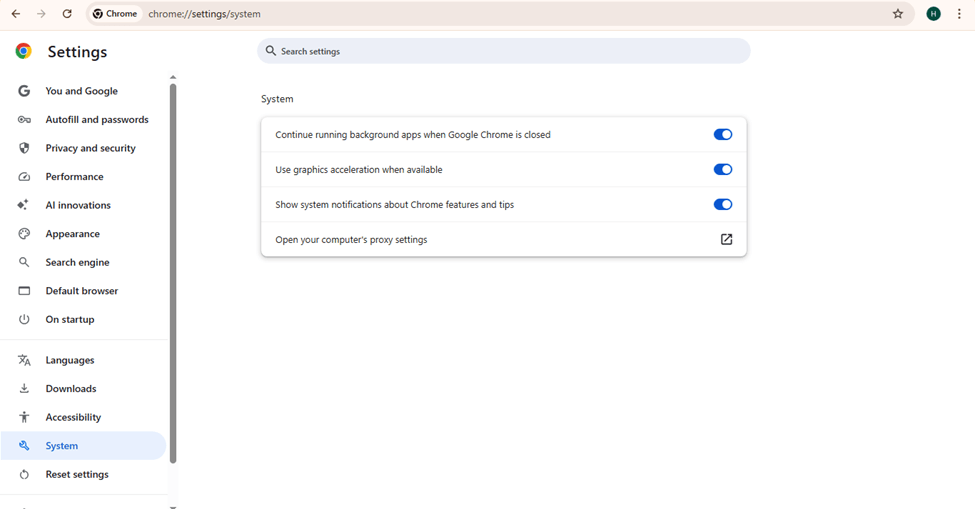
Turn Off Graphics Acceleration When Available
For Microsoft Edge:
- Click three dots in the top-right corner.
- Open “Settings” and then “System and Performance.”
- Turn off “Use graphics acceleration when available.” Restart your browser.
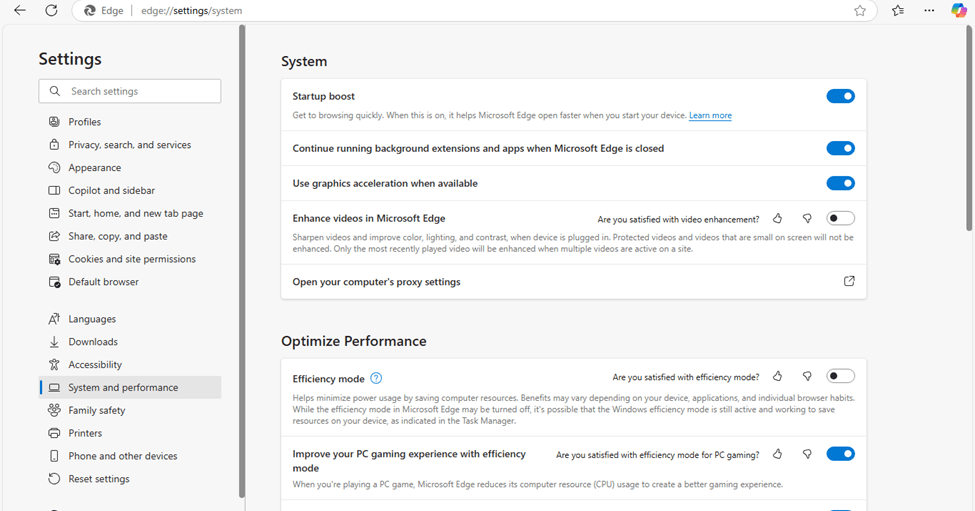
Turn Off Graphics Acceleration for Edge
Step 4. Open the Discord app on your PC or use it in a web browser. If you don’t have an account, sign up and log in.
Step 5. Manage Discord Settings for better streaming as:
- Choose the “Gear Icon” (User Settings) at the bottom-left corner.
- Go to “Voice & Video” under “App Settings.”
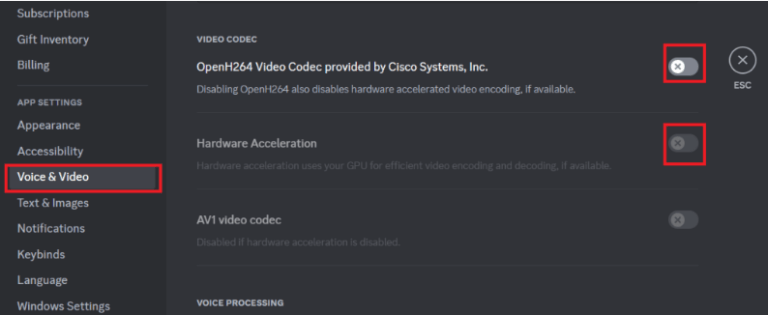
Access Voice & Video
- Scroll and turn off “Hardware Acceleration” and “OpenH264 Video Codec.”
- Keep scrolling and turn on “Use our advanced technology to capture your screen.”
Step 6. Add Your Browser to Discord’s Game List. For this:
- Open “User Settings” in Discord.
- Click “Registered Games.”
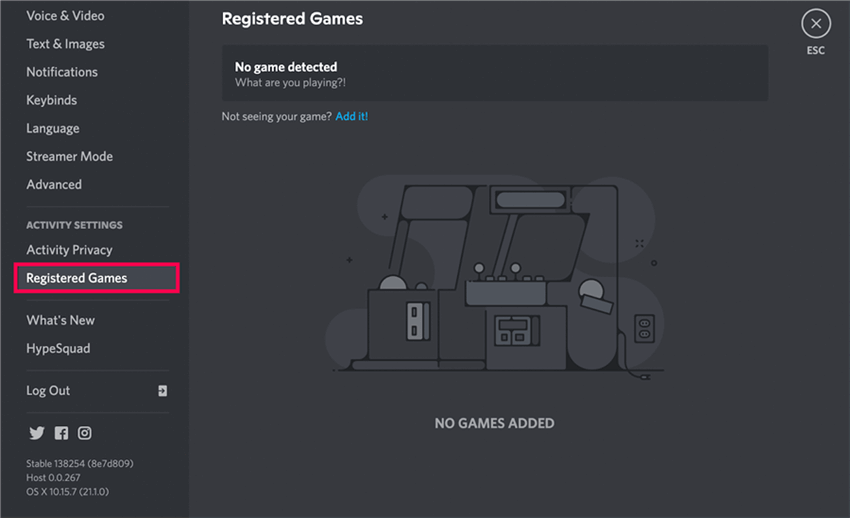
Click Registered Games
- Click “Add it!” next to “Not seeing your game?”
- Choose your browser from the list and click “Add Game.”
- Your browser will now be listed.
Step 7. To stream, you need a server. Join an existing one or make a new one by clicking “Add a Server.” Enter a voice channel to start streaming.
Step 8. Click the “Stream Icon” (a screen with a small camera) at the bottom-left. A pop-up will be shown. Choose:
- The voice channel for your stream.
- The video quality (higher options need Discord Nitro).
- Click “Go Live.” Your stream will start.
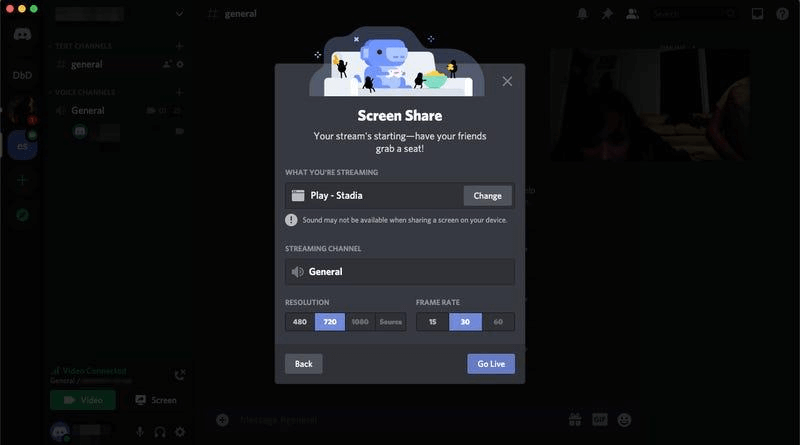
Click Go Live
Step 9. Go back to Crunchyroll and press Play on your selected video. Now, everyone on the voice channel can watch together!
Way 2. Stream Crunchyroll on Discord using AnyMiro
The user-friendly screen mirroring program AnyMiro allows you to mirror your phone’s screen to a computer to stream Crunchyroll on Discord. It provides a steady connection for extended periods and functions flawlessly on both Mac and Windows. With 4K resolution support, your screen looks clear and colorful like the original.
Whether you want to stream games, movies, or drawings, AnyMiro provides real-time audio and video sync for a seamless experience. AnyMiro is great for gamers, content creators, educators, and virtual YouTubers, making streaming simple and fun. You can also take screenshots and record videos while streaming, helping you save important moments. You can highlight key points in presentations or art streams with live annotation. If you want a smooth, high-quality way to stream Crunchyroll on Discord, AnyMiro is the perfect choice.
Key Features:
- AnyMiro gives a stable connection, allowing up to 10 hours of smooth streaming without lag.
- The 4K resolution support ensures every detail on your screen looks clear and colorful.
- With real-time audio sync, sound and visuals stay perfectly aligned during streaming.
- It works easily with OBS, Twitch, YouTube, and Facebook, making streaming simple.
- You can capture screenshots and record videos while streaming to save important moments.
Here are the detailed steps for using AnyMiro:
From iPhone to PC & Mac Via USB:
Step 1. Free download and install AnyMiro on your computer.
Free Download for all windows & 100% safe Free Download for all mac & 100% safe
Free Download100% Clean & Safe
Step 2. Continue by connecting your phone to the computer through a USB cable > Open AnyMiro and click “iOS/iPadOS.”
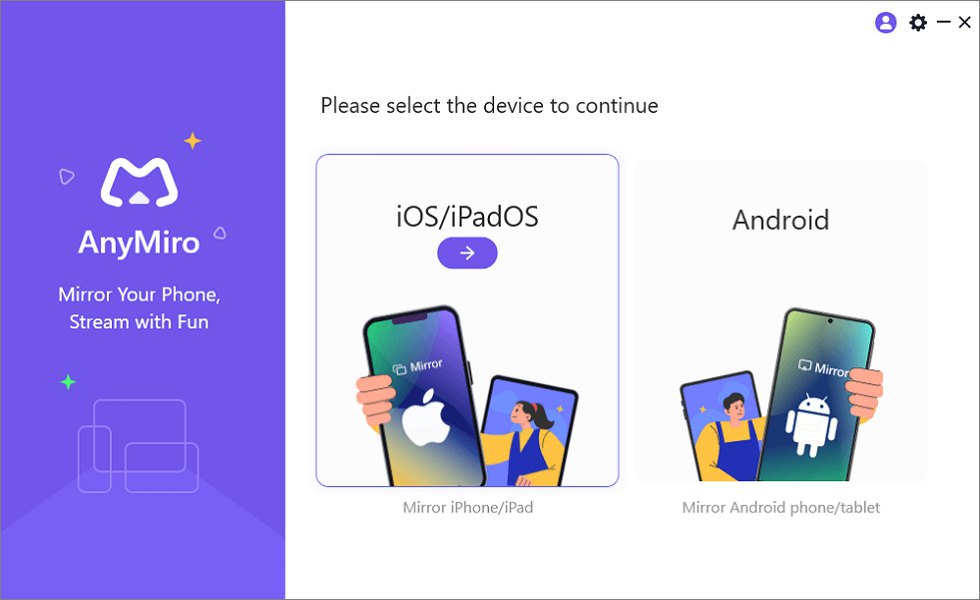
Mirror iPhone to Computer
Step 3. Select “USB connection.”
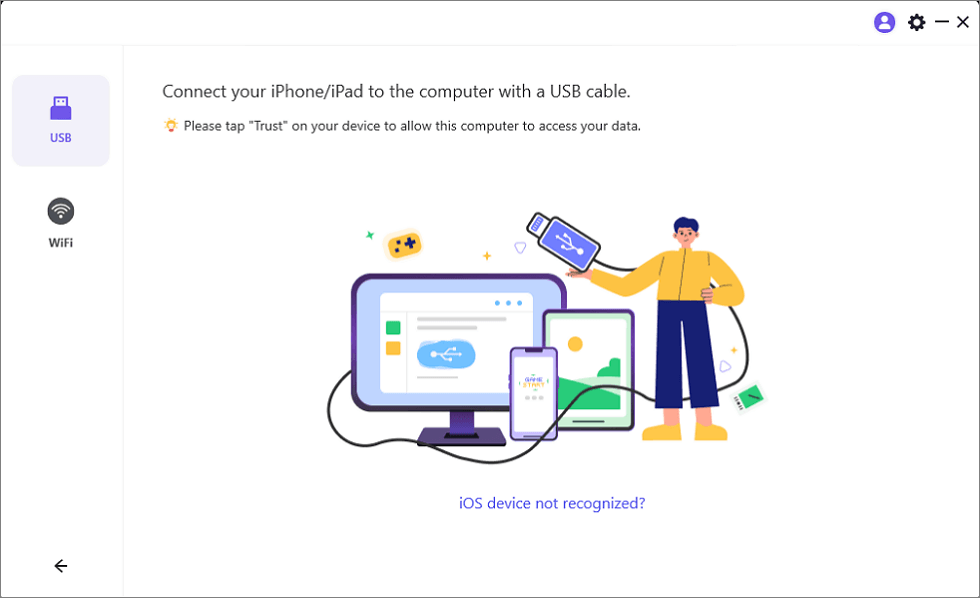
Connect Your iPhone/iPad with a USB Cable
Step 4. On your iPhone/iPad, tap “Trust” when asked.
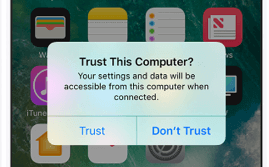
Trust Your Computer on iPhone
Step 5. Enter your passcode if needed. Your screen will now be mirrored.
From Android to PC & Mac Via Wi-Fi:
Step 1. Open AnyMiro on your computer and click “Android.”
Free Download for all windows & 100% safe Free Download for all mac & 100% safe
Free Download100% Clean & Safe
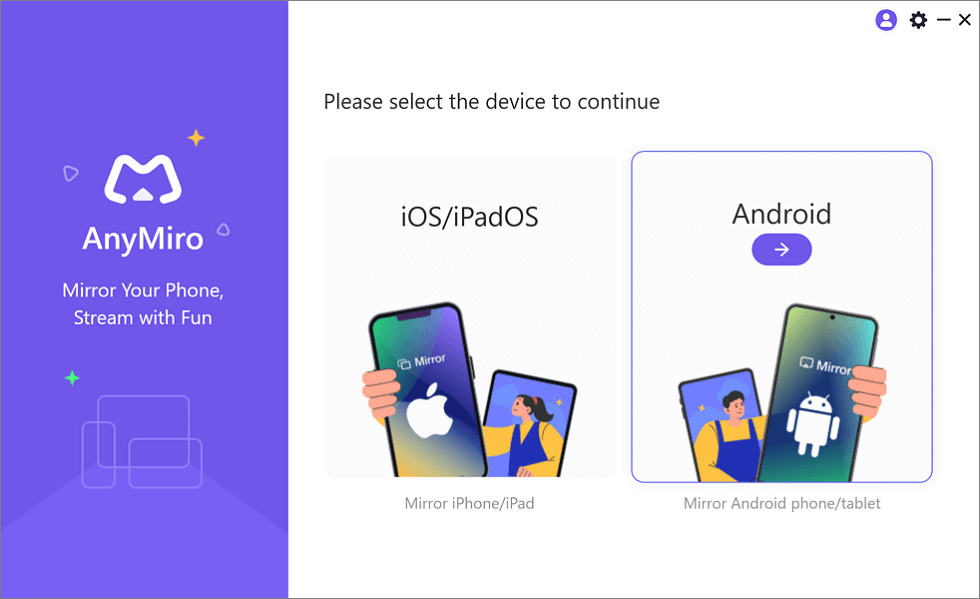
Mirror Android to Computer
Step 2. Choose “Wi-Fi” to begin the connection.
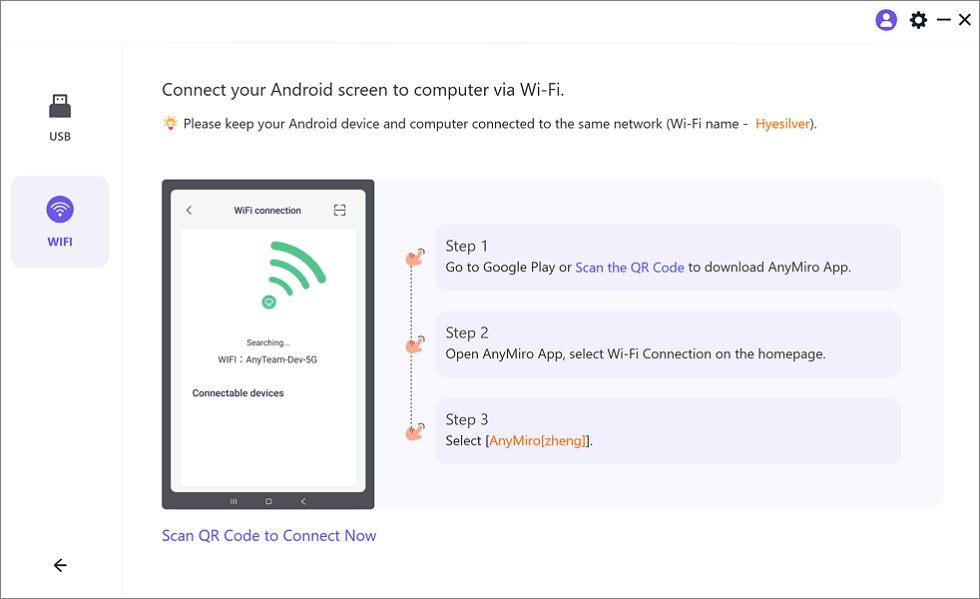
Mirror Android to Computer via WiFi
Step 3. Download the AnyMiro app or scan the QR code from the Google Play Store.
Step 4. Open the AnyMiro app and choose “Wi-Fi Connection.” Pick your computer’s name from the list to start mirroring.
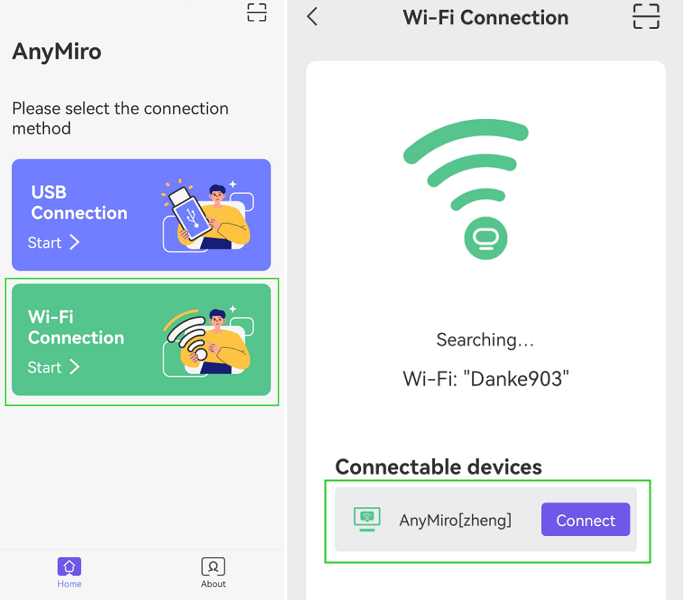
Tap WiFi Connection
FAQs Regarding Crunchyroll Streaming on Discord
Why is my Crunchyroll stream buffering or lagging?
Your internet connection might be slow, or your computer may be consuming too much power. Shut down other programs and browser windows to give Crunchyroll some space. You can also reduce the video quality on Crunchyroll to assist. A wired connection is preferable to Wi-Fi.
Why won’t Crunchyroll play with sound when I stream?
Test to see if sound is enabled in Discord’s screen-sharing settings. If the problem persists, restart Discord and update your audio drivers.
Does streaming Crunchyroll on Discord consume a great amount of internet?
Yes, particularly if you’re streaming in high definition. Decrease the video quality to conserve internet data and minimize lag.
Final Words
An excellent option for watching anime with friends is to stream Crunchyroll on Discord. A web browser can be used as a simple option to share your screen. Changing your browser or settings may fix issues like a dark screen or no sound. AnyMiro is an excellent tool for the greatest experience. It offers smooth screen mirroring, high-quality video up to 4K, and low-latency audio for perfect streaming. With AnyMiro, you can easily mirror your phone to a PC or Mac and stream without lag. Try AnyMiro to make your Crunchyroll streaming easy and fun!
Product-related questions? Contact Our Support Team to Get Quick Solution >
