FakeYou Text to Speech Review and Alternatives in 2026
FakeYou Text to Speech is important for creating lifelike voiceovers with ease. It allows “Realistic Voice Synthesis” for authentic output and “Custom Voice Models” for tailored results. This guide reviews FakeYou’s features, pros, and cons while exploring its best alternative, Vozard, for enhanced voice-changing experiences.

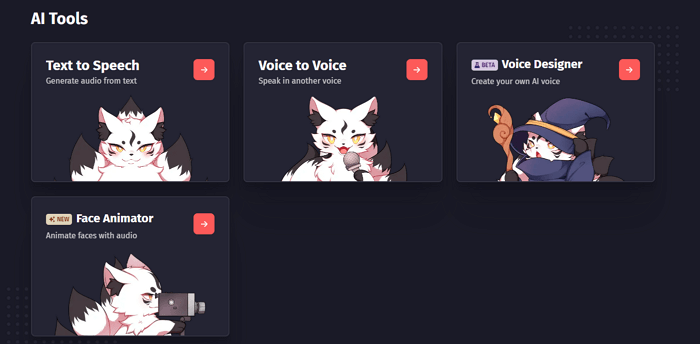
Select the “Text to Speech” tool in FakeYou
Creating realistic voiceovers can be challenging, especially when high-quality, customizable voices are needed for unique projects. This is where FakeYou Text to Speech shines as a solution. Its “Voice Cloning” feature solves the problem by offering accurate voice replication, while the “Custom Voice Models” enable full personalization, making it perfect for specific creative needs. This guide dives into its standout features, pricing, and the best alternatives available. So, let’s begin to explore!
Table of ContentsHide
What Is FakeYou Text to Speech?
FakeYou Text to Speech is an innovative platform that transforms written text into realistic audio. With its real-time voice processing, users can generate voiceovers instantly. The tool provides a user-friendly interface, making it accessible for all experience levels. The tool’s “Multilingual Voice Support” also breaks language barriers effortlessly. FakeYou transforms complex voiceover tasks into a simple, efficient process. It also features voice customization options, allowing users to tweak pitch and tone effortlessly. Furthermore, FakeYou offers high-quality sound output, ensuring professional-grade results.
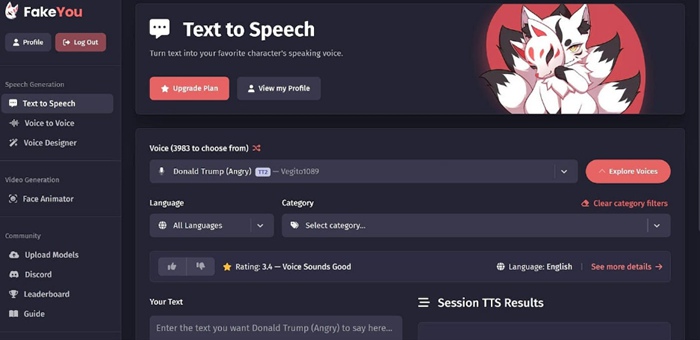
FakeYou Text to Speech
Key Features:
- Extensive Voice Model Library – Access a vast collection of voices for diverse creative and casual projects.
- Text-to-Speech Synthesis – Generate smooth and natural-sounding audio outputs from text with remarkable precision.
- Custom Voice Model Creation – Design personalized voices to suit branding or specific creative applications.
- Community Sharing Features – Share and explore unique voices created by other users on the platform.
- Multi-Language Support – Create voiceovers in various languages to cater to global audiences.
Pricing:
- Plus: $7/month
- Pro: $15/month
- Elite: $25/month
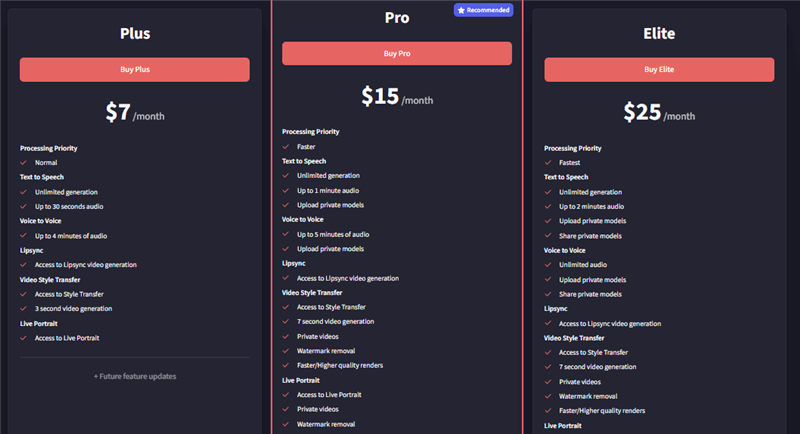
FakeYou Pricing
Pros and Cons of FakeYou Text to Speech
Now, let’s explore the best pros and cons of FakeYou deepfake Text to Speech to help you decide.
| Pros | Cons |
|
|
Best FakeYou Alternatives for Better Voice Changer Experience
If you’re looking for a powerful alternative to FakeYou for voice change, Vozard is an excellent choice. With its 200+ Lifelike Sound Effects, you can instantly switch between popular characters like SpongeBob, Joe Biden, and Darth Vader, adding excitement to your online interactions. Whether gaming, chatting, or streaming, Vozard brings endless entertainment.
Its multiple audio input methods allow you to modify your voice in real-time or upload audio and video files for easy voice modulation. You can even add unique sound effects to your recordings. Vozard works seamlessly with platforms like Discord, Zoom, Fortnite, and Twitch, making it perfect for pranking friends, enhancing live streams, or spicing up online chats. With 100% Clean & Secure software, it ensures a safe experience. Vozard also offers a 60-Day Money-Back Guarantee, so you can try it risk-free and explore all its creative possibilities.
Key Features:
- Easily transform your voice in real-time or through uploaded audio for quick changes and fun.
- Supports various voices, from cartoon characters to famous public figures and more.
- Works perfectly with popular gaming and streaming platforms like Discord, Fortnite, and Twitch.
- Provides background sound effects and memes to add extra fun to your voice creations.
- Offers a smooth and easy-to-use interface, making voice-changing simple for all skill levels.
Here are some simple steps to use Vozard for voice changing:
Step 1. Free download and install the Vozard software on your PC. Ensure your internet connection remains steady throughout the process.
Free Download for all windows & 100% safe Free Download for all mac & 100% safe
Free Download100% Clean & Safe
Step 2. After installation, launch Vozard. Go to “Settings” to configure your “Microphone” and “Speaker.”
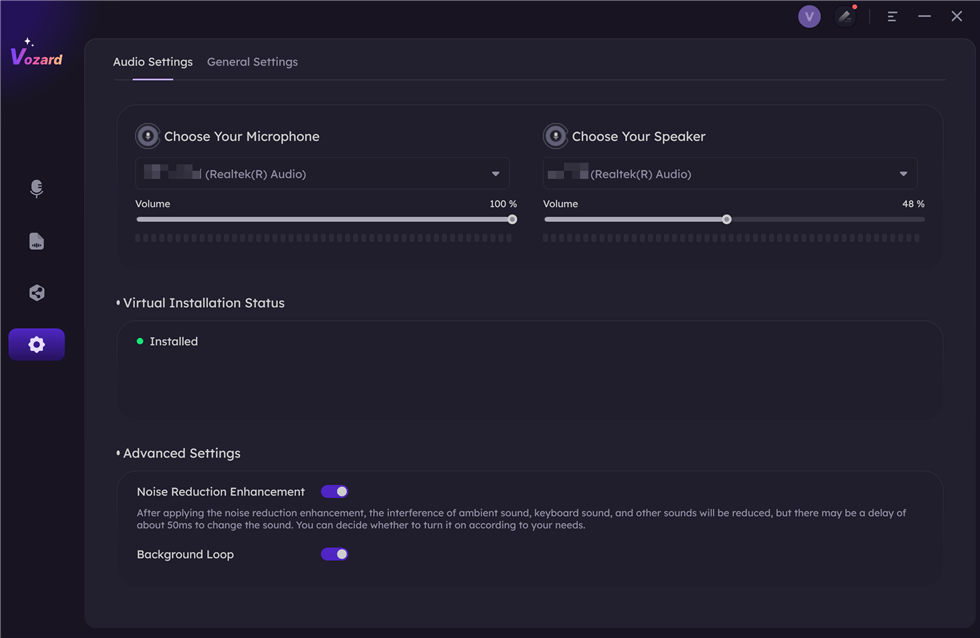
Set The Microphone and Speaker
Step 3. Select the “Real-time Mode” option to activate the voice-modifying features.
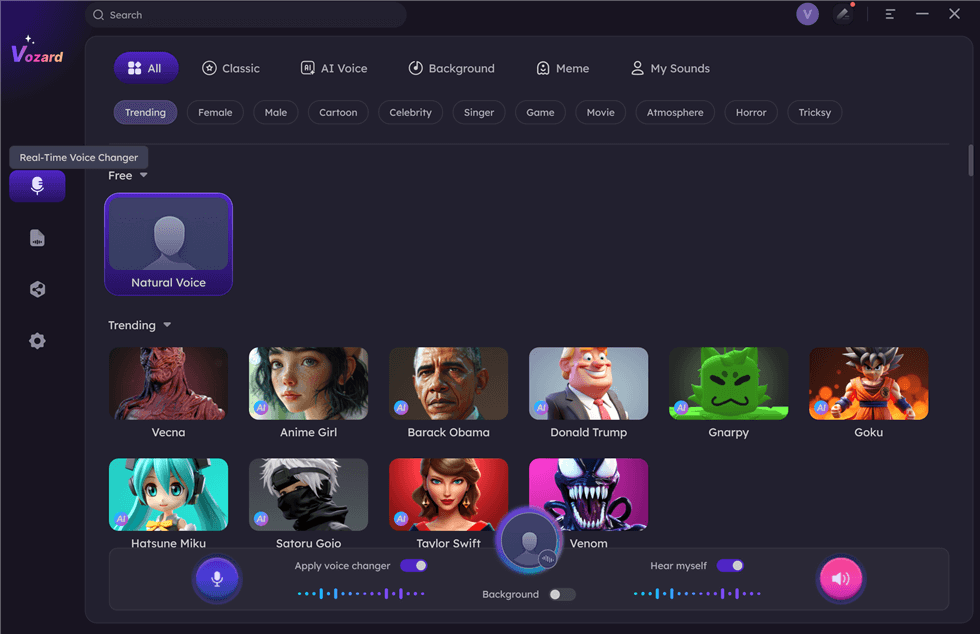
Select Real-Time Mode
Step 4. Adjust the volumes for your Microphone, Speaker, and Background noises by clicking on the “Voice Volume” button.
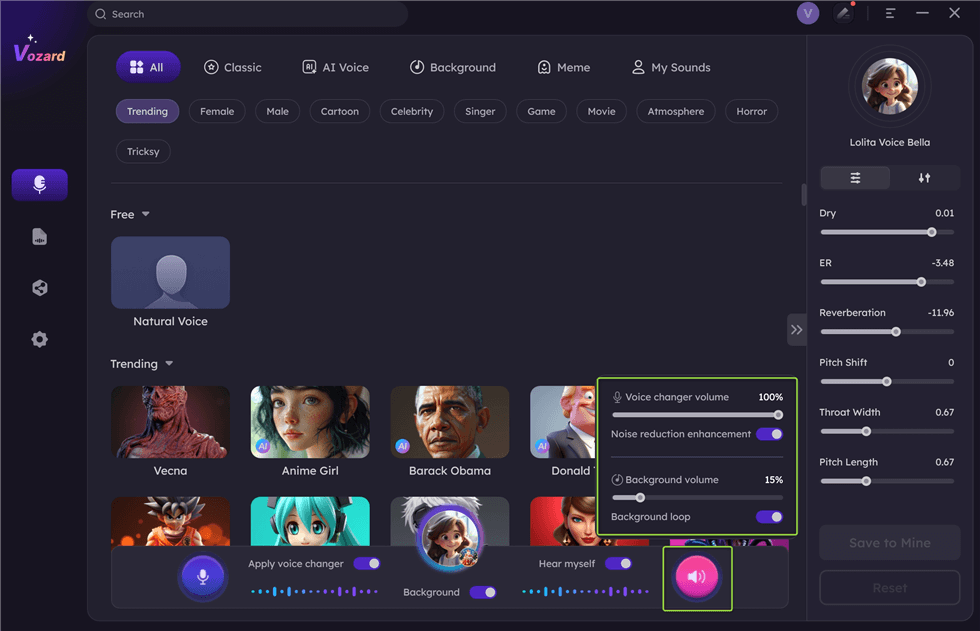
Adjust The Volume
Step 5. A list of available voice effects is displayed at the bottom. Click “Download” to apply a specific effect. You can test it instantly.
Note: If the exact effect is unavailable, pick the closest one and modify the pitch to get the desired sound.
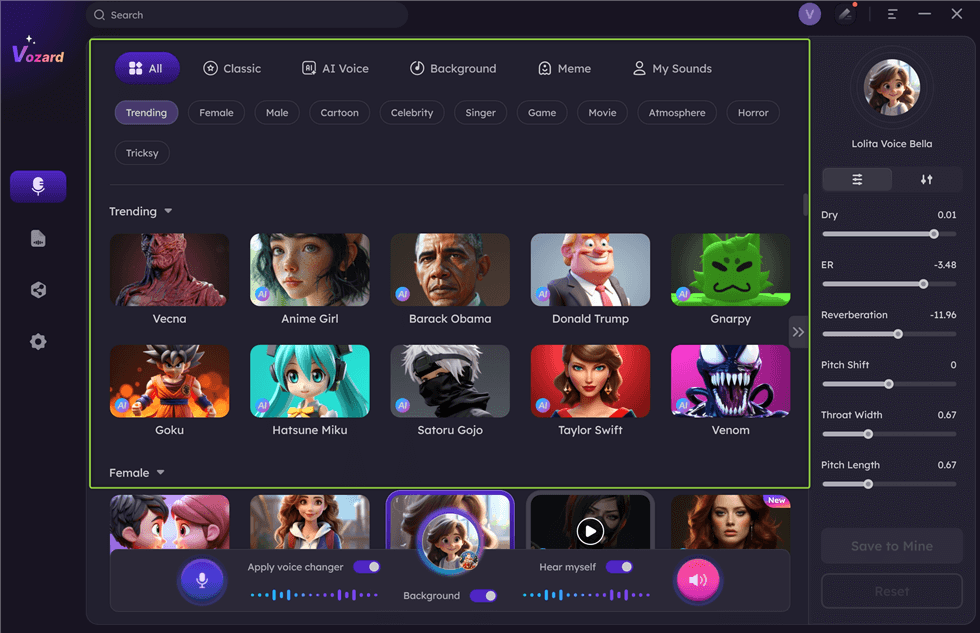
Download Effect
Step 6. Once your setup is complete, click the “Share” button to connect and share your voice across third-party platforms.
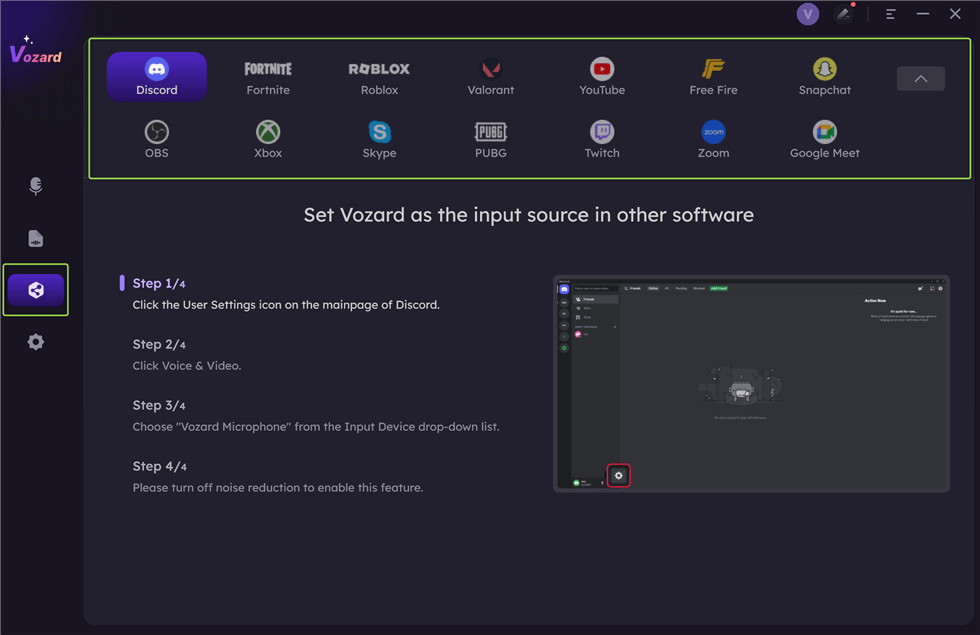
Share Your Voice
FAQs about FakeYou DeepFake Text to Speech
How accurate are the voices on FakeYou?
FakeYou offers a range of voice models, but the accuracy of each can vary. Some voices may sound more natural than others. If you want more precision and a larger selection of voice effects, consider trying Vozard, which delivers more detailed and lifelike voice changes.
Can I use FakeYou for live streaming?
FakeYou can be used for live streaming, but its voice effects might not be as smooth or customizable as other platforms. For a more dynamic and professional streaming experience, Vozard provides real-time voice changing with enhanced features that work seamlessly across streaming platforms like Twitch and Discord.
Can FakeYou be used for professional voiceovers?
While FakeYou is great for fun and casual use, its voices might not always suit professional-grade voiceovers. For high-quality, realistic voice work, consider exploring other platforms with more advanced features for professional use.
Are there any voice limitations on FakeYou?
While FakeYou offers a wide variety of voices, there are some limitations regarding voice quality and available characters. Some voices may not sound as realistic as others, and certain popular characters might not be available.
Final Words
In conclusion, FakeYou Text to Speech offers a fun and creative platform for generating voices based on popular characters and figures. Its large library of voices and community-driven content make it an enjoyable tool for casual users. However, it has limitations regarding voice customization and use cases. If you want an alternative with more features, better voice control, and advanced effects, Vozard is a great option. Vozard offers over 180 lifelike sound effects, including celebrity and cartoon voices, and works seamlessly with gaming and live-streaming platforms. Try Vozard to explore a more versatile and fun voice-changing experience!
Product-related questions? Contact Our Support Team to Get Quick Solution >
