RVC AI Voice: What is and How to Get It
RVC AI Voice is an advanced voice conversion facility that transforms your voice into unique tones while maintaining natural pitch and audio quality. This guide explores the 5 best RVC Voice Changer options, comparing their features, pricing, and compatibility to help you find the ideal tool.

RVC AI Voice: What is and How to Get It
- 200+ lifelike VST and AI voice effects.
- 3 flexible voice-changing methods.
- Compatible with 14 popular third-party platforms.
Struggling to make your voice sound unique for content creation or gaming? RVC AI Voice is a cutting-edge solution for transforming voices in real time. This technology uses advanced retrieval-based conversion to modify pitch, tone, and audio style naturally. Many tools let users create lifelike voices effortlessly. Features include high-quality sound transformation, cross-platform compatibility, and simple setup processes. These tools are essential for streamers, YouTubers, or anyone looking to enhance their audio creatively. In this guide, explore the importance of RVC voice changers and discover which fits your needs best.
What is RVC AI Voice?
Retrieval-based Voice Conversion (RVC) is an AI-driven technology that facilitates natural speech-to-speech transformations, accurately preserving the intonation and audio characteristics of the original speaker.
Its real-time processing capabilities allow for seamless voice conversion with low latency, enhancing user experience in various applications. RVC’s ability to maintain the original speaker’s modulation and timbre ensures that the converted voice sounds natural and authentic, making it a valuable tool for content creators, voice actors, and other audio industry professionals.
Unlike text-to-speech systems, RVC AI Voice focuses on modifying existing speech, making it suitable for applications where emotional tone is crucial.
5 Best RVC Voice Changer
Here are the 5 best RVC voice changer options that provide endless possibilities for adjusting voice depth or adding effects.
Vozard
Vozard is a top-tier RVC Voice Changer that takes voice transformation to a new level with its advanced AI technology. Featuring over 200+ lifelike sound effects, it lets you effortlessly mimic characters like SpongeBob, Joe Biden, and Darth Vader. With real-time voice changing and recording, you can instantly transform your voice or upload audio/video files for modulation. Whether you’re gaming, live streaming, or chatting online, Vozard offers endless creative possibilities.
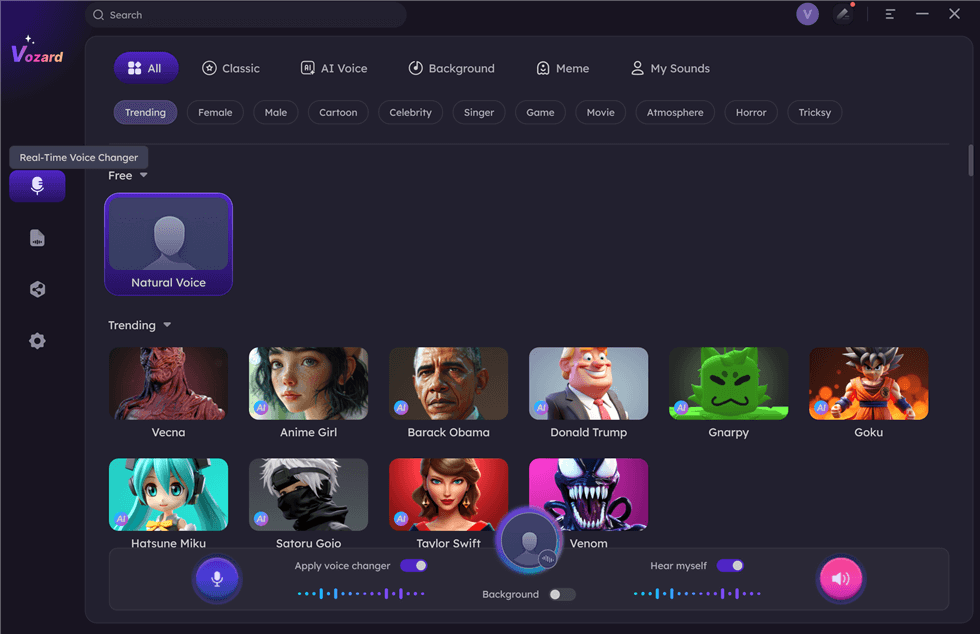
Select Real-Time Mode
Free Download for all windows & 100% safe Free Download for all mac & 100% safe
Free Download100% Clean & Safe
Its background sound effects and trending memes make your experience even more exciting. Compatible with platforms like Discord, Zoom, Twitch, and OBS, Vozard is ideal for pranking teammates, enhancing gaming experiences, or shining on your live streaming stage. For added fun, you can disguise yourself as a girl, boy, child, or elderly person. Vozard supports Windows and Mac and comes with a 60-day money-back guarantee, making it a secure and reliable choice for voice conversion.
Key Features
- Change voice in real-time with precise adjustments for pitch and tone customization.
- Easy-to-use interface, perfect for beginners and professionals alike.
- Works seamlessly with various audio and video platforms for versatile applications.
- Offers pre-set voice templates for quick and fun transformations.
- Provides detailed user guides for smooth setup and operation on Windows and Mac.
Pricing:
- Free version
- 1-Month Subscription: $12.99
- 3-Month Subscription: $19.99
- 1-Year Subscription: $29.99
- One-Time Purchase: $49.99
| Pros | Cons |
|
|
Voice .ai
Voice.ai is a powerful tool that leverages advanced RVC V2 AI voice models for real-time voice transformation. It allows users to clone voices and apply realistic voice modifications for various uses, including gaming, streaming, and music creation. With Voice.ai, users can easily upload audio files and experience seamless voice conversion without needing any coding skills. The platform also provides access to Voice Universe, a library filled with user-generated voices, adding even more creative possibilities to your projects.
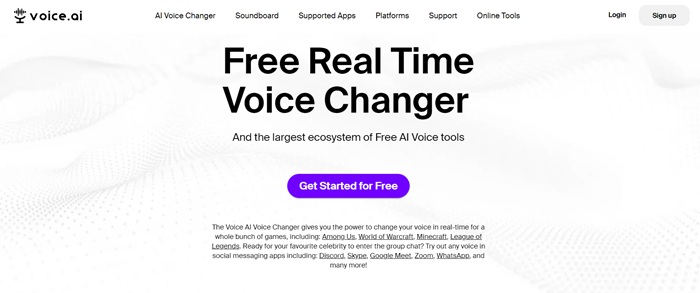
Home Page Interface of Voice.ai
Key Features
- AI-driven voice conversion for gaming and streaming.
- Real-time voice transformation for engaging experiences.
- Supports uploading and modifying pre-recorded audio files.
- Access a vast collection of user-generated voices in Voice Universe.
Pricing:
- Basic: $9.99/month
- Pro: $19.99/month
| Pros | Cons |
|
|
Vidnoz AI Voice Changer
Vidnoz AI Voice Changer is an advanced tool designed to effortlessly create realistic AI voices and professional videos. With over 1380+ AI voices, users can easily generate lifelike audio using text-to-speech, audio recordings, or file uploads. Its standout features include multi-language support for more than 140 languages, custom voice creation with adjustable tone and pitch, and a vast library of celebrity and character voice models.
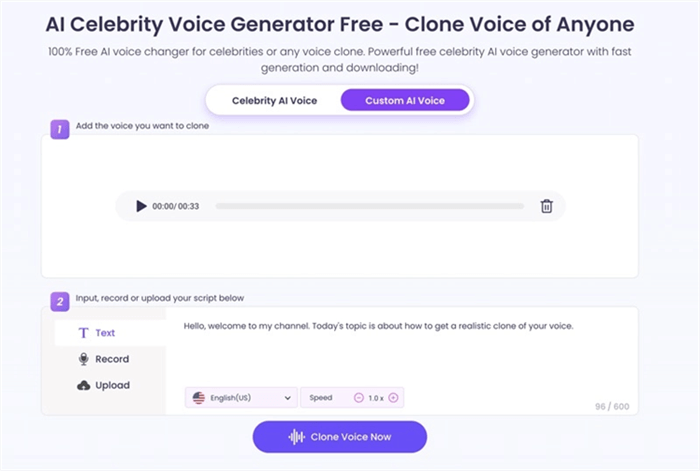
Vidnoz AI Voice Changer
Key Features
- Supports audio file uploads for transforming pre-recorded content into AI-generated voices.
- Provides multi-language support to create voiceovers in 140+ global languages for diverse audiences.
- Enables custom AI voice creation by modifying tone, pitch, and speed to suit your needs.
Pricing:
- Free
- Starter: $19.99/month
- Business: $56.99/month
| Pros | Cons |
|
|
UnicTool MagicVox
UnicTool MagicVox is an innovative RVC voice changer offering 400+ AI voice effects for real-time transformation, making it perfect for gaming, streaming, and content creation. Key features include voice cloning for personalized soundboards, a robust soundboard with customizable profiles, and a versatile voice studio for crafting unique vocal identities. Additionally, MagicVox supports multi-platform integration with popular platforms like Discord, Zoom, and YouTube, along with hotkey controls and noise reduction for a seamless experience.
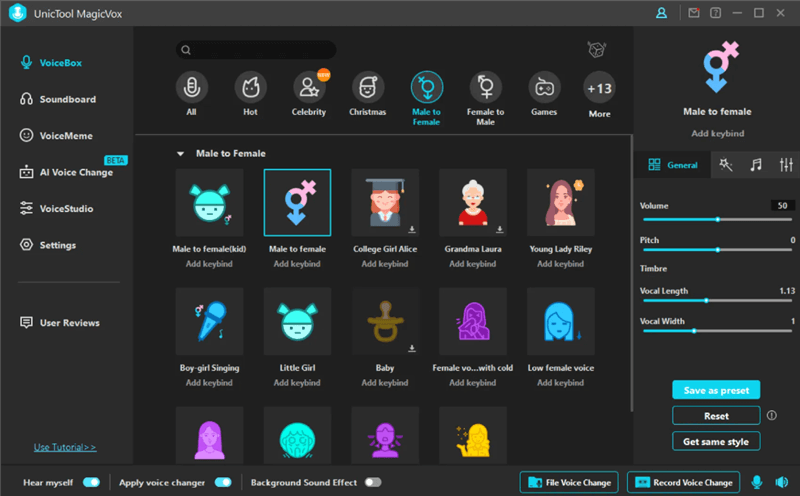
UnicTool MagicVox Overview
Key Features
- Offers multi-platform voice changing for gaming, chatting, and streaming with one click.
- Includes hotkey controls to manage playback, cycle, and replay of sound effects.
- Provides advanced noise reduction to minimize background sounds and improve voice clarity.
- Enables audio editing with tools for voice recording and file-based voice changes.
Pricing:
- Free
- 1-Month Plan: $8.95
- 1-Year Plan: $19.95
- Lifetime Plan: $39.95/lifetime
| Pros | Cons |
|
|
MimicPC
MimicPC is an open-source AI platform that allows users to create AI-generated images, videos, and audio directly from their browsers without downloading or installing them. It supports popular models like Stable Diffusion and RVC, enabling users to train LoRA models and add custom models for endless possibilities—all at a budget-friendly price. Moreover, users can access over 20 pre-deployed AI applications for various creative needs.
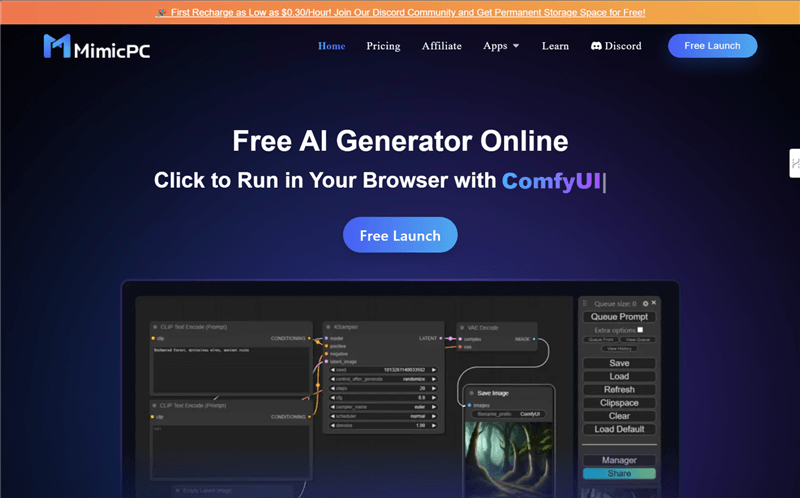
RVC AI Voice Changer – MinicPC
Key Features:
- Run AI applications directly in your browser without any installations.
- Train custom models, including LoRA, to suit specific preferences.
- Utilize cloud file management 24/7 for seamless project handling.
- Experience performance optimization for efficient AI processing.
Pricing:
- Free Trial
- One-Month Plan (Essential): $6.98
- One-Month Plan (Advanced): $13.48
- One-Year Plan (Essential): $95.40
- One-Year Plan (Advanced): $173.40
| Pros | Cons |
|
|
Comparison Table for RVC AI Voice Changer
Discover how different AI voice changers compare in our detailed table. See which one suits your needs best.
| Best For | Price | Compatibility | |
| Vozard | Real-time voice changing and pranks | Free, $12.99/month, $19.99/3 months, $29.99/year, $49.99 one-time purchase | Windows, Mac |
| Voice.ai | Voice cloning and seamless voice mods | Free | Windows, Mac |
| Vidnoz AI | Professional videos and multi-language voiceovers | Free, $19.99/month (Starter), $56.99/month (Business) | Browser-based |
| UnicTool MagicVox | Gaming and streaming with soundboards | Free, $19.99/month, $39.99/quarter, $119.99 lifetime | Windows, Mac |
| MimicPC | AI-generated audio, images, and videos | Free Trial, One-Month Plan (Essential): $6.98, One-Month Plan (Advanced): $13.48, One-Year Plan (Essential): $95.40, One-Year Plan (Advanced): $173.40 | Browser-based |
FAQs about RVC AI Voice
Do I need special hardware for RVC AI Voice?
No, most RVC AI Voice tools work on regular computers and don’t need special hardware. However, having a good microphone improves the sound quality. If using advanced tools like UnicTool MagicVox or Vozard, ensure your system meets their requirements.
How does RVC AI Voice work?
RVC AI Voice uses advanced models to analyze and modify your voice instantly. When you speak, the tool changes your voice to match the selected effect. Some tools, like Vozard, even let you upload audio files and add sound effects.
Is RVC AI Voice suitable for beginners?
Yes, many RVC AI Voice tools are beginner-friendly. They offer simple interfaces that allow anyone to use them without technical knowledge. Vozard, for example, provides easy-to-understand guides and pre-set voice templates, making it perfect for beginners.
Final Words
In conclusion, RVC AI Voice tools offer amazing ways to change your voice for fun, gaming, streaming, and creative projects. These simple tools have features like real-time voice modification and customizable effects. Whether you’re a beginner or an expert, you can enjoy transforming your voice easily. Some tools also allow you to upload and modify audio files, offering even more versatility. Among all the options, Vozard stands out as an excellent choice with its wide variety of voice effects and easy-to-use interface. If you’re looking for a fun and simple way to change your voice, try Vozard today and enjoy a seamless, creative experience.
Product-related questions? Contact Our Support Team to Get Quick Solution >
