Steve Jobs AI Voice: Top 5 Steve Jobs Voice Changers
This guide explores the top five Steve Jobs AI Voice tools to mimic his voice. We compare their features, pricing, and compatibility in a detailed table. Whether for fun, storytelling, or presentations, these tools help recreate Jobs’ distinct tone.

Steve Jobs AI Voice: Top 5 Steve Jobs Voice Changers
- 200+ lifelike VST and AI voice effects.
- 3 flexible voice-changing methods.
- Compatible with 14 popular third-party platforms.
Steve Jobs’ voice was powerful, inspiring, and instantly recognizable. His tone, rhythm, and passion made his speeches unforgettable. But how can you recreate his voice for videos, presentations, or fun? Natural imitation is difficult, but AI voice changers solve this problem. The best Steve Jobs AI Voice tools discussed in this guide use advanced AI to capture his unique style.
Whether you need professional quality or want to experiment, these tools make mimicking Steve Jobs’ voice easy and realistic. Continue reading to learn about them in detail!
Table of ContentsHide
Who is Steve Jobs?
Steve Jobs was an American entrepreneur and inventor best known for co-founding Apple Inc. He was born in San Francisco and adopted by Paul and Clara Jobs. With Steve Wozniak, Jobs founded Apple and produced revolutionary products such as the Macintosh computer, iPod, iPhone, and iPad.

Steve Jobs
Steve Jobs was famous for his energetic and passionate speaking style. His high pitch and smooth rise and fall made his speech interesting. He used strong pauses and clear words to keep people’s attention. His voice was not just about sound—it created excitement, inspired millions, and made Apple launches legendary. Even today, his voice is remembered as a symbol of innovation and leadership.
5 Best Steve Jobs Voice Changers
Let’s have a detailed look at the best Steve Jobs voice changers:
Vozard
Vozard is a powerful AI voice changer that lets you sound like Steve Jobs and many other famous voices. It offers real-time voice transformation, perfect for gaming, live streaming, and online chats. With 200+ lifelike sound effects, you can mimic celebrities, cartoon characters, and even background sounds for added fun.
The tool supports multiple audio input methods, allowing you to change your voice live or upload files for modification. Vozard works with popular platforms like Discord, Zoom, Twitch, and OBS, which are great for pranks, meetings, and content creation. It is compatible with Windows and Mac, ensuring a 100% safe and clean experience. Plus, it has a 60-day money-back guarantee, so you can try it risk-free. Whether for entertainment or professional use, Vozard makes voice-changing simple, realistic, and fun.
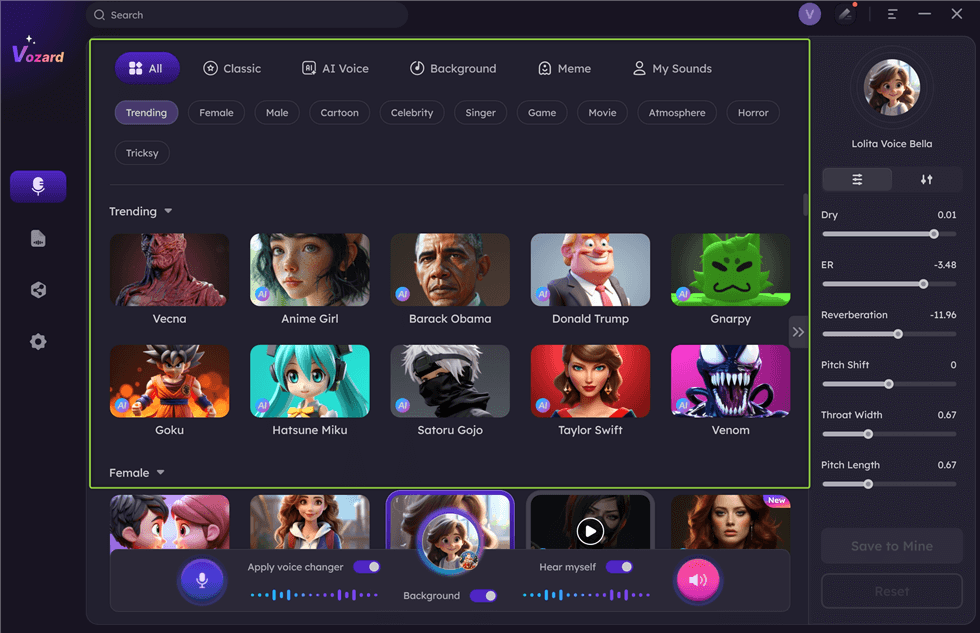
Vozard Voice Changer
Free Download for all windows & 100% safe Free Download for all mac & 100% safe
Free Download100% Clean & Safe
Key Features
- AI-powered technology delivers highly realistic voice changes with smooth and natural tones.
- Instant voice effects let you change your voice in real-time without lag or delay.
- Custom voice modulation allows you to adjust pitch, speed, and depth for unique variations.
- Supports audio editing to modify recorded files and enhance quality or add special effects.
- Fun sound memes include trendy clips to make conversations and pranks more exciting.
Pros
- Easy to use
- Works on many platforms
- High-quality sound effects
- Safe and secure
Cons
- Limited free version
- Requires internet connection
Pricing:
- Free
- 1-Month Subscription: $12.99
- 3-Month Subscription: $19.99
- 1-Year Subscription: $29.99
- One-Time Purchase: $49.99
Parrot AI
Parrot AI is a smart voice tool that creates lifelike voices, including Steve Jobs’s AI voice. It has over 1,000 AI voices, making it great for voiceovers, fun videos, and pranks. The fast text-to-speech engine helps create voices in seconds. The simple design makes it easy for anyone to use. You can also customize voices to make them sound unique. Whether for fun or work, it gives quick and clear voice results that sound real.
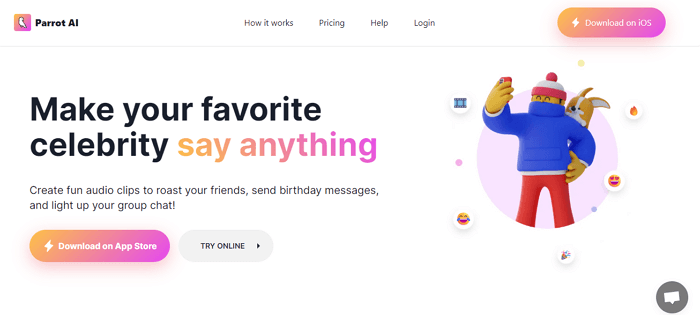
Parrot AI Official Webpage
Key Features
- AI voice maker creates clear and natural voices for any project or fun use.
- Real-time voice change allows instant voice switching for live calls and videos.
- Works on many apps, making it great for videos, streaming, and games.
- Supports many languages so that users can make voices in different accents.
- Custom voice settings let users change pitch, tone, and speed easily.
Pros
- Many voice choices
- Very easy to use
- Fast voice creation
- Sounds real
Cons
- Few free features
- Watermark in the free version
- Full access needs payment
Pricing:
- Lifetime – Premium: $49
- Lifetime Access: $29
- Weekly: $6
VoiceDub
VoiceDub is a powerful AI tool that helps create realistic Steve Jobs AI voices in seconds. It has over 10,000 AI voices, perfect for dubbing, voiceovers, and creative projects. The AI Voice Replacement lets users swap vocals easily. The Text-to-Speech AI turns text into studio-quality voices. The Voice Cloning feature allows users to train AI on their voice. Stem Isolation splits vocals from background music for free. Plus, the Royalty-Free Voices help create original content without legal issues.
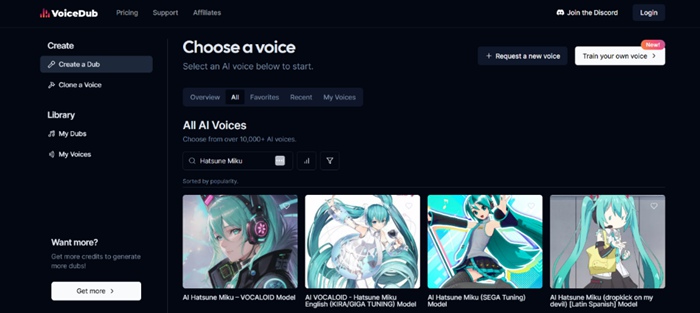
Voicedub Interface
Key Features
- AI voice changer replaces voices instantly for dubbing, gaming, and creative content.
- Real-time voice effects make changes fast for live chats, calls, and videos.
- Works with many platforms for streaming, videos, and entertainment.
- Many voice adjustments allow tone, pitch, and speed customization.
- Fast processing saves time by generating AI voices in seconds.
Pros
- Many AI voices
- Quick voice changes
- Easy to use
- Realistic results
Cons
- Free version limits use
- No offline mode
- Some voices need payment
Pricing:
- Influencer – $25.00 (Billed monthly) / $4.99 (First month, 80% off)
- Basic – $2.99 (Billed weekly)
- PRO – $100.00 (Billed monthly) / $49.99 (First month, 50% off)
FakeYou
FakeYou is a simple AI tool that lets users create realistic Steve Jobs AI voices and many others. It has over 3,500 AI voices, including celebrities and pop culture characters. Custom Voice Creation allows users to make unique voices, including a Steve Jobs voice. The Real-Time Text-to-Speech feature lets users quickly generate and adjust voices. Multi-language support helps create voices in different languages. Free Access makes it easy for beginners to try AI voice generation. With an Easy-to-Use Interface, no special skills are needed.
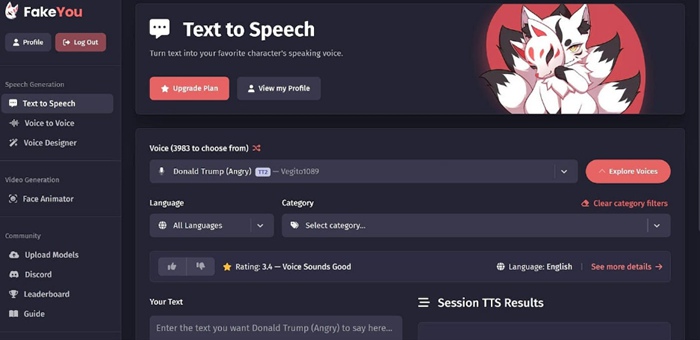
FakeYou Text to Speech
Key Features
- AI voice generator creates fun and realistic voices for dubbing and content.
- Voice cloning copies and customizes voices for personal projects.
- Works in different languages for wider use and creativity.
- Simple design makes it easy for anyone to use.
- Quick processing allows fast voice previews and changes.
Pros
- Real-time results
- Free features included
Cons
- Fewer advanced tools
- Limited free voices
Pricing:
- Free
- Plus: $7/month
- Pro: $15/month
- Elite: $25/month
Jammable
Jammable is an AI voice tool that makes Steve Jobs AI voices and many more. It has thousands of voices, including famous people and characters. The Text-to-Speech (TTS) tool turns words into speech fast. The Music Cover Maker helps users create songs with AI voices. The Voice Changer allows users to adjust pitch and tone to make new sounds. The Realistic Voice Effects make voices sound natural and smooth. The Easy Design helps anyone use the tool without trouble.
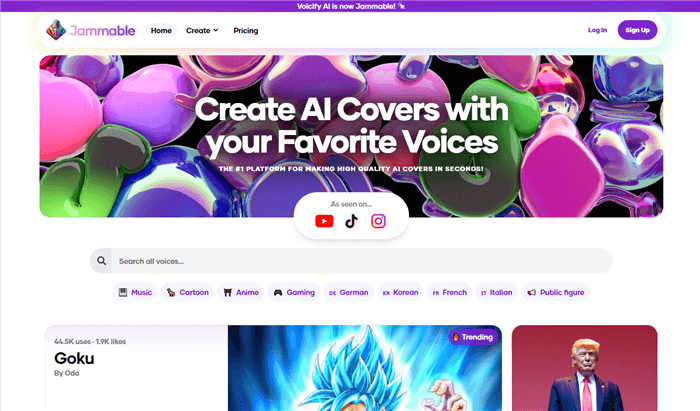
Jammable User Interface
Key Features
- AI voices help create fun projects for different needs.
- Makes songs with AI voices to copy real singers.
- Quickly changes text into speech for fast use.
- Allows users to change voice pitch and tone easily.
- A simple layout makes it easy for beginners to use.
Pros
- Clear and real sound
- Fast voice changes
- Works for songs
Cons
- Few free voices
- Needs text input
Pricing:
- Free
- Starter Plan: $7.99 per month
- Creator Plan: $24.99 per month
Comparison Table for Steve Jobs Voice Changers
| Best For | Compatibility | Price | Free Version | |
| Vozard | Live voice changing, gaming, and pranks | Windows, Mac | $12.99- $49.99 |  |
| Parrot AI | Voiceovers, pranks, and fun videos | Web-based | $6 – $49 |  |
| VoiceDub | Dubbing, voiceovers, and content creation | Web-based | $25- $100 | |
| FakeYou | Free voice cloning and text-to-speech | Web-based | $7- $25 | |
| Jammable | AI music covers and voice generation | Web-based | $7.99 – $24.99 | |
FAQs about Steve Jobs Voice Changers
Which is the best Steve Jobs voice changer?
There are many voice changers, but Vozard is a great choice. It offers real-time voice changing with high-quality sound effects. It works on Windows and Mac and supports many platforms, such as Zoom, Discord, and Twitch. Plus, it is easy to use and has a 60-day money-back guarantee.
Do Steve Jobs’s voice changers sound 100% real?
Most AI voice changers create realistic voices, but they may not be 100% perfect. The quality depends on the tool you use. Advanced tools like Vozard use AI-powered deep learning to make voices sound smoother and more natural, making them very close to the real voice.
Can I use a Steve Jobs voice changer for podcasts?
Yes! Many podcasters use AI voice changers to create interesting content. If you want to sound like Steve Jobs in a podcast, you can use a high-quality voice changer, record your speech, and apply AI effects. Just make sure to adjust the voice settings for the best clarity.
Final Words
Steve Jobs’s voice changers easily made you sound like him using AI technology. Many tools offer real-time voice changes, text-to-speech features, and custom voice options. Some tools are great for fun, while others are perfect for content creation. If you want an easy and realistic Steve Jobs voice changer, Vozard is a great option. It works smoothly, offers many features, and is simple to use. Try Vozard today and change your voice in just a few clicks!
Product-related questions? Contact Our Support Team to Get Quick Solution >
