If you forget your iPhone passcode, that does not automatically mean all of your data is lost. Depending on what copies still exist and how accessible the device remains, data may still be recoverable from the iPhone itself, an existing backup, or a synchronized cloud copy.
The difficult case begins when the data exists only on the iPhone and the device can no longer be authenticated. Modern iPhones protect stored data with Apple’s Data Protection system, which combines encryption, device-specific hardware, and user authentication. In that situation, data can still exist in storage while no longer being readable through the access paths available to the user or recovery software.
This distinction matters because phrases such as “recover without passcode,” “recover without backup,” or “supports locked iPhone” can describe very different technical situations. Some involve restoring another copy of the data. Others involve reading data directly from the device. Those should not be treated as the same type of recovery.
Why Does the Passcode Matter to Data Recovery?
The iPhone passcode does more than control access to the Home Screen. According to Apple Platform Security, setting a passcode automatically enables Data Protection, and the passcode also provides entropy for certain encryption keys.
The files themselves are not simply encrypted with the six-digit passcode. Apple uses multiple layers of keys, and access to protected data depends on how those keys are managed and made available. Apple describes Data Protection as a per-file system built around a hierarchy of keys, with accessibility determined by whether the relevant class keys have been unlocked. You can read Apple’s technical overview in Data Protection overview.
A simplified version looks like this:
Encrypted user data
↓
Cryptographic keys are required to read it
↓
Those keys are protected by Apple’s security architecture
↓
The passcode helps control access to some of those keys
This is why forgetting the passcode can affect more than the lock screen. If the device can no longer obtain the cryptographic material required to read protected files, removing a visual lock is not enough to make those files readable again.
The Core Misunderstanding: “Still Stored” Does Not Mean “Readable”
Consider a photo stored on an iPhone. The encrypted data for that photo may still exist on perfectly functioning flash storage, yet the system may no longer have access to the keys needed to turn it back into a usable image. That means two statements can both be true: the photo is still on the phone, and the photo is currently inaccessible.
This is different from traditional deleted-file recovery. On an ordinary unencrypted storage device, the main challenge may be locating file data that has not yet been overwritten. On an encrypted iPhone, locating the underlying bytes may not solve the problem if the required cryptographic keys are unavailable.
For the same reason, none of the following facts alone proves that user data can be recovered:
- the computer recognizes the iPhone;
- the files have not been physically overwritten;
- recovery software can communicate with or scan the device;
- no backup is required;
- the software says it supports “locked devices.”
The real question is whether there is still an accessible data source and a valid way to make that data readable.
What Does “Recover iPhone Data Without the Passcode” Actually Mean?
“Recover without passcode” sounds like a single capability, but it can refer to several different processes. The table below separates the wording users often see from the conditions that actually matter.
Recovery Claim Reality Map
| Recovery claim | What may actually be happening | What to check | What it does not automatically prove |
|---|---|---|---|
| Recover without passcode | Data is being read from an existing backup or cloud source | Is the data coming from the locked iPhone itself, or from another existing copy? | That protected data was decrypted directly from an inaccessible iPhone |
| Recover without backup | The device itself is still sufficiently accessible for direct recovery | Does the iPhone still need to be accessible or authorized? | That no authentication or device access is required |
| Supports locked iPhone | The device may simply be screen-locked after previous authentication | Is the phone only screen-locked, or has it restarted with the valid passcode unknown? | That every locked or unauthenticated state is equally accessible |
| Recover directly from device | The iPhone is exposing data that can legitimately be read | What access must the iPhone still provide before its data can be read? | That Data Protection or authentication requirements were bypassed |
| Restore data after unlocking or reset | Data is returning from a previous backup or synced copy | Which copy is being restored, and when was it created? | That the original protected local data survived the reset |
| Computer detects the iPhone | Communication with the device exists | Can protected user data actually be accessed, previewed, or exported? | That protected user files can be decrypted |
A useful way to evaluate any recovery claim is therefore to ask one question: Where is the recovered data actually coming from? If it comes from a backup, a cloud copy, or a device that is still able to expose data, there is a defined recovery source. That is very different from extracting protected data directly from a completely inaccessible iPhone.
Backup Recovery and Locked-Device Recovery Are Different
Suppose an iPhone is inaccessible, but an older Finder or iCloud backup contains the user’s photos and messages. If those files are restored successfully, the user has genuinely recovered the data without using the current screen passcode. Technically, however, the data did not come from the inaccessible encrypted copy on the phone. It came from a separate copy created earlier.
This is why several very different processes are all described as “iPhone data recovery”:
- Direct device recovery: data is read from the iPhone itself.
- Backup recovery: data is read from a previously created backup.
- Cloud recovery: data is retrieved from a copy already stored by a cloud service.
All three may return the same photo or message to the user, but they do not demonstrate the same level of access to the original locked device.
“Without Backup” Does Not Mean “Without Device Access”
The phrase “recover iPhone data without backup” often creates another misunderstanding. It tells you that a backup is not being used as the recovery source, but it does not tell you what level of access to the iPhone is still required.
Direct device recovery may still depend on whether the iPhone can authorize access, whether it has been successfully unlocked since startup, whether the current passcode is required, and which categories of data the device is able to expose. So “there is no backup” and “there is no usable authentication path to the device” should not be treated as equivalent conditions. The second is significantly more restrictive.
Why “Locked iPhone” Is Also an Incomplete Description
An iPhone does not have only one meaningful “locked” state. Imagine one iPhone that has been successfully unlocked and used normally since startup, but whose screen is now locked. Compare it with the same iPhone immediately after a restart, before the correct passcode has been entered. Both appear “locked” to the user, but they are not necessarily in the same security state.
Apple’s Data Protection classes use different availability rules. Some protected data can remain available after the first successful authentication, while other classes use stricter rules. Apple also documents the transition between After First Unlock and Before First Unlock states when a device restarts in its user-data protection guidance.
The terminology is less important than the practical point: the appearance of the lock screen does not fully describe what protected data the device is capable of exposing. That is also why a broad statement such as “supports locked iPhones” needs more context before it tells you anything useful about recovery capability.
Why Removing the Passcode Can Mean Losing the Data
If the passcode is preventing access, it may seem reasonable to ask why the system cannot simply remove the passcode while leaving the original files untouched. The security problem is straightforward: if someone could obtain an iPhone, remove an unknown passcode, and immediately read all of the protected local data, the passcode would provide little protection against anyone who gained physical possession of the device.
When the passcode cannot be recovered through Apple’s available authentication options, resetting the iPhone can be required to regain access to the device. Apple’s current support instructions state plainly that this process erases the data currently on the iPhone.
That restores control of the hardware, but it does not preserve access to the same protected local data. If photos or messages later return from an existing backup or cloud copy, that is a separate recovery process; it does not mean the original encrypted copy survived the reset in a readable form.
Why Recovery Mode and DFU Mode Do Not Change This
Recovery Mode and DFU Mode provide lower-level ways to restore or update device software, which can make them sound like deeper access modes. They are not designed to expose protected user data.
Apple specifically documents additional protections for Data Protection keys during alternative boot states. In Protecting keys in alternate boot modes, Apple explains that Recovery Mode, DFU Mode, and related environments continue to protect passcode-protected data classes.
In practical terms, entering Recovery Mode does not disable encryption, turn protected files into plaintext, or expose the iPhone’s internal storage like an ordinary external drive. Recovery Mode can help restore the system; that should not be confused with recovering the user’s protected files.
What Recovery Software Can Realistically Do
Recovery software can provide real value when there is an accessible data source. Depending on the situation, that source may be data the iPhone is currently able to expose, a local computer backup, or an accessible cloud copy. Once that source is available, software may help locate recoverable items, preview files, selectively extract content, or restore supported data without requiring the user to recover everything at once. These are legitimate recovery scenarios; the key is that the software must have a readable source to work with.
PhoneRescue is developed by iMobie. The example below comes from our internal product testing.
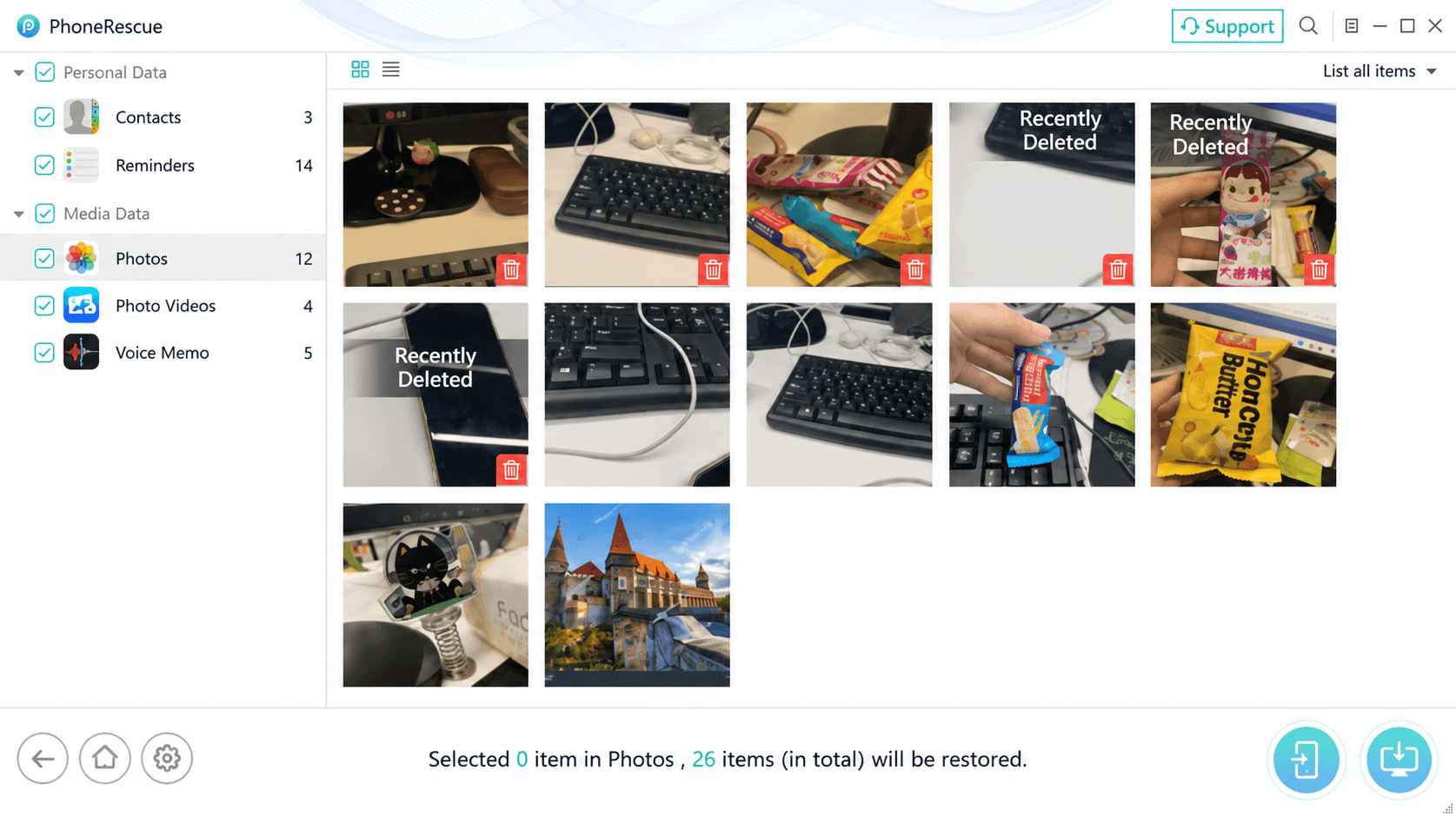
What We Saw in Earlier Internal Recovery Testing
In earlier internal testing conducted during product development, we tested recovery behavior across multiple iPhone models, iOS versions, and data types. Results were not uniform: some accessible data could be read or restored successfully, while certain deleted records or media attachments were unavailable under otherwise similar conditions.
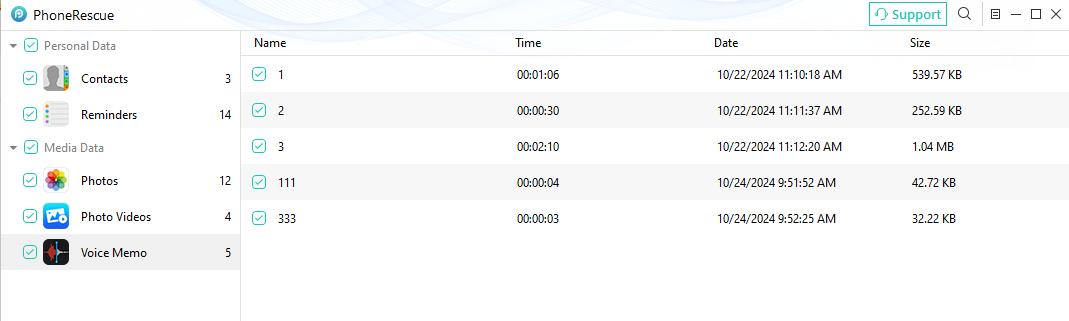
This screenshot is an example from earlier internal testing. Test results may differ from current product behavior as iOS and PhoneRescue continue to change.
The point of these tests is not that one data type is always recoverable while another is not. They show that recovery depends on the actual data available to the software, the device state, the iOS version, and the type of information being recovered. A broad label such as “supports iPhone recovery” cannot describe all of those conditions by itself.
What recovery software does not gain simply by being installed is the ability to change Apple’s underlying Data Protection architecture. If the only copy of a file exists inside an inaccessible iPhone and the device cannot provide the cryptographic access needed to read it, the problem is not simply that the correct recovery program has not yet been found. The limitation is the availability of the data itself.
The Hardest Recovery Case
The technical boundary becomes clearest when several conditions occur together: the valid passcode is unknown, the device cannot be authenticated, there is no usable backup, there is no cloud or synchronized copy, and the only copy of the required data remains inside the protected iPhone.
That situation is fundamentally different from restoring a backup, downloading a cloud copy, or reading data from a device that is still sufficiently accessible. At that point, the main question is no longer which recovery program supports the phone. The more important question is whether any valid path still exists through which the protected data can be made readable.
If the device cannot provide the cryptographic access needed to read that data, switching to another recovery application does not change the underlying security condition.
What Should You Check Before Trying Data Recovery?
The next step depends on where a usable copy of the data may still exist and whether the iPhone can be accessed. Use this table to identify the safest path before erasing or restoring the device.
| Your situation | What to check or do next | Important limitation |
|---|---|---|
| You can still unlock the iPhone | Unlock it with the valid passcode and make a backup or export the important data before troubleshooting further. | Direct access depends on the device working and accepting authentication. |
| You forgot the passcode, but previously enabled iCloud syncing | Check iCloud and any other trusted Apple device for photos, contacts, notes, or other content that may already have synced. | Only data that was actually synced or stored in the cloud will be available this way; this does not unlock the local data on the iPhone. |
| You have an iCloud or computer backup | Check the backup date and whether it is likely to contain the data you need before choosing a restore option. | Restoring a backup may replace the current contents of the target device. Confirm what will be overwritten before proceeding. |
| The iPhone is inaccessible and no backup is known | Check for cloud-synced copies and other devices first. If the data exists only on this iPhone, pause before erasing or resetting it. | Apple's passcode-reset process can require erasing the device. If no readable copy or backup exists, the local data may not be recoverable. |
| The iPhone has already been erased or reset | Look for an existing backup or content that had synced to a cloud service or another device. | Do not assume recovery software can reconstruct data that was erased and is no longer available in a backup or synchronized copy. |
This check is not a guarantee of recovery. It is a way to avoid taking a destructive step before you know whether another usable copy of the data exists.
The Key Point: Always Ask “Recovered From Where?”
Forgetting an iPhone passcode does not automatically mean data recovery is impossible. A backup may still exist, cloud data may already be synchronized, or the device itself may still provide enough access for direct recovery. Understanding the passcode boundary is not about ruling out recovery; it is about identifying which recovery source is still available.
The central distinction is simple: data can still exist without currently being readable. Whenever a recovery claim says that iPhone data can be recovered “without passcode,” the most useful follow-up question is: Recovered from where?
If the answer is a backup, a cloud copy, or a device that still exposes the required data, there is a defined and legitimate recovery path. If the only answer is that encrypted data still physically exists somewhere inside an inaccessible iPhone, that fact alone does not prove that the data can be recovered.
On a modern iPhone, recovery depends not only on whether the data still exists, but also on whether there is still an authorized cryptographic path that can make it readable.


