2026 Best iPad Data Recovery Software Review
Accidentally deleted or lost valuable data on iPad, and looking for a reliable iPad data recovery software to retrieve lost photos, messages, notes, contacts, videos, etc.? In this review, we will share you 5 best iPad data recovery software, which we have evaluated strictly from all aspects.
PhoneRescue for iOS – Best iDevice Recovery Tool
Free download PhoneRescue for iOS to get everything back even without backup.
iPad data loss occurs due to various reasons like accidental deletion, iPad lost/stolen, system crash, upgrade failure, water damage, etc. When it comes to recovering deleted and lost data from the iPad, two solutions are available, including restoring from an iPad backup and using some reliable iPad recovery software. The former solution is limited in that you have made an iPad backup before and you are 100% sure that the backup contains the data you lost.
Or else, taking advantage of iPad data recovery software is the last yet only way for you to get back lost data on iPad.
And in this review, we will share with you 5 top applications that we tested rigorously for iPad users to recover deleted photos, safari history, videos, app data, and so on. Also, we provide you with a detailed comparison chart so that you can quickly choose the one best suited to your needs.
Part 1. Best iPad Recovery Software – PhoneRescue for iOS
Rigorous tests showed that PhoneRescue for iOS will be the #1 software for iPad users to recover deleted and lost data. PhoneRescue for iOS has helped over 5,7000,000 iOS users recover lost or deleted files successfully and it is recommended by many users and authoritative tech websites like digitaltrends.com to recover data from iOS devices. Free trial download link >>
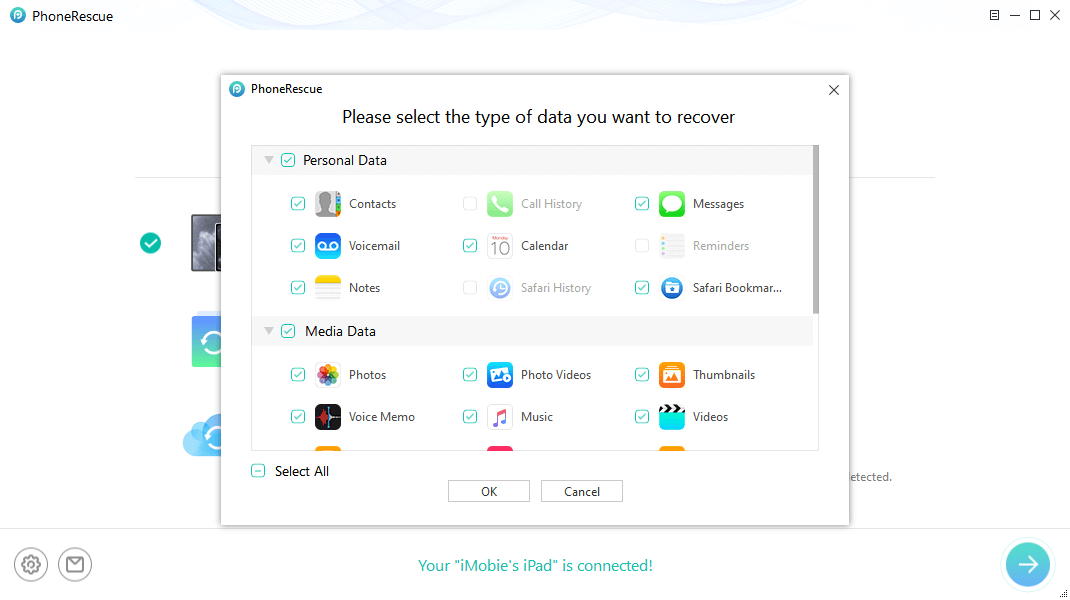
Select Data You Want Recover from iPad
Free Download * 100% Clean & Safe
Advantages:
- Recover iPad files from any situation, such as update failure, water damaged, forgotten password, etc.
- The ONLY software that supports recovering up to 31 iOS file types, including photos, messages, videos, notes, calendar, etc.
- Offers different recovery modes to ensure the highest success rate: recover from iPad directly (without any backup), from iTunes backup, from iCloud backup.
- Compares the data on your iPad and iPad backup to quickly get the differences.
- Supports previewing and selecting deleted data before recovering.
- 7/24/365 Technical Support ensures you get valid help in time.
- Longest 60 days money-back guarantee.
Disadvantage:
- Paid Software.
[Video] How to Recover Data using PhoneRescue:
Part 2. Best iPad Recovery Software – Primo iOS Data Recovery
Primo iOS Data Recovery is another top-quality data recovery tool in the market. It supports recovering deleted or lost data from iTunes backup, iCloud backup, and also from iOS devices. Its intuitive interface makes it quite easy to navigate. Apart from the recovery feature, Primo iOS data recovery also has an additional feature to fix some common iOS issues, such as stuck on the black screen, white screen, and Apple logo, or even a looped recovery mode.
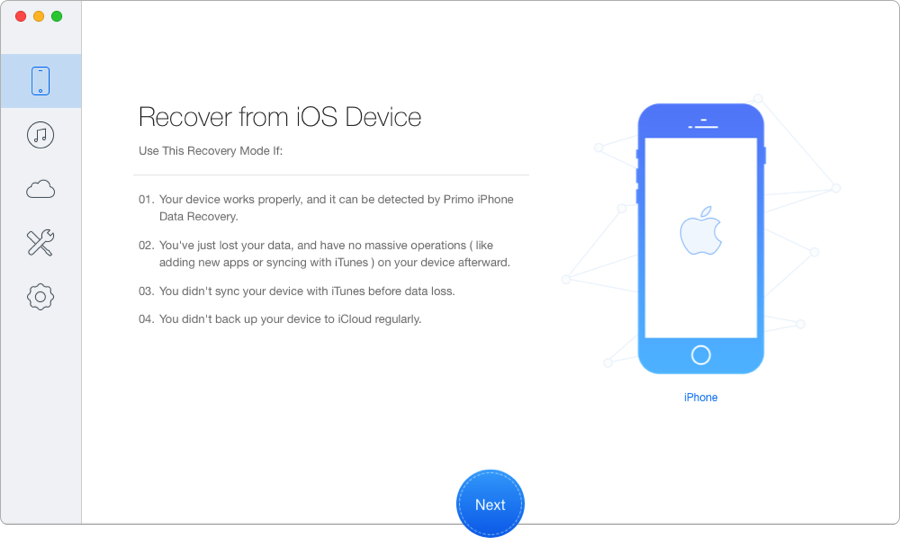
iPad Data Recovery Software – Primo iOS Data Recovery
Advantages:
- Recover 25 types of iOS content from iPad, iPhone, and iPod touch.
- 3 safe recovery modes: from iDevice, iTunes backup, and iCloud.
- Get back lost data to iPhone directly like messages, notes, etc.
- Compatible with all iPad models: iPad, iPad Air, iPad Mini, iPad Pro.
- Support saving the recovered messages, contacts, and more to the computer in the viewable format: HTML, TEXT, CSV, VCF, etc.
Disadvantages:
- Paid software.
- Take time to scan the device.
Part 3. Best iPad Recovery Software – Dr.Fone for iOS
Dr.Fone for iOS is also a high-grade iPhone/iPad data recovery tool with a user-friendly interface. It provides in-depth scanning to help users find deleted files like photos, messages, videos, music, etc. It works well with both Windows and Mac OS.

Best iPad Recovery Software – Dr.Fone for iOS
Advantages:
- The interface is clear, helpful, and easy for all to use.
- Recover data from iOS devices, iCloud backup, and iTunes backup files.
- Recover photos, videos, contacts, messages, notes, call logs, and more.
- The data recovery speed is excellent.
- Compatible with the latest iOS devices.
Disadvantages:
- Paid Software and the price is a little bit high.
- Cannot preview all of your files before recovering.
Part 4. Best iPad Recovery Software – iMyFone D-Back
iMyFone D-Back can also be an excellent data recovery tool for iPad iPhone users to recover various data. It provides 4 data recovery modes: Recover from iOS Device, Recover from iTunes Backup, Recover from iCloud Bacup, and Smart Recovery. No matter you have backup or not, and no matter how you lose your data, iMyFone D-Back helps you get the lost data back with great ease.
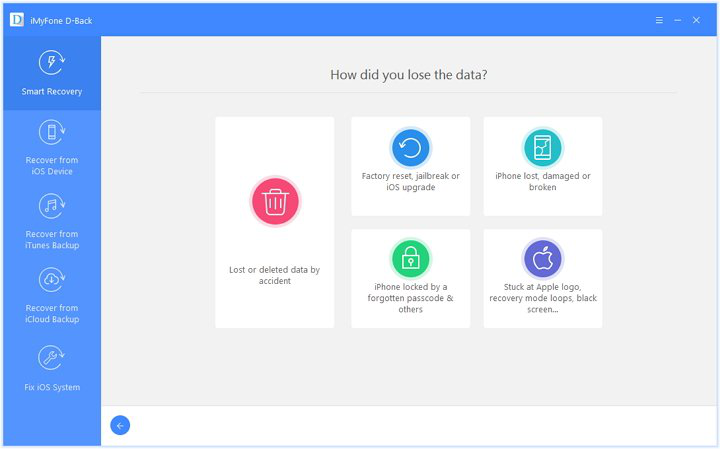
Best iPad Recovery Software – iMyFone D-Back
Advantages:
- Supports recovering photos, texts, contacts, notes, voice memos, etc.
- Features preview function, allowing users to preview data before recovering.
- The scanning speed is quite fast.
- 4 data recovery modes are available: Smart recovery, recovery from iTunes & iCloud backup or without backup file.
- Supports the new iOS 16 and all iPad devices; iPad, iPad Air, iPad Mini, iPad Pro.
Disadvantages:
- The trial version has limited functions.
- Connectivity with the iPad sometimes proves difficult.
Part 5. Best iPad Recovery Software – ApowerRescue
The last tool that we recommend for iPad data recovery is ApowerRescue. Offered by the trusted developer, it is safe to recover deleted photos, music, videos, contacts, messages as well as other iPad files from different data loss cases on various devices. In addition, it enables you to preview all recoverable files to make sure better recovery effects.
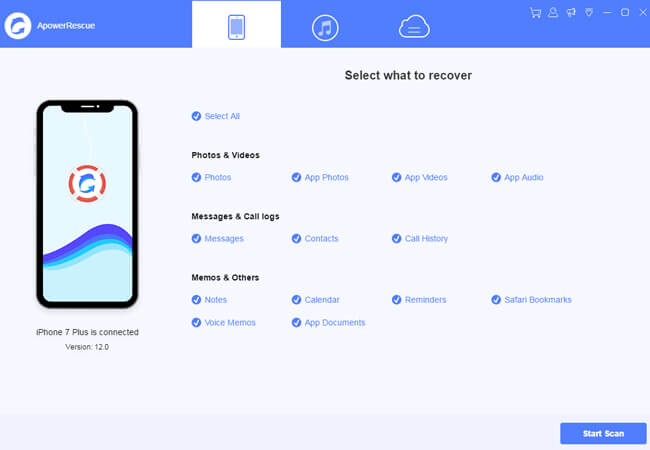
ApowerRescue Review
Advantages:
- User-friendly interface.
- Supports recovering almost all iPad data.
- 3 recovery modes to retrieve data from your iPad, iTunes backup, and iCloud backup.
- Preview option available before starting recovery.
- Compatible with a large range of devices.
Disadvantages:
- Longer scanning time.
- Sometimes may fail to retrieve all lost files from iCloud.
Part 6: iPad Data Recovery App – Comparison Chart
| PhoneRescue for iOS | Primo iOS Data Recovery | Dr.Fone | D-Back iOS Data Recovery | ApowerRescue | |
| Recover From iPad |  |
|
|
|
|
| Recover From iTunes | |
|
|
|
|
| Recover from iCloud | |
|
|
|
|
| Selectively Recover Data | |
|
|
 |
|
| Time-Consuming to Scan | 40 seconds | 1 minute 21 seconds | 39 seconds | 43 seconds | 1 minute 36 seconds |
| Data Comparison(Find the different data between iDevice and Backups) | |
|
|
|
|
| Recover to iPad Apps Directly (Contacts, Messages, Photos, etc.) | |
|
|
|
|
| Money-Back Guarantee | 60 Days | 60 Days | 7 Days | 30 Days | 7 Days |
| Cost (LifeTime) | $49.99 | $39.99 | $69.95 | $69.95 | $69.95 |
| Reviews |
|
|
|
|
|
| Availability | Free Trial |
Part 7. What is Best iPad Data Recovery Software – Define Criterions
Honestly, iPad recovery software are as many as you want in the market, but how to pick out the most reliable and professional one to recover lost iPad data? Here are some must-have criteria that a top iPad data recovery app need.
- Virus-free and safe to use.
- The recovery success rate should be high to ensure that you can get back lost data from your iPad.
- Support all existing iPad models iOS versions and even the upcoming new iPad devices.
- Recover multiple iPad file types including photos, messages, notes, etc.
- Offer professional technical support so that you can get valid help when using the software.
The Bottom Line
Here we have identified the 5 best iPad Data Recovery software in 2026, based on their features and recovery capabilities.
Since the frequency of iPad data loss is increasing, you are supposed to make a regular iPad backup using iTunes or iCloud. In this way, iPad data recovery will no longer be a conundrum for you. At last, remember that don’t do any operation on your iPad until you get all the lost files back. Otherwise, the lost data will be overwritten by newly generated data and become unrecoverable.


Work for iMobie team for 5 years as well as an Apple fan, love to help more users solve various types of iOS or Android related issues.
Product-related questions? Contact Our Support Team to Get Quick Solution >
