Quick Answer: How to get incubators in Pokémon GO legitimately right now:
- Leveling Up: You receive free incubators as a reward for hitting specific level milestones.
- Gym Defense (PokéCoins): Defending Gyms earns you up to 50 PokéCoins a day, which you can save up to buy incubators from the in-game shop.
- Special & Timed Research: Completing event-specific research tasks frequently rewards incubators.
- PokéStop Showcases: Winning or placing high in Showcases can occasionally drop incubators as premium rewards.
- In-Game Shop: You can purchase regular and Super Incubators directly using PokéCoins.
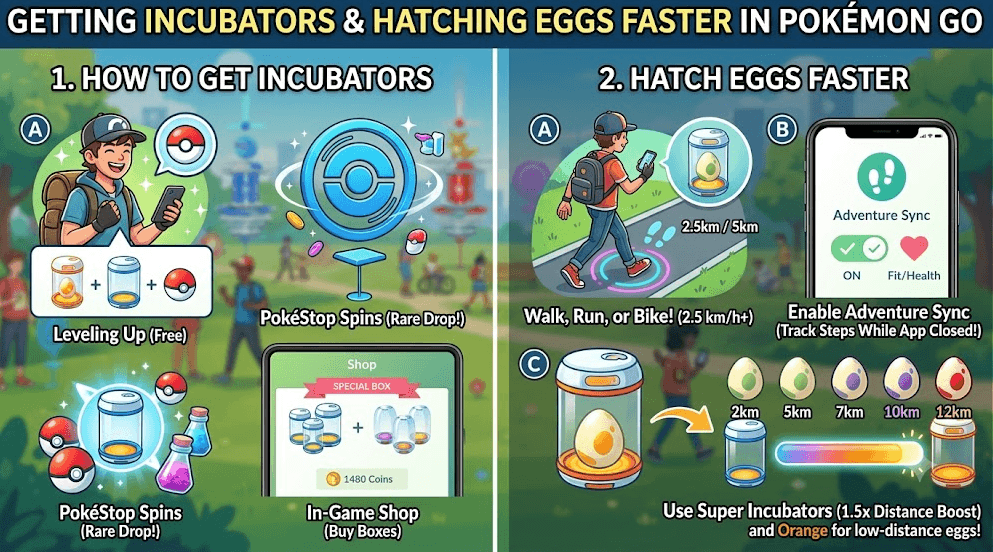
Keep in mind: You start the game with one infinite Egg Incubator (orange), which can be used an unlimited number of times and cannot be lost. Additionally, remember that third-party tools cannot generate in-game items—incubators must be acquired through active gameplay or the official shop.
Top Methods to Get Free Incubators in Pokémon GO
If you want to hatch more eggs without spending real money, you need to rely on the game’s built-in reward systems. Here is a checklist of the top methods to earn free incubators through active gameplay, which are foundational strategies in most Pokémon GO guides:
- Hit Level Milestones: As you level up your trainer profile, the game rewards you with standard Egg Incubators. You typically receive them at major milestones like Level 10, 15, 20, 25, 30, and beyond.
- Defend Gyms for Daily PokéCoins: This is the most consistent free method. Place your Pokémon in Gyms to earn up to 50 PokéCoins per day. If you save these free coins for a few days, you can purchase incubators from the shop without spending real cash.
- Complete Special and Timed Research: Niantic frequently hosts seasonal events and Community Days that feature Special or Timed Research questlines. Always check the reward track, as premium items like Egg Incubators are often included in the later stages of the research.
- Participate in PokéStop Showcases: Entering your largest or smallest Pokémon into PokéStop Showcases can yield premium rewards if you place 1st, 2nd, or 3rd. While incubators aren’t guaranteed, they are a confirmed rare drop for top-ranking players.
By actively cycling through these methods, you can build up a small stockpile of free incubators for your longer-distance eggs.
Regular vs. Super Incubators: Which Should You Prioritize?
Once you have PokéCoins saved up, you’ll need to choose between the standard Egg Incubator and the premium Super Incubator. Making the wrong choice can waste your hard-earned resources.
| Feature | Regular Egg Incubator (Blue) | Super Incubator (Purple) |
|---|---|---|
| Cost in Shop | 150 PokéCoins | 200 PokéCoins |
| Number of Uses | 3 Uses | 3 Uses |
| Distance Multiplier | 1x (Standard distance) | 0.67x (Requires 33% less distance) |
| Best Used On | 5km and 7km Eggs | 10km and 12km Eggs |
Strategic Advice:
Never waste limited-use incubators (Regular or Super) on 2km eggs—always use your unlimited infinite incubator for those. Super Incubators cost 50 more PokéCoins, but the 0.67x distance reduction saves you significant time and physical effort on long distances. A 12km Strange Egg is reduced to just 8km in a Super Incubator. Always prioritize Super Incubators for 10km and 12km eggs to maximize their value.
The Real Bottleneck: Walking 10km and 12km Eggs
Getting your hands on the incubators is ultimately only half the battle. The real frustration for most Pokémon GO players is the physical bottleneck: actually walking the required distance to hatch the eggs.
Walking 10km or 12km is a serious time commitment. Doing so when you have a busy work schedule, no safe local walking routes, or during freezing rain or extreme heat is nearly impossible.
To make matters more difficult, Niantic enforces a strict speed limit for hatching eggs. The game typically only registers distance if you are moving under 10.5 km/h (about 6.5 mph). This means you cannot simply hop in a car, bus, or train to cheat the distance—the game will notice you are moving too fast and stop counting your progress.
In the past, players used phone shakers or Adventure Sync manipulation apps (like Defit) to trick their phones into logging steps. However, these methods have become highly unreliable and are increasingly flagged by Niantic’s risk systems. If you want to hatch long-distance eggs without physically walking outside, you need a more controlled, realistic solution that respects the game’s strict speed limits.
How to Hatch Eggs Without Walking Using Route Simulation
Imagine having a 12km Strange Egg loaded into a Super Incubator, but it’s pouring rain outside and you are stuck at your desk all day. For scenarios like this, using a dedicated desktop location simulator is the most practical way to hatch eggs without physical effort.
This is where Fonelora Location Changer comes in. Fonelora Location Changer is a guided desktop software for iOS and Android devices that allows you to simulate a realistic walking route from your computer.
Unlike mobile-only fake GPS apps that can be unstable or cause erratic “rubber-banding” on your map, a desktop-tethered Pokémon GO location changer provides a much more stable environment. By using Fonelora, you can create a custom walking route through your local neighborhood or park and precisely control your virtual movement speed. By setting the speed safely below the 10.5 km/h limit, the game registers the simulated movement just like a real walk.
Fonelora Location Changer
Realistic GPS movement simulation, flexible route control, easy no-modification setup, and support for gaming, social, privacy, and location-based testing in one platform.
Important Note on Risk: It is important to know that using any location changer carries account risks, as it violates Niantic’s terms of service. Fonelora Location Changer helps minimize this risk through its dedicated Game Mode and realistic movement fluctuation settings, but it is not a 100% risk-free guarantee. Always use it under supported conditions and avoid jumping long distances unannounced.
Step-by-Step: Setting Up a Safe Hatching Route
Setting up a virtual walking route is straightforward. Whether you are using an iPhone GPS spoofer setup or need a method for safe GPS spoofing on Android, following a guided workflow with Fonelora Location Changer ensures the game properly registers your distance.
Prerequisite: Ensure your iOS or Android device is connected to your Windows or Mac computer via USB or Wi-Fi, and that you have followed the on-screen instructions to enable Developer Mode (iOS) or USB Debugging (Android).
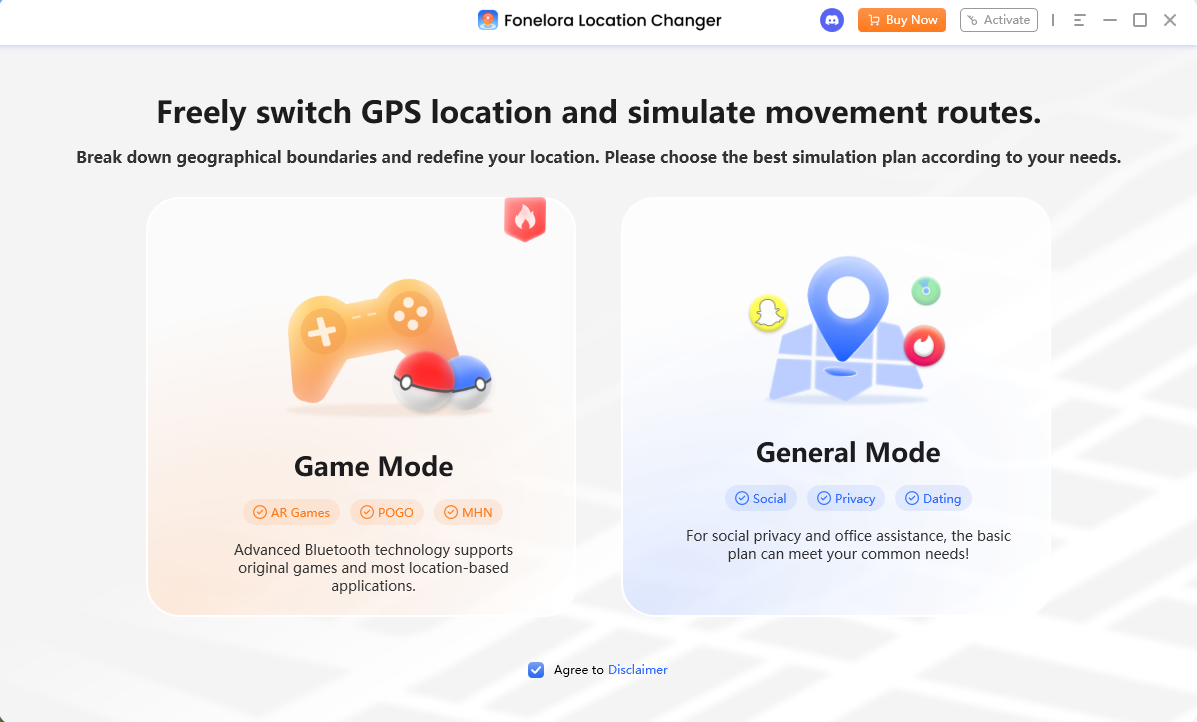
1. Open Game Mode: Launch Fonelora Location Changer and select Game Mode. This mode optimizes the connection for location-based games.
2. Choose Your Route Style: At the top right of the map, select either Single-Spot Mode (walking back and forth between two points) or Multi-Spot Mode (creating a custom loop, such as walking around a local park).
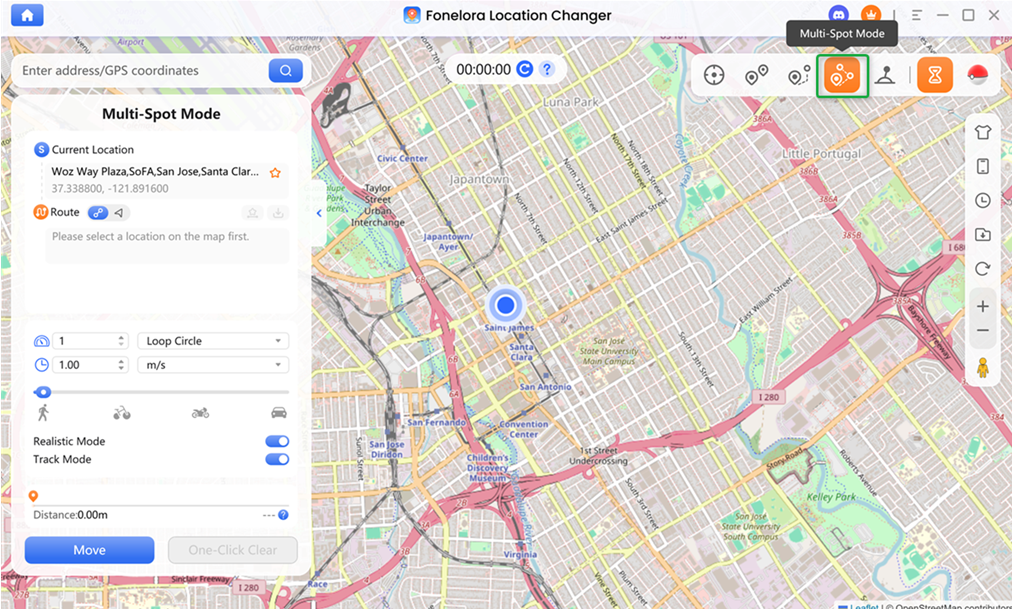
3. Set a Safe Hatching Speed: This is the most crucial step. Adjust the speed slider strictly below the 10.5 km/h limit. A speed of 9 km/h is ideal to ensure every meter is tracked accurately without triggering speed warnings.
4. Enable Realistic Fluctuation: Turn on the realistic fluctuation setting. This allows your virtual movement speed to vary slightly (e.g., dipping to 8 km/h and up to 9.5 km/h), making the walk look natural rather than mechanical.
5. Start Moving: Click “Move.” Keep your Pokémon GO app open on your phone. You will see your avatar walking the route, and your egg distance will begin to update.
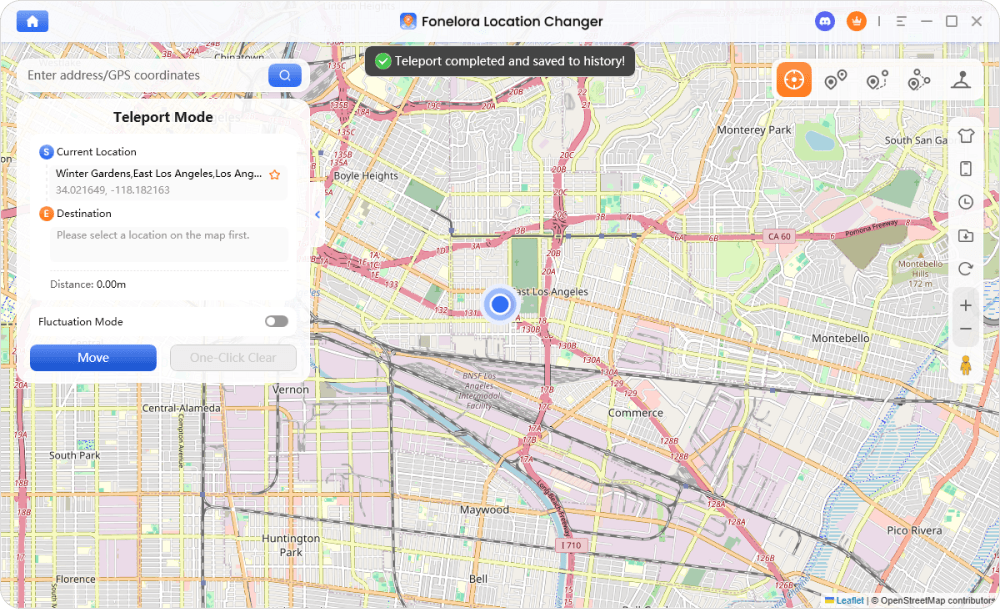
By keeping your speed low and your route realistic, your incubators will do the work while your phone stays safely on your desk.
Frequently Asked Questions About Pokémon GO Incubators
Q1:How do you get free incubators in Pokémon GO?
You can earn free incubators by reaching trainer level milestones (like Level 15 or 20), completing specific Special or Timed Research tasks during events, winning PokéStop Showcases, or buying them from the shop using PokéCoins you earned for free by defending Gyms.
Q2:How can I hatch Pokémon GO eggs without walking outside?
If you cannot walk outside, you can use a desktop location simulator like Fonelora Location Changer on supported devices. By setting up a virtual route at a speed below 10.5 km/h, the game will register the simulated distance and hatch the eggs.
Q3: What is the speed limit for hatching eggs in Pokémon GO?
The speed limit for egg hatching is typically 10.5 km/h (approximately 6.5 mph). If you exceed this speed—by running fast, biking, or driving—the game stops logging your distance.
Final Thoughts: Maximizing Your Egg Hatching Efficiency
Successfully hatching eggs in Pokémon GO requires a two-part strategy. First, maximize your free incubator supply by earning your daily 50 Gym coins, completing event research, and saving Super Incubators strictly for long-distance 10km and 12km eggs.
Second, you must overcome the physical walking bottleneck. Remember that you must keep your movement under the strict 10.5 km/h speed limit for the game to count your distance. If bad weather, a busy schedule, or location constraints stop you from walking outside, you don’t have to miss out on hatching your eggs.
For players who need a reliable, controlled way to simulate distance from home, Fonelora Location Changer is a practical solution. By utilizing its Game Mode and realistic route simulation, you can easily set your virtual walking speed to a safe 9 km/h and let the software do the heavy lifting on supported iOS and Android devices.
Always remember to use Game Mode, keep your speeds realistic, and respect cooldown guidelines to keep your account safer. If you’re ready to hatch your eggs effortlessly, download Fonelora Location Changer today and set up your first virtual walking route.

Fonelora Location Changer
- Bluetooth Hardware Simulation for Safer GPS Spoofing
- Realistic Movement & Route Simulation
- No Root or Jailbreak Required
- All-in-One Solution for Games, Social Apps & Privacy



