13 BEST Game Recording Software
Are you a pro in one of your favorite games? Would you like to record yourself slaying the game? If yes, here are 13 of the best game recording software for all you gamers out there!

In this article, we have compiled a list of the top 13 game recording software that offer high-quality video and ensure every sound is preserved. Whether you’re playing on a PC or console, these tools provide a seamless recording experience, solving the frustrating audio issues that can ruin your gaming memories.
So, level up your gaming content creation with the perfect software to make your gameplay moments truly unforgettable!
Table of ContentsHide
Top 10 Paid Game Recording Software
Here are the top picks for 10 of the best game recording software out there:
1. Bandicam
Best Screen Recorder for Windows!
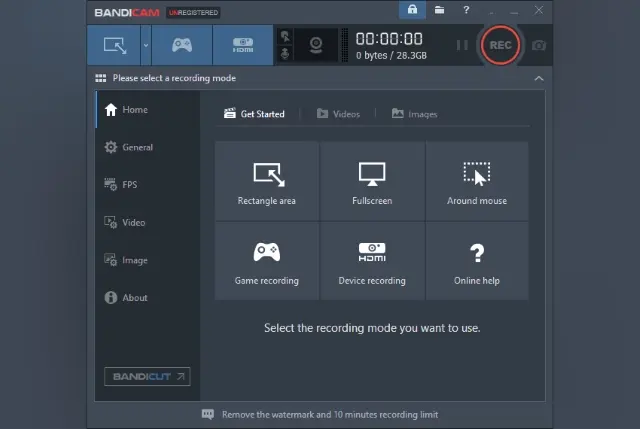
Badicam Screen Game Recorder
Bandicam is a popular software for screen recording on Windows. But here’s the best part: It’s not just great for recording your screen; it also doubles up as an awesome recording software for games!
And it doesn’t take up too much space on your computer because it has a built-in compression feature that ensures your videos are still high quality while also having a small file size.
Key Features
- High-Quality Video: Bandicam can capture your screen in high resolution and frame rates, even for demanding games.
- Audio Capture: This amazing tool can not only capture your game’s audio but also comes with microphone audio-capturing features.
- Live Streaming: With Bandicam, you can seamlessly live stream to popular video-sharing platforms like YouTube and Twitch
Compatibility
It is only compatible with Windows.
2. Fraps
User-Friendly Game Recorder, Fit for Beginners!
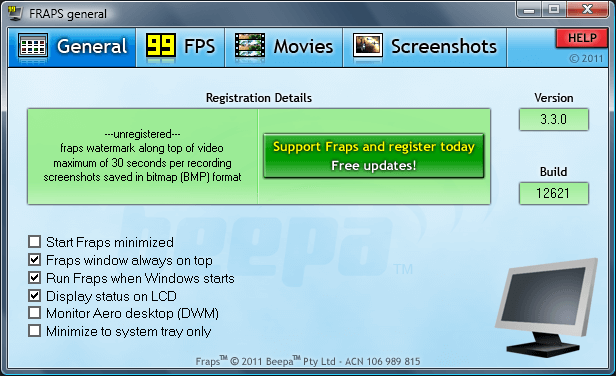
Fraps – Game Video Capture
If you’re looking for an easy-to-use game recording software for Windows, Fraps is a great choice. Short for “Frames Per Second,” it is super popular, and for good reason: it’s really simple to use!
Key Features
Following are some features that set Fraps apart from the rest:
- Frame Rate Monitoring: Fraps displays real-time FPS for gamers to monitor and optimize gameplay performance.
- Screenshots: It enables easy and quick capture of in-game screenshots in various image formats to preserve your achievements and memorable moments.
- Benchmarking: Fraps comes with benchmarking tools to assess your computer’s performance, measure CPU and GPU performance, and identify bottlenecks that affect gaming.
Compatibility
Compatible with Windows XP and later.
3. Gecata Game Recorder
Feature-rich Game Recorder with 4k Video Resolution!
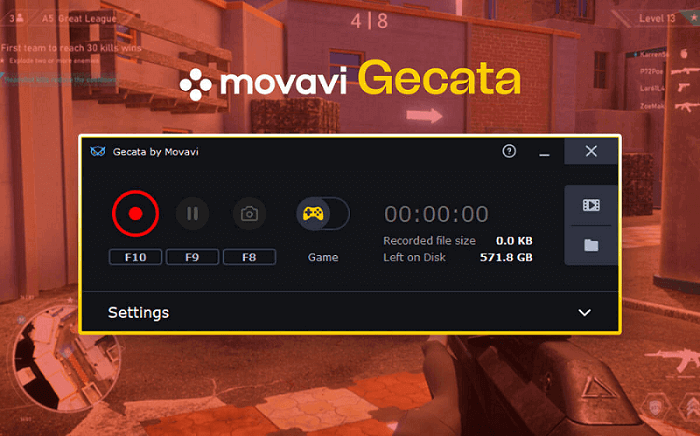
Gecata – Simple and Solid Game Recorder
The 3rd paid game recording software on our list is Movavi’s Gecata. It is an easy-to-use tool, perfect for casual gamers, streamers, and even for players who are not tech experts.
Key Features
Let’s have a look at some of Gecata’s features:
- 4k Resolution Video Capture: Gecata captures gameplay in 4k with customizable settings for video quality, resolution, and frame rates.
- Real-Time Overlays: Gecata has real-time overlays for your recordings and streams that include webcam feeds, graphics, and useful information like FPS and CPU usage, boosting viewer engagement.
- Game Mode: The Game Mode feature automatically starts recording as soon as you launch a game. This is a convenient way to record your gameplay without having to manually start the recording each time.
Compatibility
Gecata is compatible with Windows.
4. Streamlabs OBS
All-in-One Solution for Seamless and Engaging Live Streaming!
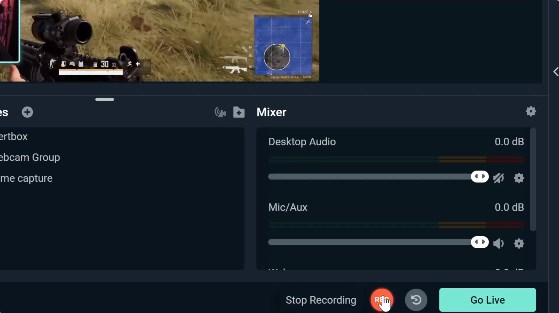
OBS Desktop Recorder
If you’re a content creator, gamer, or streamer, you’ll love using Streamlabs OBS. It’s an incredibly powerful and user-friendly live streaming and recording software that combines the best features of OBS Studio and Streamlabs.
Key Features
Here are some standout features of Streamlabs OBS:
- Live Stream Enhancements: The software offers customizable tools for creating interactive live streams, including customizable overlays, alerts, chat integration, and widgets.
- Integration and Compatibility: Streamlabs OBS integrates with popular streaming platforms like Facebook, YouTube, and Twitch and supports plugins/extensions to expand functionality.
- Stream Management: It has advanced features for professional-looking streams with multiple camera angles and sources, making stream management effortless.
Compatibility
It is compatible with Windows 10 and later, macOS 10.15 and later.
5. Dxtory
Versatile Screen Recording for Lossless Video Capture!
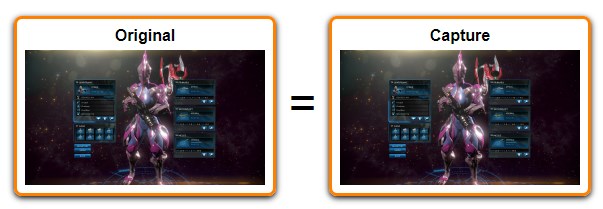
Dxtory Capture Video for Game
Dxtory is another game recorder software that has a ton of features while being super light on your system. But don’t be fooled by its size; it’s pretty robust! The best part is that the interface is extremely user-friendly and makes it easy to understand all the settings and tweak them.
Key Features
Some key features of Dxtory include:
- Lossless Video Capture: Dxtory can record your screen in lossless quality for high-quality gameplay footage and perfect image quality.
- High-speed Screen Recording: Dxtory can capture high frame rate screen recordings, perfect for fast-paced gameplay or smooth video playback.
- Flexible Recording Options: Dxtory allows you to record specific windows, screen regions, or the entire screen, with options to record audio and video separately or together in a single file.
Compatibility
Dxtory is compatible with Windows.
6. Action!
All-in-One Tool to Play, Screenshot, and Record for Windows!
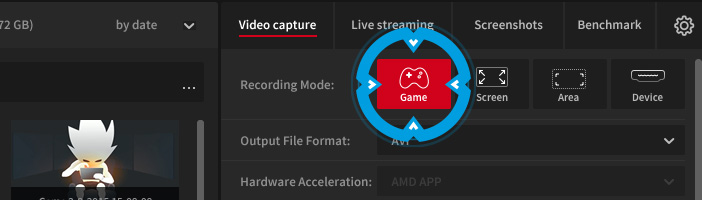
Action Game Recorder
Action! is the perfect tool for gamers who want to capture all the exciting moments from their gaming sessions on Windows systems. With Action, you can record stunning HD videos, stream your gameplay, record music, add web player videos, and even take screenshots whenever you want!
Key Features
- Smooth Gameplay Recording: Action captures high-quality video without compromising gaming performance.
- Time-Shift Recording: Action! has a Time-Shift mode to capture and save moments from gameplay, even if you aren’t actively recording.
- GPU Acceleration: Action! uses GPU acceleration to improve recording and streaming performance while maintaining low CPU usage.
Compatibility
Action is compatible with Windows.
7. DemoCreator
Feature-Rich Screen Recorder for Windows!
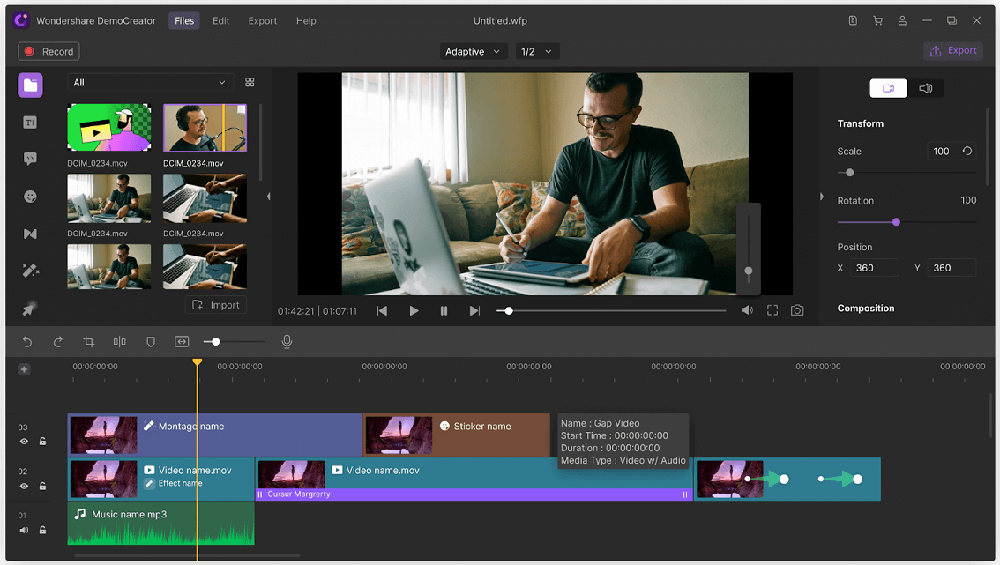
DemoCreater Screen Recording
Wondershare DemoCreator is a game recording software that’s perfect for gamers, content creators, and anyone who wants to make videos.
With DemoCreator, you can record your screen up to 120fps, and the best part is that it also comes with a built-in video editor that lets you add annotations, text effects, and more to your video.
Key Features
- Easy Screen Recording: DemoCreator by Wondershare offers a user-friendly screen recording interface to easily capture video and audio for gaming, tutorials, demos, and more.
- Built-in Video Editor: It has a built-in video editing suite that lets you trim, cut, merge, add text, annotations, transitions, and apply various effects to enhance your content.
- Rich Export Options: This game recorder enables you to export your recordings in various formats and upload them directly to popular video-sharing platforms like YouTube and Vimeo.
Compatibility
It is compatible with Windows 11 and below.
8. D3DGear
One-Click Installation for Seamless Game Recording!
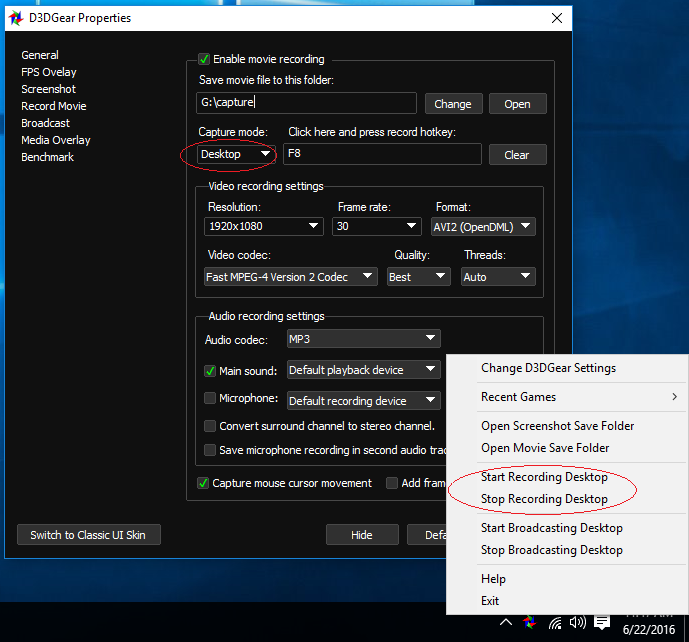
D3DGear – Very Fast Game Recording Software
D3DGear is one of the best game recording software that doesn’t require any complicated setup. All you have to do is install it, and with just a click, you’re ready to start recording your game!
It comes with a built-in compression system that will compress all your videos so you can save space on your hard drive.
Key Features
- High-Quality Recording: D3DGear provides smooth game recording with excellent video quality and minimal impact on gaming performance.
- Real-Time Performance Monitoring: The software offers real-time performance metrics such as FPS, CPU and GPU usage, temperature monitoring, and more, allowing you to optimize your gameplay.
- Microphone Commentary: D3DGear records your gameplay footage and microphone commentary, preserving your reactions and strategies, perfect for content creators and streamers.
Compatibility
It is compatible with Windows 10 and earlier.
9. ManyCam
Make Your Streams Fun with Real-Time Visual Effects!
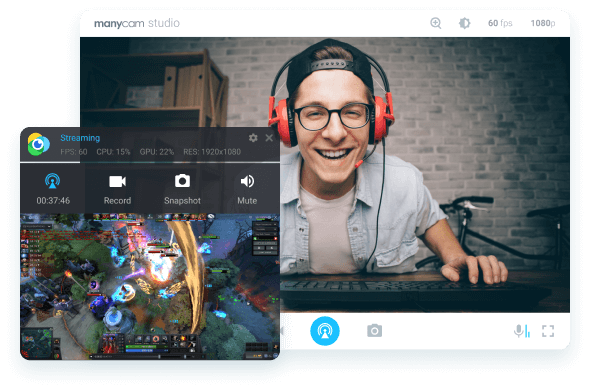
ManyCam Game Recorder
ManyCam is a live-streaming app for Windows or Mac; however, you can also use it to record your favorite games! It’s perfect for gamers who want to share their gameplay with others without needing separate software for streaming.
Key Features
- Virtual Backgrounds: With ManyCam, you can replace your real background with a custom image or video.
- Video Effects: ManyCam has a library of visual effects, filters, and animations to apply in real-time to add fun and creativity to live streams.
- Multiple Video Sources: Combine multiple video sources, such as your webcam, screen capture, and prerecorded videos, into a single video stream.
Compatibility
ManyCam is compatible with Windows 11 and earlier and macOS 10.15 and later.
10. Camtasia Studio
An All-Around Screen Recorder for Windows and Mac!
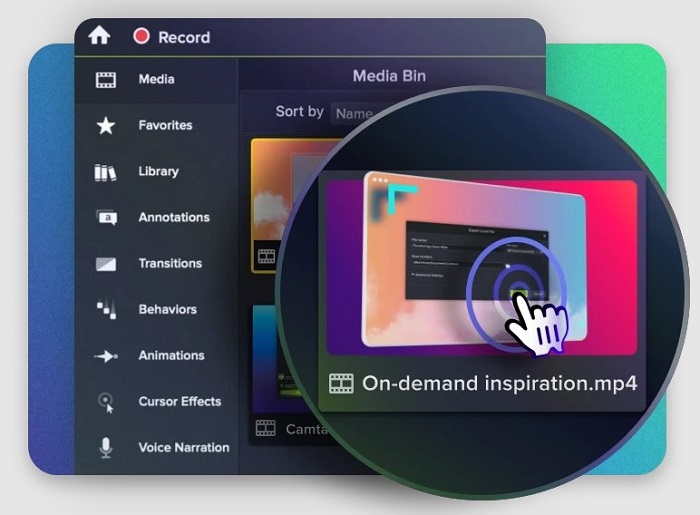
Camtasia Recorder
If you’re looking for a great screen recording app that’s easy to use, Camtasia Studio is definitely worth checking out. It works on both Windows and Mac, and it’s super smooth and lightweight.
With its multi-track timeline feature, you can easily edit your video and add fun effects like drawing tools and video blurs.
Key Features
- Interactive Quizzes and Hotspots: Camtasia Studio lets you create interactive quizzes and hotspots in videos. It helps engage viewers by adding quizzes, clickable links, and interactive elements directly into videos.
- Templates and Presets: Camtasia Studio has templates and presets to help you get started quickly. You can also create your own to save time on future projects.
- Video Editing Tools: Camtasia Studio includes a comprehensive suite of video editing tools, such as trimming, cutting, merging clips, adding transitions and effects, and annotating videos.
Compatibility
It is compatible with Windows 10 and later.
3 Best Free Game Recording Software
If you’re looking for the best free recording software for gaming, try the following:
1. Open Broadcaster Software (OBS)
The Go-To Screen Recorder For Gamers!
If you’re a gamer looking for a reliable and flexible tool to record or stream your gameplay, we highly recommend Open Broadcaster Software, also known as OBS.
It is completely open-source and extremely user-friendly, so you don’t have to worry about any complicated settings. Simply choose the source you want to record and start capturing your awesome gameplay!
Key Features
- High-quality Video and Audio Capture: OBS can capture your screen and audio in high resolution and frame rates, even for demanding tasks like recording gameplay or live streaming events.
- Customization Options: OBS is highly customizable, with options to adjust the layout, features, and recording profiles to fit your needs.
- Powerful Scene Management: With OBS, you can easily switch between multiple scenes that comprise different sources, such as your webcam, screen capture, and images.
Compatibility
It is compatible with Windows 11 and earlier, macOS 10.15 and later, and Linux Ubuntu 20.04 and newer.
2. Nvidia ShadowPlay
Effortless Fusion of Gaming and Content Creation!
If you’re a gamer who uses an Nvidia graphics card, you’ll love Nvidia ShadowPlay! It’s a fantastic software that lets you record and stream your gameplay with ease. You can even customize your settings to make sure you get the best possible footage. And the best part? It’s optimized for Nvidia’s graphics technology, so you can be sure your recordings will look amazing!
Key Features
- Instant Replay: ShadowPlay automatically records the past 30 minutes of gameplay, so you can save your best moments without having to start recording manually.
- High-quality Recording: ShadowPlay records high-quality gameplay with various codec options.
- Low-performance Impact: ShadowPlay uses Nvidia’s hardware encoding to record gameplay with minimal impact on performance, ideal for gamers who want to record without sacrificing performance.
Compatibility
It is compatible with Windows.
3. Gamecaster
One-Click Solution to Your Game Recording Needs!
Gamecaster is a user-friendly recording tool that packs a lot of power. You can use it to effortlessly record your gameplay in high quality without any hassle.
With just one click, Gamecaster will automatically configure the settings based on your PC, making it incredibly easy to start recording.
Key Features
- One-Click Streaming and Recording: Gamecaster simplifies streaming and recording with one-click functionality.
- Real-Time Overlay and Widgets: It has customizable overlays and widgets for your streams, displaying important information and enhancing the viewer experience.
- Interactive Viewer Engagement: It enables interactive engagement with your audience through chat, polls, and giveaways, fostering a sense of community during live streams.
Compatibility
It is compatible with Windows 10.
Now that you know the top 13 paid and free game recording software, let’s address some common user queries.
How Can Benefit from a Best Game Recording Software
The best game recording software can revolutionize your gaming experience and content creation efforts in several ways. Here are some ways in which you can benefit from them:
1. Capture High-Quality Gameplay
The best game recording software can capture your gameplay in high resolution and frame rates, so you can create videos that look professional and polished.
2. Record Microphone Audio
If you want to create commentary videos or live streams, you’ll need game recording software that can record your microphone audio as well as your gameplay footage.
3. Edit your Recordings
Most game recording software comes with basic editing tools, so you can trim your videos, add text and overlays, and create highlight reels.
4. Share your Recordings
A game recording software should make it easy to share your recordings with others on social media, YouTube, and other platforms.
5. Live Streaming
Many game recording software come with live streaming capabilities, enabling you to share your gaming sessions with an online audience in real-time.
Frequently Asked Questions (FAQs)
Q. How to record gameplay on a PC with audio?
If you want to record your PC gameplay with audio, you’ll need some special software that’s designed just for that. Luckily, there are some great options out there, like game recording software or the Xbox Game Bar, that make it easy to capture all the action and sound.
Q. How can I record my PC gameplay for free?
If you want to enjoy a thrilling gaming session and want to record your gameplay for free, you’ll find many free and open-source screen recorders out there. Some reliable options include OBS Studio, Gamecaster, and Nvidia ShadowPlay.
Q. What do YouTubers use to record their gameplay?
YouTubers use a variety of software tools and hardware setups to record their gameplay, and the choice often depends on their preferences, budget, and specific requirements.
Some popular software options used by YouTubers to record gameplay include:
- OBS Studio
- Bandicam
- Streamlabs
- Nvidia ShadowPlay
Conclusion
Whether you’re a YouTuber or just someone who enjoys playing games and recording them, you need a screen recorder to capture your gameplay. In this comprehensive guide to recording your games, we have put together 13 paid and free game recording software along with their features and compatibility.
So, record your gaming session and share it with the world with these amazing tools!
Product-related questions? Contact Our Support Team to Get Quick Solution >
