What Is Amazon Prime Download Limit & How to Bypass [2025 Updated]
Amazon Prime Video restricts the number of downloads available for offline viewing. You can have titles downloaded on a maximum of two compatible devices simultaneously, hold up to 25 downloaded titles across all devices. To bypass Amazon Prime download limit, you can try Keeprix Video Downloader to enjoy unrestricted Prime Video offline viewing.
Amazon Prime Video lets you save multiple titles for offline viewing, but it comes with frustrating limits. Even as a Prime member, you may spot errors when trying to download your favorite shows and movies. For example, only certain titles allow downloads, and each one usually expires after a few days. In this comprehensive guide, we’ll explain all these official Amazon Prime download limits, and also share a reliable tool to bypass Amazon Prime download restrictions.
Full Review on Amazon Prime Download Limit
Prime’s offline viewing feature is convenient, but it comes with several restrictions. Below are the main limits this platform imposes on downloads, explaining why you may see error messages when saving videos for offline play.
Limit 1. Not All Content is Downloadable
Amazon Prime doesn’t let you download every title. Only content with the download icon is eligible, which is often determined by licensing terms and device compatibility. Many shows not offered for offline viewing are restricted by content owners. In some cases, you even need to purchase or rent a title before saving it offline.
Limit 2. Downloaded Videos Expire
When talking about Amazon Prime download limits, keep in mind that each saved video has a viewing timer. Typically, Amazon gives you up to 30 days to start watching a downloaded title. Once playback begins, you usually have only 48 hours to finish your favorite show or movie without internet access. Afterward, the content expires and requires re-downloading under your Prime membership if you want to watch again.
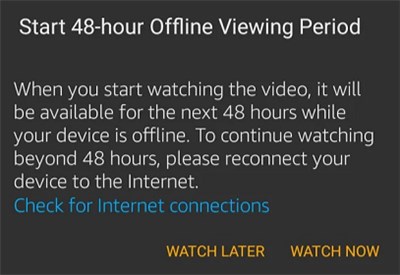
Video Expiration Notice from Amazon Prime
Limit 3. Download Count is Restricted
Amazon limits the total number of videos you can store offline at one time. Depending on your region, you can usually download only about 15 to 25 titles across all devices. Once you reach this cap, Amazon won’t let you download more until you delete some existing offline videos. So, head to the Manage Your Content and Devices page and delete the titles within the Devices tab.
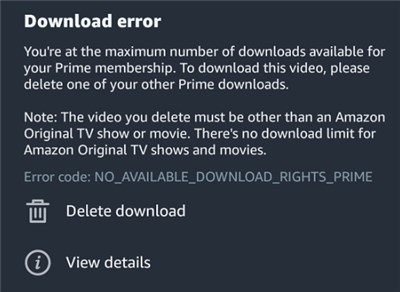
Maximum Download Error on Prime Video
Limit 4. DRM and Device Restrictions
Offline Prime Video is locked in a special format and must be played in the Prime Video app. Moreover, you can download videos only to a maximum of 4 devices. On top of that, any given video can be played on at most 2 devices simultaneously. These Amazon Prime download limits prevent copying files to other players.
Limit 5. Region Locks
Some Amazon Prime downloads won’t work outside certain countries. If a title isn’t licensed for your current location, it simply won’t play when you travel. This can prevent you from watching offline while overseas.
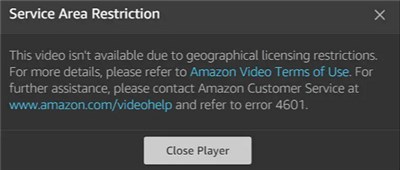
Geographical Restriction on Prime Video Downloads
Why Does Amazon Prime Download Limit Exist?
Most Amazon Prime download limits may seem frustrating, but this platform has reasons for them. Understanding these can help you appreciate why Prime enforces such restrictions:
Content Agreements: Prime must honor licensing deals with studios and networks. These agreements often forbid unlimited offline copies, so the platform restricts downloads to prevent unauthorized distribution.
Resource Management: Limiting downloads helps Amazon manage bandwidth and server load. Capping how many files people save ensures streaming services run smoothly.
Abuse Prevention: Download caps prevent bulk saving or illegal redistribution. All of these measures discourage people from mass-downloading Amazon’s entire catalog and protect digital rights.
Encouraging Streaming: By limiting offline access, Amazon nudges users to keep streaming online. So, this allows Amazon to serve ads, gather viewing data, and deliver personalized recommendations.
Device Capacity: HD videos take up a lot of space. Limiting downloads per device helps Amazon prevent users’ devices from filling up and keeps the app running smoothly.
How to Bypass Amazon Prime Download Limit Easily?
Understanding Amazon Prime’s download limit makes it clear why a workaround is essential. Keeprix Prime Video Downloader is an excellent choice for downloading Amazon Prime videos without restrictions. It allows you to save movies and shows in 1080p and export them in MP4 or MKV format for easy transfer to any device. With no regional limitations, you can enjoy your favorite videos even when you’re abroad. Plus, without download caps or expiration dates, you’re free to build your personal library and watch offline anytime.
Key Features of Keeprix Video Downloader:
- Save unlimited Amazon Prime videos for offline viewing.
- Download movies and shows without Amazon Prime DRM restrictions.
- Download multiple episodes or movies in one go without wasting time.
- Save your favorite content with multiple subtitles and audio tracks.
Steps to Bypass Amazon Prime Download Limit with Keeprix Video Downloader:
Step 1. Download and install Keeprix Video Downloader. Launch it and click Download Video and choose Amazon Prime from the list of streaming sites.
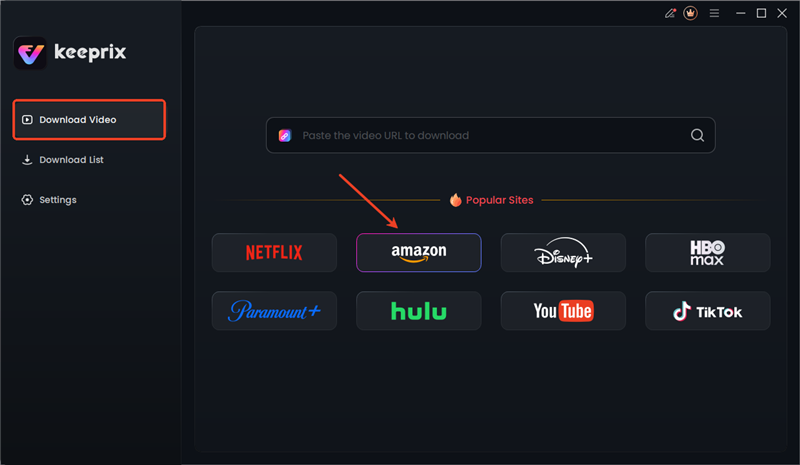
Choose Amazon in Keeprix Video Downloader
Step 2. Sign in to your Amazon account and locate the movie or show you want to download.

Sign in to Amazon Prime Account
Step 3. Tap the Download button on the video player or details page, and then select your desired resolution and audio tracks.
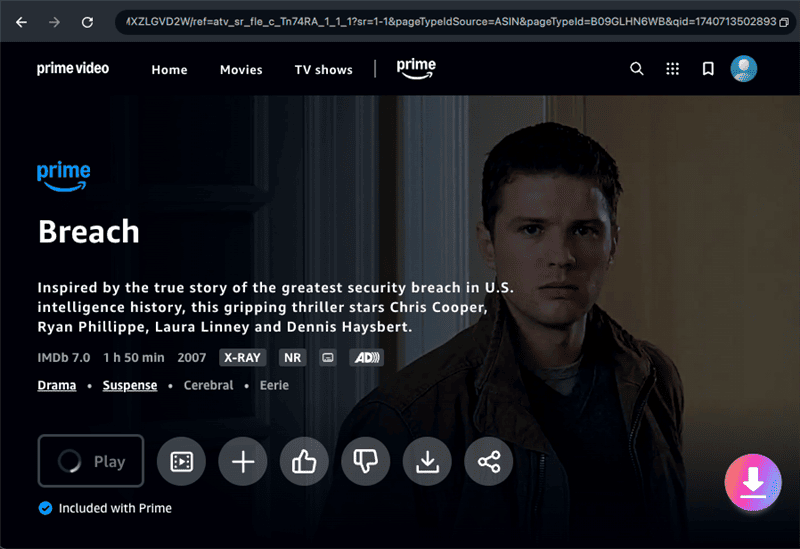
Download Prime Videos via Keeprix Video Downloader
Step 4. Wait for the download process to be completed. Then you can watch Amazon Prime videos offline without any restrictions.
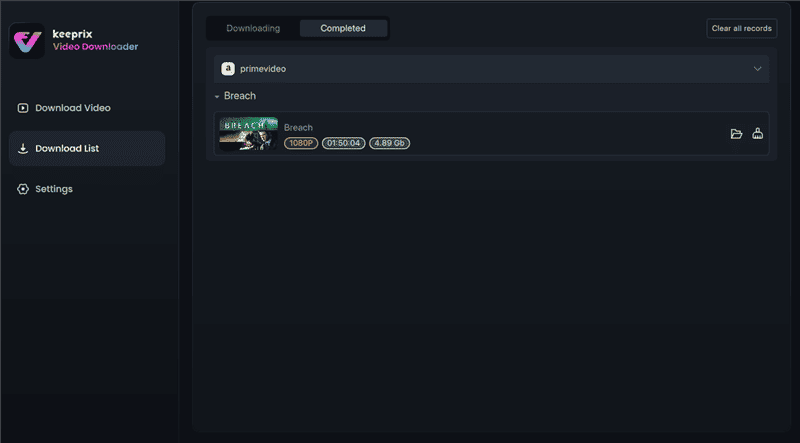
Wait Download Process to Complete
FAQs about Amazon Prime Download Limit
Q1: Can I get rid of the Amazon Prime download limit?
Officially, Amazon doesn’t let you remove Prime Video’s download limits. The only effective way to bypass them is with third-party software. Keeprix Video Downloader can strip its DRM and other limitations, letting you save videos offline indefinitely.
Q2: What is the device limit reached for Amazon Prime?
You can save Prime videos on up to 4 registered devices at a time. Additionally, any given title can only be played on a maximum of 2 of those devices simultaneously.
Q3: Does Amazon Prime limit how many downloads you can have?
Yes, Prime limits the total number of titles you can download. Generally, you can only save about 25 videos at the same time across all your devices. Once you hit this limit, this platform won’t let you download more until you delete some existing offline videos.
Conclusion
Amazon Prime download limits can spoil offline fun by putting restrictions on videos downloaded and device restrictions. To overcome this problem, Keeprix Video Downloader offers a simple remedy for movie lovers. By using this tool, you can download and watch Prime Video content in 4K on any device. Try Keeprix today to break free from Prime’s limits and enjoy truly unlimited offline viewing.



Joy Taylor is a seasoned technical writer with over a decade of experience in mobile technology. At iMobie, she specializes in producing in-depth content on iOS data recovery, iPhone unlocking solutions, and iOS troubleshooting.
Product-related questions? Contact Our Support Team to Get Quick Solution >
