Understanding the Netflix Download Limit: Rules, Expiration, and Fixes
Netflix implements download limits based on your plan, device, and content licensing. Some titles expire quickly, and restrictions can be frustrating. This guide explains the Netflix download limit and shows how to manage or bypass it with tools like Keeprix Downloader for unlimited offline watching.
Netflix downloads are helpful when you want to watch movies or shows during a flight, commute, hotel stay, or any situation where stable internet is not guaranteed. But the official download feature is not as flexible as many users expect.
This guide explains the current Netflix download limit, why Netflix downloads expire, how to fix common download errors, and how Keeprix Video Downloader helps you save Netflix videos you can already access as MP4 or MKV files for personal offline viewing on Windows or Mac.
What Is the Netflix Download Limit?
Netflix has several download limits. Some are based on your subscription plan, while others depend on the title, device, region, or account status.
Here is a simple breakdown:
| Netflix Download Rule | What It Means |
|---|---|
| Ad-free plans | Up to 100 active downloads at a time per device, based on the number of download devices included in your plan. |
| Ad-supported plans | 15 total downloads per device per calendar month. The limit resets on the first day of each calendar month. |
| Download device limit | The number of supported devices you can download on depends on your Netflix plan. |
| Title availability | Not every Netflix title is available for download. Availability can vary by region and licensing. |
| Expiration rules | Downloaded titles expire after a certain period and may need to be renewed. |
| Yearly title limits | Some movies or shows can only be downloaded a limited number of times per year per account. |
| Account status | If your account is canceled or access changes, downloads may be removed or become unavailable. |
These limits are part of Netflix’s official offline viewing system. In many cases, you can fix download errors by removing old devices, deleting finished titles, or checking your current plan.
Why Do Netflix Downloads Expire?
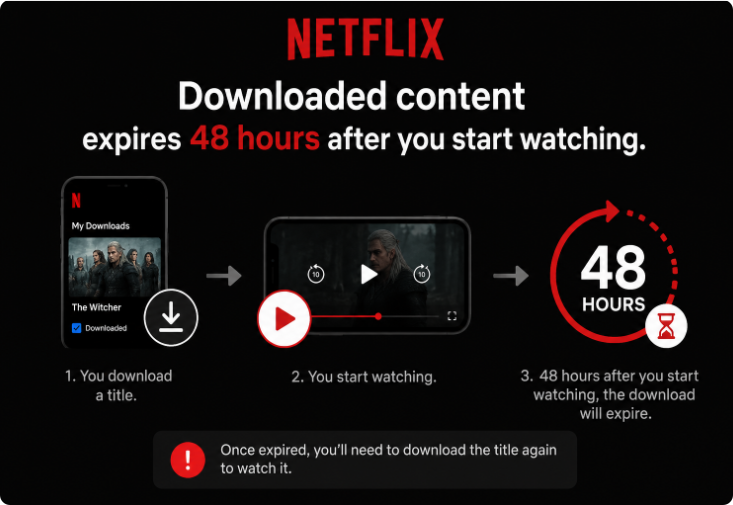
Netflix downloads expire because offline titles are still managed inside the official Netflix app. They are not standard video files that you can freely move or organize outside the app.
Some downloads expire after a set period even if you have not started watching them. Others may need to be renewed after playback begins. In some cases, a title may no longer be renewable if it leaves Netflix or if licensing rules change.
This can be inconvenient if you prepared a watchlist before a trip but did not open the Netflix app again before losing internet access. A title that looked ready at home may become unavailable later when you are on a plane, train, or in a place with poor Wi-Fi.
To reduce the chance of this happening, open the Netflix app before your trip, check the Downloads tab, and renew any titles that show an expiration warning.
How to Fix “Download Max Reached” on Netflix
The “Download Max Reached” message usually means your current plan has reached its download quota. This can happen on ad-supported plans after you reach 15 downloads on one device in a calendar month.
Try these fixes first:
- Open Netflix and go to your Downloads tab.
- Delete titles you have already watched or no longer need.
- Wait until the monthly limit resets if you are using an ad-supported plan.
- Check whether the same title has a yearly download limit.
- Try downloading a different title to see whether the issue is title-specific.
If the error appears only for one movie or show, the problem may be related to that title’s licensing rules rather than your device storage.
How to Fix “You Have Downloads on Too Many Devices”
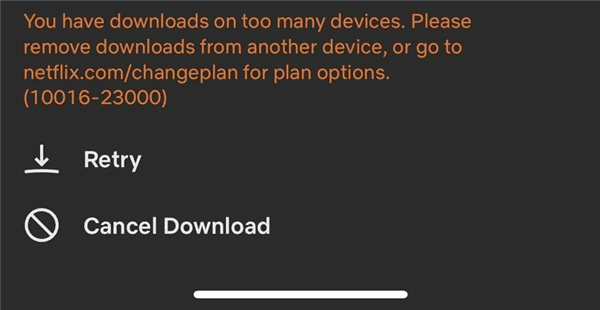
The “You have downloads on too many devices” message means your account has reached the number of download devices allowed by your plan.
This often happens when an old phone, tablet, or device you no longer use still has Netflix downloads saved on it. These old devices can continue to occupy download slots until you remove them.
Here is how to fix it:
- Open Netflix in a web browser.
- Go to your Account settings.
- Find the Manage Download Devices page.
- Remove devices you no longer use.
- Return to your current device and try downloading again.
You can also delete downloads directly from another device if you still have access to it. If you remove too many devices in a short time, Netflix may ask you to try again later.
Why Mac and Desktop Users Need Another Offline Workflow
Official Netflix downloads are mainly designed for supported mobile devices, Fire tablets, and Chromebooks. The newer Netflix app for Windows no longer supports downloads, and there is no official Netflix app for macOS that provides offline downloading.
That means desktop users often have fewer offline options than mobile users. You can stream Netflix in a browser on Windows or Mac, but you cannot always prepare official app downloads directly on the computer you want to use.
This creates a gap for users who prefer watching on a laptop, organizing files on a computer, or preparing a travel watchlist in advance. Official fixes can help with device errors and expired app downloads, but they do not solve every desktop offline viewing problem.
Keeprix: Build a Personal Offline Library Without 48-Hour Limits
If you are frustrated by the 48-hour expiration window or the lack of a Mac app, moving from app-only viewing to a file-based workflow provides much more freedom. Keeprix Video Downloader is a desktop app for Windows and Mac that helps you save the Netflix videos you can already access as flexible local MP4 or MKV files (up to 1080p).
Instead of relying on locked app downloads that disappear mid-trip, Keeprix lets you prepare before you need it. By batch downloading episodes as local files, you can build a personal offline media library that is ready whenever you are.
How to prepare your offline library with Keeprix:
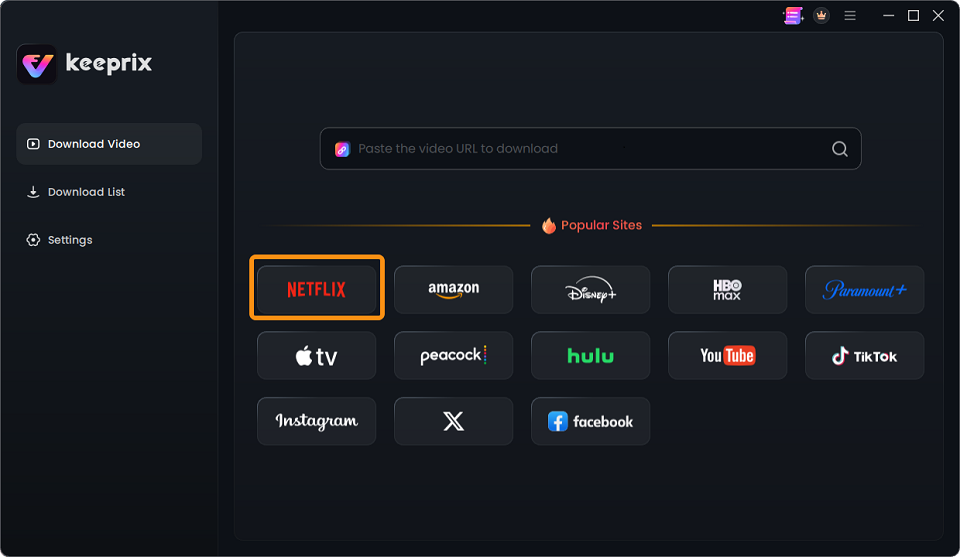
Step 1: Open Keeprix on your Mac or PC: Make sure you are on the computer you want to use to organize your files. And choose Netflix.
Step 2: Log into your account: Use the built-in browser to sign into Netflix (you must have valid account access to the content).
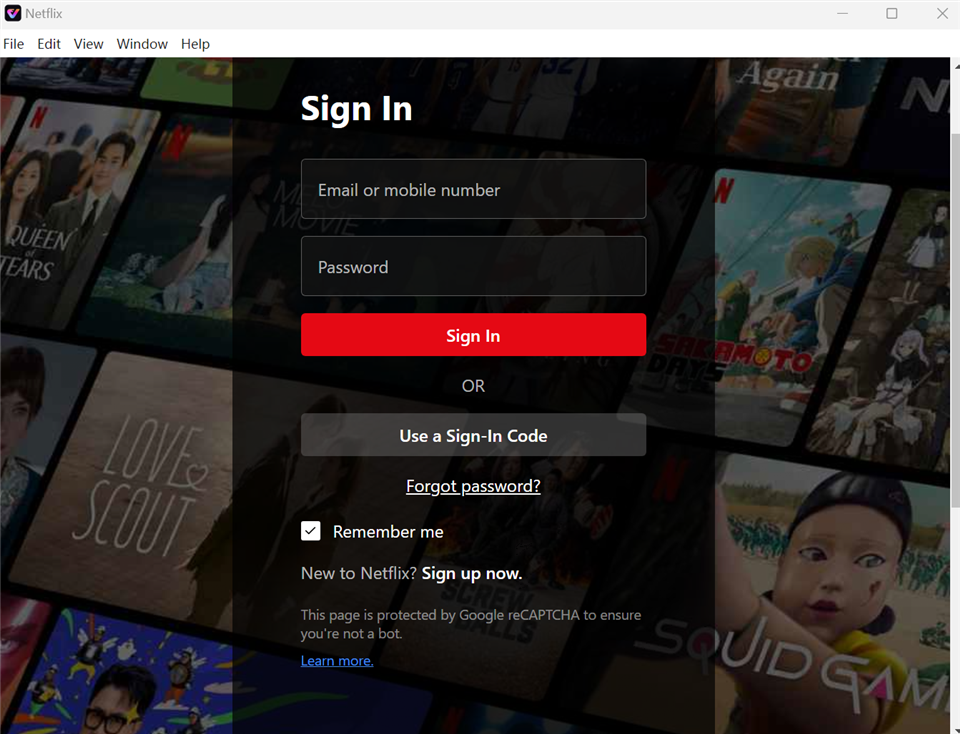
Step 3: Select your watchlist: Find the movies or series you want to save, choosing your preferred audio tracks and subtitles.
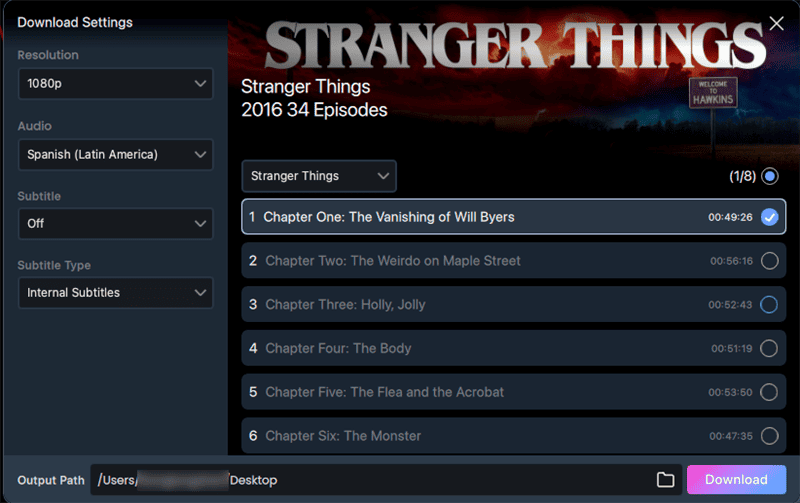
Step 4: Save as MP4/MKV: Keeprix downloads the accessible videos directly to your local drive.
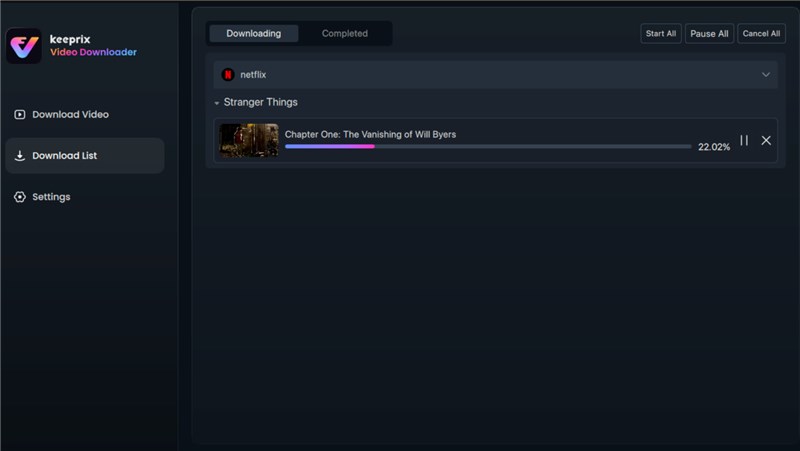
By saving your videos as MP4 or MKV files, you can batch download a full season before a trip without worrying about the 48-hour travel expiration, and Mac users can finally watch offline without needing an official macOS app.
Netflix App Downloads vs. Keeprix Local Files
The official Netflix app is useful for quick offline viewing on supported devices. Keeprix is better suited for users who want a desktop-based offline viewing workflow.
| Feature | Official Netflix Downloads | Keeprix Local MP4/MKV Files |
| Device support | Supported mobile devices, Fire tablets, and Chromebooks | Windows 10/11 and macOS 11+ |
| Mac offline viewing | Not available through an official Netflix macOS download app | Supported through Keeprix desktop app |
| Windows downloads | New Netflix app no longer supports downloads | Supported through Keeprix desktop app |
| Expiration | Downloads can expire and may need renewal | Standard MP4/MKV files are easier to manage locally for personal offline viewing |
| File format | Locked inside the Netflix app | MP4 or MKV |
| Transfer and organization | Limited by app-only storage | Easier to organize in local folders and use with compatible devices |
| Subtitles and audio | Managed inside the Netflix app | Available subtitles and audio tracks can be preserved when supported |
| Best use case | Quick mobile offline viewing | Travel preparation, desktop viewing, and personal local organization |
The official Netflix app remains the best first option when you only need short-term offline viewing on a supported phone or tablet. Keeprix is more suitable when you want to prepare videos on Windows or Mac and organize them as local MP4 or MKV files for personal use.
Tips to Avoid Netflix Download Problems
Before you download Netflix titles, check these points:
- Make sure your Netflix account is active.
- Confirm your plan supports the download behavior you need.
- Delete old downloads you no longer watch.
- Remove download devices you no longer use.
- Check whether the title is available for download in your region.
- Renew downloads before traveling.
- Keep enough storage space on your device.
- Use Wi-Fi when downloading large titles.
- Remember that some titles have yearly download limits.
If you still cannot download a title after these steps, the issue may be related to licensing, title availability, device compatibility, or your subscription plan.
You might like: Prime Video Download Limit: How to Fix ‘Limit Reached’ Errors in 2026
Frequently Asked Questions
Can I avoid Netflix download expiration?
You can reduce expiration problems by renewing downloads before travel and checking your Downloads tab before going offline. If you want a desktop workflow that is less dependent on app-only expiration rules, Keeprix can help you save accessible videos as MP4 or MKV files for personal offline viewing.
What quality can Keeprix save Netflix videos in?
Keeprix supports saving Netflix videos up to 1080p when source quality, plan, region, title availability, account access, and technical compatibility support it.
Is Keeprix for personal offline viewing only?
Yes. Keeprix should only be used to save videos you can already access with your own account for personal offline viewing. Do not use saved files for redistribution, resale, commercial use, public sharing, or any unauthorized purpose.
Final Thoughts
Netflix download limits can be confusing because they depend on your plan, device, title availability, expiration rules, and account status. In many cases, you can fix official app issues by deleting old downloads, removing unused devices, renewing expired titles, or checking your plan.
However, official Netflix downloads may still feel limited if you want offline viewing on a Mac, need a Windows desktop workflow, or prefer organizing videos in local folders. For those cases, Keeprix Video Downloader offers a more flexible desktop option.
With Keeprix, you can save Netflix videos you can already access as MP4 or MKV files for personal offline viewing on Windows or Mac. Try the Keeprix trial to save up to 2 full videos and see whether the workflow fits your offline watching needs.



Joy Taylor is a seasoned technical writer with over a decade of experience in mobile technology. At iMobie, she specializes in producing in-depth content on iOS data recovery, iPhone unlocking solutions, and iOS troubleshooting.
Product-related questions? Contact Our Support Team to Get Quick Solution >
