Harry Potter AI Voice: Top 5 Harry Potter Voice Changers
Fans love imitating his voice for fun, gaming, or content creation. Harry Potter AI voice changers discussed in this guide help transform any voice into a wizard-like tone to achieve this.

Harry Potter AI Voice: Top 5 Harry Potter Voice Changers
- 200+ lifelike VST and AI voice effects.
- 3 flexible voice-changing methods.
- Compatible with 14 popular third-party platforms.
Ever tried to sound like Harry Potter but ended up sounding nothing like him? Maybe your voice is too deep, high-pitched, or missing that magical British charm. Many fans struggle to recreate the iconic wizard voice for fun, gaming, or content creation. That’s where Harry Potter AI voice changers come in! These tools let you instantly transform your voice, adding the perfect tone, accent, and clarity. These voice changers make it simple to prank friends, make videos, or become part of the wizarding universe. Let’s find the best choices to mimic Harry Potter’s voice!
Table of ContentsHide
Who is Harry Potter?
Harry Potter is the central figure in the Harry Potter films. He is the hero of the series. At eleven, he discovers that he possesses magic powers and is a celebrity in the wizarding world. He enrolls in Hogwarts School of Witchcraft and Wizardry. He undergoes numerous challenges, learns magic, and acquires good friends there.

Harry Potter
He is referred to as “The Boy Who Lived” since, as a baby, he lived after being attacked by the dark wizard, Lord Voldemort. With his two best friends, Ron Weasley and Hermione Granger, he discovers secrets, unravels mysteries and uncovers his past. Harry Potter has a voice that is instantly recognizable, composed but confident and full of emotion.
Who is Harry Potter’s Voice Actor?
Daniel Radcliffe is primarily famous for his role in Harry Potter films, but he also lent Harry’s voice in a few video games. Daniel’s voice as Harry was authentic and suitable for the character. His acting made Harry Potter a household name globally. People still adore his voice and acting as the child wizard. His contribution to Harry will always be remembered in gaming and film history.

Harry Potter Voice Actor
5 Best Harry Potter Voice Changers
Want to know the best Harry Potter voice changers? Let’s explore the best options:
Vozard
Vozard allows you to sound like Harry Potter or any wizard with ease. You can use it for gaming, streaming, chat, or video. With 200+ voices, including popular movie characters, you can transform your voice in real-time for entertainment or pranks. Additionally, you can load audio and video files and simply click to change the voice.
Vozard is perfect for entertaining gaming sessions and engaging live broadcasting because it runs smoothly on various platforms, including Discord, Zoom, Twitch, Fortnite, OBS, and others. The background sound effects and trending memes excite your voice transformations. With a 60-day money-back guarantee and a 100% clean and secure setup, Vozard offers a magical voice-changing experience!
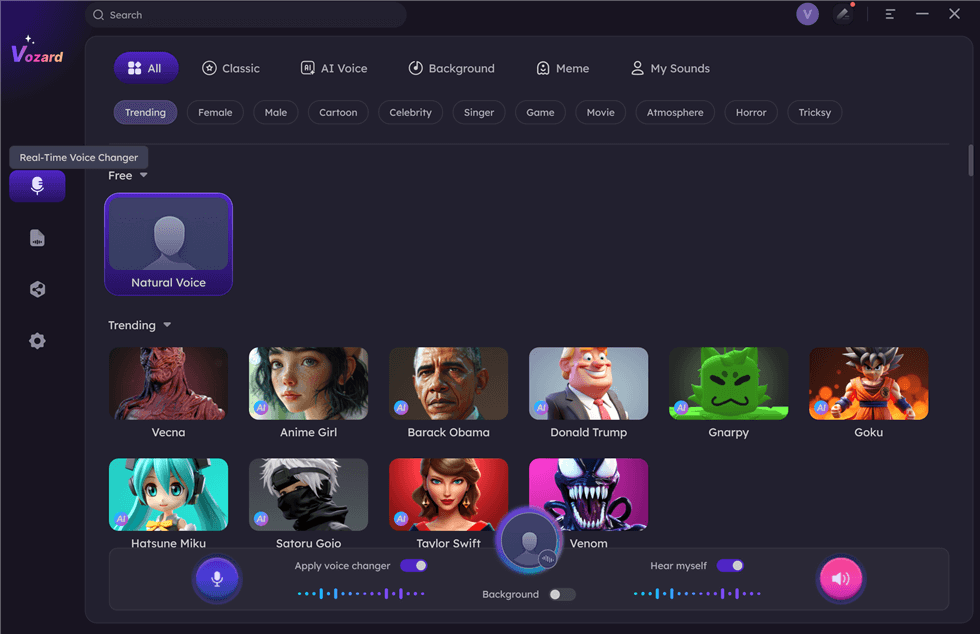
Select Real-Time Mode
Free Download for all windows & 100% safe Free Download for all mac & 100% safe
Free Download100% Clean & Safe
Key Features:
- Innovative Artificial Intelligence Voice Cloning: This approach uses AI-powered voice modification to produce realistic Harry Potter voices.
- Several Voice Filters: Provides a range of entertaining and enchanted voice effects for various characters.
- Easy Interface: Novices can quickly switch voices thanks to the interface’s straightforward design.
- Compact & Fast Performance: It operates without causing your smartphone to lag or compromise the sound quality.
Pros:
- High-quality voice effects
- Works on many platforms
- Fun for gaming and streaming
- Supports audio file uploads
Cons:
- Not available on mobile
Pricing:
- Free
- 1-Month Subscription: $12.99
- 3-Month Subscription: $19.99
- 1-Year Subscription: $29.99
- One-Time Purchase: $49.99
VoiceDub
VoiceDub is a powerful tool for transforming voices, perfect for creating a Harry Potter voice generator experience. It lets users immediately replace vocals in audio files with more than 10,000 AI voices. With the Text-to-Speech (TTS) capability, you may input text and have it seem like it was recorded in a studio. You can train AI to recognize your speech thanks to its speech Cloning feature. The Stem Isolation tool separates vocals from instrumentals for free. Best of all, it’s fast and gets daily updates for better performance.
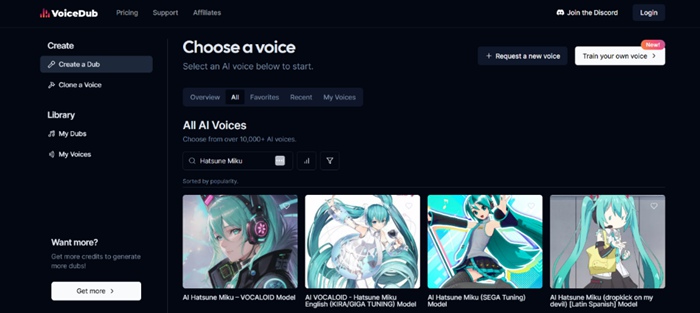
Voicedub Interface
Key Features:
- Huge AI voice library with over 10,000+ options, including magic and fantasy characters.
- Quick voice transformation lets you swap vocals in your audio file in seconds.
- Real-time voice generation for smooth and natural speech output.
- Advanced AI learning allows custom voice training for a unique experience.
- Great for content creators who want to make Harry Potter-themed voiceovers.
Pros:
- High-quality AI voices
- Very fast processing
- Regular updates
Cons:
- Less free voices
- Needs the internet to work
Pricing:
- Influencer – $25.00 (Billed monthly) / $4.99 (First month, 80% off)
- Basic – $2.99 (Billed weekly)
- PRO – $100.00 (Billed monthly) / $49.99 (First month, 50% off)
Lalals
Lalals is a smart AI music tool that works as a Harry Potter voice generator and music maker. With over 10,000+ AI voices, it can change any voice into different tones, including magical voices. The AI voice changer helps you create unique voiceovers, while the AI music generator makes new songs by describing them. It provides studio-quality vocals and professionally mixed tracks in any language. Users can also download full tracks, isolated vocals, or instrumentals for flexibility.
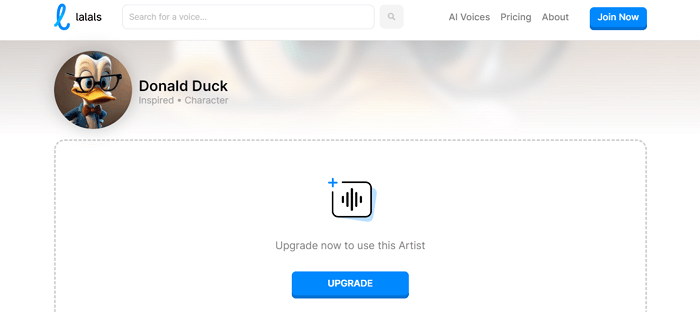
Lalals Voice Changer
Key Features:
- AI quickly creates music based on the words you describe in seconds.
- High-quality sound output makes songs ready for use anywhere.
- Choose different styles to match any music project you have.
- Perfect for making content with unique AI-generated voices.
Pros:
- Studio-quality music
- Fast AI processing
- Easy voice conversion
- Commercial rights included
Cons:
- Limited editing control
- Internet required
- Some voices sound robotic
Pricing:
- Free
- Basic: $12/month
- Pro: $24/month
- Studio: $99/month
Speechify
With Speechify’s robust Harry Potter Voice Generator, you can produce lifelike artificial intelligence voices for any project. It rapidly converts text to speech with over 1000 AI voices in over 60 languages. You can alter tempo and volume, add emotions like enthusiasm or pauses, and clone voices. It functions on iOS, Android, Mac, and Windows without additional software. Speechify’s AI voice technology makes it simple whether you require high-quality narration or want to sound like a pro.
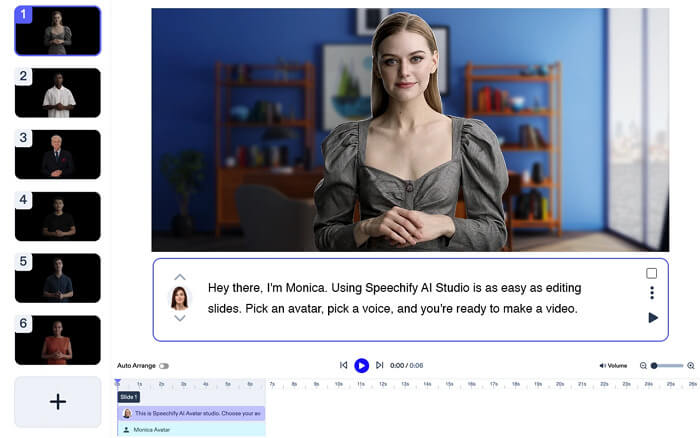
Speechify Girl Voice Changer
Key Features:
- Turn text into a magical AI-generated Harry Potter voice instantly.
- Supports 60+ languages for worldwide content creation.
- Easily adjust speed, volume, and emotional tone in a few clicks.
- Works on all devices without downloading extra software.
- Create fun and engaging voices for storytelling or content.
Pros:
- Realistic AI voices
- Fast speech generation
- No software downloads needed
- Works on all devices
Cons:
- Limited free voices
- Some voices sound robotic
Pricing:
- Free
- Premium: $11.58
Murf.AI
You can produce excellent AI voices for storytelling, gaming, and content production with Murf.AI, a potent Harry Potter voice generator. You may create realistic character voices with various tones, styles, and accents using more than 120 AI voices in more than 20 languages. The platform allows you to edit scripts anytime without re-recording, making it great for podcasts, audiobooks, or wizard-themed projects. Murf.AI’s secure data storage keeps your files private while offering flexible voice generation.
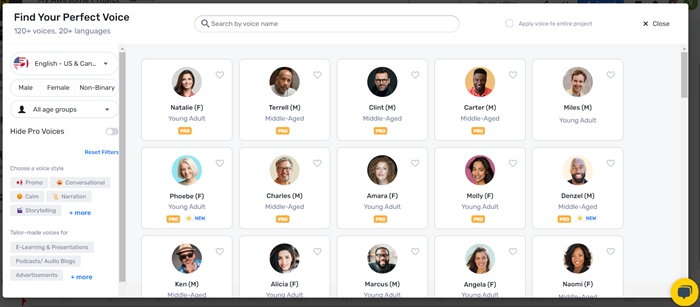
Murf.ai Voice Changer
Key Features:
- Create magical AI voices that match Harry Potter characters perfectly.
- Edit and adjust voices anytime without re-recording.
- Customize pitch, speed, and tone for more realistic speech.
- An easy-to-use platform for seamless voice generation.
Pros:
- Realistic AI voices
- Multiple language support
- Script editing feature
- Secure data storage
Cons:
- Setup takes time
- Limited free options
Pricing:
- Free
- Creator: $19/month
- Business: $66/month
Comparison Table for Harry Potter Voice Changers
| Best For | Price | Compatibility | |
| Vozard | Real-time voice changing, gaming, live streaming | Free version available, $12.99/month, $19.99/3 months, $29.99/year, $49.99 one-time | Windows, Mac |
| VoiceDub | AI voice cloning, vocal replacement, TTS | $2.99/week (Basic), $25/month (Influencer), $100/month (PRO) | Web-based |
| Lalals | AI music generation, voice transformation | Free version available, $12/month (Basic), $24/month (Pro), $99/month (Studio) | Web-based |
| Speechify | Text-to-speech, narration, multilingual support | Free version available, $11.58/month (Premium) | Windows, Mac, iOS, Android |
| Murf.AI | High-quality AI voices, script editing | Free version available, $19/month (Creator), $66/month (Business) | Web-based |
FAQs about Harry Potter AI Voice
Can I use a Harry Potter AI voice in real-time?
Yes! Some AI voice changers let you talk in a Harry Potter voice while playing games or chatting online. Vozard is a great choice because it works in real-time. It allows you to instantly change your voice, making it perfect for live streaming, gaming, or funny pranks.
Do I need special equipment to use a Harry Potter AI voice?
No, you only need a computer, laptop, or phone with a microphone. Most AI voice changers work online or as apps. Some may require software installation, but many are easy to use with just a few clicks. You don’t need a professional microphone to sound magical!
Can I change my voice to that of other characters besides Harry Potter?
Yes! Many AI voice tools have hundreds of voice effects. With these tools, you can alter pitch, tone, and tempo to produce a unique and engaging voice.
Final Remarks
AI speech generators for Harry Potter make it easy and enjoyable to sound like your favorite character. They can be used for leisure, gaming, or streaming. Certain tools are real-time and don’t require specialized equipment to operate. Many also offer different voices besides Harry Potter. If you want a simple and easy way to change your voice, try Vozard. It works fast and lets you sound magical in real-time with 200+ voices. Vozard makes voice-changing fun and simple for everyone!
Vozard – AI-Powered Voice Changer
Free download Vozard voice changer software to change your voice into anyone you want to enhance online chatting, gaming, live streaming, and content creation experiences.
Product-related questions? Contact Our Support Team to Get Quick Solution >
