8 Best OBS Voice Changers: Enhance Your Streams with Altered Audio
Looking to add some fun to your streams? This article covers the 8 best OBS voice changer options, including Vozard, Voicemod, Voxal Voice Changer, VoiceMeeter, MorphVOX, Clownfish Voice Changer, iMyFone MagicMic, and Voice Changer Diamond. Each tool lets you easily alter your voice, making your streams more engaging and entertaining. Discover the perfect voice changer to fit your style and keep your audience hooked!

Voice-Changing Tips
Voice-Changing Trends
8 Best OBS Voice Changers: Enhance Your Streams with Altered Audio
- 180+ lifelike VST and AI voice effects.
- 3 flexible voice-changing methods.
- Compatible with 13 popular third-party platforms.
Have you ever wondered how to add excitement and amusement to engage users in your streams? For instance, while livestreaming on OBS, you want your voice to turn into that of a chipmunk, robot, or even a ghostly, scary creature. We’ll look at the top 8 OBS voice changer options in this post so you may improve the quality of your voice and boost your audience engagement. These voice changers are ideal for any streamer, whether you want to try something new, add some humor, or create a distinct character. They are simple to use and have the power to alter the tone of your stream drastically. Now, let’s get started!
Why Use a Voice Changer with OBS?
Your streams can be more entertaining and engaging if you use a voice changer with OBS. With a voice changer, you can stand out and captivate your audience, whether your goal is to establish a distinct character, inject humor, or shake things up. Here are some reasons to think about utilizing a voice changer with OBS:
- Use imaginative or humorous voice effects to keep viewers interested.
- You may effortlessly transition between voices to create unique personas while streaming.
- By hiding your authentic voice, you can safeguard your privacy.
- For a more engaging experience, match the tone of your voice to the game’s theme.
- Use voice effects to set your material apart and give it an unforgettable effect.
8 Best OBS Voice Changers in 2026
Now, let’s explore the eight best OBS voice changer options in 2026:
Vozard – Most Recommended
Want to bring the voice of an anime character to life in your OBS streams? Vozard is the go-to OBS voice changer for fans of virtual characters and anime since it provides a robust and user-friendly option for creating distinctive audio experiences. Vozard is a flexible tool for all your streaming and content creation needs because it is functional with OBS and works well with well-recognized gaming sites like Twitch and YouTube and social apps like TikTok and Discord.
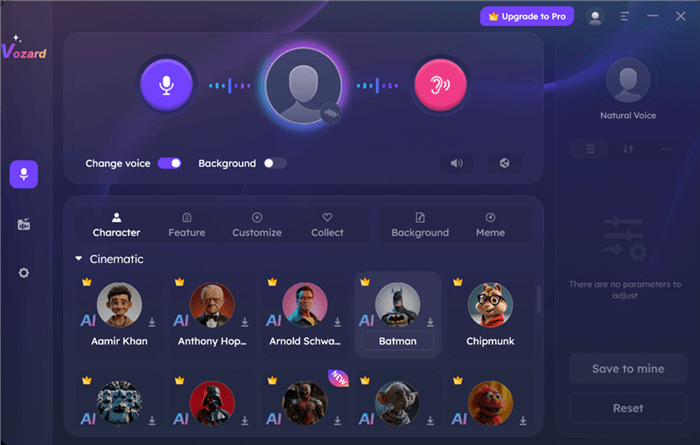
OBS Voice Changer – Vozard
Vozard distinguishes itself by offering pre-recorded and real-time voice-changing options. This feature lets you create personalized audio clips ahead of time or easily change your voice during live feeds on OBS. Compatible with Mac and Windows, Vozard ensures you can enhance your streams with anime-inspired voices no matter your platform. Whether you’re looking to entertain your audience with unique characters or want to experiment with different sounds, Vozard makes it easy to elevate your streaming experience.
Key Features
- Instantly change your voice during live streams or online chats with real-time voice effects.
- Customize your voice to sound like anime characters or specific personalities with detailed filters.
- Use the AI-powered voice generator for natural, lifelike voice transformations, including famous anime voices.
- User-friendly interface ensures that even beginners can easily navigate and operate the software.
- Compatible with significant streaming and communication platforms like Twitch, TikTok, and Discord.
Pros
- Wide range of voice options.
- Easy-to-use interface.
- Real-time voice changes.
Cons: Not available on mobile devices.
Pricing:
- Free Download
- 1-Month Subscription: $12.99
- 3-Month Subscription: $19.99
- 1-Year Subscription: $29.99
- One-Time Purchase: $49.99
Here are some simple steps to use Vozard as the best OBS voice changer:
Step 1. After downloading Vozard, open the app and select “Real-time Mode” by clicking the Microphone icon on the left side of the dashboard.
Free Download for all windows & 100% safe Free Download for all mac & 100% safe
Free Download100% Clean & Safe
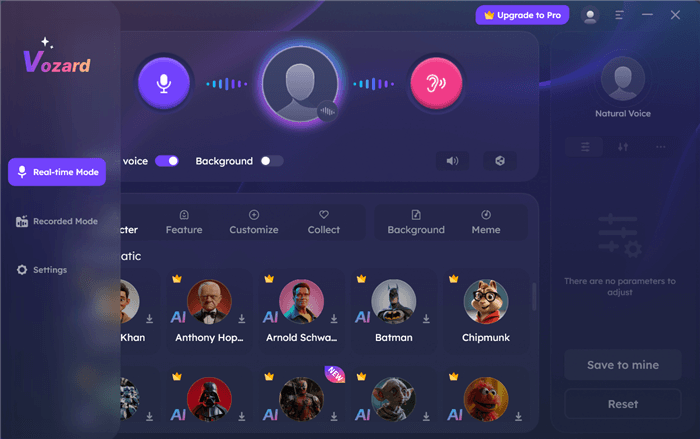
Activate Real-Time Mode in Vozard
Step 2. Go to the Settings Page, choose your microphone and speaker from the drop-down menus, and adjust their volumes. You can also turn on noise reduction for more transparent audio.
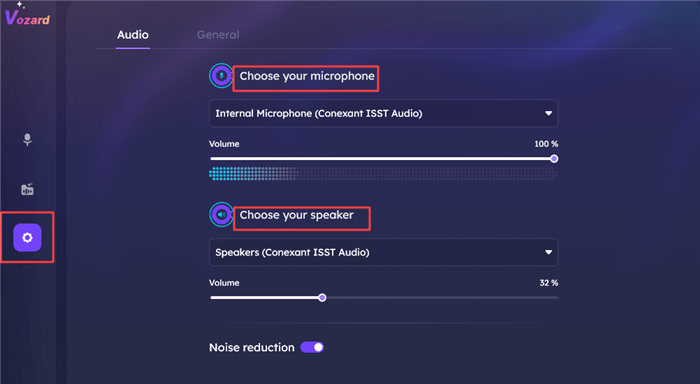
Setting up Microphone and Speaker Levels
Step 3. On the main screen, browse through different voice personas in categories like Cartoon, Celebrity, and Cinematic. Turn on “Change Voice” and adjust the desired pitch, throat width, and pitch shift. Test the settings before starting your game or stream.
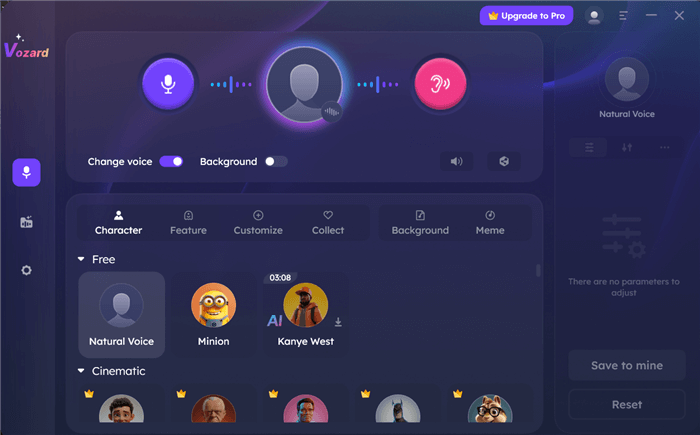
Check Out Voice Effects in Vozard
Step 4. You can also share your voice to third-party sites and social media platforms directly.
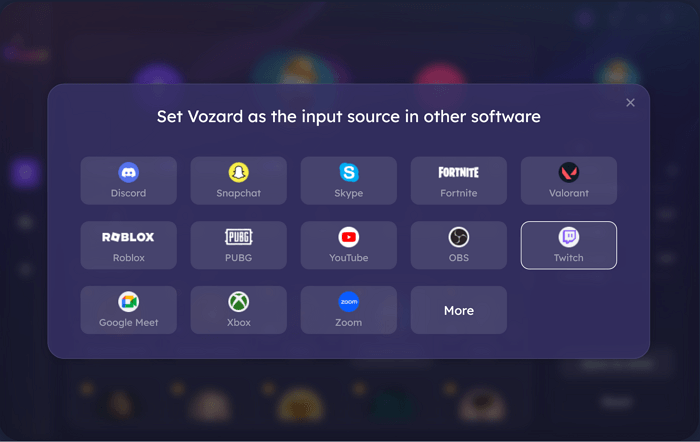
Set Vozard with Other Software
Voicemod
Voicemod is among the most popular tools that allow real-time voice changing while streaming. It works well with OBS as it lets you adjust the pitch of the voice coming through the mic while streaming or playing games in real-time with custom robots, aliens, celebrities’ voices, etc. This free OBS voice changer will make applying different effects to your sound output easier through its virtual audio device. Sometimes, people need to amuse their viewers with various voices or have some fun, and in this case, Voicemod has a set of voices that will be interesting for streaming purposes.
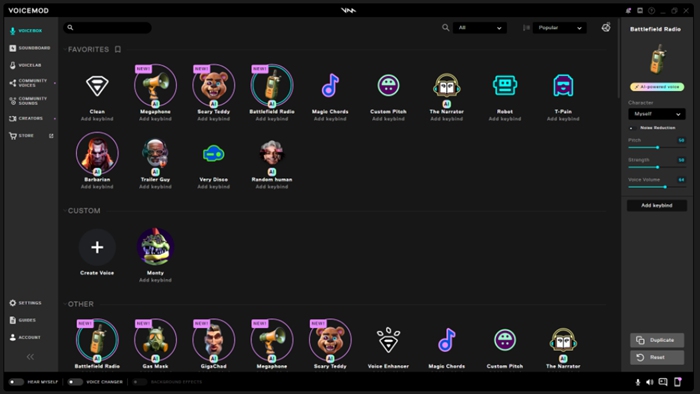
Voicemod AI Voice Changer
Key Features:
- Change your voice instantly during streams with various effects and characters.
- Choose from voices like robots, aliens, celebrities, and many more.
- Easily integrates with OBS for smooth streaming and voice effects.
- Generates audio with effects, allowing for creative and dynamic voice changes.
Pros:
- Easy-to-use interface.
- Extensive voice options.
- Works well with gaming platforms.
Cons:
- Limited features in the free version.
- Sometimes, it faces compatibility issues.
Pricing: Free
Voxal Voice Changer
Voxal Voice Changer is a highly flexible software that allows real-time voice change and operates perfectly with OBS. It has many voice-changing features and multiple advanced options for adjusting its sound, making it perfect for streaming gaming or content creation. Using Voxal, you can also record your voice with background music and have excellent voice changing. Thus, whether you want to become a radio host, sing like a pop star, or deep fake your voice for laughs and giggles, Voxal has everything you need for clear and creative voice changes.
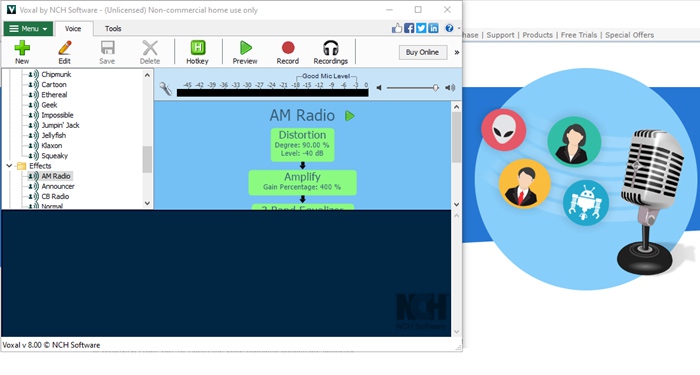
Voxal Voice Changer
Key Features:
- Choose from numerous voice effects to suit your streaming or content creation needs.
- Record voices with various effects and backgrounds for enhanced audio quality.
- Reduce background noise for more precise and more professional-sounding audio.
Pros:
- Diverse voice effects.
- Customizable recording options.
- Reduces background noise effectively.
Cons:
- Limited features in the free version.
- It can be resource-intensive on your system.
Pricing:
- Commercial License: $39.95
- Home Use Only: $34.99
- Commercial License Quarterly Plan: $9.99/quarter
VoiceMeeter
VoiceMeeter is a virtual audio mixing and voice modulation tool that works perfectly with OBS. It offers more audio routing and modification, and the added value is that users can alter their voices in real time. This free OBS voice changer allows users to apply several effects to streaming or voice recording. Due to its flexibility and low latency rate, it is recommended for those desiring ultimate control of their audio connections.
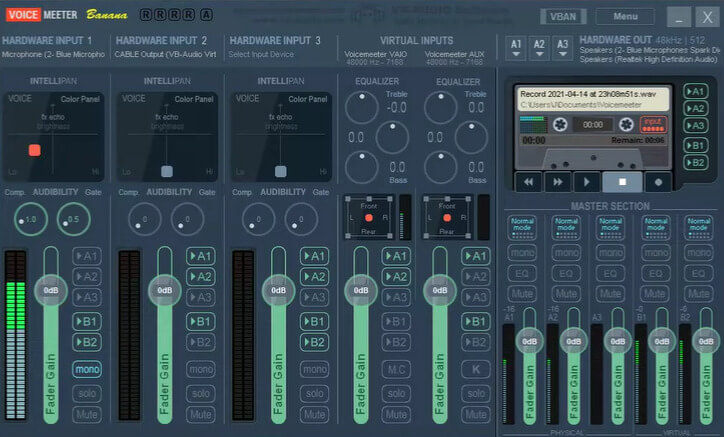
Voice Meeter Robot Voice Changer
Key Features:
- Route and mix multiple audio sources for a customized audio experience during streams or recordings.
- Change your voice in real time with various effects and settings for a unique sound.
- Enjoy low latency for smooth and responsive audio adjustments.
- Customize the interface to suit your specific audio needs and preferences.
Pros:
- Flexible audio routing.
- Real-time voice changes.
- Low latency performance.
- Customizable interface.
Cons:
- Complex setup process.
- Steeper learning curve.
Pricing: Free
MorphVOX
MorphVOX is a groundbreaking voice morphing tool that is particularly effective in providing users with voice learning technology. MorphVOX, an OBS-affiliated voice-changing tool with real-time speech modulation, is appropriate for streaming, gaming, and any other multimedia creation applications. MorphVOX provides the features to effectively improve your audio output, whether you want to add background effects or change the tone of your voice.
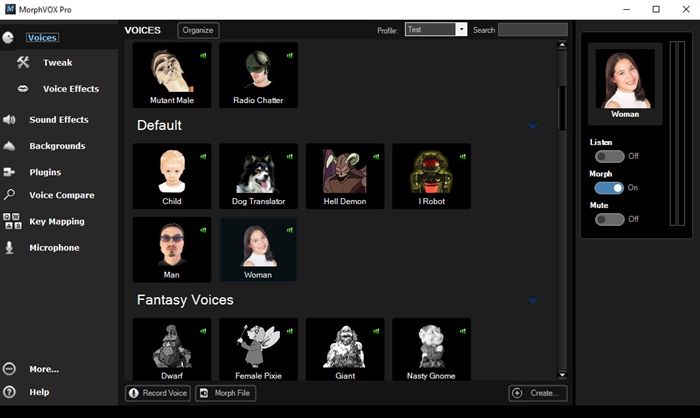
MorphVOX Pro Voice Changer
Key Features:
- Access a vast sound effects library for diverse and creative voice changes during streams or recordings.
- Utilize advanced voice editing tools to fine-tune and perfect your audio effects swiftly.
- Add background sound effects to create a richer and more immersive audio environment.
Pros:
- Wide range of sound effects.
- Advanced editing tools.
- Includes background sound effects.
Cons:
- May experience stability issues.
Pricing: MorphVOX Pro: $39.99
Clownfish Voice Changer
Clownfish Voice Changer is a multi-tasking application. It not only converts your text into speech but offers a functional music player alongside voice-changing capabilities. It allows you to apply voice effects during calls, live streams, or gaming sessions. Clownfish is simple yet effective, integrating with Steam, Hangouts, Discord, Streamlabs, and OBS. It also features a music and sound player for organizing and listening to music. Supporting VST plugins lets you create custom sounds and effects, all while being free to use.
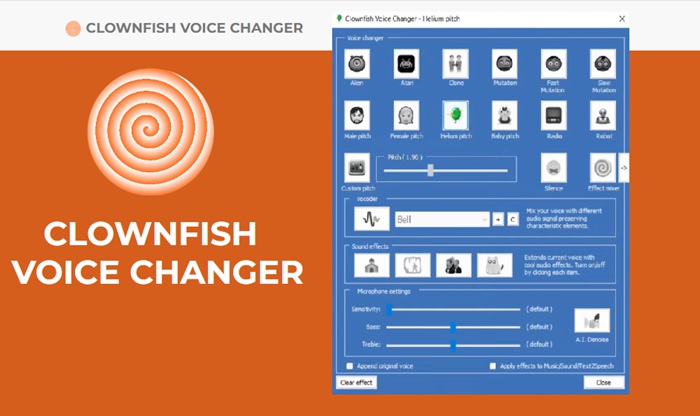
Clownfish Voice Changer
Key Features:
- Convert text into speech with the built-in voice assistant for dynamic audio interactions.
- Play various sounds using the sound player to enhance your streaming or gaming experience.
- Choose from a wide range of voice effects to alter your audio output.
- Control background music playing through your microphone for better audio management.
Pros:
- Compatible with multiple platforms.
- Provides real-time voice changes.
- Simple and easy-to-use interface.
- Free to use.
Cons:
- Limited voice filters are available.
- No function for pre-recorded voice changes.
Pricing: Free
iMyFone MagicMic
iMyFone MagicMic is one of the most accessible OBS voice changer software programs, and numerous features are included in its setup. It is equally effective for new and professional users and offers more than a hundred voices for Mac and Windows, approaches to the scariest festival. You can immediately modify your voice within programs like OBS Studio, Discord, Skype, etc. Besides, MagicMic has more than 300 voice effects and over 800 sound effects, making it universal and easy to use in streaming and gaming.
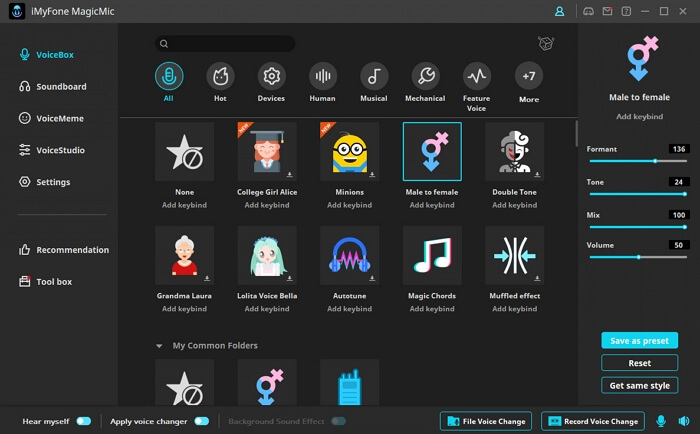
MagicMic Voice Changer
Key Features:
- Change your voice in real-time on Streamlabs and OBS with customizable hotkeys for easy use.
- Compatible with numerous platforms like Discord, Skype, PUBG, and Twitch for versatile applications.
- Offers over 300 voice effects, including options like Monster, Alien, and Robot.
Pros:
- Import and modify audio files easily.
- Set hotkeys for quick voice changes.
- Customize voices with the studio function.
- Includes background sounds with effects.
Cons: Less known compared to other tools.
Pricing:
- Free
- VIP: $9.99/month
- SVIP: $15.99/month
- Bundle: $0.86/day
Voice Changer Diamond
Those simply seeking a voice changer for OBS should consider Voice Changer Diamond. It provides basic audio control features for changing your voice when uploading an audio file, using a microphone to change the voice, or generating voice from text input. Upon launching the tool, you will be presented with different voice effects on the home screen, such as baby, female, cartoon, or movie tones. This makes it suitable for online gaming, chatting, or streaming. It’s easy to navigate, and with a simple swipe on the screen, you can modify the voice or add effects to the text to read aloud. It works perfectly with applications such as Skype, Twitch, OBS, Discord, etc.

Voice Changer Diamond
Key Features:
- Upload audio or use the microphone to modify your voice in real-time for streaming or gaming.
- Generate speech from text, providing additional versatility for content creation.
- Explore a range of voice effects on the main page, including child, female, and cartoon voices.
- Easy to integrate with Skype, Twitch, OBS, Discord, and Steam.
Pros:
- Upload and tweak audio easily.
- Generates speech from text.
- Demo available to preview effects.
- Disguise and change your voice.
Cons:
- Basic features might not satisfy advanced users.
- Free trial limits full functionality.
Pricing: Free; Deal Price: $99.95
FAQs of Voice Changer for OBS
Can I use a voice changer for gaming and streaming?
Yes, most voice changers for OBS can be used for gaming and streaming to alter your voice and add effects.
Are voice changers for OBS easy to set up?
Many voice changers are user-friendly and come with simple setup instructions, making them accessible even for beginners.
How do I choose the best voice changer for OBS?
For a versatile and high-quality option, consider Vozard. It offers a range of voice effects and is compatible with major streaming platforms.
The Bottom Line
Selecting the right voice changer for OBS can significantly improve your streaming or gaming since adding more distinctive sounds is always a joy. Every tool has its peculiarities: real-time voice modulation, a wide range of effects, and simple integration with well-known platforms. For a versatile and high-quality experience, Vozard stands out with its broad range of effects and compatibility with major streaming platforms. Consider Vozard to take your voice-changing game to the next level.
Vozard – AI-Powered Voice Changer
Free download Vozard voice changer software to change your voice into anyone you want to enhance online chatting, gaming, live streaming, and content creation experiences.
Product-related questions? Contact Our Support Team to Get Quick Solution >
