Top 10 Voice Changer io Alternatives
In this article, we are going to explore the top ten Voice Changer io alternatives. We will walk you through the basic overview of everything, too. We will also explore their pros and cons and price plans so you can pick the right tool for your needs. In the end, we will also recommend you the best tool among these ten to make your choice more easy.

Voice-Changing Tips
Voice-Changing Trends
Top 10 Voice Changer io Alternatives
- 180+ lifelike VST and AI voice effects.
- 3 flexible voice-changing methods.
- Compatible with 13 popular third-party platforms.
Do you love to have fun with your voice? Have you ever wanted to sound like a robot, a monster, or even a famous person?
Well, voice changers can make this happen. You can use them for live games sessions, to create funny videos, or just to laugh with friends. They add a playful touch to how you communicate online.
You may have heard of Voice Changer io, a tool for changing your voice. But what if there are even better options available?
In this article, we will explore ten amazing alternatives to Voice Changer io. Get ready to discover a world of voice-changing fun!
Table of ContentsHide
What is Voice Changer io?
Voice Changer io is an online tool for changing your voice. It offers various voice effects to choose from. Users can choose one, upload their audio, or use a microphone for real-time modification. The ease of use and wide range of voice effects make it a popular choice. It is perfect for gamers, content creators, and anyone looking to add fun to their live calls.
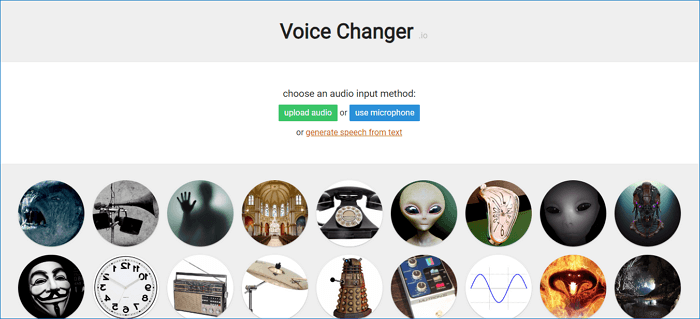
Voice Changer.io
One of the key features of Voice Changer io is it’s web-based. You don’t need to download any software or have advanced technical skills to get started. Simply visit the website, select your desired voice effect, and start speaking into your microphone.
10 Best Voice Changer io Alternatives
As mentioned there are a lot of voice changer io in the market. However, picking one that is best for you can be a tricky task. But don’t worry! This section will explore the top ten voice changer io alternatives. We will also walk you through their pros and cons, pricing, ratings, and more. So you can choose the right one for you!
Vozard – Best Voice Changer io Alternative with AI Power
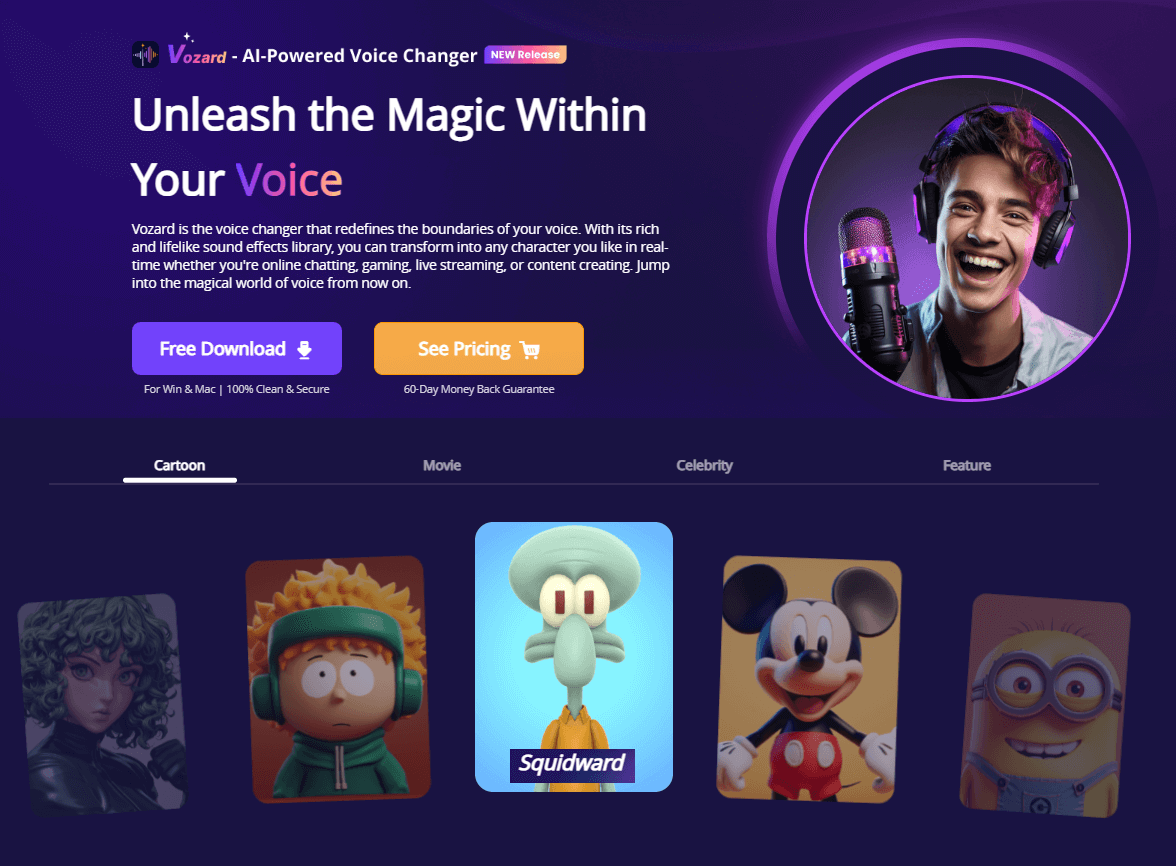
Vozard is a voice change software developed by iMobies. It stands out as one of the best alternatives to Voice Changer io because of its advanced AI technology. It is considered the most reliable and hassle-free way to transform your voice.
In Vozard, you have the option of changing both pre-recorded and real-time voice. You can upload the video and add voice effects later. Or you can speak live, and vozard will change the voice right away.
Vozard Official Website
Furthermore, you can integrate this tool with popular communication and streaming apps. Whether calling, chatting, or streaming, you can transform and sync your voice with just a few clicks. Also, it offers 180+ voice effects. You can easily find the one you want. The Vozard user interface is very simple and can be navigated by anyone with any skill level.
Key Features of Vozard
- Vozard uses AI technology for a more natural, high-quality, and engaging experience.
- It provides text-to-speech functionality with customizable voices.
- It offers both free and premium subscription plans with additional features.
- It has a user-friendly interface that is accessible to people with all skill levels.
- Vozard offers tons of voice effects, from celebrities to movie characters.
- It is available for both Windows and Mac.
How to Use Vozard
First, download and install the Vozard app on your PC/laptop. Then follow the instructions given below:
Free Download for all windows & 100% safe Free Download for all mac & 100% safe
Free Download100% Clean & Safe
Step 1: Launch the Vozard software. Go to “Settings” and set the “Microphone” and “Speakers.”
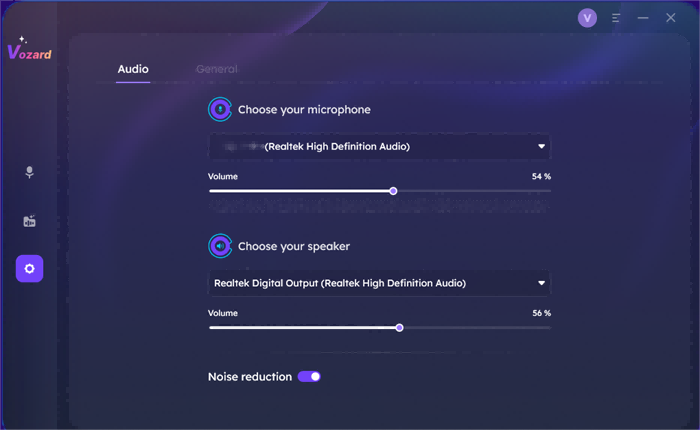
Select your Microphone and Speakers
Step 2: Next, select the “Recorded Mode” from the left pane. Then, select “Recording” and click the “Start Recording” button.
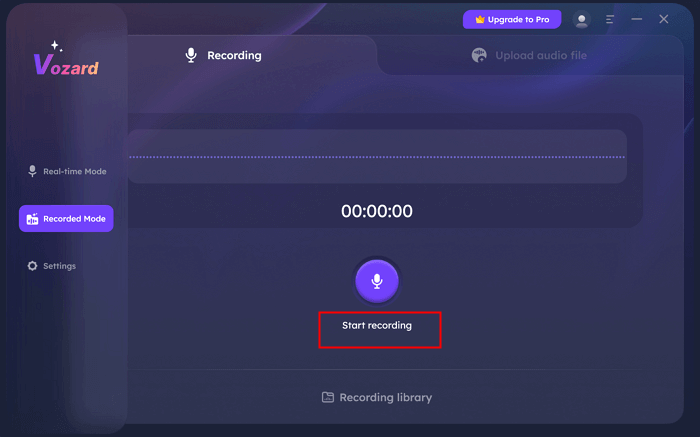
Click the Start Recording Button to Record Your Voice
Step 3: Now, record your voice. Once you are done, click the “Finish” button. Your audio file will be saved.
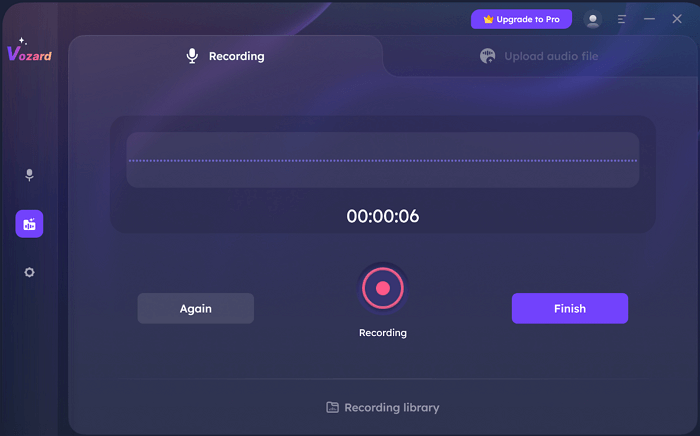
Click the Finish Button
Step 4: After finishing the recording, you will see various voice effects. Select anyone you want and click “Start voice changing.”
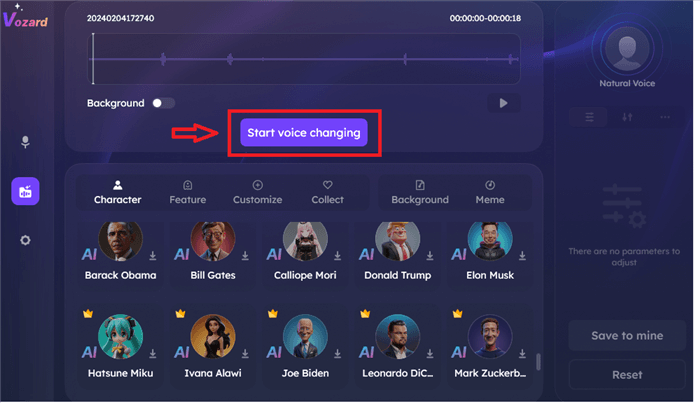
Click on Start Voice Changing to Proceed
Step 5: Once the voice effect is generated, click “Export voice changing file” to save it with the voice effect.
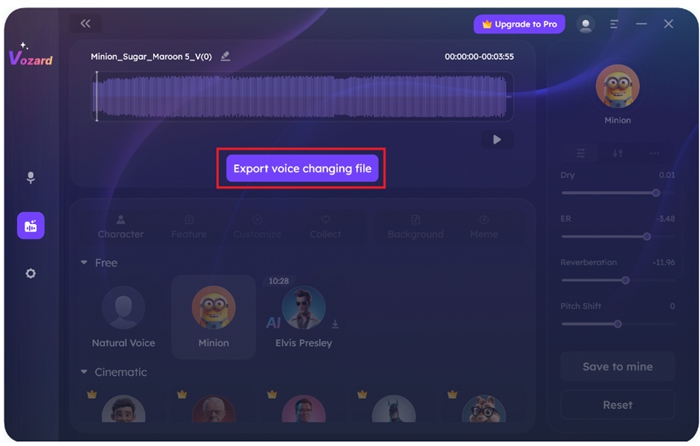
Export voice changing file
Step 6: Go to the “Recording Library” to find your audio files. The “Play” button is to play the audio. The “File” button is to browse the file, and the “Delete” button is to delete them.
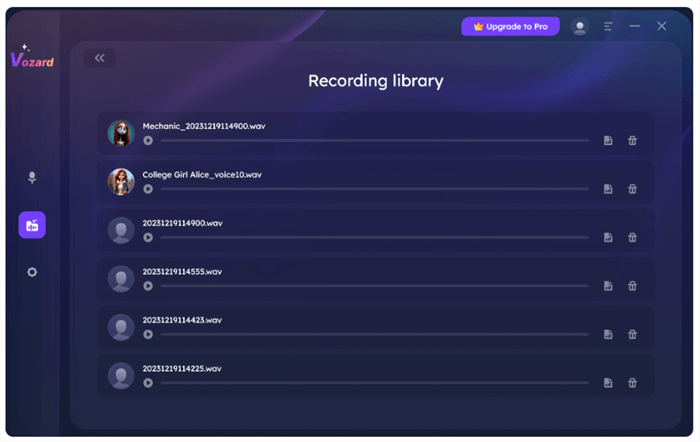
Check Recorded File in Recording Library
Did you see how easy it is to use Vozard? The ease of use and amazing features make it the best alternative to the Voice Changer io.
Let’s move forward and explore the pros and cons of Vozard.
Pros:
- Offers a wide range of voice effects and characters.
- Easy-to-use interface with intuitive controls.
- Compatible with various platforms and devices.
- Provides real-time voice modification.
Cons:
- You need to buy a subscription for full access to all features.
Pricing
- 1-Month Subscription: $12.99
- 3-Month Subscription: $19.99
- 1-Year Subscription: $29.99
- 1-Time Purchase: $49.99
- It also offers a free trial with limited voice effects and features.
Note: All purchases are for two computers.
Voicemod Voice Changer
Voicemod is another Voice Changer io alternative. This tool is best for gaming and online streaming. You can enjoy various features with high-quality output. This voice changer also offers real-time voice transformation. It uses AI technology and is compatible with almost all platforms. It offers around 100 voice filters, including baby sound, alien sound, and more.
But do you know what’s best? You can also customize or edit your voice, making it age—or gender-specific. It also allows you to change the tone of your voice. You can also integrate Voicemod with games, streaming platforms, and other software.
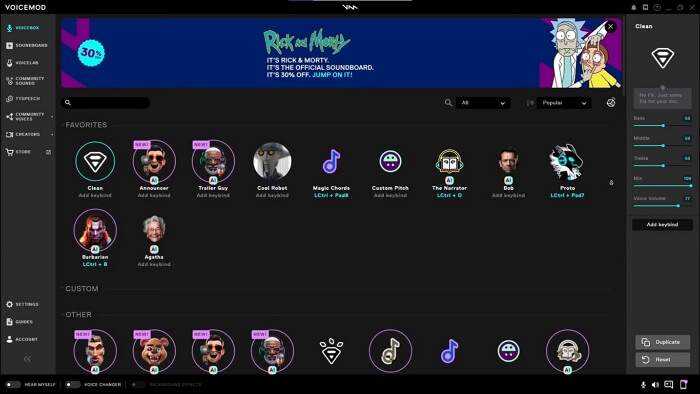
VoiceMod Operating Interface
Pros:
- Offers a vast library of voice effects and soundboards.
- Real-time voice modification for live streaming and gaming.
- User-friendly interface with easy navigation.
- Compatible with various platforms and applications.
- Constant updates with new content and features.
Cons:
- The free version has limitations on features and effects.
- Some voice effects can sound artificial or distorted.
- High system resource usage can impact performance.
- Premium features can be expensive for casual users.
Pricing
- Monthly subscription: $9.99
- Yearly subscription: $99.99
- It also offers a free version with limited features.
Voice.ai Voice Changer
As the name suggests, Voice.ai is an AI-powered voice-changing tool. It offers you a lot of voice effects to make you sound like famous TV characters or people. You can use this software on various platforms, including Windows, Mac, Android, and iOS. Also, the real-time voice-changing features can be used in various streaming games.
Voicemod offers a huge library of different voice effects created by users. What makes this tool stand out is its continuous update. New features and voices are added from time to time. Moreover, it is very easy to use, which means no skills are required.
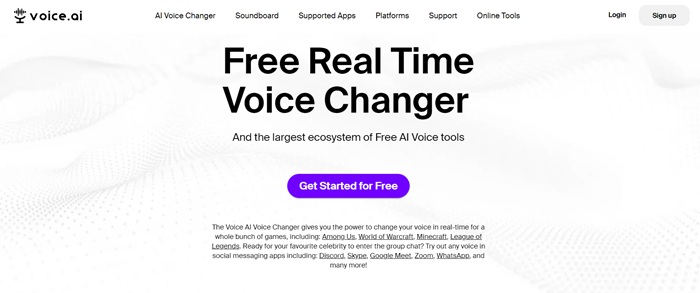
Home Page Interface of Voice.ai
Pros:
- It offers custom voice creation beyond basic effects.
- The app supports voiceovers in multiple languages.
- Voice alteration can provide a level of anonymity.
- Users can create and share voice-modified clips directly.
Cons:
- Advanced features often require a paid subscription.
- Voice quality can vary and may lack realism.
- Conveying complex emotions or nuances can be challenging.
- There are concerns about user data collection.
Pricing: It is available for free.
Murf.ai Voice Changer
Murf.ai is another alternative to Voice Changer io. It also allows you to modify your voice in different voices and languages. This tool uses AI technology to make the output more accurate and human-like.
Other standout features include voice cloning, translation, dubbing, and more. It offers a user-intuitive interface that anyone can use and transform their voice. You can use this voice changer on any device with a browser and an internet connection. It is also compatible with Windows and Mac OS.
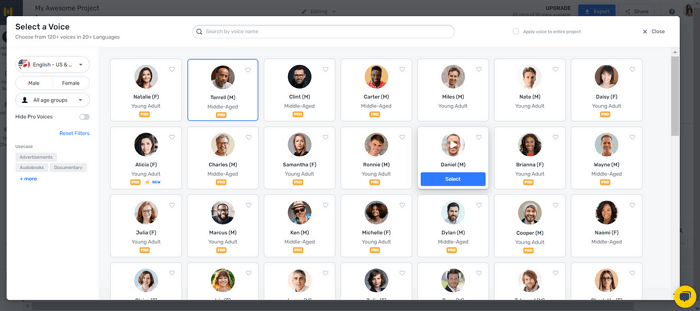
Murf.ai Voice Changer
Pros:
- It generates high-quality, natural-sounding voices.
- You can easily transform audio files into professional voiceovers.
- You can edit the script and customize it to your liking.
- It also allows you to change the pitch, tone, and speed of your voice.
Cons:
- It doesn’t offer real-time voice changing.
- Murf.ai is web-based, which means you must have the internet to use it.
- You need to upgrade to the Pro plan to access the voice changer feature.
Pricing
- Creator: $19/month
- Business: $66/month
- Enterprise: Contact team for custom pricing.
- It also offers a free version with limited features.
Speechify Voice Changer
Speechify is also a voice changer tool that helps you transform your voice in a simple and fun way. This tool is designed to create unique voice effects that you can use for different purposes. Whether you are making a video or want to prank your friends, you can use this tool. It is user-friendly and ensures all users can use it without any hassle.
It also uses AI technology for enhanced output. This tool can also convert text to speech with natural and realistic sounds. Furthermore, Speechify offers 200 voice effects with different genders, accents, and tones. It works on various platforms, including Windows, macOS, and mobile devices. You can use it wherever you want.
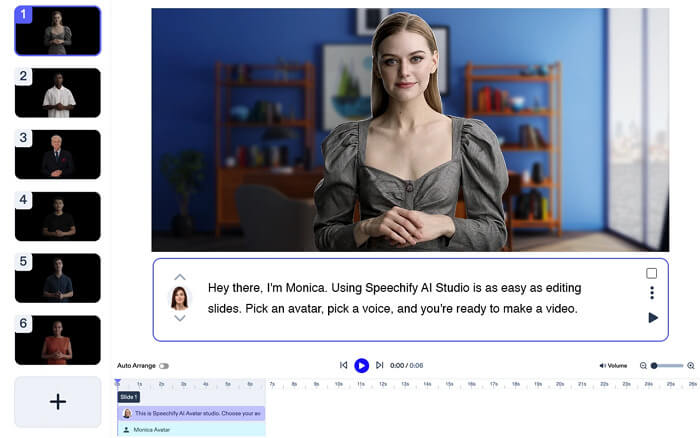
Speechify Voice Changer
Pros:
- Speechify is AI-powered and offers accurate and realistic outputs.
- It offers an amazing text-to-speech editor with various voice effects.
- It also allows you to add pauses to the script.
- The user interface is very simple and accessible to all users.
Cons:
- Some voices are not accurate and may sound robotic.
- It has limitations on the number of hours for voice generation.
- You need to buy the premium version for full access to the voice effects.
Pricing
- Basic: $24.00/month
- Professional: $32.08/month
- Enterprise: Contact the team for custom pricing.
- It also offers a free version with limited features.
FineVoice Voice Changer
FineVoice is a web-based voice changer tool and an alternative to Voice Changer io. It offers around 30 voice effects. You can switch between genders, sound younger or older, or adapt cartoon-like tones. Users can also adjust the pitch, reverb, equalizers, and more. You can also change the output language.
This voice changer is very simple to use. You just need to record or upload your recorded voice, select the voice effect, and click the “Change Voice Now” button.
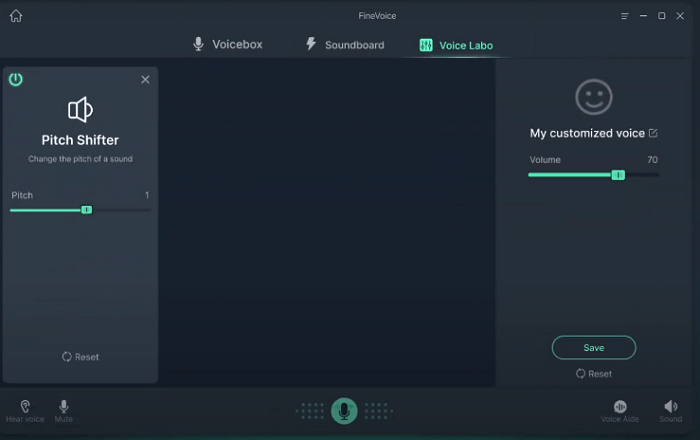
FineVoice Voice Changer
Pros:
- It offers a user-friendly interface.
- It has a diverse range of voice effects.
- FineVoice provides an audio transcription feature.
- Records audio in high-quality WAV format.
Cons:
- Accuracy might not match professional voice changers.
- It is not available for Mac OS.
- It may be expensive for some users.
- Limited customization options compared to professional tools.
Pricing
- Basic plan: $8.99/month
- Pro plan: $17.99/month
- Enterprise plan: $31.99/month
- It also offers a free version with limited features.
MagicMic Voice Changer
MagicMic is also an AI-powered tool with real-time voice transformation. Gamers who do live streaming mostly use this tool. The advanced algorithms ensure that the output quality is natural and realistic. Its user-friendly interface makes it easy to use, even for those with limited tech knowledge.
Besides its great quality, it also offers a wide range of voices. With over 225+ voice effects, you can transform your voice into anything you want. This tool is a great choice for anyone who wants to have fun with their voice or create unique audio content. You can download it on your Windows, Mac, Android, and iOS devices.
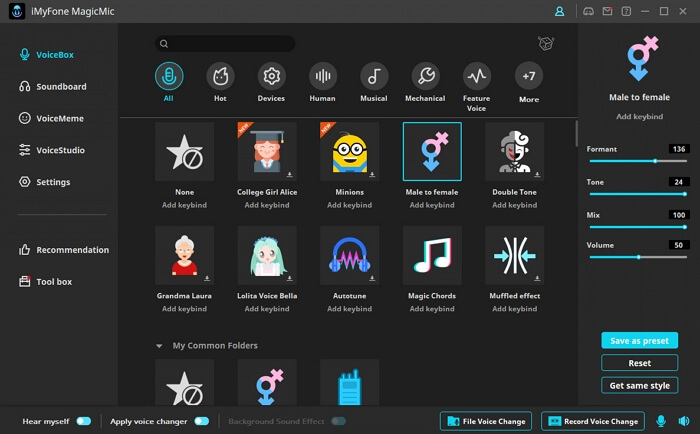
MagicMic Voice Changer
Pros:
- Offers a wide range of voice effects and filters.
- Compatible with various platforms (gaming, streaming, calls).
- The sound effects of MagicMic are updated every week.
- You can also use key shortcuts to transform your voice.
- It also includes soundboard features.
Cons:
- Some voice effects might sound artificial.
- The free version might have limitations.
- May experience audio quality issues in certain situations.
Pricing
- VIP: $9.99/month
- SVIP: $15.99/month
- Bundle: $25.99/month
- It also offers a free version with limited features.
MorphVOX Pro Voice Changer
MorphVOX is also a voice changer and one of the best alternatives to Voice Changer io. It is available for Windows and Mac OS. This tool uses advanced algorithms to offer high-quality outputs. Not only that, MorphVOX also offers a wide range of voices. You can select between fantasy or sci-fi characters and create complete soundboards.
You can use this voice changer in games while streaming or during calls with friends or family. MorphVOX also has a background noise cancellation feature. It removes the distracting audio and ensures that the output is clean.
Main Page Interface of MorphVoc
Pros:
- Offers a wide range of voice effects and options.
- Provides real-time voice modification.
- Includes a soundboard feature.
- Compatible with various platforms.
- Offers voice learning and customization.
- Provides background noise cancellation.
Cons:
- The interface might be outdated compared to newer options.
- It can be expensive for some users.
Pricing
- 1-Time: $39.99
- It also offers a free version to use as MorphVOX Junior.
Hitpaw Voice Changer
HitPaw is a speech-to-speech voice changer app. It uses AI technology to provide accurate real-time voice modulation. You can download it on your Windows or Mac OS and customize your voice. It allows you to change your voice pitch and tone during live streams and calls. You can also change your voice from male to female or sound like your favorite character.
You can integrate HitPaw with various apps, such as Twitch, Steam, Discord, and more. This makes it a great option for gamers to make their gaming sessions more fun.
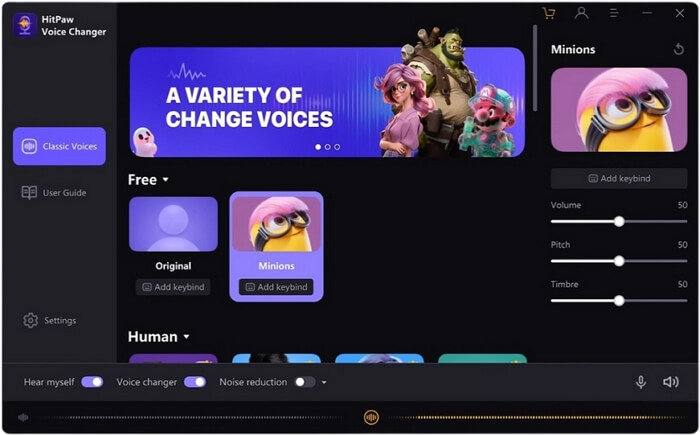
HitPaw Voice Changer operating interface
Pros:
- Offers a variety of video editing tools.
- Supports multiple video formats.
- Includes advanced features like AI-powered enhancements.
- Offers free trials or basic versions.
Cons:
- Limited effects in the free version.
- There is no mobile app of HitPaw.
- It offers different pricing for Windows and Mac.
Pricing
For Windows
- 1 Month: $21.95
- 1 Year: $45.95
- Perpetual: $64.95
For Mac
- 1 Week: $5.95
- 1 Year: $21.95
- Perpetual: $59.95
- It also offers a free trial to use.
Clownfish Voice Changer
Clownfish is one of the voice changers for Windows. This tool also provides clear and natural voice transformations. With a user-intuitive interface, you can transform your voice easily. Furthermore, Clownfish also supports pitch changers and effect mixer tools.
When it comes to versatility, Clownfish offers fourteen fun voice options. Whether you want to change your voice into a robot voice or sound like a kid, Clownfish has got you covered. Besides voice-changing features, it also offers music and a sound player.
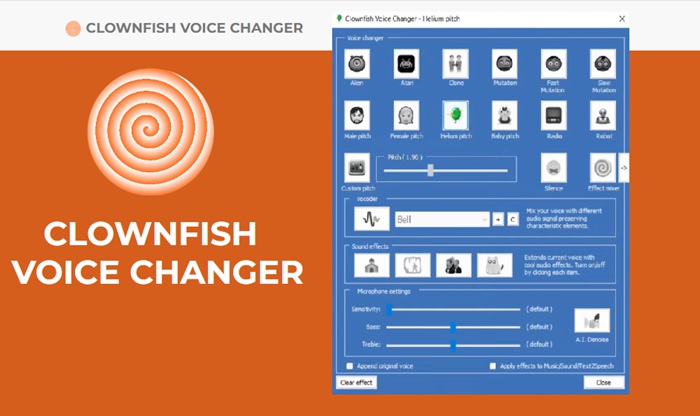
Clownfish Voice Changer
Pros:
- You can run this app without slowing down your PC.
- It offers a simple interface, perfect for beginners.
- It can be used as a background music player.
- It is also compatible with the VST plug-in.
Cons:
- It offers less voice voice effects compared to other voice changers.
- It comes with limited features.
Pricing: It is available for free.
So, these are the best ten Voice Changer io alternatives. You can explore their features and other aspects to choose the one that fits your needs.
FAQs on Voice Changer io
Q. Do I need to download any software to use Voice Changer io?
No, there is no need to download any software to use Voice Changer io. It is a web-based tool that you can use on any device with access to the browser and an internet connection.
Q. Is Voice Changer io for free?
Yes, Voice Changer io offers free access to its basic features.
Q. How do I get the best results with Voice Changer io?
Use a good-quality microphone and make sure your internet connection is stable for the best experience.
Final Thought
Wrapping it up! Exploring voice changers for your projects can be a lot of fun. In this article, we have looked at the top 10 alternatives to Voice Changer io. Each one offers something special. However, if you are looking for a reliable and effective tool, Vozard stands out as the best choice. It’s easy to use and packed with great features. If you’re ready to try a new voice changer, give Vozard a shot. Download it today and start having fun with your voice!
Vozard – AI-Powered Voice Changer
Free download Vozard voice changer software to change your voice into anyone you want to enhance online chatting, gaming, live streaming, and content creation experiences.
Product-related questions? Contact Our Support Team to Get Quick Solution >
