Top 5 Software to Recover Deleted Text Messages and iMessages from iPhone
We’ve tested rigorously from all aspects to provide you with this software list to help you easily retrieve your deleted text messages and iMessages from your iPhone.
You have never backed up your iPhone before, but accidentally deleted some messages from your iPhone due to mistaken deletion, iOS update fail or iPhone crash? This is a big disaster since the message history contains your important information and precious pictures, So is there a way to get back the lost data from your iPhone even without backup?
If there is no backup, actually it’s hard to get back your lost messages unless you use some professional iPhone data recovery tool. To help you quickly get started your recovery process, we’ve picked out 5 iPhone messages recovery software and summarized a comparison chart for your information to quickly find out a suitable tool.
Top 5 iPhone Messages Recovery Software
No.1 – PhoneRescue for iOS
PhoneRescue is one professional iPhone data recovery tool you can use to recover deleted text messages, iMessages, and even WhatsApp messages. It offers 3 recovery modes to help you easily retrieve messages. Besides, it is the only one that supports recovering deleted messages to the iPhone directly.
Since being launched in 2014, PhoneRescue has helped millions of users out from data loss issues. This software supports both Mac and Windows computers and works well with iOS 15, iPadOS 15, and new iPhone models like iPhone 13/12.
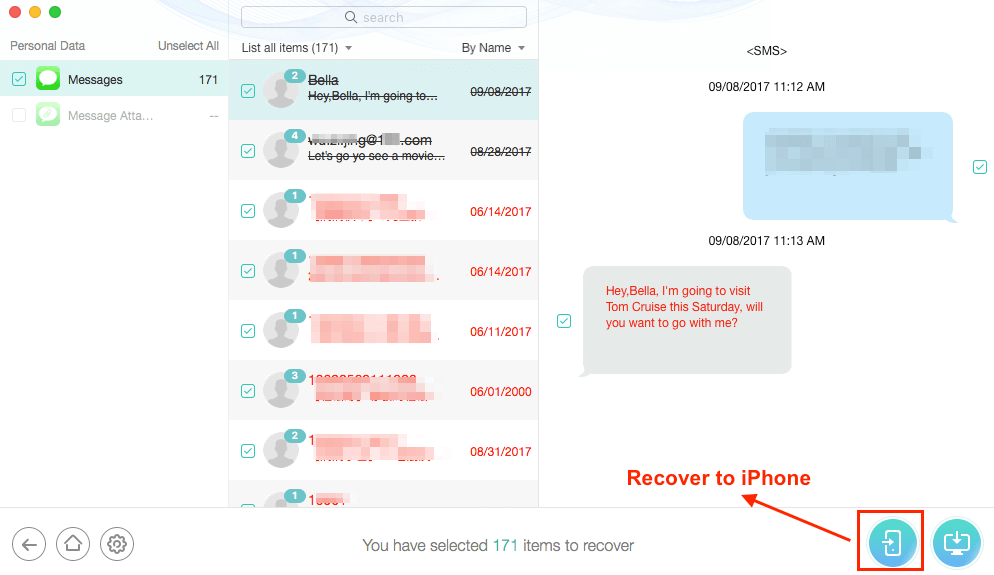
Recover Deleted Text Messages & iMessages from iPhone – PhoneRescue
Free Download * 100% Clean & Safe
Pros:
- Ease to Use: The recovery process is super simple in 3 steps, scan > preview > recover, with no tech knowledge required.
- Direct Recovery to iPhone’s Message App: Supports retrieving deleted messages to iPhone’s messages app directly.
- Recover messages from all aspects: It supports recovering text messages from iPhone, iTunes backup, and iCloud.
- Good Customer Service: You can get instant assistance from its 7/24/365 technical support.
- Longest Money-Back Guarantee: It supports 60 days Money-Back Guarantee.
- Nice compatibility: It supports the latest iPhone, iPad, and iPod touch. (from iOS 5 to iOS 15)
Cons:
- Paid software (Buy PhoneRescue on iMobie to save 40%)
Video Tutorial on How to Recover Deleted Messages from iPhone:
Related Reading: How to Recover Deleted Text Messages from iPhone using PhoneRescue >
No.2 – Primo iPhone Data Recovery
Primo iPhone Data Recovery is another great iPhone data recovery tool that gives guaranteed results to find your deleted message conversations. It helps you recover more than 20 data types from multiple situations, including water damaged, update failure, forgotten password, etc. It also provides three recovery modes to ensure a higher success rate.
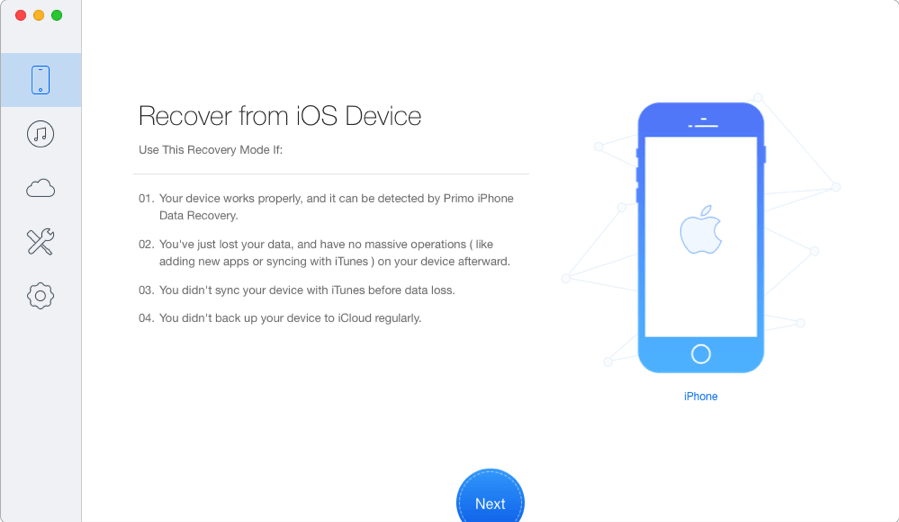
Best Messages/iMessage Recovery Software – Primo iPhone Data Recovery
Pros:
- Recover 25 types of iOS data from iPhone/iPad/iPod touch.
- 3 recovery modes: from iDevice, iTunes backup, and iCloud.
- Work well with all iPhone models: iPhone XS/X/8/7/6S/6/SE/5S/5/4S/4.
- Able to recover deleted messages and other iOS data from iTunes/iCloud backup without restoring the whole backup contents.
Cons:
- Paid software, you have to pay for it.
- Take time to scan the device.
No.3 – Dr. Fone for iOS
Dr. Fone for iOS is a program from Wondershare that supports recovering a wide variety of iOS files, including messages, iMessage, photos, contacts, voicemail, etc. It also features a preview function, allowing you to preview the deleted messages or iMessage before recovering. This software has a powerful scanning process, and it is easy to use.
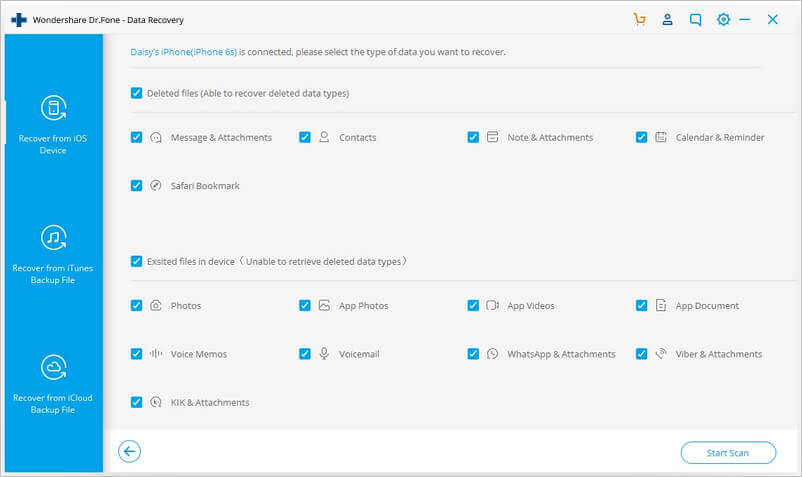
Best Messages/iMessage Recovery Software – Dr. Fone for iOS
Pros:
- Fastest scan speed in the industry.
- Recover data from iPhone, iTunes, and iCloud.
- Recover photos, videos, contacts, messages, notes, call logs, and more.
- Compatible with the latest iPhone 8 Plus, iPhone 8, iPhone X.
Cons:
- Must upgrade to the Pro version to get the recovery and more functions.
- A little expensive.
- Recover from iCloud mode does not offer much value.
No.4 – D-Back iPhone Data Recovery
iMyFone D-Back iPhone data recovery is a highly effective data recovery tool that can help you recover your deleted or lost iMessage/messages with ease. It provides 4 recovery modes for a greater chance of recovering your lost data: Smart Recovery, Recover from iOS Device, Recover from iTunes Backup, Recover from iCloud Backup. Also, its interface is clear enough for green hands to understand.
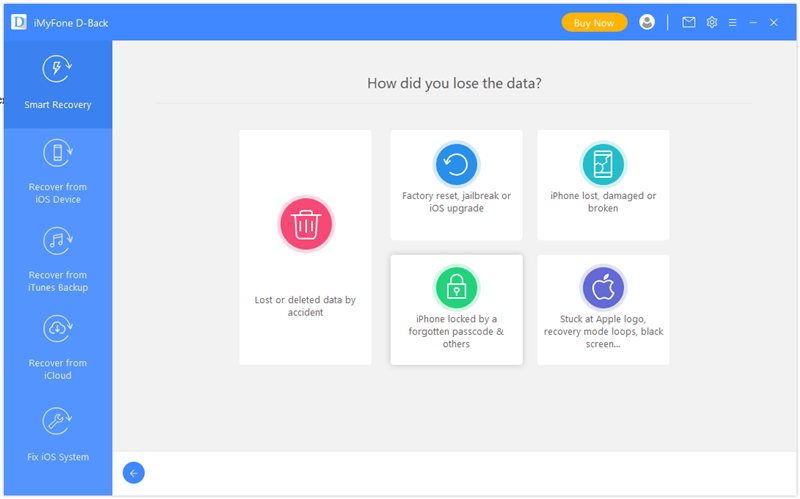
Best Messages Recovery Software – D-Back iPhone Data Recovery
Pros:
- Scan your iPhone, iTunes backup, and iCloud backup deeply to find the hidden deleted messages/iMessage.
- Recover different types of iPhone data, including contacts, call logs, messages, photos, and videos among many others.
- It is quite fast. It takes just a few minutes to get all the deleted data back.
- Fix iOS issues without data loss.
Cons:
- The trial version has limited functions.
- The supported data types are relatively limited.
No.5 – ApowerRescue
ApowerRescue is also a high-grade iPhone data recovery tool for iPhone users to recover missing messages or iMessage. It provides in-depth scanning of your iPhone, iTunes backup, and iCloud backup to help you find the deleted files that you want to recover. It is also fitted with the ability to retrieve lost data when your iPhone is inaccessible, stuck in the Apple logo, black/white screen.
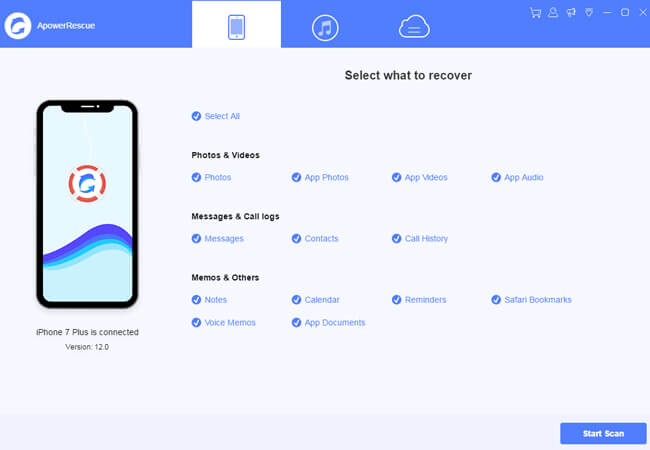
ApowerRescue Review
Pros:
- The process to recover iPhone lost messages and iMessage is smooth. Just a few simple clicks are needed.
- Retrieve lost data even your device is broken, water damaged, crashed or lost, etc.
- You can preview the files before choosing and recovering them.
- Only display deleted items option.
Cons:
- The success rate is not so high when compared with the other 4 data recovery software.
- No Mac version.
Messages/iMessage Recovery Software Comparison
| Items | PhoneRescue | Primo | Dr.Fone | D-Back | ApowerRescue |
| Recover From iDevice |  |
|
|
|
|
| Recover From iTunes | |
|
|
|
|
| Recover from iCloud | |
|
|
|
|
| Selectively Recover Data | |
|
|
 |
|
| Time-Consuming to Scan | 40 seconds | 1 minute 21 seconds | 39 seconds | 43 seconds | 1 minute 36 seconds |
| Data Comparison(Find the different data between iDevice and Backups) | |
|
|
|
|
| Recover to iPhone Apps Directly (Contacts, Messages, Photos, etc.) | |
|
|
|
|
| Cost (LifeTime) | $49.99 | $39.99 | $69.95 | $69.95 | $69.95 |
| Reviews |
|
|
|
|
|
| Availability | Free Trial |
How to Choose The Best iPhone Messages Recovery Software
Files getting back process is a process of salvaging inaccessible contents from corrupted, damaged, or lost iPhone devices. Normally people can get reliable data recovery services from an expert or an app. But most people would like to try an easy-to-use program before seeking help from the expensive retrieval service nearby.
1. Basic knowledge of the messages retrieval apps for iPhone?
It usually provides you with three modes to retrieve what you’ve lost, including recovering from your device, from iTunes backup, and from iCloud backup. The recovery can be processed even your mobile phone is lost, as long as the iTunes or iCloud backup has been taking place prior to the inaccessibility of the device. Besides, some high-quality recovery programs like PhoneRescue, are capable of repairing common system issues.
There are many specific categories of iPhone retrieval software such as photo recovery software, iMessage recovering apps, contact restoration apps, etc.
2. The standards of the best messages recovery app for iPhone?
Our principles of defining what is the TOP data saver app are as same as how you’d like to recover the items in your lost handset. Before starting, you’d better clearly understand WHERE have you lost the content from? HOW did you lose them? WHAT types would you like to recover?
Criterion 1. Compatibility
For the first question: WHERE have you lost your iOS content, from an old iPhone 5s/6/7/8/XXS/XR, or a new 12/ 12 Pro (Max)? As Apple mobile product line covers over 10+ models, the first criterion we have chosen is compatibility. One good program should be capable of supporting all existing mobile device models and popular iOS versions like version 13/14.
Criterion 2. Operation Methods
For the second question: HOW did you lose your text messages or iMessages in your cellphone, mistaken deletion? The device is lost or badly damaged? Do iOS get stuck? Studies show hardware/software failure and human error are the two most common causes of your content loss, but a different type of information disaster requires corresponding methods.
Therefore, the second criterion is methods. The top program should have methods to recover in various situations. And most apps have adopted cellphone file recovery approaches like recovering from the device, from iTunes backup, and from iCloud backup. And some apps can fix any issues or get back these lost documents from broken or water-damaged.
Criterion 3. Program Capability
No matter how hard you’ve tried to recover your lost iPhone items, you still have the chance that you’ll lose them forever. So the third question, WHAT types of phone content would you like to recover? Actually, this is the most crucial standard to justify if your items’ restoration tool is qualified. All candidates listed below support a wild range of data recovery file types.
Criterion 4. How much does it cost to recover messages from an iPhone
Usually, the messages recovery tools are pricing with a 1-year license, and you can check every price plan on its store page and our review table.
The Bottom Line
Evaluating the cost of losing an iPhone is quite easy, but it’s hard to calculate the loss of your important iMessage or messages. So, a regular iPhone backup plan with iTunes or iCloud should be advanced. At last, since any newly generated data on iPhone will overwrite the deleted messages/iMessage and lead to them lose eternally, it is very important to stop using your iPhone until you get all the lost data back.


Work for iMobie team for 5 years as well as an Apple fan, love to help more users solve various types of iOS or Android related issues.
Product-related questions? Contact Our Support Team to Get Quick Solution >
