Rookidee Evolution Chart: Levels & Candy Requirements
At what level and how many candies does Rookidee need to evolve?
The exact requirements to evolve your Rookidee depend on which game you are playing. Here is the complete evolution chart:
Mainline Pokémon Games (Sword & Shield, Scarlet & Violet):
- Rookidee to Corvisquire: Evolves at Level 18.
- Corvisquire to Corviknight: Evolves at Level 38.
Pokémon GO:
- Rookidee to Corvisquire: Requires 25 Rookidee Candies.
- Corvisquire to Corviknight: Requires 100 Rookidee Candies.
Important: Unlike certain species that need a Metal Coat or Sinnoh Stone, no special evolution items are required to evolve Rookidee into Corvisquire or Corviknight. In Pokémon GO, your main hurdle is simply gathering the massive 125 total candies needed to reach the final stage.
Is Evolving Corviknight Worth the Effort in Pokémon GO?
Because 125 total candies is a heavy investment, you might wonder if Corviknight is actually good in Pokémon GO. The short answer is yes, especially if you are interested in Player vs. Player (PvP) battles.
Corviknight boasts an excellent Flying and Steel typing. This combination gives it a massive list of resistances, making it highly durable against many common attackers in the meta. Thanks to its natural bulk and versatile moveset, Corviknight is a highly valued defender in both the Great League and Ultra League (GBL). For more tips on building a competitive roster, you can explore other Pokémon GO guides.
If you regularly participate in the GO Battle League or simply want a robust gym defender, gathering the 125 candies to evolve your Rookidee into Corviknight is a highly worthwhile investment.
The 125-Candy Grind: Why Evolving Rookidee is Hard for Rural Players
While reaching Level 38 in the mainline games is a straightforward process of battling and gaining XP, Pokémon GO players face a much harder reality: the 125-candy grind.
For a 3-stage regional bird, needing 125 candies means you have to catch roughly 32 to 42 Rookidee (depending on transfers) just to get one Corviknight. This creates significant pain points for rural or suburban players who cannot find enough local Rookidee spawns in their immediate area.
To make up for the lack of spawns, players often assign Rookidee as their Buddy Pokémon. However, relying purely on physical buddy walking takes an incredibly long time—walking dozens of kilometers just to earn a handful of candies. Without a flexible location movement strategy, evolving your Rookidee can take weeks or even months.
How to Farm Rookidee Candy Quickly with Virtual Movement
When you are stuck in an area with low spawn rates and physical walking is taking too long, using a dedicated virtual movement workflow can help you bridge the gap. Instead of downloading risky, unverified modified apps directly to your phone, Fonelora Location Changer offers a safer, desktop-guided workflow to change location in Pokémon GO on supported iOS and Android devices.
Fonelora Location Changer
Realistic GPS movement simulation, flexible route control, easy no-modification setup, and support for gaming, social, privacy, and location-based testing in one platform.
By connecting your phone to your computer, you can use Fonelora Location Changer’s tools to farm buddy candies efficiently or locate active Rookidee nests globally.
How the Fonelora Location Changer Workflow Works:
Connect Your Device: Open Fonelora Location Changer on your desktop and connect your supported iOS or Android device via USB or Wi-Fi.

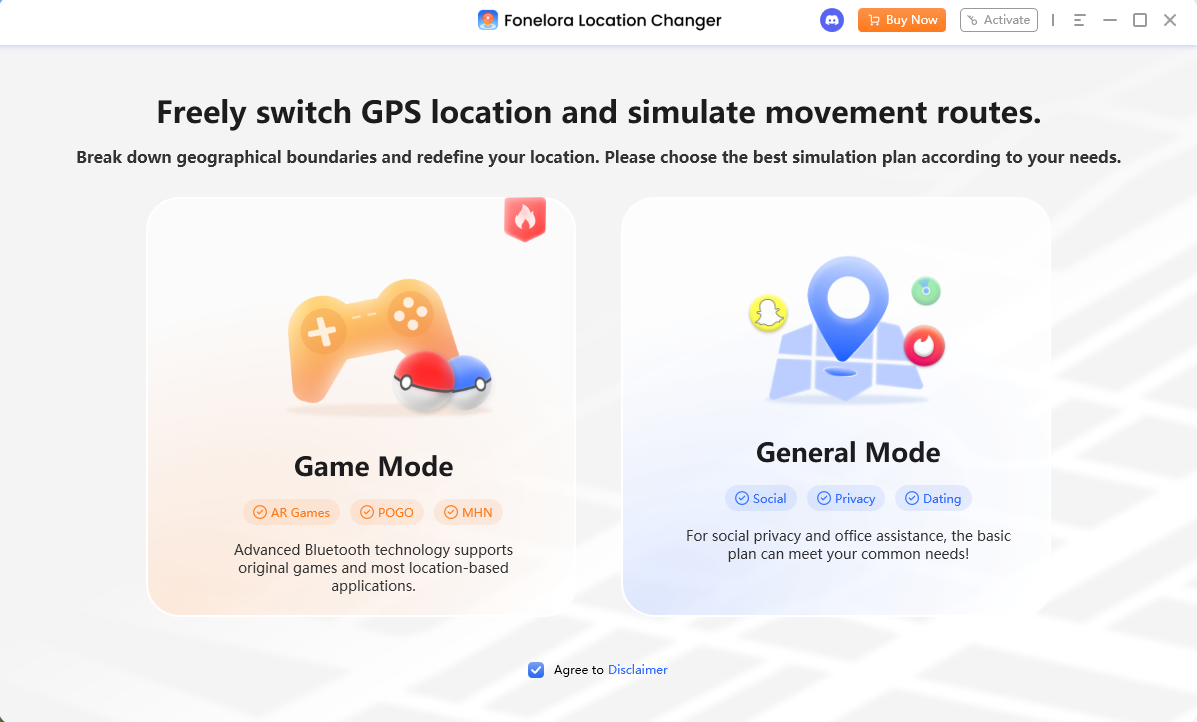
Select Game Mode: Choose the game-oriented setup to ensure the location changes are applied correctly to location-based games.
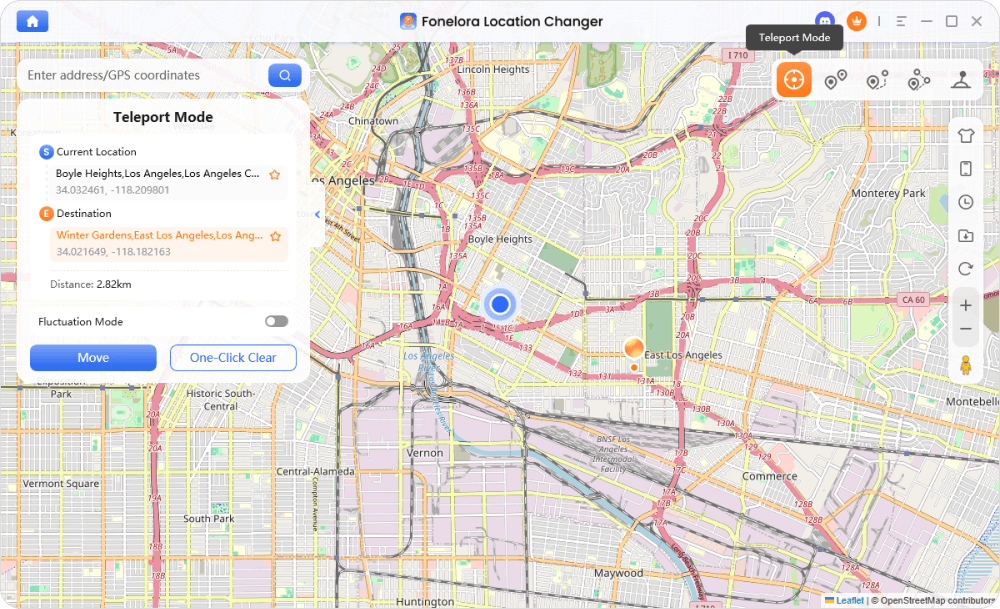
Use Teleport Mode for Nests: If you know the coordinates of an active Rookidee nest, use Teleport Mode to instantly change your GPS location and farm catches.
Use Joystick Mode for Buddy Walking: To farm buddy candies without leaving home, switch to GPS joystick control via Joystick Mode. This allows you to simulate natural walking in real-time with adjustable speeds, tricking the game into logging walking distance for your Buddy Rookidee.
Collect Your Candies: Catch nested Rookidee and accumulate buddy kilometers to hit your 125-candy goal faster.
Virtual movement results may vary based on your device, OS version, and game policy updates. Always check compatibility and use realistic movement speeds.
Managing Account Risk: The Importance of Cooldown Timers
Is it safe to instantly teleport to a Rookidee nest across the world? The short answer is: you must be careful. Niantic utilizes strict spoofing policies, and jumping long distances without waiting for an appropriate cooldown period can trigger a soft ban, temporarily preventing you from catching Pokémon or spinning PokéStops.
To manage this risk, you need to understand and follow standard cooldown rules. As a general guideline, if you teleport a long distance (such as across the country or globally), you must wait a maximum of two hours before interacting with the game in your new location. Fonelora Location Changer includes a built-in Cooldown Timer feature that calculates and displays this suggested waiting time directly on your screen, helping you avoid accidental account flags before you make your next move.
Complete Your Rookidee Evolution Today
The 125-candy requirement for Corviknight doesn’t have to keep you from enjoying one of the best Flying and Steel-type defenders in the game. By using a desktop-guided virtual movement workflow, you can farm buddy distance and visit active nests without relying on unstable, modified mobile apps.
Ready to finish your evolution chart? Learn more about the Fonelora Location Changer to safely simulate GPS movement, respect cooldowns, and get your Corviknight faster.

Fonelora Location Changer
- Bluetooth Hardware Simulation for Safer GPS Spoofing
- Realistic Movement & Route Simulation
- No Root or Jailbreak Required
- All-in-One Solution for Games, Social Apps & Privacy



