Updates | 8 iMovie Alternatives for Windows You Should Try
iMovie is well-known for its powerful video editing capabilities. Windows users want the same application or an alternative. In this article, we will present you with the best iMovie alternative for Windows.
Screenify – Best iMovie Alternatives for Windows
Try Screenify for free to record screen on Windows or Mac. Whether full-screen or partial-screen recording, recording with sound or with camera, Screenify can do it with ease.
100% Clean & Safe
Mac and iOS users may use iMovie to make stunning videos. What about the Windows users? Most Apple products come pre-installed with iMovie, which is both free and easy to use. iMovie is free, but it is only available on Apple devices, putting other users in the shadows.
Can we quickly produce amazing films using iMovie for Windows? Of course, we cannot!
Thus, there are several iMovie alternative tools available to help you create beautiful videos. This article lists 8 of the greatest and most excellent iMovie alternatives for Windows and Mac computers.
PART1: What is iMovie?
When it comes to generating videos, any Apple lover may suggest iMovie.
iMovie lets you easily edit and create films by merging photographs, clips, and music files. Regardless of your ability level, getting started is brutally simple. The program contains a variety of options for improving the visual and audio quality of the videos, including transitions, effects, titles, and audio editing.
Unfortunately, Apple has not published a Windows version of iMovie. This product cannot be downloaded for Windows 11, 10, 8, or 7. Professional video editing requires specialized editing techniques like equalization and noise reduction, which iMovie does not offer.
PART 2: Best 8 iMovie Alternatives for Windows
Although the iMovie program is not available for Windows, there are other options for editing. We’ve compiled a list of eight effective alternative to imovie for Windows.
1. Screenify
Screenify is a completely free screen recording utility for Windows and Mac that allows users to record their screen, audio, microphone, and camera simultaneously or separately. It supports high-quality recording up to 4K resolution at 60 fps and contains features like noise reduction and real-time annotations. Screenify is set apart because it offers a free recording experience with no time limitations, watermarks, or ads.
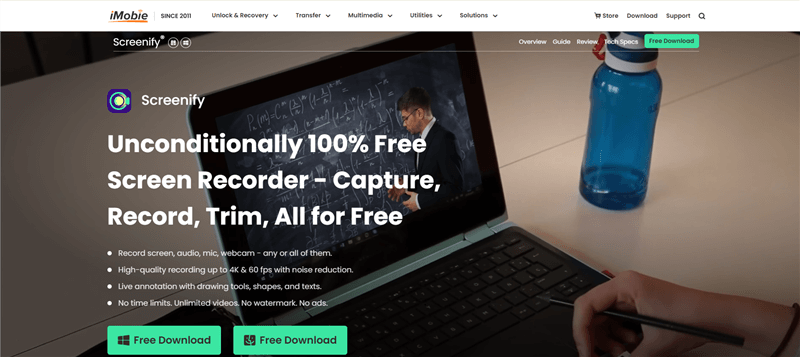
Screenify Website Interface
Screenify offers several key features and functions:
- High-Quality Output: Record in up to 4K resolution at 60 fps with real-time noise reduction for clear audio.
- Live Annotation: Add drawings, shapes, and text in real-time to enhance your recordings.
- Unlimited Recording: No time limits, watermarks, or ads, allowing for unrestricted video creation.
- Built-in Editing Tools: Trim videos to highlight essential content and cut unnecessary parts.
- Custom Watermark: Personalize your recordings with branded watermarks.
- Multiple Export Formats: Save videos in MP4, GIF, MOV, and export audio in formats like MP3, AAC, and OGG.
- Shortcut Controls: Easily start, pause, resume, or stop recordings with convenient shortcuts.
Free Download * 100% Clean & Safe
Best for:
Screenify is great for content makers, educators, and professionals seeking a free and adjustable screen recording solution. It’s also ideal for gamers, trainers, and anybody preparing presentations or lessons, as it provides high-quality recording with real-time annotations, noise reduction, and user-defined settings.
Price: Free
2. Shotcut
Shotcut is an open source free video editor that is a viable alternative to iMovie for Windows users. Its simple interface for cropping and video editing appealing to beginners. Shotcut supports several audio and video file types.. But in comparison to other high-end rivals, its website and general polish can be lacking.

Shotcut Interface
Advantages:
- Free and open-source.
- It supports a wide range of audio/video formats and has 4K resolution.
- Filters for editing are fully adjustable.
Disadvantages:
- Lower quality website and interface compared to other video editors.
- Lacks the features found in premium alternatives.
Best for:
Beginners, nonprofessionals, and those seeking basic to intermediate video editing without expensive software.
Price: Free
3. Adobe Premiere Pro
Adobe Premiere Pro is a professional media editor for Windows and iOS, is considered the standard for video editing. It includes tools like trim, chroma, colour correction, tracks, and animations. Although not free, it is on par with iMovies and is highly recommended for professionals.
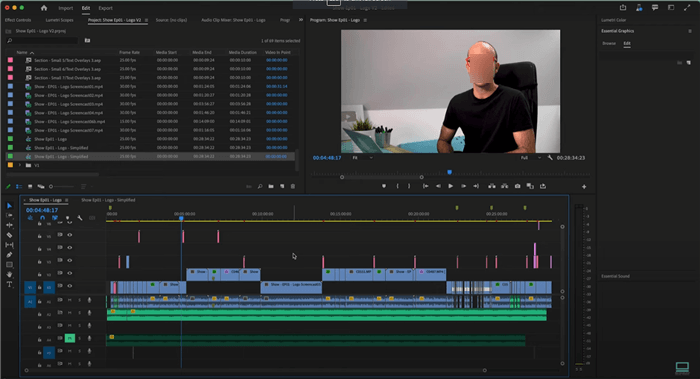
User Interface of Adobe Premiere Pro
Advantages:
- Extensive video and audio editing capabilities.
- Chroma key for green screens, animation, color correction, and other features.
- It integrates with Adobe Suite applications.
- It includes all of the other professional video editing features and customisable tools.
Disadvantages:
- It is more costly than free video editing tools such as iMovie.
- Must go through a challenging learning process.
- Not for beginners and complex interface.
Best for:
Adobe Premier Pro is a complicated software with numerous capabilities that is ideal for filmmakers and wedding video editors. Some content creators utilize it to create high-quality, legitimate content.
Price: $239.88 per year.
4. Davinci Resolve
Davinci Resolve is a professional-grade video editor developed by Blackmagic Design for post-production color correction. It offers essential editing tools, advanced color correction controls, audio mixing, visual effects, titles, captions, and subtitles. It is resourceful and resource-intensive, making it suitable for advanced users with powerful video cards and hardware.
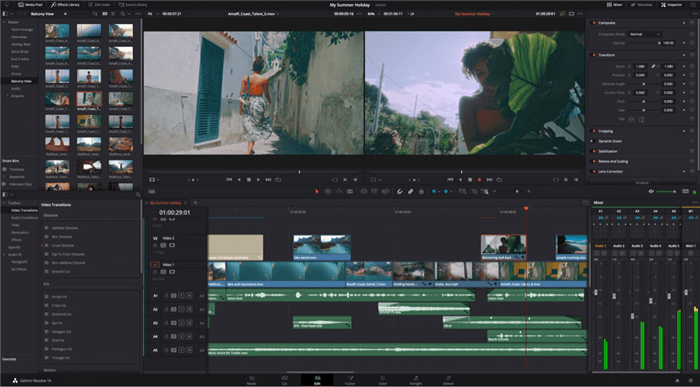
DaVinci Resolve Interface
Advantages:
- It includes industry-leading color correcting tools.
- A complete video editing, audio, and visual effects package.
- There is a free version available with great features.
Disadvantages:
- Requires high-end hardware for optimal performance.
- Limited format compatibility (for example, AVI requires third-party conversion).
- Beginners face a steep learning curve.
Best for:
Professional filmmakers, video editors, and colourists seeking advanced post-production tools. It is for intermediate to advanced users with high-performance hardware.
Price: Free (basic version), $295 for the full version (DaVinci Resolve Studio)
5. Kdenlive
Kdenlive is a lightweight video editor for Linux and Windows, offering features like trimming footage, muting or removing audio, changing speed, volume, and adding video effects. It has two video tracks and allows overwriting files. Kdenlive’s “Add color clip” feature adds a color screen to the timeline for transitions or backgrounds. Although it lacks built-in title templates, it offers animated title templates, FX, and export profile presets.
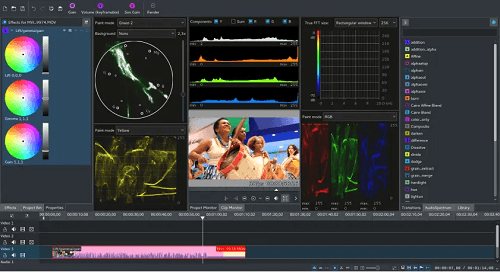
Kdenlive
Advantages:
- Free and lightweight, suitable for low-end computers.
- An intuitive interface with fundamental editing options like as cutting, speed control, and audio tweaks.
- The “Add Color Clip” option allows for rapid transitions or backdrops.
Disadvantages:
- Only two video tracks, which may be insufficient for large projects.
- There are no built-in title templates, thus users must explore other sources for further personalization choices.
- Installation might be challenging website is not reliable.
Best for:
Casual users or novices seeking a lightweight video editor for small tasks. For people using low-end PCs or seeking for a simple, free editing program.
Price: free
6. Riverside
Riverside is an affordable video recording and editing program that offers high-quality content editing. The program also offers AI transcriptions and Magic Clips for creating short videos. Users can customize layouts, backgrounds, audio level normalization, silence remover, background noise removal, and add video captions.
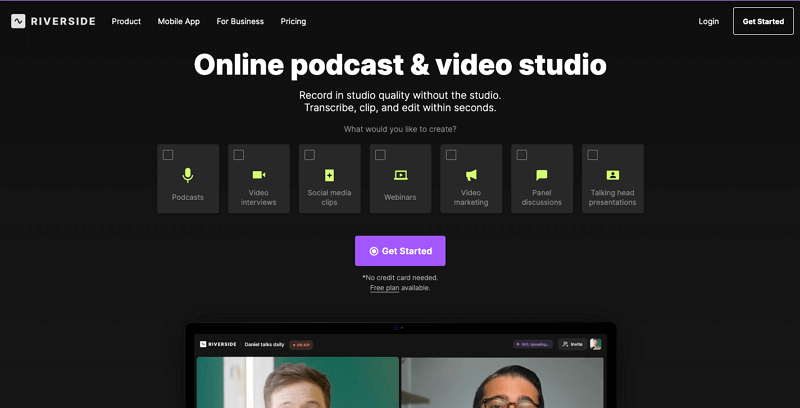
Riverside Official Webpage Interface
Advantages:
- Suitable for people of all ability levels.
- Highly accurate AI transcriptions for simple subtitles and captions.
- Quick audio fine-tuning with background noise reduction and audio level leveling.
Disadvantages:
- Watermark in the free version.
- Does not contain many transitions.
Best for:
Riverside is suitable for beginner editing users who wish to edit vlogs and podcasts. It is suitable for beginners because it includes cropping and trimming features.
Price: Free, $15.00 for Standard Version, $24.00 for Pro Version.
7. Filmora
Wondershare’s Filmora is a user-friendly video editing tool suitable for beginners, making it an excellent iMovie alternative. It offers pre-built editing effects and templates, and offers a free trial. However, users must purchase a license to remove a watermark on exported videos. The software is available in different price brackets.
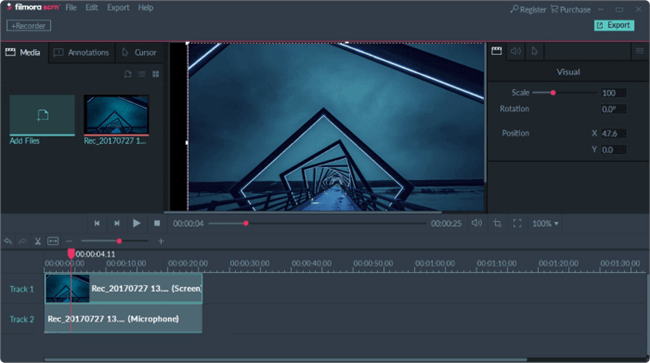
Screen Recorder for PC – Filmora Scrn
Advantages:
- User-friendly and straightforward UI.
- Pre-built effects and templates.
- Have many good features.
Disadvantages:
- It may be expensive for some people.
- Watermark in the free trial version.
Best for:
Filmora is for mid-level editors who are familiar with user editing tools and their features. It’s also great for consumers who have professional outcomes without requiring extensive expertise.
Price: Free trial, $69.99 (Standard), $99.99 (Pro).
8. OpenShot
OpenShot is open-source video editing program alternative to imovie. Advanced features include video effects, animations, and keyframe animation. It is a free alternative to iMove that is simple to use; but, its rendering performance is slower than other solutions, particularly for complicated projects.
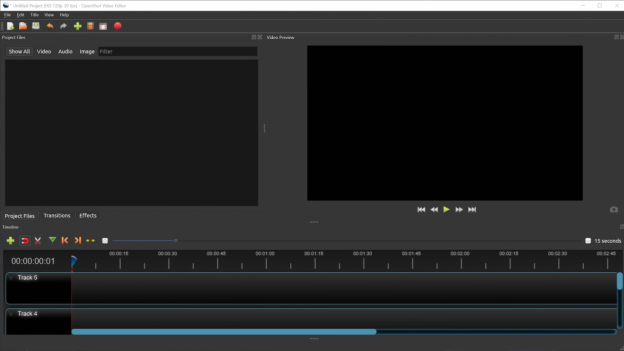
OpenShot Interface
Advantages:
- It’s free to download and use.
- Animations and visual effects are among the features.
- Simple for new video editors.
Disadvantages:
- Renders are slower than competitors.
- Fewer features than other alternatives.
Best for:
Openshot is for novices and casual video editors seeking a user-friendly editing tool with built-in effects.
Price: Free
Part 3: Screenify vs. iMovie
| Features | Screenify | iMovie |
| Price | 100% Free | Free with macOS, but exclusive to Apple devices |
| Platform Availability | Windows & Mac | Mac only |
| Screen Recording | Yes, with no time limits or restrictions | No, iMovie doesn’t support screen recording |
| Video Quality | Up to 4K resolution at 60fps | Up to 4K resolution |
| Watermark | No watermark/custom watermark available | No watermark, but lacks custom watermarks |
| Export Formats | MP4, GIF, MOV, MP3, AAC, OGG | MP4, MOV |
| Target Audience | Ideal for screen recording, tutorials, presentations, gameplay, and more | Best suited for video editing |
While iMovie is a capable video editing tool, Screenify stands out for its flexibility, offering both screen and webcam recording, real-time annotation, and high-quality output, all completely free with no restrictions. For users looking for a versatile, all-in-one solution, especially for screen recording, Screenify is the better choice!
PART4: An alternative to imovie for Windows Faqs
1. What should I use instead of iMovie?
If you’re looking for an alternative to iMovie for Windows, consider using Screenify. It offers excellent screen recording and basic editing capabilities without the restrictions of iMovie.
2. What free app is better than iMovie?
Shotcut, Kdenlive, and OpenShot are great free iMovie alternative for Windows. It provides powerful editing tools, complex capabilities, and user-friendly interfaces for a variety of editing tasks.
3. Is there something like iMovie for Windows?
Yes, there are several alternative to iMovie for Windows, including OpenShot and Filmora, which offer similar functionalities for video editing and creation.
PART5: Conclusion
In this article, we’ve explored some of the best iMovie alternatives for Windows, including powerful tools. For users seeking an effective alternative to iMovie for Windows that includes screen recording capabilities. It’s free, easy to use, and offers high-quality recording with no limits. Try Screenify for a comprehensive video creation experience!
Free Download * 100% Clean & Safe



Senior writer of the iMobie team as well as an Apple fan, love to help more users solve various types of iOS & Android-related issues.
Product-related questions? Contact Our Support Team to Get Quick Solution >
