Top 5 Screen Recorders for Roblox (Best for Gamers in 2026)
In this article, we have selected five top screen recording tools for recording Roblox games. Each tool has excellent recording performance and ease of use. Whether you are a novice player or an experienced game blogger, these tools can help you capture and save the most exciting game moments.
Screenify – Best Screen Recorders for Roblox
Try Screenify for free to record screen on Windows or Mac. Whether full-screen or partial-screen recording, recording with sound or with camera, Screenify can do it with ease.
100% Clean & Safe
In the world of Roblox, which is full of creativity and endless possibilities, it is exciting to capture wonderful moments and share them with others. Whether you want to show off your carefully designed virtual world or record exciting game moments, a powerful screen recording tool is essential. Faced with so many choices, it may be a bit tricky to find the best screen recording software for recording Roblox games. In this article, we will recommend five top Roblox screen recording tools to help you easily record high-quality game videos.
Top 1. Screenify
Screenify tops our list of Roblox video recorders, allowing you to record any video and game in 4K/60fps. Screenify supports multiple recording modes, including screen, audio, camera, or flexible selection of recording.
As for recording Roblox or other games, Screenify even allows you to record with unlimited duration/no watermark. Just click the button below to record Roblox games with high quality using Screenify.
Compatibility: Windows & macOS
Best for: Creating professional Roblox gameplay recording
Screenify has other advantages:
- Free and unlimited: no time limit, no ads, no watermarks, no definition limit, no number limit
- Multiple recording modes: record screen, audio, camera
- High quality: up to 4K/60fps video recording effect, no delay
- Easy to use: no complicated operations, just three steps to complete the recording
Free Download * 100% Clean & Safe
Pros:
- High-quality recording up to 4K & 60 fps with noise reduction
- Live annotation with drawing tools, shapes, and texts
- No time limits. Unlimited videos. No watermark. No Ads
Cons:
- Only V1 version has been released
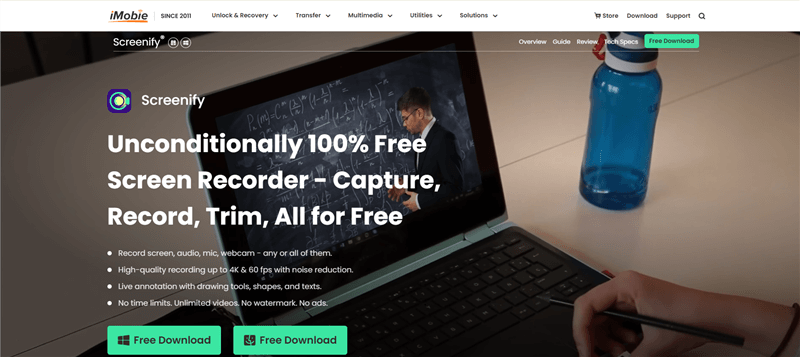
Screenify Website Interface
Top 2. Bandicam
Bandicam is a lightweight screen recording software known for its high compression rate and clear recording effects. For users who need to record Roblox games, Bandicam provides a convenient interface and easy-to-use functions while ensuring high-quality recording.
Compatibility: Windows
Best for: Users who want a simple, lightweight recorder for high-quality Roblox gameplay
Features:
- High compression rate: Record HD content without taking up a lot of storage space
- Game recording optimization: Optimized for game recording, supports 4K UHD recording
- Easy to use: The interface is simple and intuitive, suitable for all types of users
- Real-time painting: Annotate in real time during recording
Pros:
- Lightweight design, low system resource requirements
- Supports HD recording, suitable for game recording
- Real-time painting function makes recordings more interactive
Cons:
- Free version has recording time limit and watermark
- Need to purchase the full version to remove recording restrictions
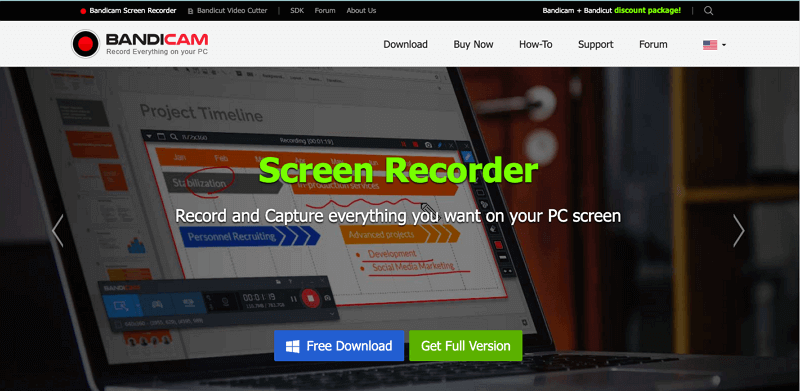
Bandicam Official Webpage Interface
Top 3. Fraps
Fraps is a classic game recording tool that is widely used for its simplicity and ease of use. It provides basic screen recording functions and is suitable for Roblox players who do not need complex settings and only need a reliable recording tool.
Compatibility: Windows
Best for: Gamers who prioritize simplicity and reliability for Roblox gameplay recording
Features:
- Simple and intuitive: It is very simple to install and operate, and you can start recording immediately
- High frame rate support: It can record game screens up to 120fps
- Screenshot: Built-in screenshot function, convenient for capturing exciting moments of the game
- Performance monitoring: It can display FPS in real time and monitor game performance
Pros:
- Minimalist user interface, simple and direct operation
- High frame rate recording to ensure smooth game screen
- Small size, slight performance impact
Cons:
- Free version has time limit and watermark
- You need to pay to unlock full functions
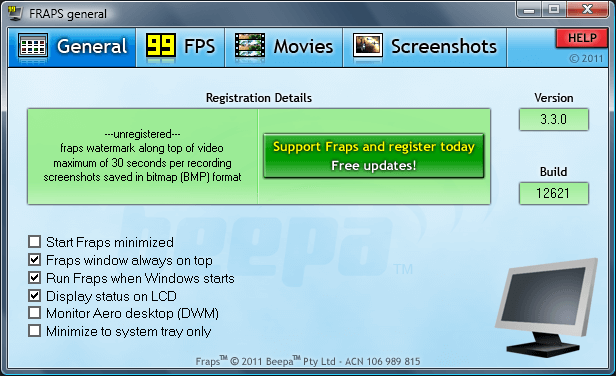
Fraps – Real Time Game Video Capture
Top 4. OBS Studio
OBS Studio is a powerful open source screen recording software that is ideal for users who want fine control over the recording process. It supports multiple recording formats and allows users to customize various parameters such as bitrate, resolution, and frame rate, making it a great choice for recording games such as Roblox.
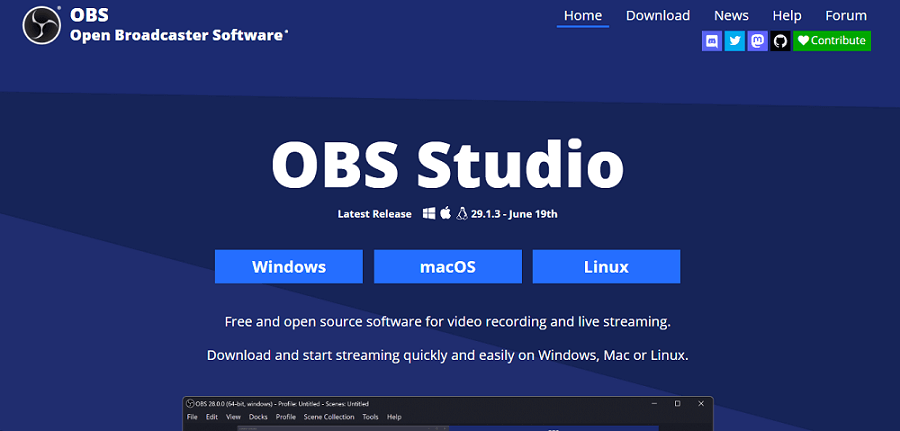
OBS Studio
Compatibility: Windows, macOS, Linux
Best for: Advanced users who need customizable recording options for Roblox gameplay
Features:
- Open source software: completely free, ad-free, and watermark-free
- Multi-platform support: compatible with Windows, macOS, and Linux systems
- Flexible settings: support custom resolution, frame rate, and bitrate
- Live streaming: simultaneous recording and live broadcasting capabilities, support for multiple streaming platforms
Pros:
- Highly customizable recording options for advanced users
- Support for plug-in extensions, powerful functions
- Seamless combination of live streaming and recording functions
Cons:
- The interface is relatively complex, and beginners may need time to learn

Top 5. AZ Screen Recorder
AZ Screen Recorder is a very popular Android screen recording app for users who want to record Roblox games on mobile devices. It is famous for being ad-free, watermark-free and feature-rich, providing a variety of functions including video editing, recording, screenshots and more.
Compatibility: Android
Best for: Mobile gamers who need an easy-to-use recorder for Roblox gameplay on Android
Features:
- No watermark: no watermark will be left during the recording process, and the video will be cleaner
- High-quality recording: Supports Full HD recording with adjustable bitrate and frame rate
- Video editing: integrated video cropping, merging, GIF conversion and other functions
- Floating control: Use floating button control during recording, which is convenient and fast
Pros:
- No advertising interference, video recording is smoother
- Completely free to use basic functions
- Ideal for quickly and easily recording and editing content on mobile devices
Cons:
- Advanced features (such as live streaming, video editor) need to be unlocked through in-app purchases
- Only available on Android devices, not available on iOS
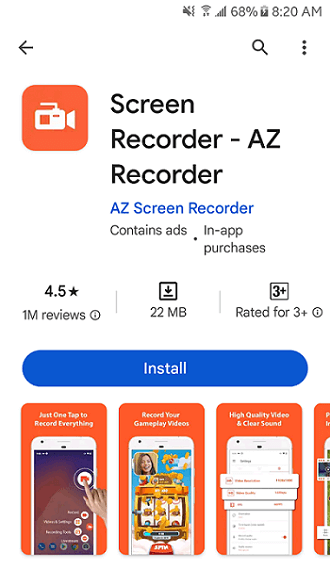
Install AZ Screen Recorder
Related reading:
What to Look for in Roblox Recorder
When choosing a screen recorder for Roblox, there are several important factors to consider to ensure that you get the best recording experience and quality. Here’s what to look for in a Roblox recorder:
- Resolution: Look for a recorder that supports at least 1080p, with 4K being best for the highest quality recordings.
- Frame rate: Choose a recorder that can handle 60fps or higher for smooth, detailed gameplay videos.
- Low CPU/GPU usage: The recorder should be optimized to use minimal system resources, reducing the likelihood of lag or performance issues during gameplay.
- Lag-free recording: Make sure the software can capture smooth gameplay without introducing lag, especially during high-action scenes.
- Audio capture: Look for options to record in-game audio, microphone input, or both.
- Built-in editor: Some recorders include basic editing tools, allowing you to trim, cut, or add effects without the need for separate software.
Screen Recorder for Roblox Faqs
1. Does Roblox have a screen recorder?
Yes, Roblox has a built-in screen recorder. This feature allows players to capture gameplay directly within the Roblox platform without the need for external software. However, it is relatively basic and may not offer the advanced features, quality, or flexibility that other dedicated screen recording software provides.
2. What screen recorder do YouTubers use for Roblox?
YouTubers who create Roblox content often use a variety of screen recorders depending on their needs and preferences. Some popular choices include:
- Screenify: A newer option that’s gaining popularity for its high-quality recording capabilities and user-friendly interface.
- Bandicam: Known for its simplicity and high-quality recordings, it’s a favorite among those who prefer an easy-to-use interface.
- Camtasia: An all-in-one screen recorder and video editor, ideal for those who want to produce professional-looking videos with less effort.
3. What is the best screen recorder for Roblox PC?
The “best” screen recorder can vary based on individual needs, but some top options for recording Roblox on a PC include:
- Screenify: Offers 4K/60fps recording with no watermark, no time limit, and a user-friendly interface, making it ideal for professional-looking recordings.
- OBS Studio: Perfect for those looking for a free, versatile, and highly customizable solution.
- Bandicam: Provides high-quality recording with a simple interface, ideal for users who want a straightforward recording experience.
- Nvidia ShadowPlay: Great for those with Nvidia graphics cards, offering high-quality recording with minimal impact on system performance.
4. Which Roblox screen recorder has no lag?
To minimize lag while recording Roblox, it’s important to choose a screen recorder that’s optimized for performance:
- OBS Studio: When properly configured, OBS Studio can record Roblox gameplay with little to no lag, making it a top choice for many content creators.
- Nvidia ShadowPlay: Known for its low system impact, especially for those with Nvidia GPUs, it offers smooth recording without noticeable lag.
- Screenify: Optimized for high-quality recordings, it ensures minimal lag during gameplay, especially on high-performance PCs.
The Bottom Line
Quality, performance, and ease of use are all crucial factors when choosing a screen recording tool for recording Roblox games. Among the five top screen recording tools we listed, Screenify stands out as the best choice with its high-quality recording capabilities of no watermark, unlimited duration, and 4K/60fps. Whether you want to capture smooth game screens or make professional-level game videos, Screenify can meet your needs. If you are looking for a stable and powerful screen recording tool to enhance your Roblox gaming experience, you might as well try Screenify, which will be your best recording assistant.
Free Download * 100% Clean & Safe



Senior writer of the iMobie team as well as an Apple fan, love to help more users solve various types of iOS & Android-related issues.
Product-related questions? Contact Our Support Team to Get Quick Solution >
