Download AnyUnlock to Remove Various Locks from iOS Device
Free Download For Win & Mac | 100% Clean & Secure
 Basic Information
 Unlock Screen
Passcode
Unlock Screen
Passcode Unlock Apple ID
  Bypass iCloud
Activation
Bypass iCloud
Activation  Bypass MDM
 Remove SIM Lock
 Unlock
Screen Time Passcode
Unlock
Screen Time Passcode Remove iTunes
Backup Encryption
Remove iTunes
Backup Encryption Turn Off Camera Sound
 iOS Password
Manager
iOS Password
Manager iTunes
Backup Password Recovery
iTunes
Backup Password Recovery Find Apple ID
 iDevice Verification
 Turn off Find My iPhone
 FAQs
FAQs Need Further Help?
Bypass iCloud Activation Lock
What Is iCloud Activation Lock?
Activation Lock is a feature under Find My iPhone/iPad/iPod touch option, which prevents the iOS device being used if it's ever lost or stolen.
Firstly, we would like to share some problems our customers encountered:
“I need to know if there is a way to reset my iPhone from my computer without iCloud. I cannot recover my password as the email used is no longer valid and my phone is lost.”
“I really need your help in unlocking my iPhone which I can't remember this apple id information.”
“Please, someone stole my phone and changed all the information, now I have arrested him for it, and he ran away, how will I bypass the activation mode.”
“Good Morning! I am hoping to use this to bypass an activation lock on an iPad 7 running iOS 16.4. Which is already sutck on the screen showing Activation Lock".
If you just encounter the similar situation above (Apple ID and password are not available for the innocent users and consumers), don’t worry. You can try “Bypass iCloud Activation Lock” mode to bypass iCloud activation lock with a few clicks. The following instructions will help you do it.
Important Information You May Concern
We take your satisfaction in priority. We truly hope you will have a happy experience with iMobie. Thus, we highly recommend you to read the restrictions before purchasing AnyUnlock - iPhone Password Unlocker. If your device or iOS version is not supported, please do not purchase it.
| iOS Version | Device Model | Jailbreak Effect |
| iOS 12.0 to iOS 15.0 (excluding iOS 15.0) | iPhone: 5S, 6 / 6 Plus, 6S / 6S Plus, 7 / 7 Plus, 8 / 8 Plus, X, SE (1st generation) |
1. Cannot use SIM cards to make calls and use cellular data to surf the Internet. 2. Cannot make FaceTime and send iMessages. 3. Cannot log in to a new iCloud account in the account settings. 4. Cannot be used with iTunes. |
| iPad: iPad (3rd–7th gen) | ||
| iPad Air: iPad Air (1st-2nd gen) | ||
| iPad mini: iPad mini 2, 3, 4 | ||
| iPad Pro: iPad Pro 9.7-inch (1st gen), 10.5-inch (2nd gen), 12.9-inch (1st-2nd gen) | ||
| iPod touch: iPod Touch (6th, 7th generations) | ||
| iOS 15.0 to iOS 16.0 (excluding iOS 16.0) (Mac only) | iPhone: 6S / 6S Plus, 7 / 7 Plus, 8 / 8 Plus, X, SE (1st generation) | Without Jailbreak |
| iPad: iPad (5td-7th gen) | ||
| iPad Air: iPad Air 2th generations | ||
| iPad mini: iPad mini 4 | ||
| iPad Pro: iPad Pro 9.7-inch (1st gen), 10.5-inch (2nd gen), 12.9-inch (1st-2nd gen) | ||
| iPod touch: iPod Touch 7th generations | ||
| iOS 15.0 to iOS 16.7.16 (Windows only) | iPhone: 6S / 6S Plus, 7 / 7 Plus, 8 / 8 Plus, X, SE (1st generation) |
1. Cannot use SIM cards to make calls and use cellular data to surf the Internet. 2. Cannot make FaceTime and send iMessages. 3. Cannot log in to a new iCloud account in the account settings. 4. Cannot be used with iTunes. |
| iPad: iPad (5td-7th gen) | ||
| iPad Air: iPad Air 2th generations | ||
| iPad mini: iPad mini 4 | ||
| iPad Pro: iPad Pro 9.7-inch (1st gen), 10.5-inch (2nd gen), 12.9-inch (1st-2nd gen) | ||
| iPod touch: iPod Touch 7th generations | ||
| iOS 16.0 to iOS 16.7.16 (Mac only) | iPhone: 8 / 8 Plus, X |
1. Cannot use SIM cards to make calls and use cellular data to surf the Internet. 2. Cannot make FaceTime and send iMessages. 3. Cannot log in to a new iCloud account in the account settings. 4. Cannot be used with iTunes. |
| iPad: iPad (5td-7th gen) | ||
| iPad Pro: iPad Pro 9.7-inch (1st gen), 10.5-inch (2nd gen), 12.9-inch (1st-2nd gen) | ||
| iOS 17.2 to iOS 26.1 | iPhone: iPhone XS, iPhone XS Max, iPhone XR, iPhone 11, iPhone 11 Pro, iPhone 11 Pro Max, iPhone SE (2nd generation), iPhone 12 mini, iPhone 12, iPhone 12 Pro, iPhone 12 Pro Max, iPhone 13 Pro, iPhone 13 Pro Max, iPhone 13 mini, iPhone 13, iPhone SE (3rd generation), iPhone 14, iPhone 14 Plus, iPhone 14 Pro, iPhone 14 Pro Max, iPhone 15, iPhone 15 Plus, iPhone 15 Pro, iPhone 15 Pro Max, iPhone 16 Pro, iPhone 16 Pro Max, iPhone 16, iPhone 16 Plus, iPhone 16e, iPhone 17 Pro, iPhone 17 Pro Max, iPhone 17, iPhone Air | Without Jailbreak |
| iPad: iPad (8th-11th gen) | ||
| iPad mini: iPad mini 5, 6 | ||
| iPad Air: iPad Air 3, 4, 5, iPad Air 11-inch (M2), iPad Air 13-inch (M2) | ||
| iPad Pro: iPad Pro 11-inch (1st-4th gen), iPad Pro 12.9-inch (3rd-6th gen) |
Differences between Trial & Activated Version
| Functions | Trial Version | Activated Version |
| Bypass iCloud Activation Lock |  |
 |
Part 1. Bypass iCloud Activation Lock for iOS 12.0 - iOS 14.8.1
Step 1. Download AnyUnlock - iPhone Password Unlocker on Computer.
Download and install AnyUnlock - iPhone Password Unlocker on your computer. Then, launch AnyUnlock on your computer and choose “Bypass iCloud Activation Lock” mode directly.
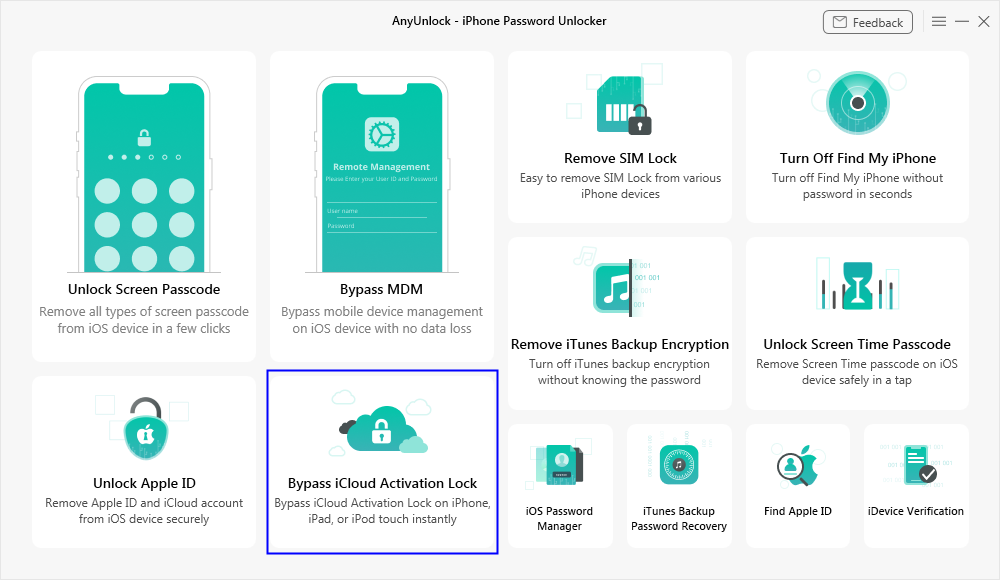
Choose Bypass iCloud Activation Lock Mode
Step 2. Connect Your iPhone/iPad/iPod touch to Computer via a USB Cable.
Please connect your iOS device to the computer via a USB cable. Once your device is detected, you will see the interface as shown below. And click the "Start Now" option.
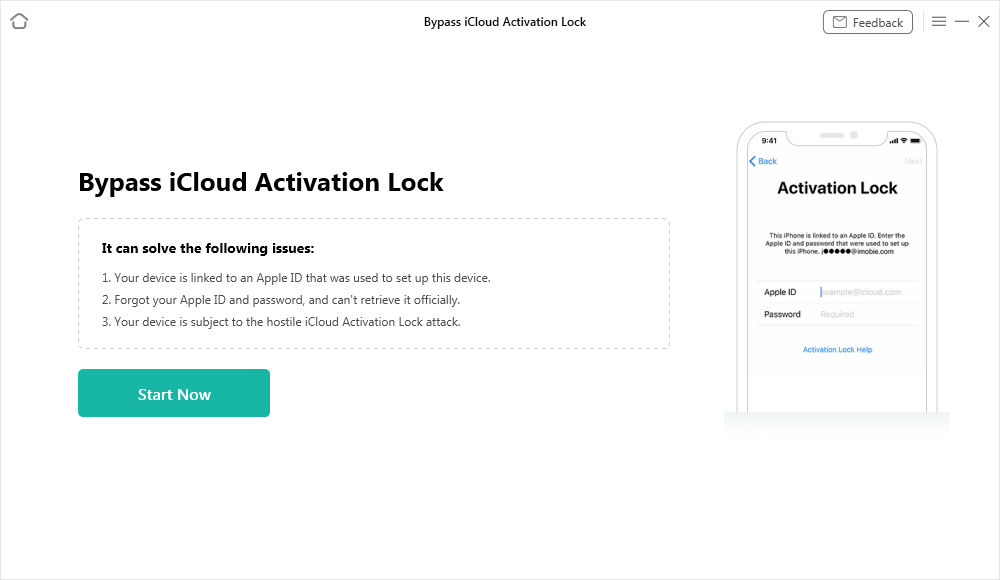
Your Device is Detected
Currently, AnyUnlock-iPhone Password Unlocker only supports devices running iOS 12.0 - iOS 16.7.11 (iOS 12.4.5 & 12.4.6 excluded). These are the supported device models:
iPhone: iPhone 5S, iPhone 6/6 Plus, iPhone 6S/6S Plus, iPhone 7/7 Plus, iPhone 8/8 Plus, iPhone X, iPhone SE 1
iPad: 5th Generation iPad (2017), 6th Generation iPad (2018), 7th Generation iPad (2019); iPad mini 4 (2015); iPad Air 2 (2014)
iPad Pro: 12.9-inch 1st Generation iPad Pro (2015), 12.9-inch 2nd Generation iPad Pro (2017), 9.7-inch iPad Pro (2016), 10.5-inch iPad Pro (2017)
iPod: iPod touch 6, iPod touch 7
For Mac computer users, this function can also support iPad mini 2 (2013), iPad mini 3 (2014), iPad Air (2013).
Next, click the "Jailbreak Now" button and carefully read the "Terms of Use". If you agree, be sure to check the box to proceed.
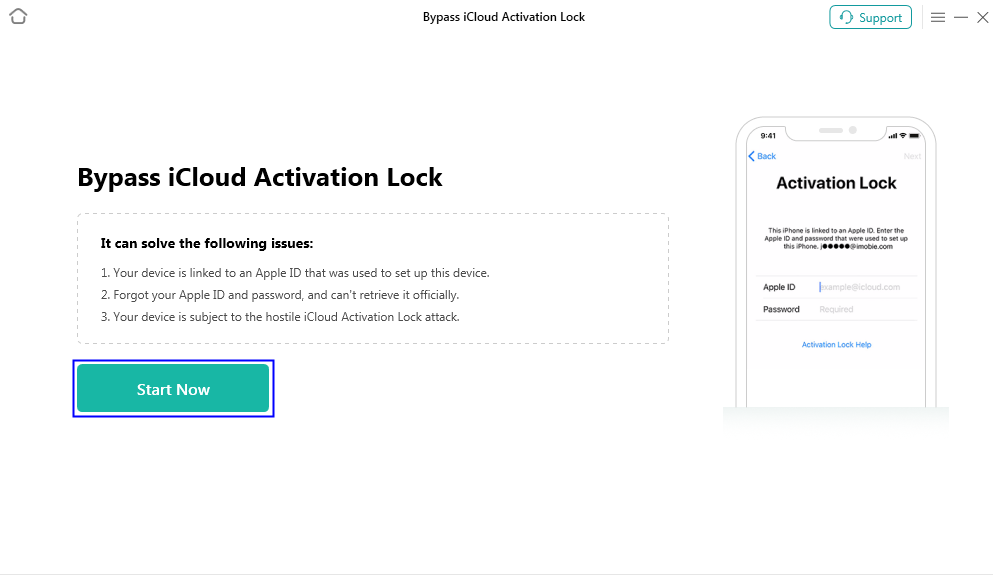
Click Jailbreak Now Button
Step 3. Jailbreak Your iOS Device.
Then, you will see the interface below. You can jailbreak your iOS device by yourself or use our recommended jailbreak tutorial to do it.
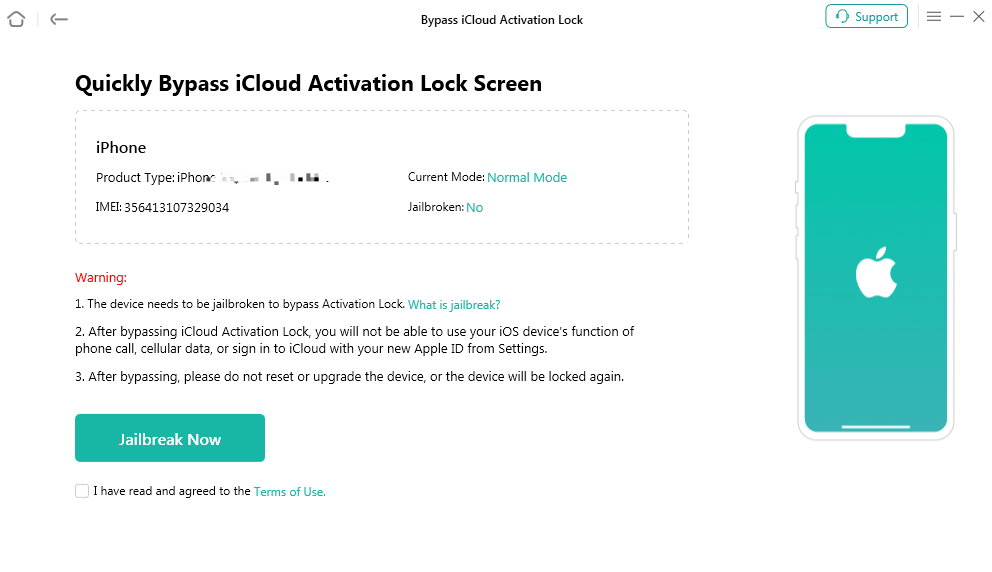
Jailbreak Interface
After the jailbreak is done, please click “Next” button.
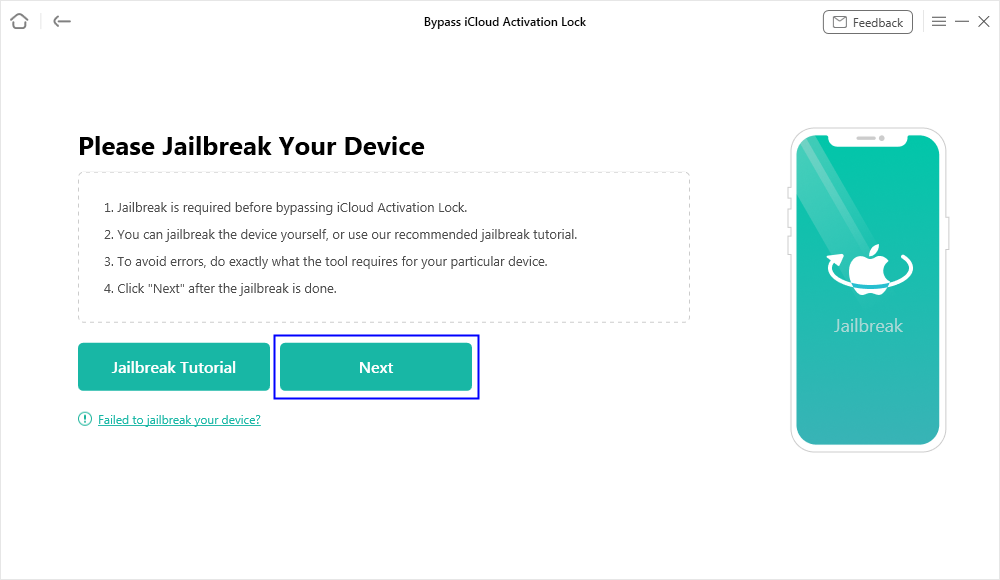
Jailbreak is Done
1. The possible effects after the jailbreaking:
a. Cannot use the iOS device's function of Phone Call, Cellular Data.
b. Cannot make FaceTime calls or send iMessages.
c. Cannot sign in to iCloud with your new Apple ID from Settings.
d. Cannot be used with iTunes.
2. After completing bypassing process, please do not reset or upgrade the device, or the device will be locked again.
Step 4. Start to Bypass iCloud Activation Lock.
After you click the “Next” button, you will see the interface as below. And you can view the basic info about your device. Then, please click “Bypass Now” button.
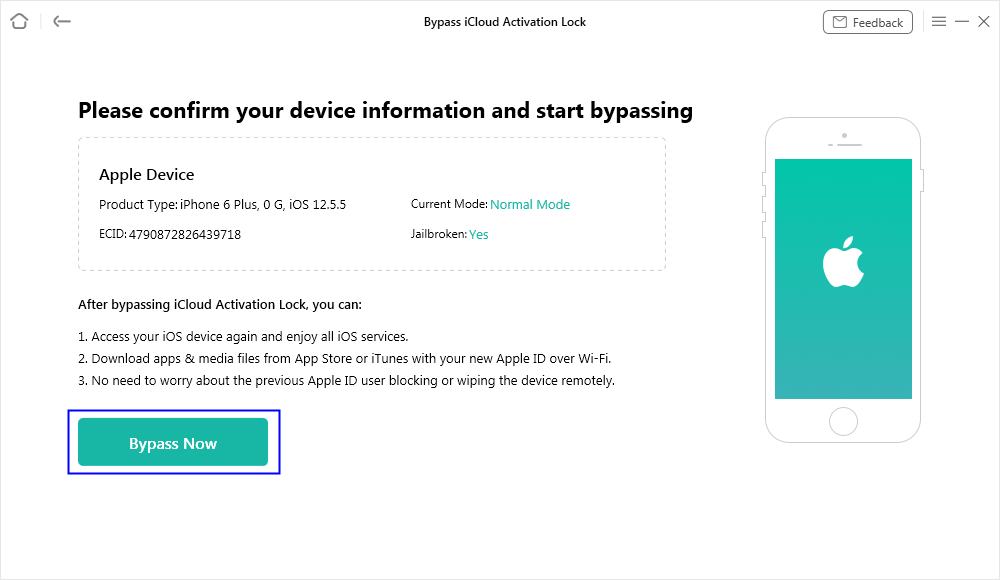
Click Bypass Now Button
After selecting the option, our software will start to bypass iCloud activation lock automatically. Please keep your device connected to computer via the USB cable during the bypassing process.
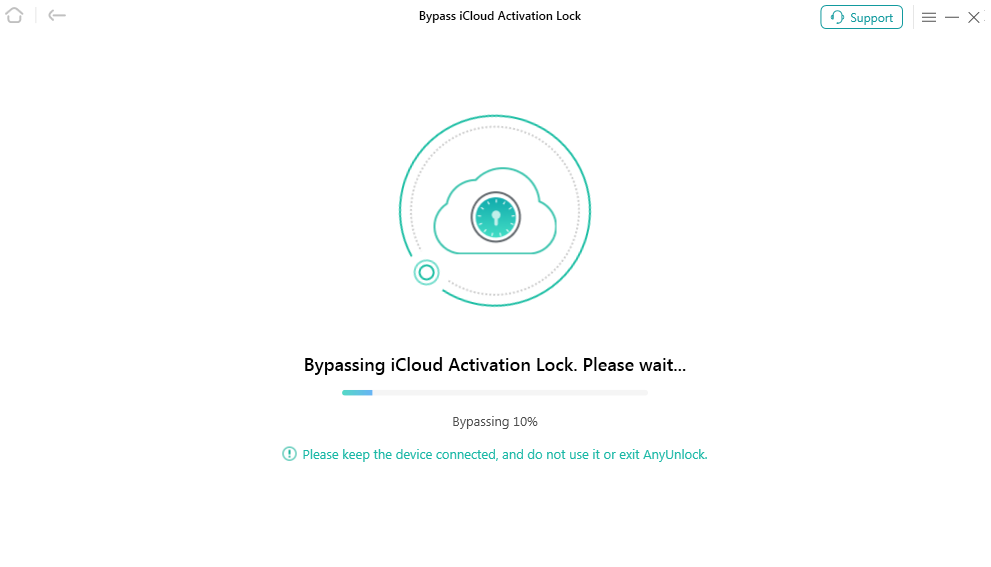
Start to Bypass iCloud Activation Lock
Step 5. Succeed in Bypassing iCloud Activation Lock.
When the bypassing process is completed, you will see the interface as below. And you can go to the home page by clicking “Done” button.
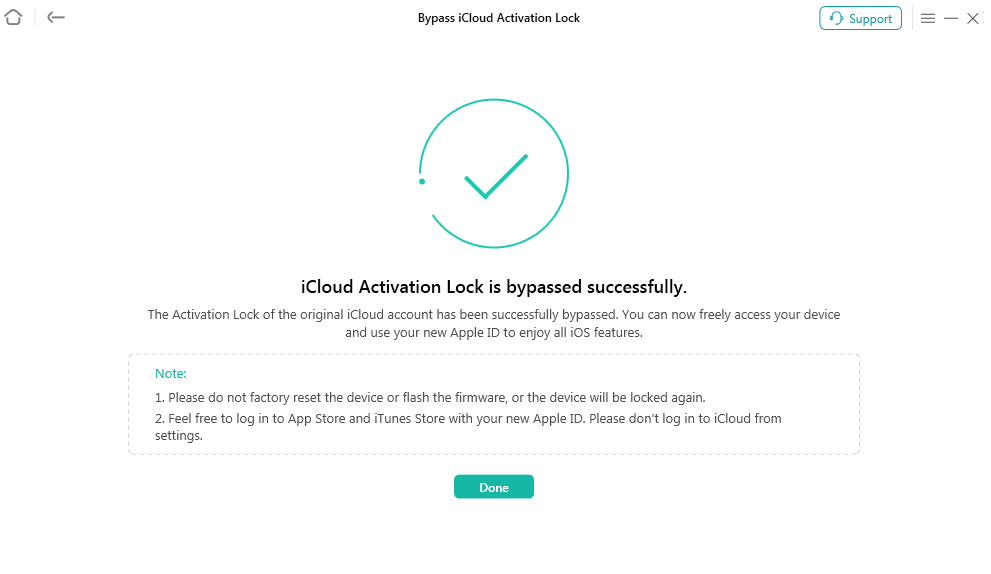
Bypassing Process is Completed
1. Please do not reset the device or flash the firmware, otherwise the device will be locked again.
2. Feel free to log in to App Store and iTunes Store with your new Apple ID. Please do not log in to iCloud from settings.
Part 2. Bypass iCloud Activation Lock for iOS 15.0 - iOS 16.7.16
Step 1. Download AnyUnlock - iPhone Password Unlocker on Computer.
Download and install AnyUnlock - iPhone Password Unlocker on your computer. Then, launch AnyUnlock on your computer and choose “Bypass iCloud Activation Lock” mode directly.
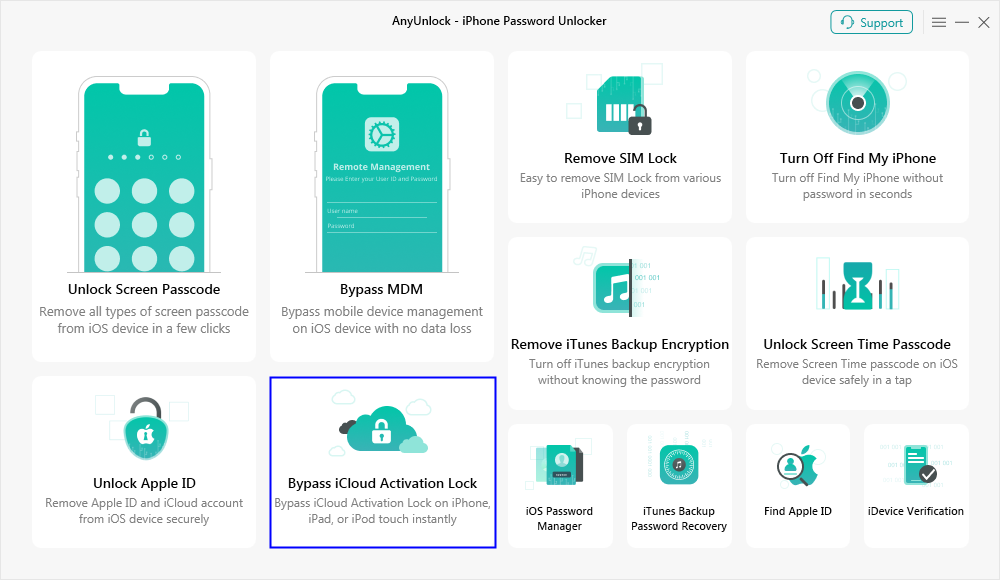
Select Bypass iCloud Activation Lock Mode
Step 2. Connect Your iPhone/iPad/iPod touch to Computer via a USB Cable.
Please connect your iOS device to computer via a USB cable. Then, please click “Start Now” button.
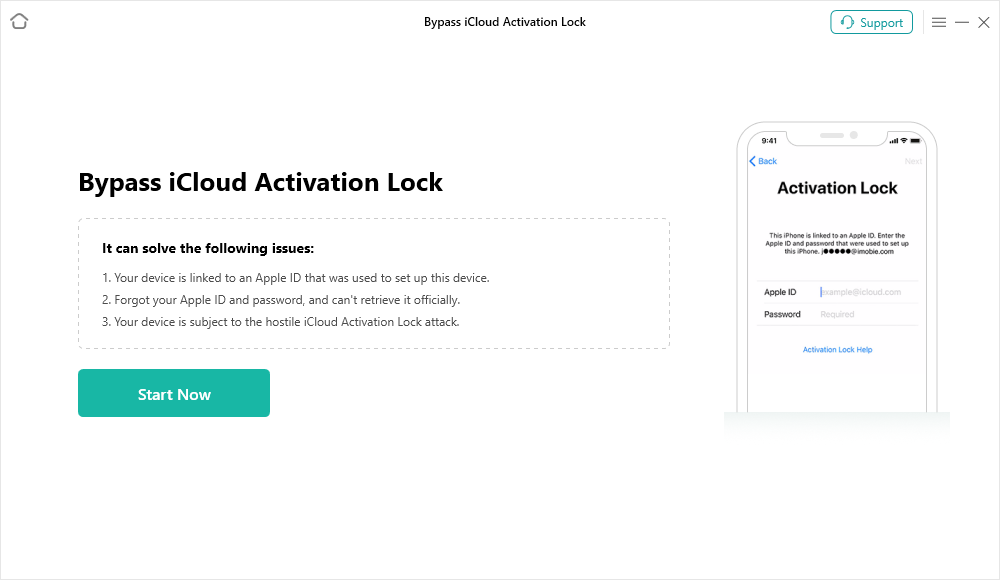
Connect the Device and Click Start Now Button
Step 3. Jailbreak Your iOS Device.
Please read the "Terms of Use" carefully before proceeding. If you agree, make sure to check the box, then click the "Jailbreak Now" button.
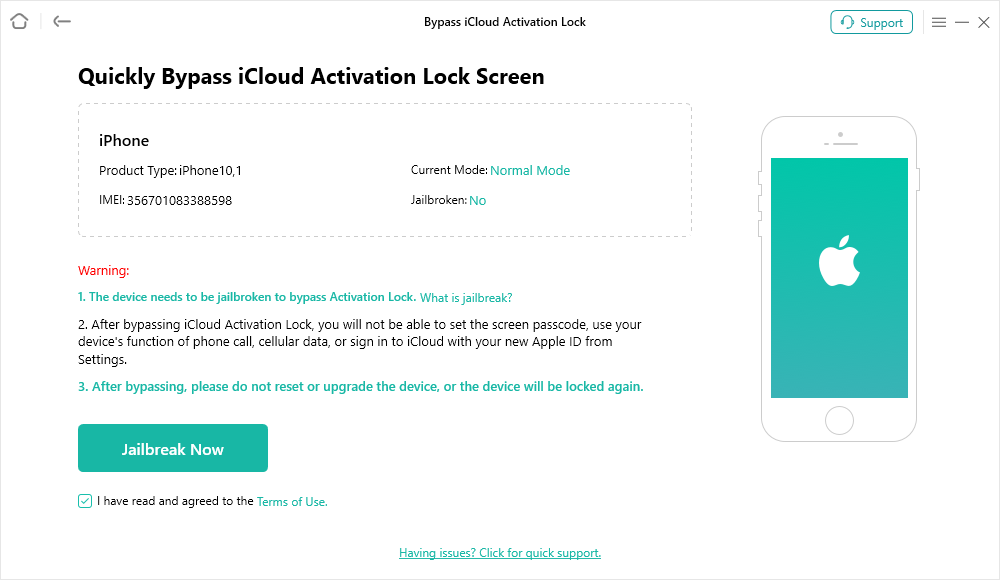
Click Jailbreak Now Button
Then, please choose your device model and follow the instructions in the window to enter DFU mode.
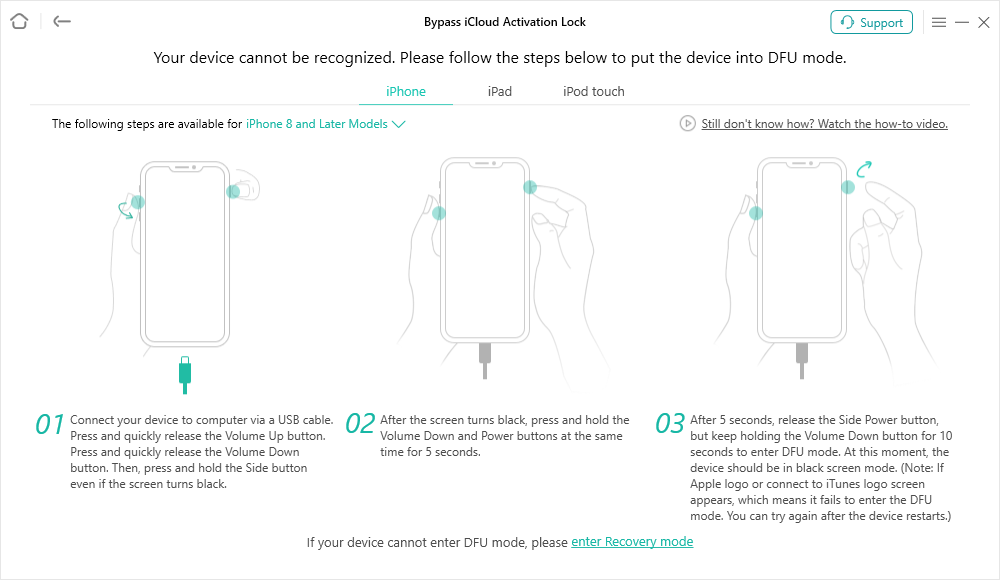
Put Device into DFU Mode
To enter “DFU Mode”, you can refer to the detailed instructions here.
After entering into DFU mode, it will start Jailbreak progress.
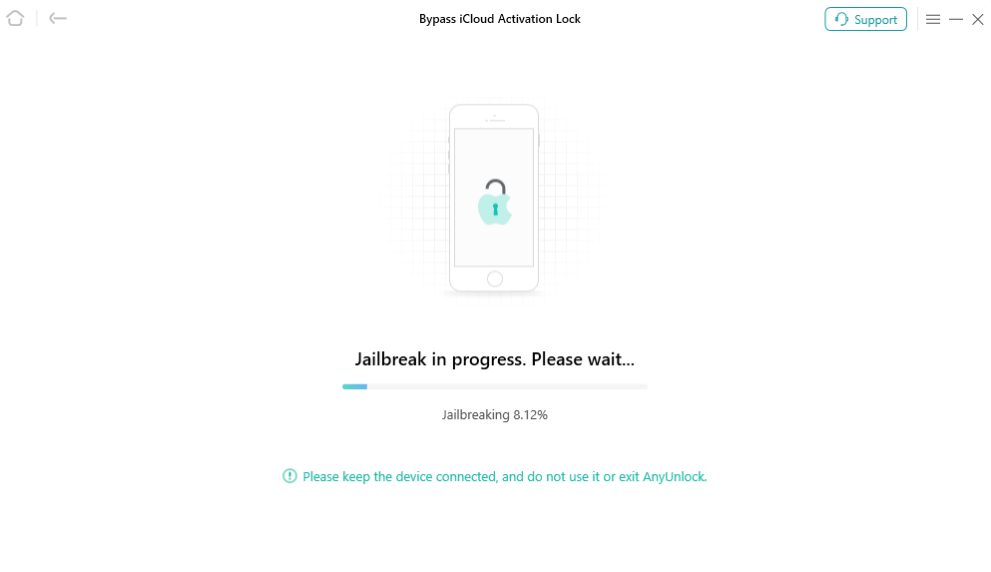
Jailbreak the Device
The possible effects after the jailbreaking:
a. Cannot use the iOS device's function of Phone Call, Cellular Data.
b. Cannot make FaceTime calls or send iMessages.
c. Cannot sign in to iCloud with your new Apple ID from Settings.
d. Cannot be used with iTunes.
Step 4. Start to Bypass iCloud Activation Lock.
After finishing the jailbreak process, you can view the basic info about your device. Then, please click “Bypass Now” button, and refer to the online guide to exit DFU mode. If your device is not in DFU mode after jailbreaking, please turn to next step.
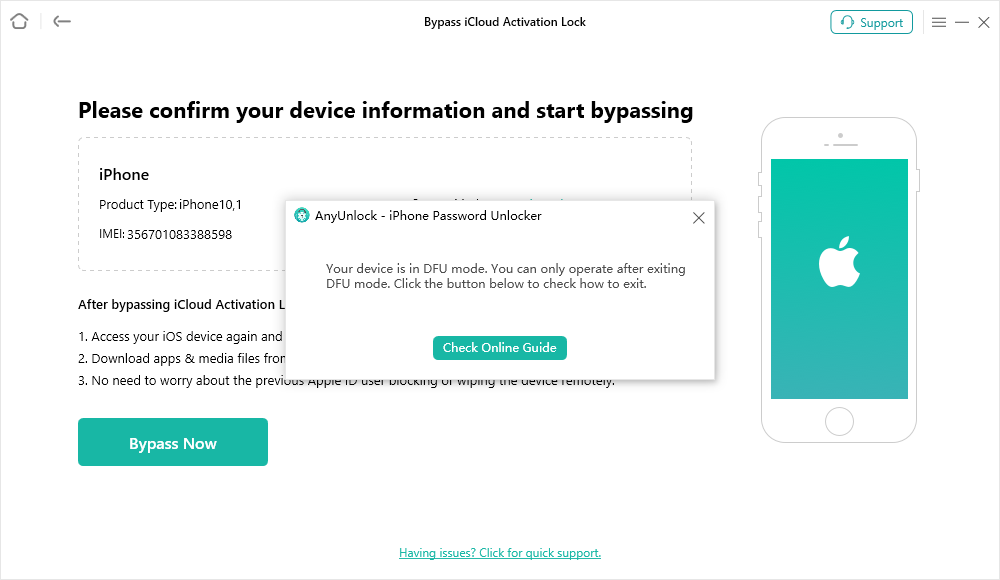
Click Bypass Now Button and Exit DFU Mode
To exit “DFU Mode”, you can refer to the detailed instructions here.
Before you start to bypass the Activation Lock, you need to put the device into DFU mode manually again. Please follow the instructions on the interface to enter DFU mode again.
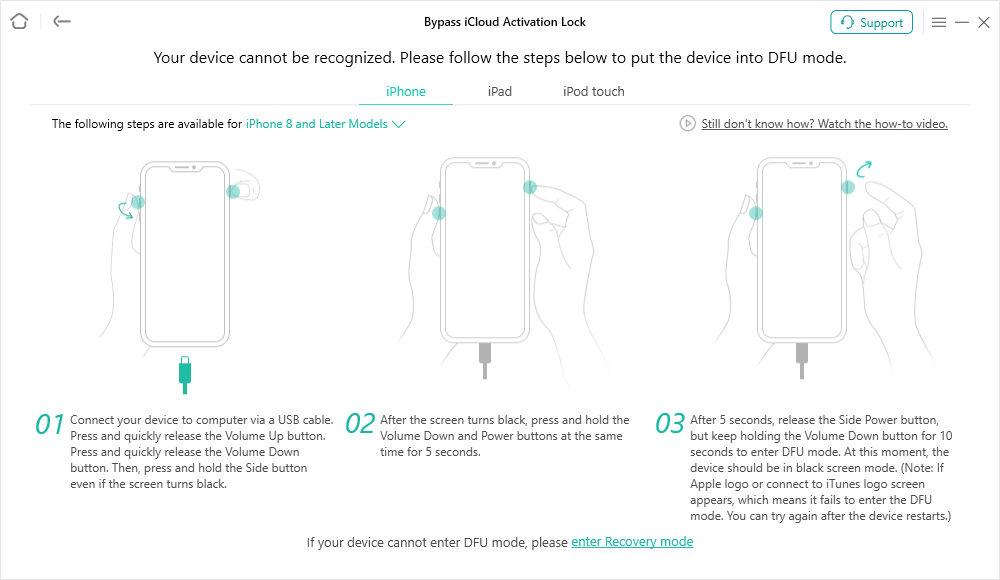
Put Device into DFU Mode Again
Then, our software will start to bypass iCloud activation lock automatically. Please keep your device connected to computer via the USB cable during the bypassing process.
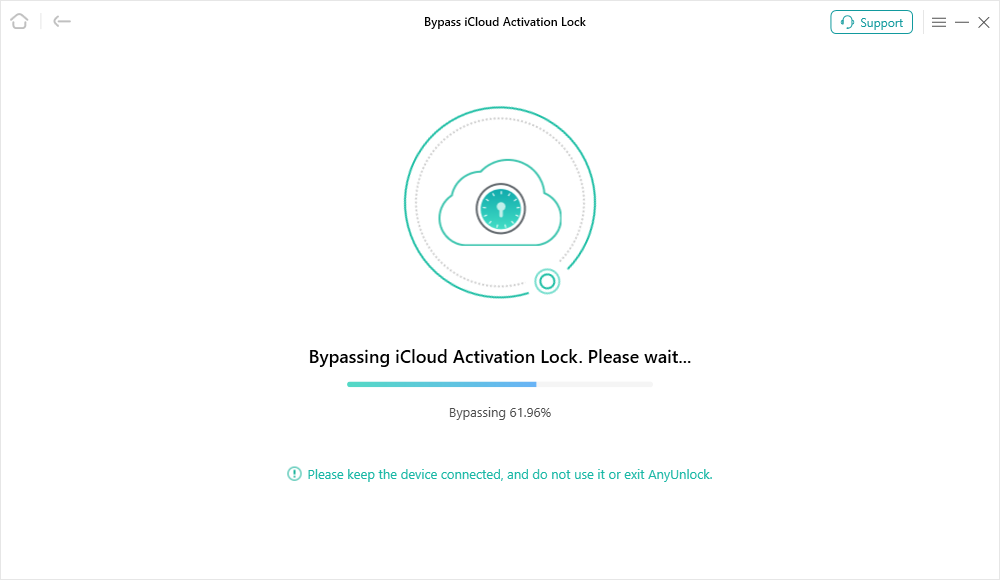
Bypass iCloud Activation Lock
Step 5. Succeed in Bypassing iCloud Activation Lock.
When the bypassing process is completed, you will see the interface as below. And you can go to the home page by clicking “Done” button.
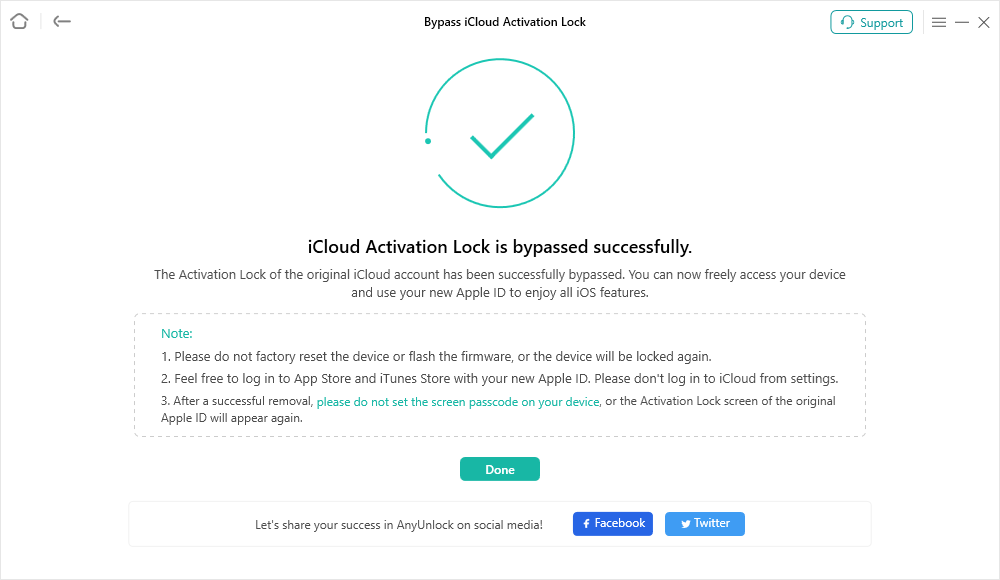
Bypass Successful
1. Please do not factory reset the device or flash the firmware, or the device will be locked again.
2. Feel free to log in Apple Store and iTunes Store with your new Apple ID. Please don’t log in to iCloud from settings.
3. After a successful removal, please do not set the screen passcode on your device, or the Activation Lock screen of the original Apple ID will appear again.
Part 3. Bypass iCloud Activation Lock for iOS 17.2 - iOS 26.1
Step 1. Download AnyUnlock - iPhone Password Unlocker on Computer.
Download and install AnyUnlock - iPhone Password Unlocker on your computer. Then, launch AnyUnlock on your computer and choose Bypass iCloud Activation Lock mode directly.
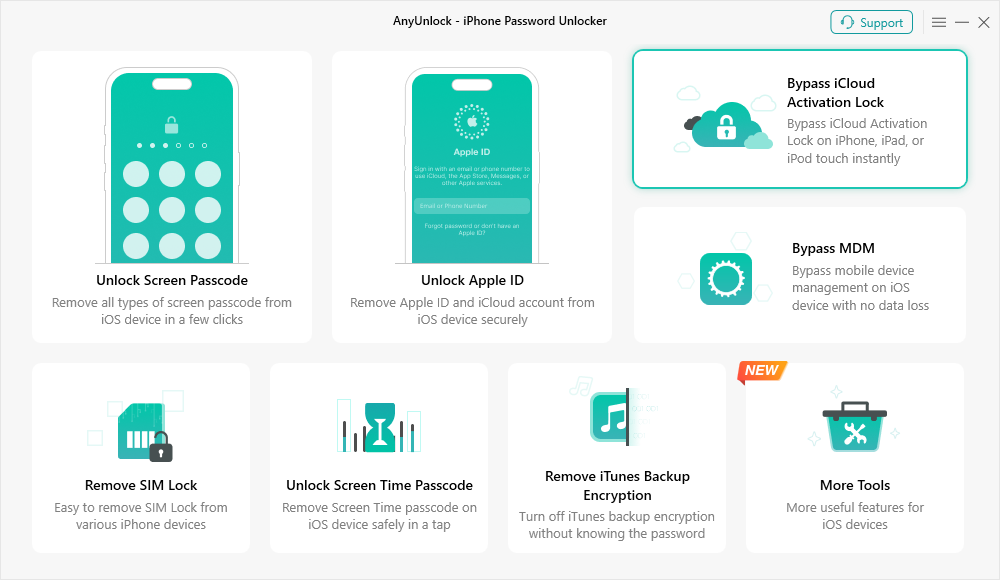
Select Bypass iCloud Activation Lock Mode
Step 2. Connect Your iPhone/iPad/iPod touch to Computer via a USB Cable.
Please connect your iOS device to computer via a USB cable. Then, please click Start Now button.
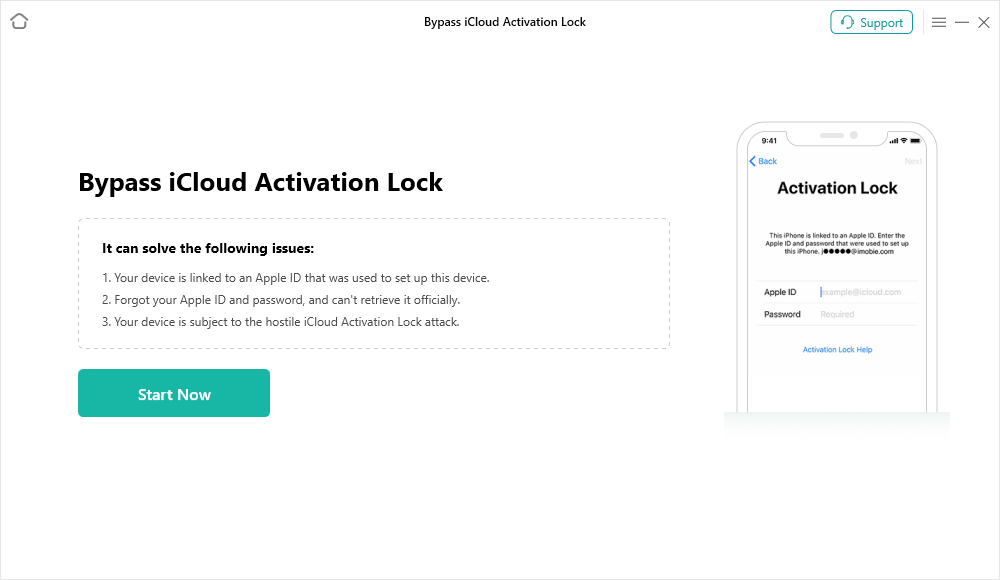
Connect the Device and Click Start Now Button
After your device is detected, please confirm your device information and check the "I have read and agreed to The Terms of Use." checkbox. And then click Bypass Now button.
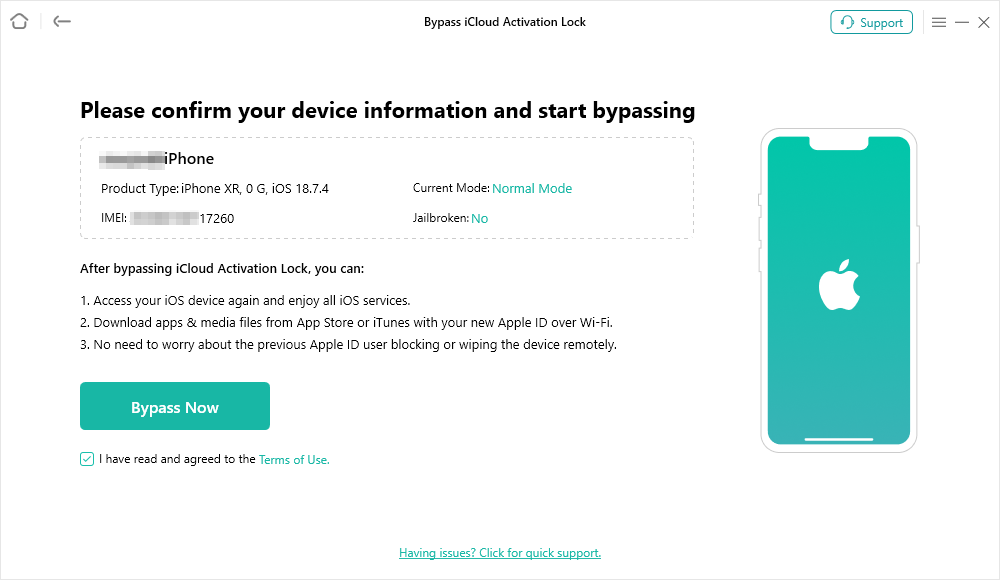
Connect the Device and Click Start Now Button
Step 3. Bypass iCloud Activation Lock in Progress.
The unlocking process will start, and you can monitor real-time progress on the screen. Keep your device connected and avoid any interruptions during this step.
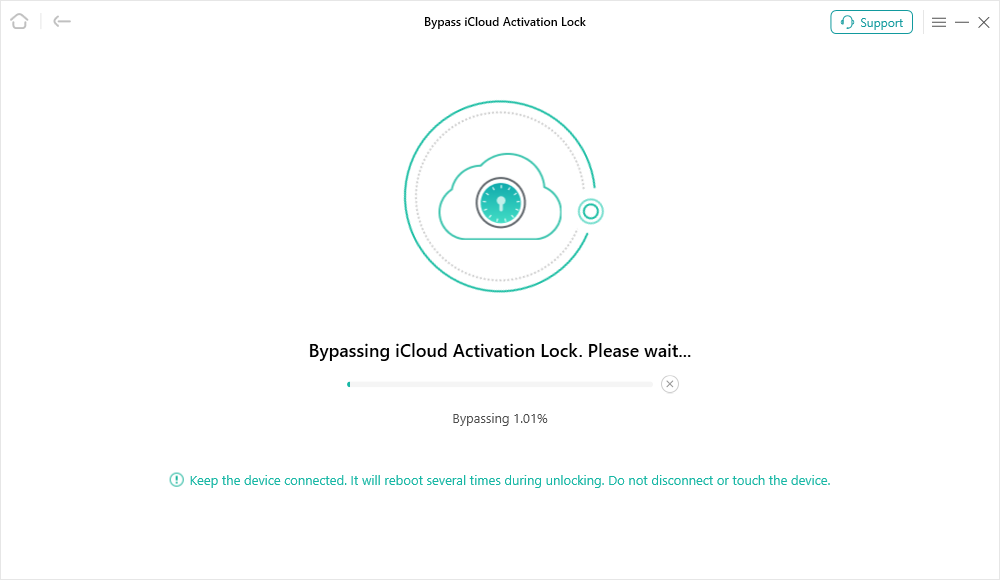
Start the Bypassing Process
Please note that the device will automatically restart multiple times during the process. Do not disconnect the device, and no operation is required on the device.
Step 4. iCloud Activation Lock Successfully Removed.
Once completed, a success message will appear. After the device restarts, you can access and use it normally without the Activation Lock.
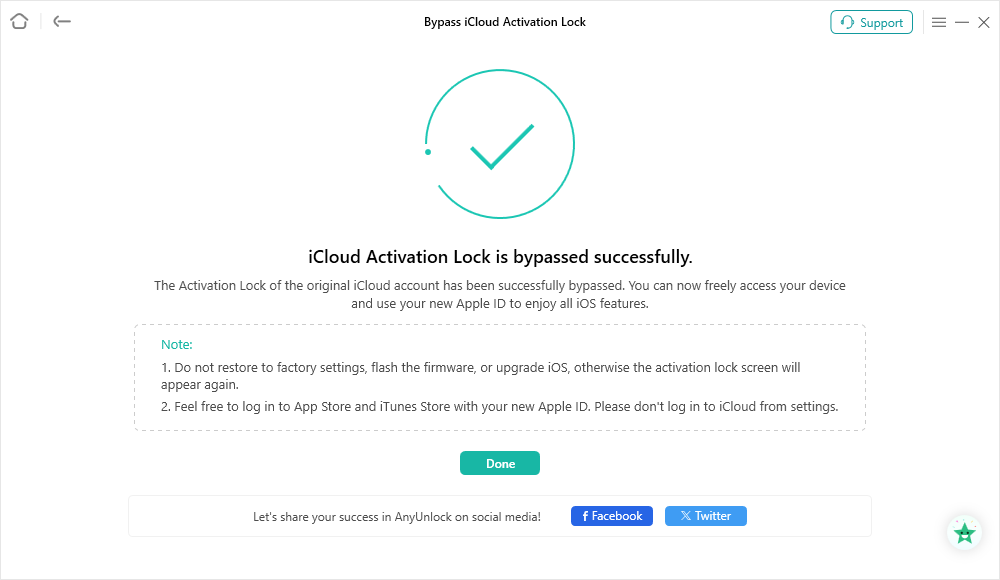
Bypass iCloud Activation Lock Completed
If you still have questions after reading this guide, please refer to FAQs page to check more solutions. Or you can contact our Support Team to get further help. We are here to help you!

Try It Out & Share Your Feedback!

We'd love to hear how AnyUnlock is working for you.
Give it a try and share your thoughts—your feedback helps us keep improving.
If you're enjoying AnyUnlock, we'd be so grateful if you could leave us a review on Trustpilot. Your support helps others discover AnyUnlock and motivates our team!

Thank you for being part of the iMobie community — we couldn’t do it without you!
Try It Out & Share Your Feedback!
We'd love to hear how AnyUnlock is working for you.
Give it a try and share your thoughts—your feedback helps us keep improving.
If you're enjoying AnyUnlock, we'd be so grateful if you could leave us a review on Trustpilot. Your support helps others discover AnyUnlock and motivates our team!
Thank you for being part of the iMobie community — we couldn’t do it without you!