What Is HBO Max Download Limit and How to Remove It
The HBO Max download limit is the number of videos you can save, based on your subscription plan. It is set because of licensing rules and device limits. To remove it, you can download videos directly through a third-party video downloader or upgrade your HBO Max subscription plan. With these methods, you can enjoy your downloads at any time you wish.
When trying to download a video on Max, you might see a message, “Download Limit Reached! To download the title, delete one of your downloads.” That’s the Max download limit in action. It allows you to watch only a set number of titles at a time.
This can be frustrating when all you want is to enjoy your favorite Max shows or movies offline. But don’t worry! There are some effective ways to bypass it. In this guide, I’ll explain what the HBO Max download limit is, why it exists, and how you can remove it quickly!
Part 1. What are the HBO Max Download Limits?
HBO Max download limit means the number of downloads you can have across all your devices. The download limit depends on the type of your subscription plan. You can get up to 30 downloads across all your devices with the Standard plan and 100 downloads with the Premium tier. Meanwhile, the Basic With Ads plan does not allow any downloads.
Also, there is a viewing time limit across all downloads. You can keep the title in your library for 30 days after the download. Also, you have 48 hours to finish watching after pressing play. After this expiration period, you will need to download the particular title again. And it should still be in the HBO Max library.
Part 2. Why Does Max Set Download Limits?
HBO Max download limit is set to prevent piracy risks and misuse of its content. This is because Max does not directly own most of the titles in its streaming library. The movies and TV shows are owned by external Studios. And the owners of the content don’t want people to keep the downloaded videos forever after their subscription ends or they leave the platform.
Also, Max frequently rotates the content in its digital library. Setting an expiry for the downloads ensures that users watch the content before Max removes it from the streaming library.
Part 3. How to Remove HBO Max Download Limit – 2 Methods
If the download limits are not convenient for you, there are ways to remove them. These include saving the content using a third-party video downloader and renewing your subscription or downloads.
Method 1: Download HBO Max Videos via Keeprix Video Downloader
The best way to bypass the Max download limit is to save your videos locally on your device. This way, you don’t have to worry about the number of titles downloaded, the days you can keep them, or the time you get to finish them after playing. Also, you won’t need to upgrade to a higher price plan.
Keeprix Video Downloader is an excellent tool for this. It allows you to download your favorite titles in MP4 or MKV format, directly on your computer. So, you’re no longer restricted to the Max app. As a result, you can keep your videos forever without expiry or playback limits! Even better, you can save an unlimited number of shows or movies, no matter if you’re on the Max basic, standard, or premium plans.
Key Features of Keeprix Video Downloader:
- Download HBO Max video in MP4/MKV format on Mac and Windows.
- Transfer and watch videos to any device – mobile, laptop, or TV.
- Save Max shows from any region without restrictions.
- Watch saved videos without expiry or time limits.
- Also works for Amazon Prime, Hulu, Netflix, and Disney+.
Steps to Download Max Videos with Keeprix Video Downloader:
Step 1. Download and install Keeprix Video Downloader on your computer. Launch it and select “Max” from the home screen.
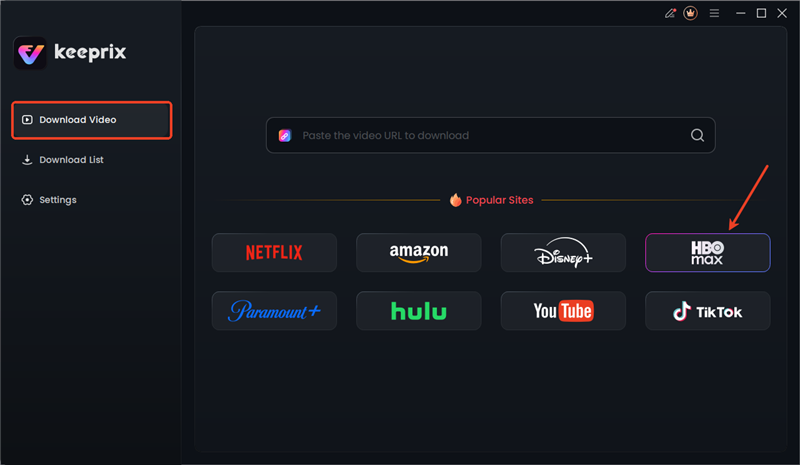
Choose Max in Keeprix
Step 2. Log in to your HBO Max account. Then, use the search bar to find the video you want to download. Otherwise, paste its URL directly in the address bar.
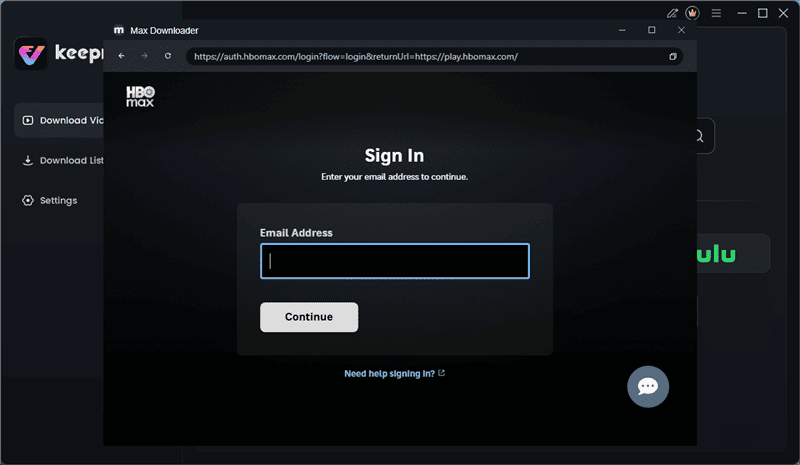
Sign In to Max in Keeprix
Step 3. Select the video you want to save and click the “Download” icon in the bottom right.
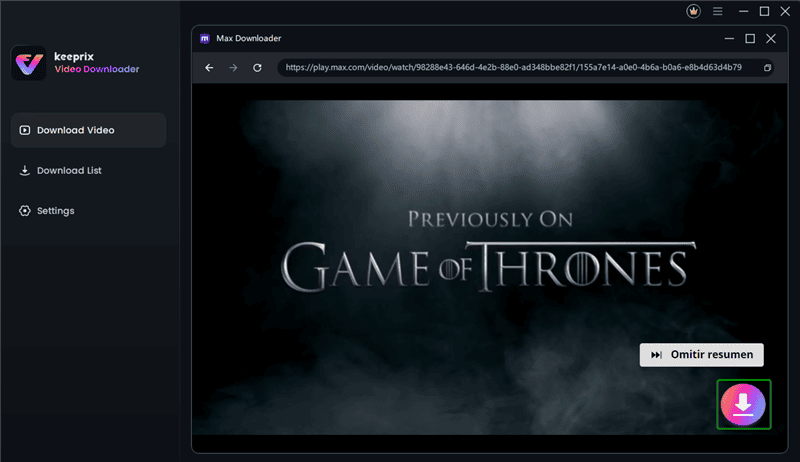
Download Max Videos in Keeprix
Step 4. Select your desired Resolution, Audio, Subtitle, and Subtitle Type. Set an “Output Path” and select your desired episodes. Then, click “Download” once again.
Step 5. Your videos will start downloading. Then, you can find them in the “Download List” menu on the left.
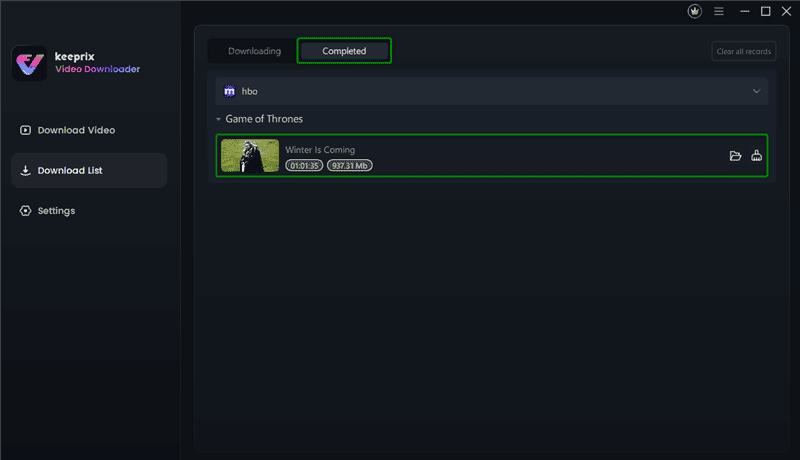
Access Max Downloads in Keeprix
Method 2: Upgrade HBO Max or Renew the Download:
If you want to stick to the official HBO Max app only, you can also avail yourself of other options. These include:
- Upgrade your subscription plan so you can download more videos
- Renew the expired titles in your download library.
Steps to Upgrade Your Subscription Plan:
Step 1. Open the HBO Max app or website and sign in to your account.
Step 2. Tap your profile icon in the top right. Then, click “Settings.”
Step 3. Select “Subscription.” Then, click the “Manage Subscription” button.
Step 4. Select “Switch Plans” from the next screen and choose your desired billing period. Then, click “Select Plan” and confirm it.

Choose Subscription and Manage Subscription
Steps to Renew Expired Downloads:
Step 1. Open the HBO Max app on your device. Tap the “Profile” icon and go to “Downloads.”

Select the Downloads Option
Step 2. Tap the Expired icon next to the video. Then, click “Renew Download.” You will see this option only if the particular title/show is still available on the platform.

Renew the Expired Download
Part 4. FAQs
Q1: Can you use HBO Max in different homes?
Yes! HBO Max can be used in different homes, but there are some limitations. You can share your account with 5 other people who are living with you at your house. For people living in different homes, you need to buy the “Extra Member” add-on at an additional cost outside of your current plan.
Q2: What happens if I reach the HBO Max download limit?
After reaching the HBO Max download limit, you cannot save new titles to view offline. To remove this limit, you need to delete the existing downloads. Otherwise, you can upgrade to a plan that allows more downloads.
Conclusion
HBO Max download limit is designed to accommodate licensing agreements. However, its limitations can be inconvenient for heavy offline viewers. If you want to bypass these restrictions, you can download your favorite shows through Keeprix Video Downloader. It lets you save any Max videos in MP4 and MKV format right on your computer. Also, these videos are free of expiry or playback limits. So, don’t miss out. Download it now to enjoy your favorite Max shows offline, anywhere!



Joy Taylor is a seasoned technical writer with over a decade of experience in mobile technology. At iMobie, she specializes in producing in-depth content on iOS data recovery, iPhone unlocking solutions, and iOS troubleshooting.
Product-related questions? Contact Our Support Team to Get Quick Solution >
