Can You Download Netflix Movies on Laptop? Full Guide 2025
This guide explains why Netflix doesn’t officially support downloading movies on laptops and explores the possible ways to watch Netflix offline on a laptop with third-party tools. Check the step-by-step instructions to save Netflix movies on your laptop using Keeprix Downloader.
For years, downloading content for offline viewing has been a key feature of the Netflix experience. Before July 2024, people who use Windows laptops will get a chance to download Netflix videos inside the app. However, Netflix has stopped supporting downloads on Windows, according to Lifehacker. You can continue to watch TV shows and movies offline on a supported mobile device.
So, can you download Netflix movies on a laptop? Are there workarounds to watch Netflix movies offline without the built-in download feature? Yes, this comprehensive guide will demystify the process and introduce a powerful solution to bypass Netflix download limits. Let’s check out!
Why Can’t I Download Movies from Netflix on a Laptop?
The ability to download Netflix content is not a universal feature across all platforms. Besides the latest update on Windows apps, there are some other reasons you might be unable to download movies from Netflix on your laptop:
1. No Official App for macOS
Apple users are out of luck when it comes to an official solution. Netflix has never released a dedicated application for macOS. Therefore, MacBook users are limited to streaming through a web browser only and cannot officially download movies or shows from Netflix.
2. Licensing and Content Restrictions
Not every movie or TV show on Netflix is available for download, even on compatible mobile devices. Due to specific licensing agreements with studios, some titles are designated as streaming-only.
How to Use Netflix for Movie Streaming on a Laptop
While downloading has become more restrictive, streaming on a laptop remains the primary and most reliable way to watch Netflix. The experience is optimized for both Windows and macOS and offers the highest quality playback available. You can check the following 2 options for movie streaming on a laptop.
Option 1. For all Laptops (Windows and macOS)
Step 1. Launch a modern web browser like Google Chrome, Microsoft Edge, Mozilla Firefox, or Safari.
Step 2. Navigate to the Netflix website and log in to your account.
Step 3. Use the search bar or browse the categories to find the movie or show you want to watch.
This option is available for most laptops running any Windows or macOS versions. If you want a better streaming experience from Netflix, refer to option 2.
Option 2. For an Enhanced Experience on Windows 10/11
While the download feature has been deprecated, the Netflix app from the Microsoft Store can still offer a smoother streaming experience than some browsers.
Step 1. Click the Start Menu and search for Microsoft Store.
Step 2. Use the search bar within the store to find the official Netflix application.
Step 3. Download and install the app on your laptop.
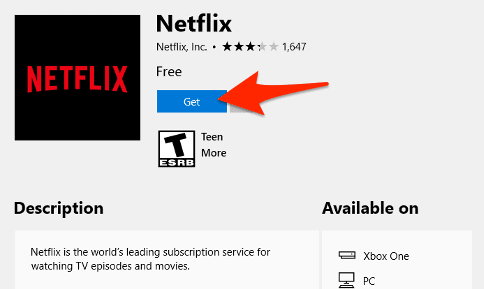
Netflix in Microsoft Store
Step 4. Open the Netflix app and sign in with your account details to start streaming.
How to Download Netflix Movies on a Laptop
Despite the official limitations and the removal of the download feature from the Windows app, you can still download Netflix movies on a laptop using a third-party video downloader. Keeprix for Netflix is such a powerful tool that helps you download content from Netflix directly.
It is designed for both Windows and Mac, allowing you to bypass Netflix’s restrictions and save movies or TV shows as a DRM-free file on your laptop. This method gives you true offline freedom, free from expiration dates and device limits.
Key Features of Keeprix Downloader:
- Works on both Windows and macOS, filling the gap left by the lack of downloading support.
- Download Netflix to MP4 or MKV files that never expire.
- No more worries about the 100-title or 15-title monthly limits. Your only constraint is your laptop’s hard drive storage.
- Download content in up to 1080p Full HD, preserving the excellent video quality.
- Automatically captures your preferred audio tracks and subtitles, which are embedded in the video file.
- Queue up entire seasons of a TV series to download them all at once.
Step-by-Step Guide to Using Keeprix Downloader for Netflix Movie Download
Step 1. Download and Install Keeprix Downloader
Navigate to the official Keeprix website, download the exe files, and follow the on-screen instructions to install the software on your laptop.
Step 2. Launch the Software and Select Netflix
Open Keeprix Downloader. On the main screen, you will see a list of supported streaming services. Click on Netflix.
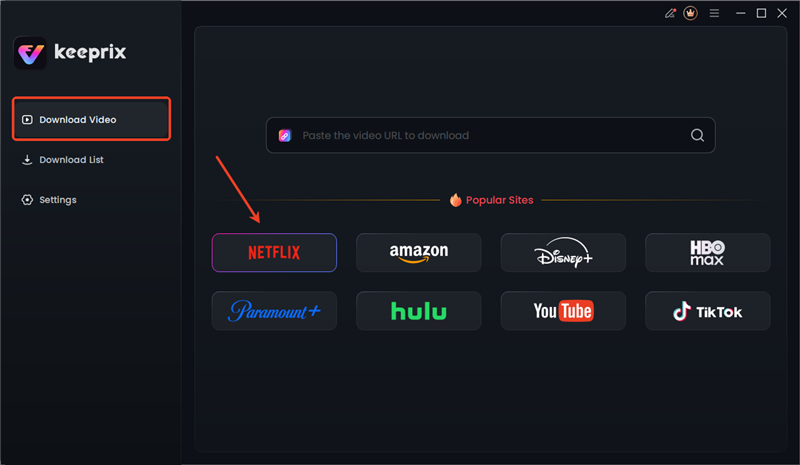
Choose Netflix in Keeprix
Step 3. Sign In to Your Netflix Account
The software will open a secure, built-in browser window prompting you to sign in to your Netflix account.
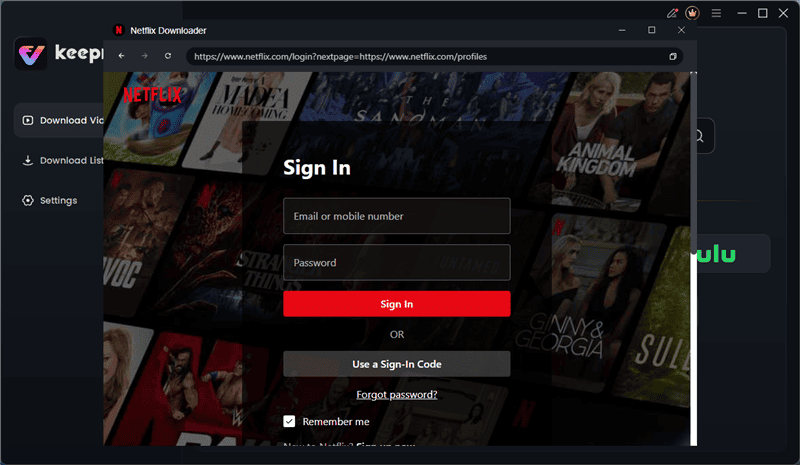
Log in to Netflix in Keeprix
The login is necessary to access the content library. It will not collect your personal information.
Step 4. Find the Movie or Show to Download
Once logged in, use the search bar to find the movie or series you want to save. You can also paste the video link and find your target video directly.
Step 5. Customize Download Settings
Click on the title profile. A pop-up window will appear for you to configure the download. For a TV show, you can select specific seasons and episodes. You can also choose the video quality, audio language, and subtitle language.
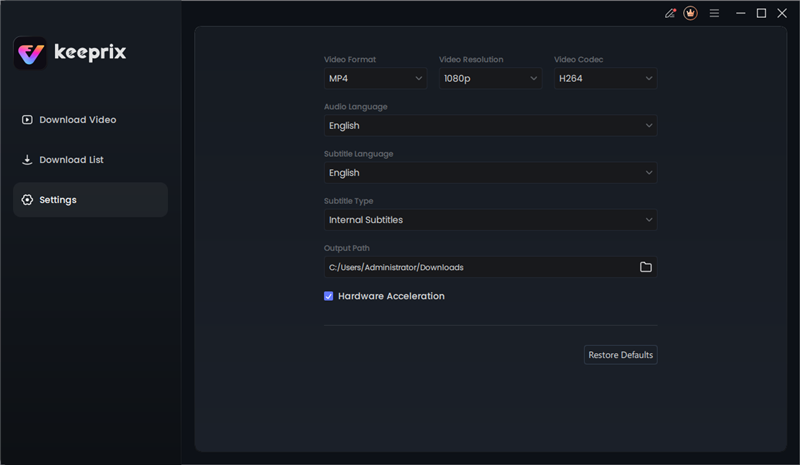
Keeprix Download Settings
Step 6. Start the Download
After confirming all the selections, click the bottom-right pink download button. Keeprix Downloader will start downloading the content and saving it to your laptop. You can monitor the progress in the Download List section.
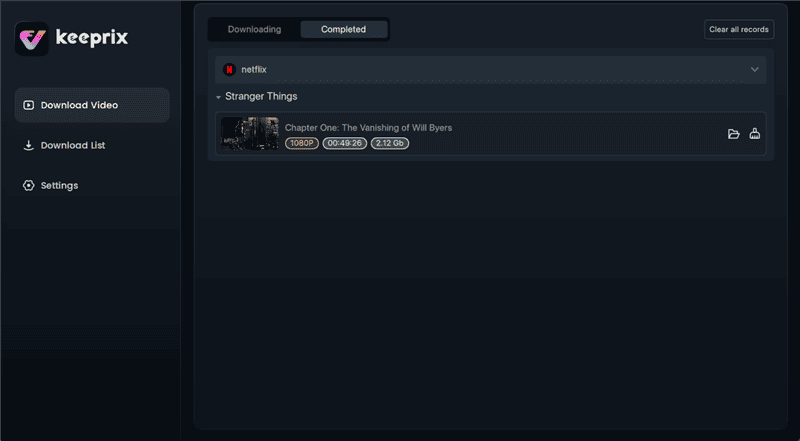
Netflix Downloads in Keeprix
Once completed, the video files will be stored in your laptop’s local folder. You can access the videos on any media player without error.
Although the downloaded content is free from Netflix DRM protection, you can’t transfer it to others or use it commercially, or you will violate the copyright laws in some areas.
FAQs About Netflix Video Download on Laptop
1. Why is there no download option on Netflix on my laptop?
The most common reason is that you are using a web browser. Netflix only ever supported downloads through its dedicated app, not the website. Furthermore, Netflix has discontinued the download feature in its newer Windows app and has never offered an app for Mac laptops, effectively removing the official download option for all laptop users.
2. Can you watch downloaded Netflix movies on a plane on a laptop?
Yes, absolutely. You can download Netflix movies on supported mobile devices. Remember to watch them offline before the expiration time.
3. Does Netflix not allow you to download anymore?
Netflix still allows downloads, but primarily on mobile devices like iPhones, iPads, Android phones/tablets, and Fire tablets. It has officially phased out the download functionality for laptops.
Conclusion
While Netflix’s official support for downloading movies on laptops has come to an end, it is still possible to save your favorite content for offline viewing. By using a reliable and powerful video download tool like Keeprix Downloader, you can bypass the Netflix download restrictions and create a truly permanent offline media library on your Windows or Mac laptop. Take control of your viewing experience and ensure your favorite movies are always ready for your next adventure.



Joy Taylor is a seasoned technical writer with over a decade of experience in mobile technology. At iMobie, she specializes in producing in-depth content on iOS data recovery, iPhone unlocking solutions, and iOS troubleshooting.
Product-related questions? Contact Our Support Team to Get Quick Solution >
