Best 10 Split-Screen Video Editors
Do you find video editors to split screen video? In this comprehensive guide, we’ll explore the top split-screen video editors in 2026, catering to both computer and mobile users, unlocking a world of creative possibilities for captivating video content.

Split-screen video editing has become a popular technique for creators to tell multiple stories at once, compare different perspectives, or simply add visual flair to their videos.
In this guide, we’ll explore the best split-screen video editors available in 2026 for both computers and mobile devices. Whether you’re a beginner or a seasoned editor, these tools offer intuitive interfaces and powerful features to craft stunning split-screen videos.
Table of ContentsHide
What Is A Split-Screen Video Editor?
A split-screen video editor is a tool that allows users to divide the screen into multiple sections, each displaying a different video clip or image. This technique is commonly used in music videos, vlogs, tutorials, and more, providing a dynamic way to present content.
How to Choose A Split-Screen Video Editor
When selecting a split-screen video editor, consider factors such as ease of use, available features, platform compatibility, and cost. Look for tools that offer customizable layouts, transitions, effects, and support for various media formats to suit your creative needs.
6 Split-Screen Video Editors for Computers
1. Movavi Video Editor – [Recommended]
Looking to spice up your videos with split-screen magic? Movavi Video Editor has you covered! It’s the ultimate tool for making your videos stand out, whether you’re a beginner or a pro. With its user-friendly interface and tons of cool features, Movavi’s got your back for all your editing adventures.
Key Features:
- Customizable Layouts: Choose from a variety of split-screen templates or create your own.
- Transition Effects: Smoothly transition between split-screen segments.
- Filters and Effects: Enhance your videos with filters, effects, and text.
- Chroma Key: Remove backgrounds and add overlay effects with the chroma key feature.
Movavi Official Webpage Interface
Pros:
- User-friendly interface
- Broad range of features
- Supports various formats
Cons:
- Some advanced features may require upgrade
How to Split-Screen on Videos with Movavi Video Editor:
Step 1. Download Movavi Video Editor and open it on your computer. Drag and drop your video clips into the timeline.
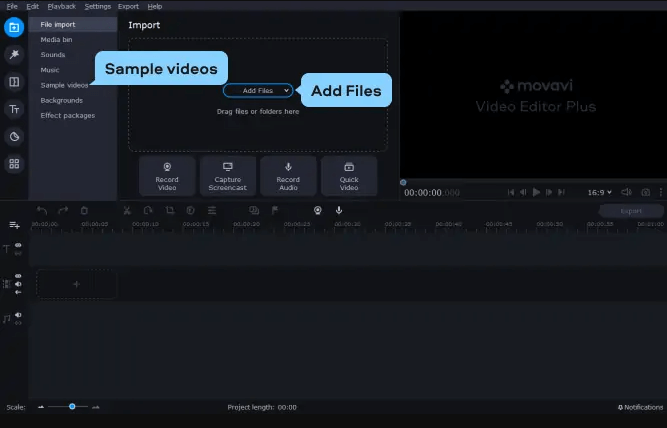
Import the Two Videos
Step 2. Click on “Split Screen” and choose a layout template. Customize each segment with your media. You can also apply transitions, filters, and text to enhance your split-screen.
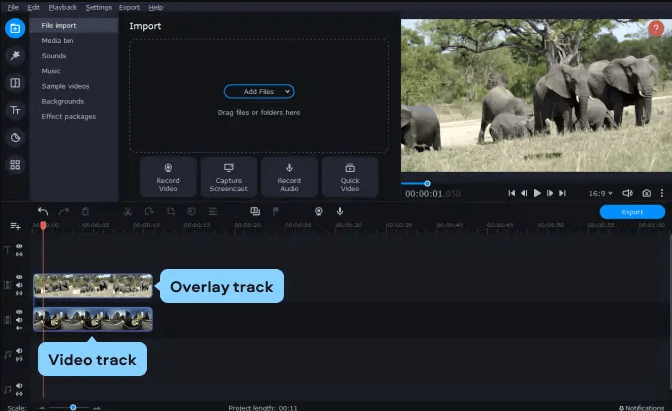
Place Each Video on Different Tracks
Step 3. Once satisfied, preview and export your video in your desired format.
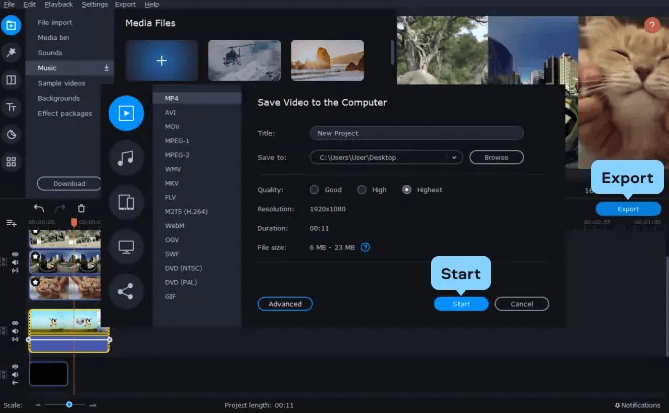
Export Videos
2. Adobe Premiere Pro
The next tool will introduce to you is Adobe Premiere Pro. Adobe Premiere Pro is a professional-grade video editing software with robust split-screen capabilities. It offers a wide array of features for advanced editing needs.
Key Features:
- Multi-Camera Editing: Seamlessly switch between multiple camera angles.
- Advanced Effects: Access a library of effects and transitions for creative editing.
- Timeline Customization: Arrange and customize your timeline for efficient editing.
- Integration with Adobe Creative Cloud: Sync projects across devices with Adobe’s cloud services.
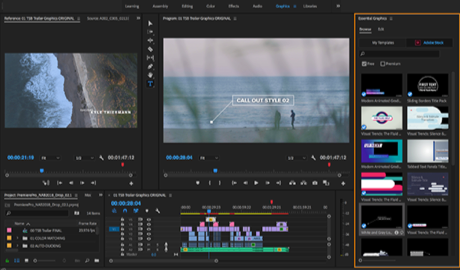
Edit the iPhone Video Using Adobe Premiere Pro
Pros:
- Industry-standard software
- High-quality output
- Extensive editing tools
Cons:
- Steeper learning curve
- Subscription-based model
3. VideoProc
The next tool on the list is VideoProc Vlogger, a user-friendly video editing software tailored for video bloggers and content creators.
With an intuitive interface and powerful features, VideoProc Vlogger simplifies the editing process and allows users to effortlessly enhance their videos with split-screen features, filters, and effects. You can access a range of aspect ratios and video formats to export high-resolution content quickly and easily.
Key Features:
- Simple Interface: Intuitive interface for quick editing.
- Split-Screen Templates: Choose from pre-designed split-screen layouts.
- Stabilization and Enhancement: Improve video quality with stabilization and enhancement tools.
- Social Media Integration: Directly export to social media platforms.
VideoProc Vlogger
Pros:
- Tailored for vloggers
- Quick editing features
- Good for beginners
Cons:
- Limited advanced features
4. iMovie
iMovie is a versatile video editing software designed for Mac users, offering intuitive tools for creating captivating content.
With its split-screen video editing capabilities, iMovie empowers users to effortlessly incorporate multiple perspectives into their videos, enhancing storytelling and visual appeal.
Key Features:
- Split-Screen Effects: Create simple split-screen layouts.
- Apple Ecosystem Integration: Seamlessly works with other Apple devices and services.
- Easy Sharing: Directly share to social media or Apple’s platforms.
- Audio Editing: Edit and enhance audio tracks within the software.
Access iMovie on Mac
Pros:
- Free for Apple users
- Intuitive interface
- Good for basic editing needs
Cons:
- Limited compared to professional software
5. Filmora
Filmora is a widely-used video editing software renowned for its intuitive interface and robust features. With a diverse array of editing tools and effects, Filmora empowers users to unleash their creativity and produce professional-quality videos effortlessly.
Key Features:
- Split-Screen Templates: Choose from various split-screen layouts.
- Effects and Transitions: Extensive library of effects for creative editing.
- Audio Editing: Easily adjust audio levels and add music.
- Color Correction: Fine-tune colors and apply filters.
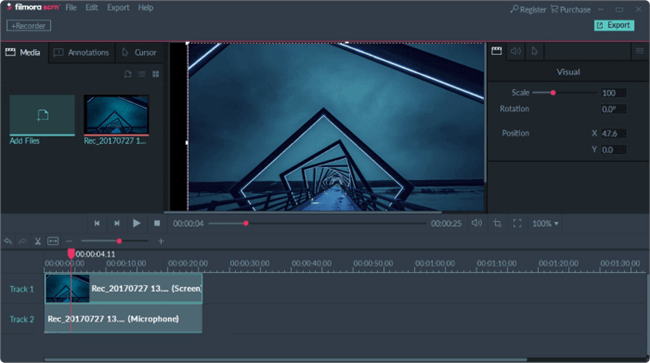
Screen Recorder for PC – Filmora Scrn
Pros:
- User-friendly interface
- Lots of effects and transitions
- Good for beginners
Cons:
- Limited advanced editing features
6. VSDC
VSDC Split Screen Video Editor is perfect for beginners and advanced users. It is a non-linear editor that supports full HD resolution and output up to 120fps and is easy to use. In addition to split-screen editing, it features stabilization tools, smart export for Instagram, and the ability to burn your project to DVD. You can also enjoy a variety of video effects and transitions such as Chroma Key, color correction, and more.
Key Features:
- Split-Screen Layouts: Create custom split-screen arrangements.
- Advanced Video Effects: Apply masks, filters, and blending modes.
- Color Correction: Adjust colors and tones with precision.
- YouTube Uploader: Directly upload to YouTube from the software.
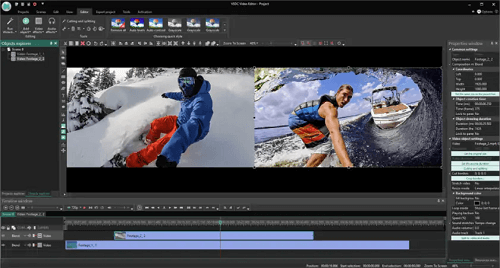
VSDC Free Video Editor
Pros:
- Free to use
- Advanced editing tools
- Supports various formats
Cons:
- Steeper learning curve
- Interface can be overwhelming
4 Split-Screen Video Editors for Mobile Devices
1. Movavi Clips
Ready to take your videos to the next level? Meet Movavi Clips, your go-to companion for creating stunning split-screen masterpieces right from your mobile device.
ith its intuitive interface and powerful editing tools, Movavi Clips makes it easy to craft dynamic visuals that will wow your audience. Whether you’re a social media influencer, vlogger, or just love sharing moments with friends, Movavi Clips is your secret weapon for unleashing your creativity on the go.
Key Features:
- Split-Screen Templates: Quickly create split-screen videos.
- Trim and Cut: Easily trim and cut video segments.
- Filters and Effects: Apply filters and effects to enhance videos.
- Music and Sound Effects: Add music tracks and sound effects.
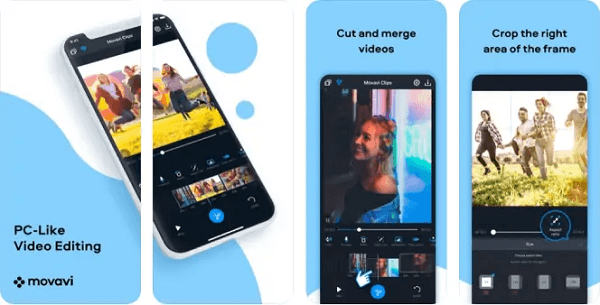
Movavi Clips
Pros:
- Simple interface
- Free to use with in-app purchases
- Good for quick edits on the go
Cons:
- Limited compared to desktop versions
2. InShot
InShot is a popular mobile video editing app renowned for its simplicity and versatility.
It is also a good tool among mobile video editors for its split-screen capabilities, allowing users to seamlessly integrate multiple perspectives into their videos.
Key Features:
- Split-Screen Effects: Create dynamic split-screen layouts.
- Video and Image Editing: Edit both videos and images within the app.
- Music and Voiceovers: Add music tracks and record voiceovers.
- Text and Stickers: Overlay text and stickers for customization.
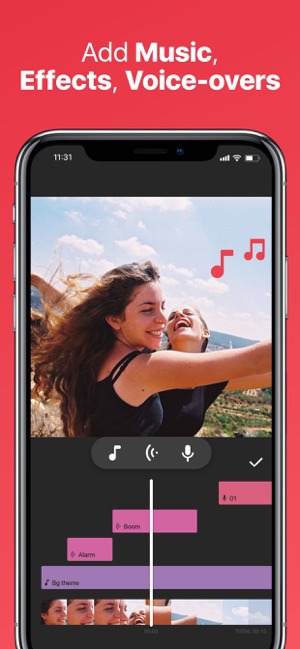
InShot Video Editor for the iPhone
Pros:
- Free with in-app purchases
- Easy-to-use interface
- Good for social media content
Cons:
- Watermark on free version
- Some advanced features require payment
3. PicPlayPost Movie Video Editor
With one tool discussed, let’s proceed to introduce another tool. PicPlayPost is a versatile video editor for mobile devices, including split-screen features for creative storytelling.
Key Features:
- Collage Layouts: Combine photos, videos, GIFs, and music in a collage.
- Custom Aspect Ratios: Create videos in various aspect ratios for different platforms.
- Text and Music: Add text overlays and background music.
- Social Sharing: Directly share to social media platforms.
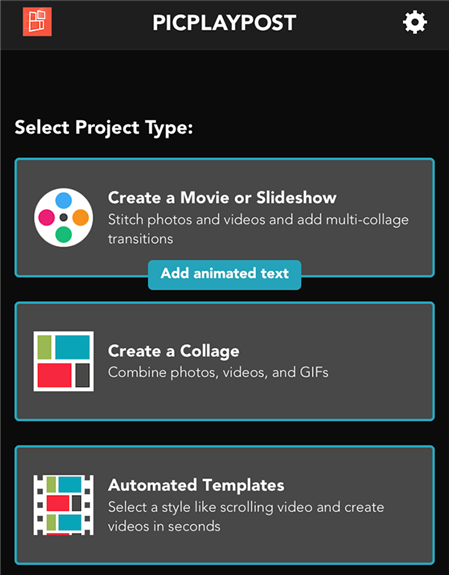
Create a movie in PicPlayPost
Pros:
- Unique collage feature
- Good for multimedia projects
- Variety of editing options
Cons:
- Limited free version
- Some features require payment
4. CapCut
The last tool we wanna intrduce to you is CapCut. CapCut is a versatile mobile video editor developed by Bytedance, offering a range of powerful editing features for users on the go.
Key Features:
- Split-Screen Effects: Create multi-layered split-screen layouts.
- Effects and Transitions: Apply effects and transitions for seamless editing.
- Audio Editing: Adjust audio levels and add sound effects.
- Speed Control: Change playback speed for creative effects.
Pros:
- Free to use
- High-quality editing tools
- Good for social media content
Cons:
- Limited compared to desktop software
- Some features may require account sign-up
Conclusion
In conclusion, split-screen video editors offer a dynamic way to enhance your storytelling and creativity. Movavi Video Editor stands out among the rest with its user-friendly interface, diverse features, and compatibility across devices. Download Movavi Video Editor today and unlock endless possibilities for your video projects!
How to Edit Video Easily
Video Editing Methods
- Top 10 Video Compressor for Discord 2026 – Both Online & Download
- Top 9 Free Video Splitters for Windows, Mac, and online
- Top 10 TikTok Video Editor for PC & Mobile 2026
- 3 Ways to Make Time-lapse Video on PC and iPhone
- Ultimate Guide on Putting Filters to a Video
- 4 Ways to Rotate a Video and 11 Tools to Use
- How to Remove Background Noise from Video
- Best Voice-Over Software for PC/iOS/Android in 2026
Product-related questions? Contact Our Support Team to Get Quick Solution >
