Top 8 Dream Voice Changers: Transform Your Voice with the Dream Team Sound
This article will explore the 8 best dream voice changers to help you create and record a new voice for a purpose. This article lets you choose one of the best voice changer options for getting ideal editing for gameplay, conversation, etc.

Voice-Changing Tips
Voice-Changing Trends
Top 8 Dream Voice Changers: Transform Your Voice with the Dream Team Sound
- 180+ lifelike VST and AI voice effects.
- 3 flexible voice-changing methods.
- Compatible with 13 popular third-party platforms.
Are you searching for a pro way to convert your voice like a Dream Team? No need to search anymore! We’ve got a perfect answer for you.
The dream team picks up a core of success and focuses on the significance of voice’s impact on content creation. And yes, their idea worked and made them successful. That’s why every gamer loves to explore and adopt a dream voice changer that sounds the same as the dream team voice changer.
The good news for all gamers and streamers is that they can choose one of the best voice changers from the list of top eight dream voice changers we will share in this article. Keep reading!
Table of ContentsHide
Who is the Dream Team, and Why are Their Voices Popular?
The Dream Team is a team of three famous YouTubers introducing one of the famous voice-changing games of today’s world, Minecraft. No doubt, any aged gamer is a big fan of Minecraft due to the immense creativity and fun in the game.
The Dream Team has had social media accounts since 2019, and they’re still creating engaging content that helps them gain more popularity. They are the ones who add the spark of real-time voice-changing to an adventurous game. As a result, not only do adults catch the magic of voice-changing, but kids can learn it, too.
Best 8 Dream Voice Changers
Get ready to explore the top 8 dream voice changers that will help you catch super excellent results, like Dream Team Voice. Look at the list below and pick up the right option.
Vozard – Most Recommended Dream Voice Changer
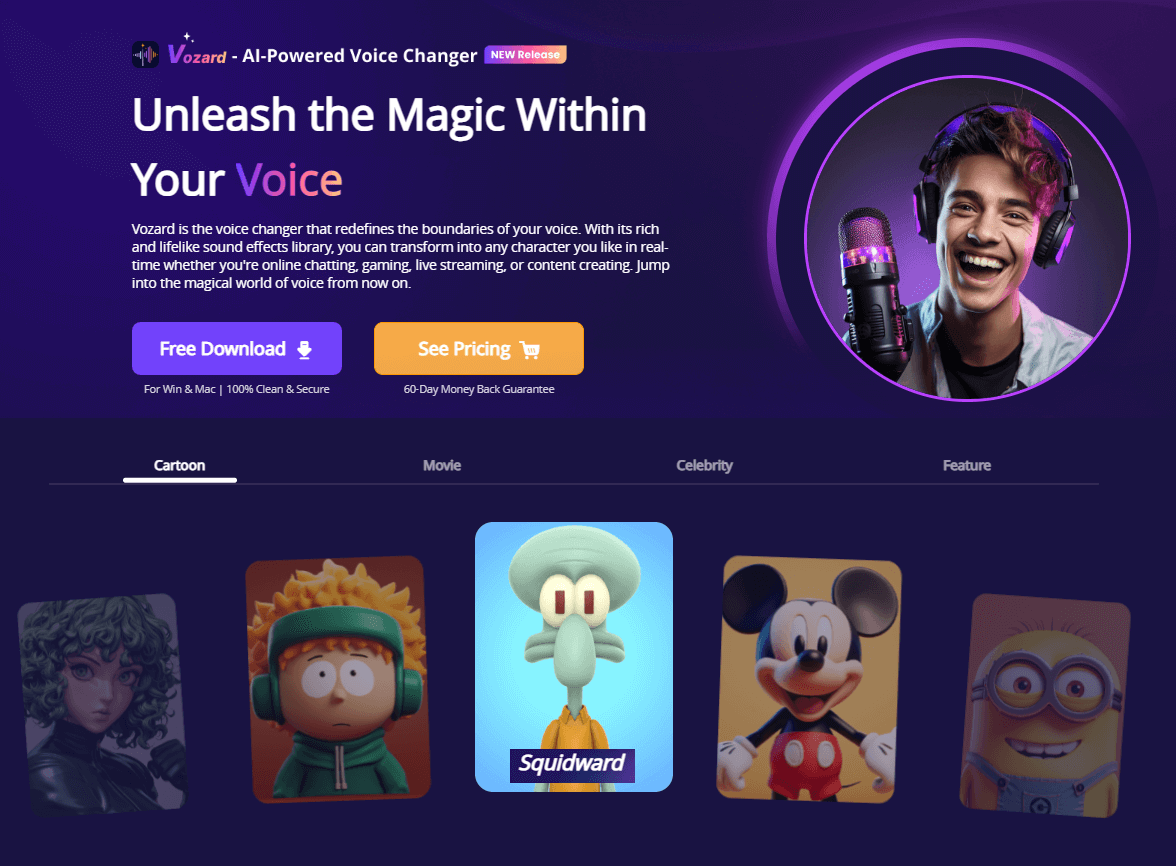
Vozard Official Website
Vozard is one of the best voice-changing tools. It provides 180 realistic sound effects and real-time voice-changing with various adjusting options. This tool’s performance is smooth enough to enrich your experience and help you get exact results.
It allows users to save or share their recordings instantly on a desired social media platform. As a result, a beginner can find it practical and easy to use.
Compatibility
- Gaming
- Streaming
- Chatting
Key Features
- Offers seamless results for high-quality editing
- Recording Library
- Background sound effects
- Offers 100% realistic voice
- Allows users to transform voice for fun voices, conversations, and much more
Pros
- Offers real-time voice-changing
- Allows users to upload audio and video files
- Get instant results
- It will enable you to get dubbing and podcasts
Cons
- The free version of Vozard includes limited features
- Some users claim privacy issues
- Bugs are addressed sometimes
Pricing
- $12.99 monthly
- To buy a 3-month subscription plan, you need to pay $19.99
- 1-year subscription is for $29.99
- One one-time purchase for two computers is available at $49.99
- Free versions include basic features.
How to Generate AI Voices with Vozard?
To generate AI voices with Vozard, you need to follow some quick steps listed below:
Step 1. Install Vozard: Begin free downloading Vozard to your device and launch once downloaded.
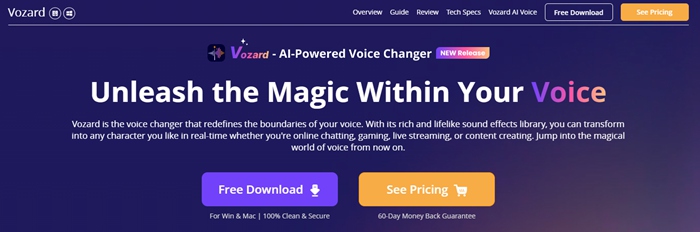
Main Interface of Vozard Official Website
Free Download for all windows & 100% safe Free Download for all mac & 100% safe
Free Download100% Clean & Safe
Step 2. Choose Desired Voice: You will see AI voices; select one by looking at features like gender, age, etc.
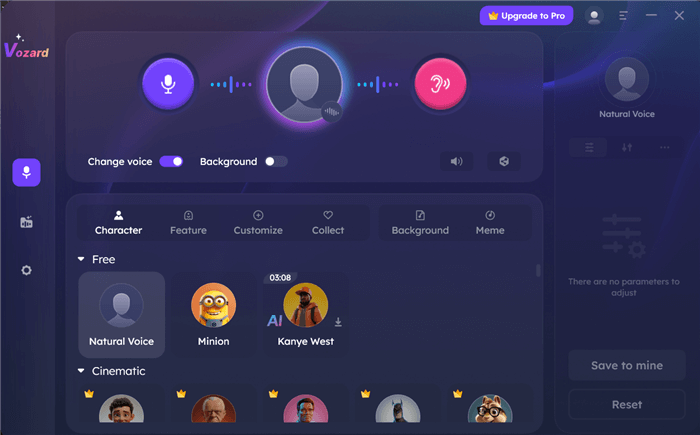
Check Out Voice Effects in Vozard
Step 3. Adjust Audio settings: Now, you need to adjust the settings, such as voice parameters.
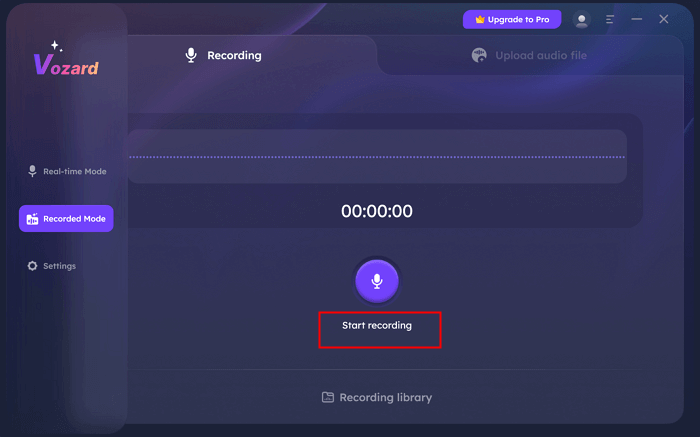
Click the Start Recording Button to Record Your Voice
Step 4. Generate with AI: Preview your recordings and click on generate with AI.
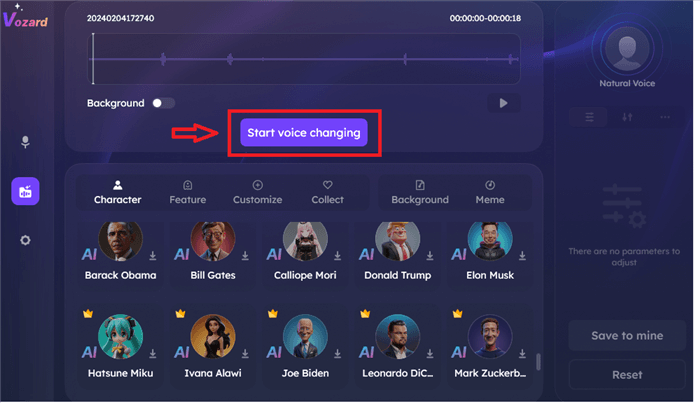
Click on Start Voice Changing to Proceed
Step 5- Save File: Save the file in the folder or use it instantly.

Click Save to Mine Or Share Button
2.Voicemod
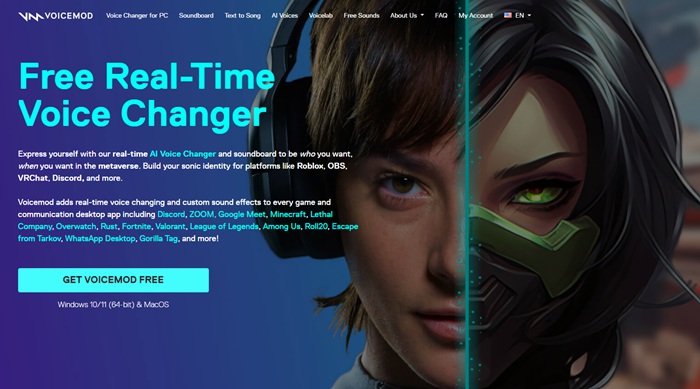
Home Page Interface of Voicemod
Voicemod is another popular yet effective voice-changing AI tool that surprisingly allows you to sound like a robot, demon, chipmunk, or any other creature you want. It is one of the best options for modern games and streaming. As a pro gamer, you can enhance the sound effects while keeping them unique. The user-friendly interface drives ultimate possibilities.
Compatibility
- Windows/PCs
- Streaming sites
- Gaming sites
- Live chats
Key Features
- High-quality voice-changing effects
- Famous character impressions
- Ambient sounds
- Offers customization
- It provides a face filter feature
Pros
- Offers extra tools
- Live voice changer feature
- Easy voice modulator setup
- Optimized performance
- 100% free
Cons
- Sometimes, the downloading process includes the wrong apps
- Requires fastest internet connection
Pricing: It’s free
3. MorphVOX
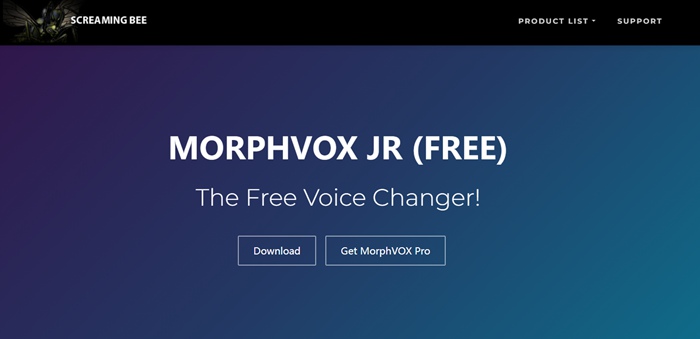
Main Page Interface of MorphVoc
If you’re looking for a perfect tool for demon voices, MorphVOX is an ideal option. It’s a highly compatible and easy-to-use tool that you can also use with Minecraft. However, this tool has basic features; you must buy a subscription plan to use premium features.
Compatibility: Streaming sites, Gaming apps
Key Features
- Offer a variety of free voices
- Transform your voice into any demon or other character
- Background effects
- Optimized games
- Voice comparison analysis
Pros
- Allows you to make content for any game
- Stereo microphone support
- Voice parsing detection
- Intuitive user interface
- Digital and intelligent modes available
Cons
- Makes your system slowdown
- Some users complained of occasional glitches
- No new voice change options
Pricing
- The monthly subscription plan is available for just $4.99
- One time purchase ranges from $39.99 to $49.99
4. Clownfish
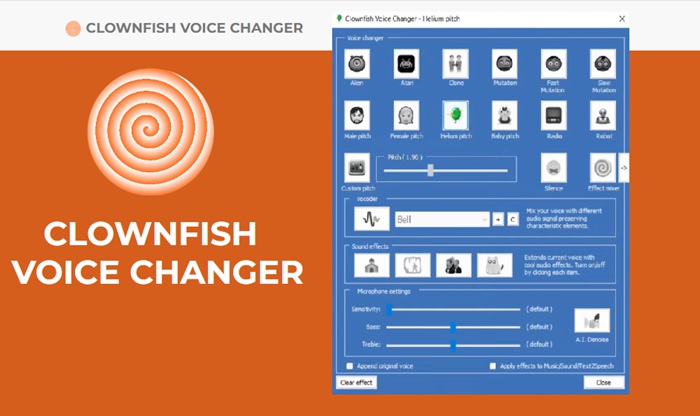
Clownfish Voice Changer
Clownfish is simple-to-use software for beginners and gamers. It allows you to produce unique voices seamlessly. Its sound player lets users enjoy their favorite songs while playing a game. Also, Clownfish is compatible with TikTok, and you can add any text to convert for your desired platform.
Compatibility
- TikTok
- Gaming apps, including Minecraft
- Skype
- Discord
- Mumble
- Hangouts
Key Features
- Convert text into speech
- Voice change feature for any platform or game
- Soundplay
- The voice assistant will be available
Pros
- Background sound
- High efficient layout
- User-friendly interface
- Enhanced audio control
- Fully free
Cons
- Limited voice effects available
- Troubleshooting problems
- Some advanced features are lacking
Pricing: Free to use
5. VoiceMeeter
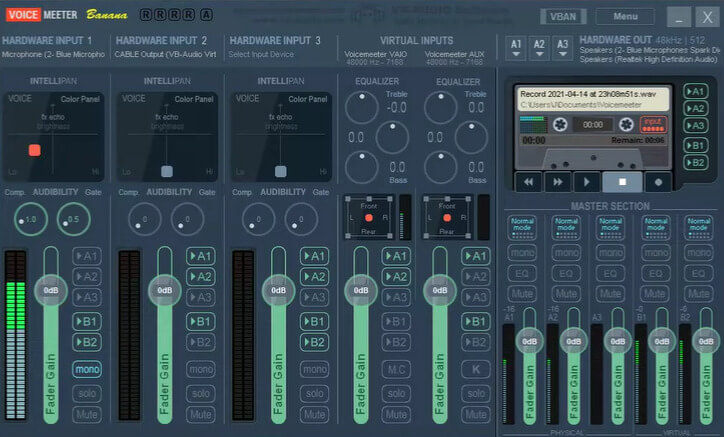
Voice Meeter Robot Voice Changer
If you want to play multiple characters in a game, get your hands on VoiceMeeter. It’s a top choice for many pro gamers because they can easily access numerous sound effects and adjust settings quickly. You can consider VoiceMeeter to be the best dream voice changer.
Compatibility: Minecraft, Skype, Google
Key Features
- Perfect voice for Minecraft
- Get customize voice
- Get full control of sound
- Allows USB headsets
- Offers great creativity
Pros
- No subscription charges
- Sound mixing feature
- Good for streaming
Cons
- Complexing user interface for new users
- Basic voice effects
Pricing: Free to use
6. Murf
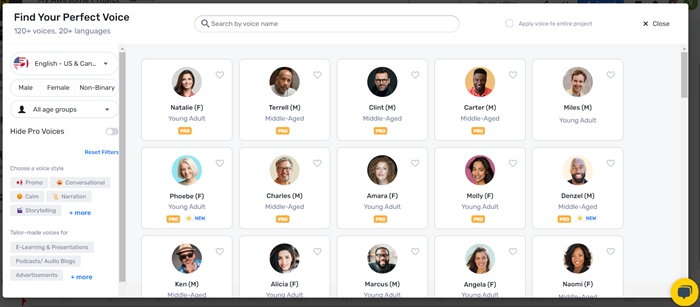
Murf.ai Voice Changer
Murf is the only tool allowing you to explore more than 120 high-quality AI voices using advanced AI algorithms. It helps you get an accurate voice-changing effect in minutes. You can add text for dubbing or translation and get outstanding results.
Compatibility: Gaming, Conversation
Key Features
- Natural sound effects
- A vast library of AI voices
- Emotional control feature
- Filler removal
Pros
- High-quality voices
- Good performance
- Unique character support
Cons
- Affects long-term usability
Pricing
- The monthly subscription is available at $3.99
- Approximately $19.99 is for a yearly subscription
7. FineVoice
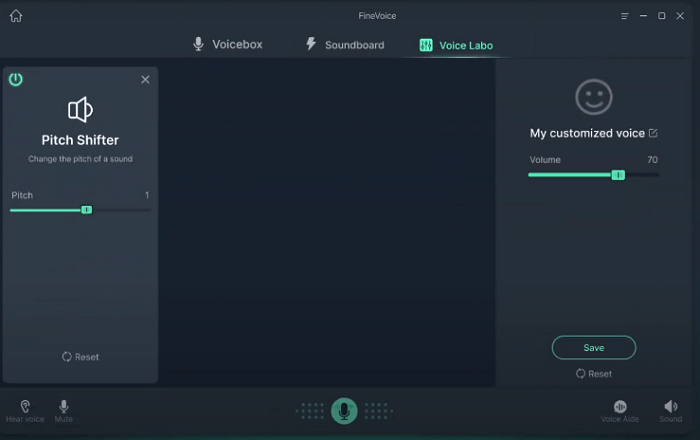
FineVoice Voice Changer
FineVoice is a magical tool to help you seamlessly access 200 plus voice effects. As a user, you can easily switch to any age or gender. Besides this, you will also convert voice into minions and robots. Further, you can adjust the pitch according to your requirements to change your voice for a conversation.
Compatibility: Zoom, Skype, Discord
Key Features
- Special effects
- High-pass and low-pass filters
- The keyboard shortcut for quick access
- Customize voice library
- Realistic voice
- Simple voice conversion
Pros
- Advanced editing features
- Ideal for streamers and content creators
- Get pre-set voice profiles
- Makes workflow easy
Cons
- There are accuracy issues
Pricing: One time purchase is for $29.99 to $39.99
8. Voice AI
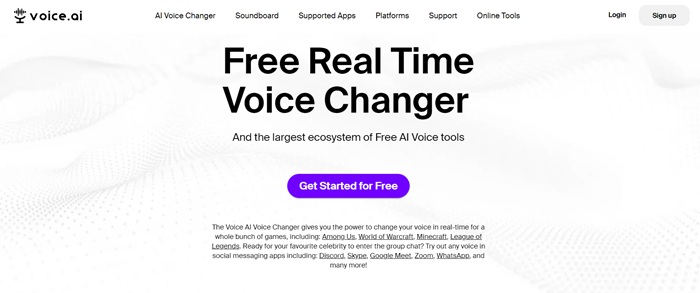
Home Page Interface of Voice.ai
With Voice AI, you can get custom voices without spending many dollars. You can easily enhance streaming with the help of this fantastic tool, too, and get ready to use voice. However, Voice AI is compatible with Android and Apple. As a result, you can use this tool without worrying about compatibility.
Compatibility: Android, Apple, Gaming apps
Key Features
- Bookmark your top picks easily
- Use pre-made voices
- Offer voice cloning feature
Pros
- Easy-to-use interface
- Helps sounds like your favorite celebrity
- Ideal for content creators
- Audio and video voiceovers
Cons
- The speed of the voice is not high-quality
Pricing: It’s free to use
FAQs on Dream Team Voice Changer
What is the best real-time voice changer?
If you’re searching for the best real-life voice changer with the same results as the dream team voice changer, download and install Vozard. It provides realistic sound effects without compromising the quality of the voices.
Is there any free voice changer tool?
You can easily access a 100% free AI voice changer tool such as Voice AI. The best part is that it is compatible with PCs and Android devices, including gaming and other applications.
Is using the voice changer tool safe?
If you choose a reliable, high-performance tool such as the Vozard voice-changing tool, you’ll be safe from malware and glitches. Also, no one can steal your personal information, so there’s no need to worry.
Final Words!
We hope you’ve found it easy to choose the perfect dream voice changer to achieve the desired results. There’s magic in changing voice with the support of a high-performance tool. Imagine being able to communicate in real-time in any voice. No matter whether you’re a gamer or streamer, if you want to succeed in your vision just like a dream team voice changer, choose the right tool.
You can pick the best option that meets your requirements and adds efficiency to your games, conversations, TikTok, and more. We suggest you try the Vozard voice-changing tool for once to get a rich experience.
Vozard – AI-Powered Voice Changer
Free download Vozard voice changer software to change your voice into anyone you want to enhance online chatting, gaming, live streaming, and content creation experiences.
Product-related questions? Contact Our Support Team to Get Quick Solution >
