
Installation Successful!
Check out the user guide to make the most of AnyUnlock
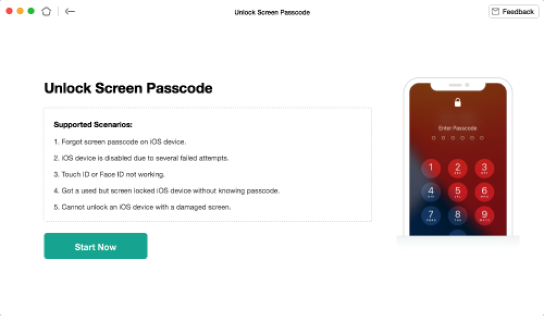
 Unlock iPhone/iPad Screen Lock
Step 1: Connect your iPhone/iPad to your computer
Step 2: Select "Unlock Screen Passcode"
Step 3: Download the firmware
Step 4: Wait until the unlocking process is completed
Read the full guide here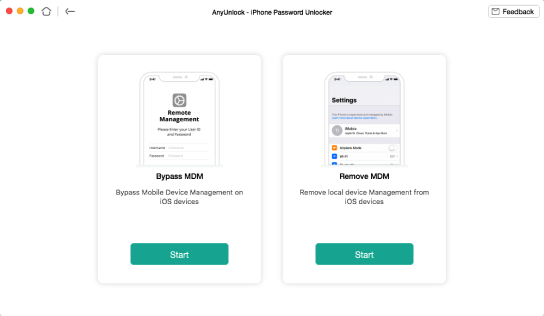
 Bypass MDM on iPhone/iPad
Step 1: Connect your iPhone/iPad to your computer
Step 2: Select "Bypass MDM"
Step 3: Make sure your iOS device is on Remote Management screen
Step 4: Wait until the bypassing process is completed
Read the full guide here
 Remove Apple ID
Step 1: Connect your iPhone to your computer
Step 2: Select "Unlock Apple ID"
Step 3: Download the firmware package
Step 4: Wait until the unlocking process is completed
Read the full guide here
 Bypass iCloud Activation Lock
Step 1: Connect your iPhone to your computer
Step 2: Jailbreak your iOS device
Step 3: Start bypassing the activation lock
Step 4: Wait until the bypassing process is completed
Read the full guide hereShare AnyUnlock & Win Exclusive Coupon 100%
Click the button below to share #iMobieAnyUnlock on any social media, you can 100% get a $5 coupon code after sharing successfully.


You may also be interested in

AnyTrans
Your one-stop iPhone manager to transfer, back up and manage your iPhone, iPad, iPod, even iTunes and iCloud content in one handy place.
Download Now
PhoneRescue for iOS
World’s best iOS data recovery tool saves you from any data disasters at the very first moment, no matter how the situation turns out.
Download Now
AnyFix - iOS System Recovery
One-stop solution to fix various iOS / iPadOS / tvOS / iTunes issues in minutes, and bring your Apple devices back to normal without data loss.
Download Now
DroidKit
The complete Android toolkit to unlock screen, bypass FRP, recover lost data, and optimize your mobile experience.
Download Now