Top 10 AirServer Alternatives for iPhone/Android
Explore top AirServer alternatives for screen mirroring. Discover the top ten picks and find the best tool for your screen-sharing needs.

Screen Mirror Tips
iPhone Screen Mirroring
Android Screen Mirroring
- One-for-All Guide: The Best Methods for Android Screen Mirroring
- How to Mirror Android to PC without Root
- How to Mirror Android to Windows 11 (Also Works for Win 10)
- [Easy] How to Mirror YouTube Videos from Android to PC
- Mirroring Made Easy: Best AirPlay Android Apps for Streaming
- Screen Mirroring App for Android: Everything You Need to Know
Top 10 AirServer Alternatives for iPhone/Android
Try the best AirServer alternative – AnyMiro.
- Fast response time within 10 ms and 60fps frame rate.
- A stunning visual experience with no color difference.
- Lag-free screen mirroring and 4k resolution.
- Works well on both Windows and macOS.
Available for both Win & Mac
Do you want to mirror your mobile screen on a bigger scale? Many users go with AirServer for this purpose. But the demand for AirServer alternatives is increasing.
And fortunately, you have a lot of good screen mirroring software options.
In this article, we have collected a list of ten AirServer alternatives for you. We’ll provide you with the reasons to recommend each of these tools as well as their limitations. So you can check out this list and find the one best suited for you.
But first things first, let’s see what AirServer is and what its limitations are.
Table of ContentsHide
What Is AirServer and What Are Its Limitations?
AirServer is a tool that lets you show what’s on your phone right on your computer screen. Whether it’s photos, videos, games, or apps, AirServer can display it on your PC or Mac.
However, like all tools, AirServer isn’t without its flaws. Here are some of its limitations.
- Costly
Once the free trial ends, you need to pay. And it isn’t cheap. - Unsteady Connections
It can sometimes drop the connection. No one likes this interruption, especially when they’re showing something important. - Doesn’t Play Well with Newer iPhones
Some newer devices like iPhone X or XR have trouble connecting with AirSever. - Glitches
Every now and then, you might face some glitches. It interrupts your viewing experience.
Considering these limitations, let’s give you some AirServer alternatives.
10 Best AirServer Alternatives for iPhone/Android
You can find a lot of AirServer alternatives for various needs. But which alternative is best for you? Let’s find out!
Here are ten AirServer alternatives. We have given unique features and limitations of every single tool.
1. AnyMiro
The software that managed to grab first place in our list is AnyMiro.
This software mirrors the action on your mobile devices on larger screens. AnyMiro provides an uninterrupted, smooth, and high-definition screen mirroring experience. Moreover, you can mirror your screen with or without a USB cable.
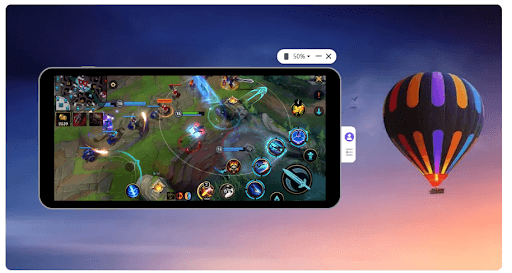
Mobile Screen Mirrored on the Computer with AnyMiro
Reasons to Recommend
Here are some reasons to recommend AnyMiro.
- It uses USB 3.0 and wireless technology for screen mirroring.
- AnyMiro projects the screen up to 4K resolution.
- The auto-sync feature is available for synching video and audio in real-time.
- It supports many live-streaming tools. So it is ideal for broadcasting on platforms like YouTube and Twitch.
Limitations
Here are some limitations of AnyMiro.
- The cost after the trial might be a concern for some users.
- 4K streaming can be demanding on network resources.
Now the second ranker in our list is LonelyScreen.
2. LonelyScreen
LonelyScreen is designed for iOS users and works as an AirPlay receiver. It can cast your iPhone screens onto your PC or Mac computers. LonelyScreen turns your computer into an extension of your Apple device. So it replicates the Apple TV experience for you.
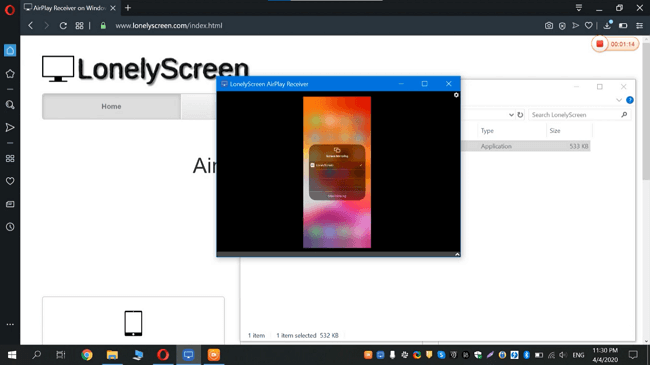
LonelyScreen Works as AirServer Alternative
Recommended Articles:[No-Barrier] Best AirPlay Alternative Recommendation
Reasons to Recommend
Here are some reasons to recommend AnyMiro.
- The setup is easy using a common Wi-Fi network.
- You can capture and save the screen activities with easy upload options.
- You can also control your iOS device directly from your computer.
- It ensures a smooth mirroring experience by staying updated.
Limitations
Here are some limitations of AnyMiro.
- LonelyScreen only supports iOS devices.
- There is potential for malicious content.
- The trial version offers restricted features with a limited duration.
- Its premium version might be costly.
Now let’s move on to the next tool.
3. AirTame
Airtame got the third position on our list. It is a screen mirroring platform designed for organizations that use shared displays.
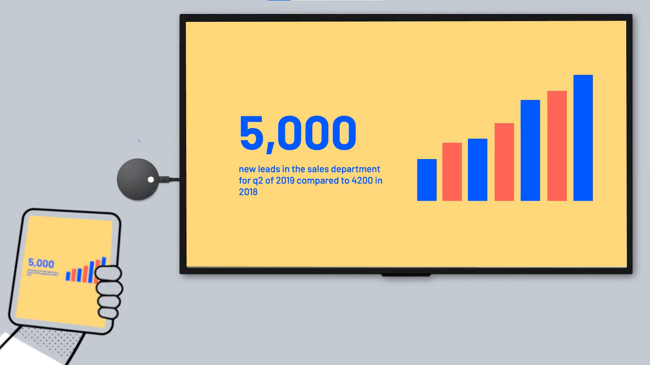
Airtame operating interface
Airtame offers many features. These include hybrid video conferencing and wireless screen sharing. And these features cover both educational and business needs. But remember that Airtame is specific for mirroring on TVs and projectors.
Reasons to Recommend
Here are some reasons to recommend Airtame.
- It integrates with platforms like Zoom and PowerPoint.
- Airtame supports all major computer & mobile operating systems.
- There is a built-in content management system.
- Airtame Cloud is available for remote control.
- It simplifies screen sharing into hybrid conferencing calls.
Limitations
Here are some limitations of Airtame.
- The price to purchase the Airtame device is quite high.
- Some features require specific setups to function optimally.
The next AirServer alternative is LetsView.
4. LetsView
LetsViewis an AirServer free alternative. It is a dynamic screen mirroring tool that projects the iOS and Android device screens onto their computers. LetsView stands out for its wireless capability and high visual fidelity. And it is designed to benefit both educators and general users. Moreover, LetsView prioritizes sharing and user-friendly experiences.
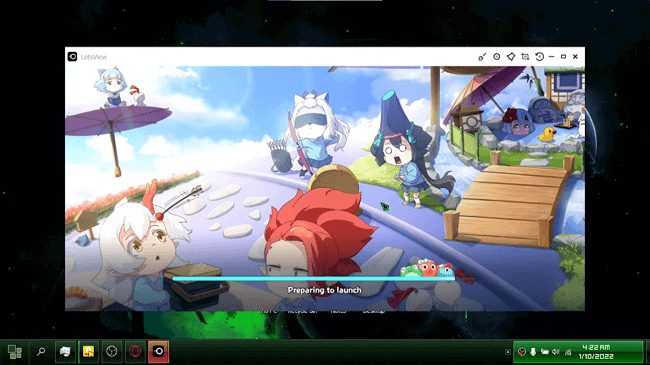
Apply LetsView as AirServer Alternative
Reasons to Recommend
Here are some reasons to recommend LetsView.
- It supports Windows, Mac, Android, iOS, Apple TVs, and Android TVs.
- The quick setup allows for instantaneous screen sharing.
- It also comes with screen recording features.
- It’s totally free.
- Users can operate the software without any ads.
Limitations
Here are some limitations of LetsView.
- The device may disconnect after a short period.
- USB connectivity is not supported.
- There is no control support for mirrored devices.
- Some users might need time to explore all features.
Now comes Reflector 4.
5. Reflector 4
It is an advanced wireless screen mirroring and media streaming software. Reflector 4 is specially designed to replace the need for cables and adapters. It facilitates screen sharing, recording, and multi-device collaboration. In short, Reflector 4 is a modern solution to traditional content-sharing challenges.
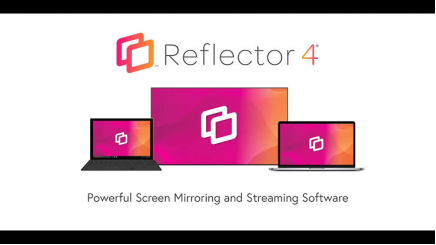
Reflector Interface
Reasons to Recommend
Here are some reasons to recommend Reflector 4.
- It integrates AirPlay, Google Cast, and Miracast.
- Reflector 4 eliminates the need for cables and adapters.
- It enables simultaneous connection and mirroring from multiple devices.
- It supports iPhone, iPad, Android, Mac, Windows, and Chromebook.
- It allows the recording of device screens coupled with voiceover audio.
Limitations
Here are some limitations of Reflector 4.
- As a wireless solution, it’s dependent on a stable network connection.
- Unlike some free solutions, Reflector 4 comes with a price tag.
- High-quality streaming and mirroring might consume significant bandwidth.
Up next is ApowerMirror.
6. ApowerMirror
ApowerMirror holds the sixth place on our list. It is a versatile screen mirroring application for iOS and Android platforms. ApowerMirror offers high-quality mirroring with synchronized audio.
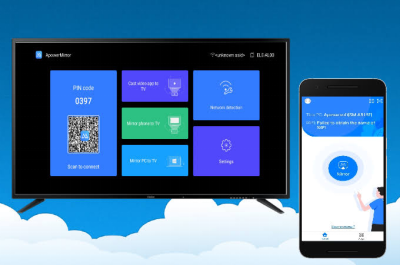
ApowerMirror Interface
The unique feature of ApowerMirror is that you can even control your mirrored screen from the computer. Moreover, it supports multi-device mirroring. That’s right! With ApowerMirror, you can mirror multiple devices on the same screen at the same time.
Reasons to Recommend
Here are some reasons to recommend ApowerMirror.
- Simultaneous mirroring is possible for up to 4 devices.
- You can connect either wirelessly or through USB.
- You can control the Android devices with your PC.
- It also supports file transfers.
- A free trial is provided before a full purchase.
Limitations
Here are some limitations of ApowerMirror.
- iOS devices can not be controlled with a PC.
- There is a watermark and 10 min limit in the free version.
- You require a paid license for full features.
Another AirServer free alternative is Google Home.
7. Google Home
It is an app that serves as the command center for managing and controlling smart TVs.
One of Google Home‘s notable features is the ability to mirror the screen of mobile devices or computer displays to Chromecast-enabled screens. So it’s a convenient tool for sharing content on larger displays.
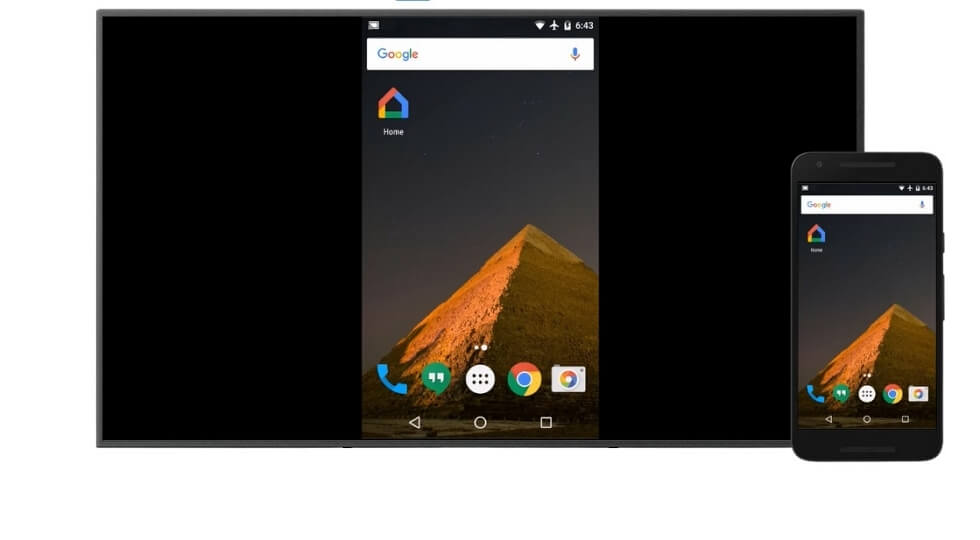
Google Home Sharing Android Screen
Reasons to Recommend
Here are some reasons to recommend Google Home.
- Google Home is very user-friendly.
- It supports Android, iOS devices, and Chrome browsers.
- It provides reliable screen mirroring without significant lag.
- You can directly cast to any Chromecast-enabled TV.
- You can also manage all connected devices in one place.
- It is completely free to use.
Limitations
- Here are some limitations of Google Home.
- Screen mirroring is limited to smart TVs.
- Fewer mirroring features are available.
- Maximum resolution depends on the Chromecast device being used.
The next AirServer alternative for PC is AirDroid Cast.
8. AirDroid Cast
It is a powerful screen-sharing and controlling software that elevates communication efficiency. AirDroid Cast is designed with simplicity in mind. Users can connect their devices by scanning a QR code or entering a Cast Code. Additionally, it also facilitates multi-device connections to a single computer.
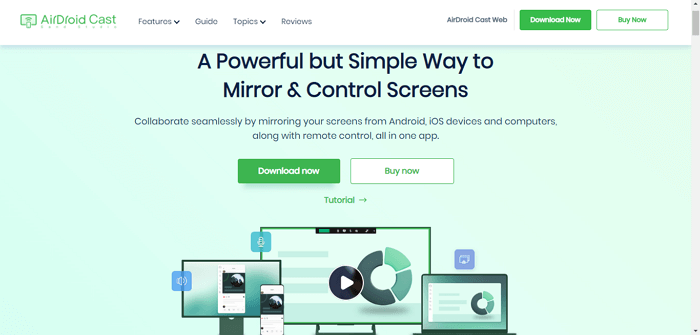
Android Screen Mirroring App AirDroid
Reasons to Recommend
Here are some reasons to recommend AirDroid Cast.
- Users can effortlessly connect via QR code or Cast Code.
- It supports up to five devices simultaneously.
- Premium users benefit from a dual-audio feature.
- Premium access allows for use under remote networks.
- It provides flexibility in accessing through different web browsers.
Limitations
Here are some limitations of AirDroid Cast.
- USB connection is only available in the paid version.
- Some users may experience reduced clarity on PCs.
- Most key features are limited to premium users.
- It is designed more for medium and small businesses. Individual users might find some features less relevant.
The ninth software on our list is Vysor.
9. Vysor
Vysor may be our ninth tool but don’t take it lightly. It is another AirServer alternative for PCs that can mirror, share, and view Android and iOS devices. Vysor offers both desktop and web app compatibility.
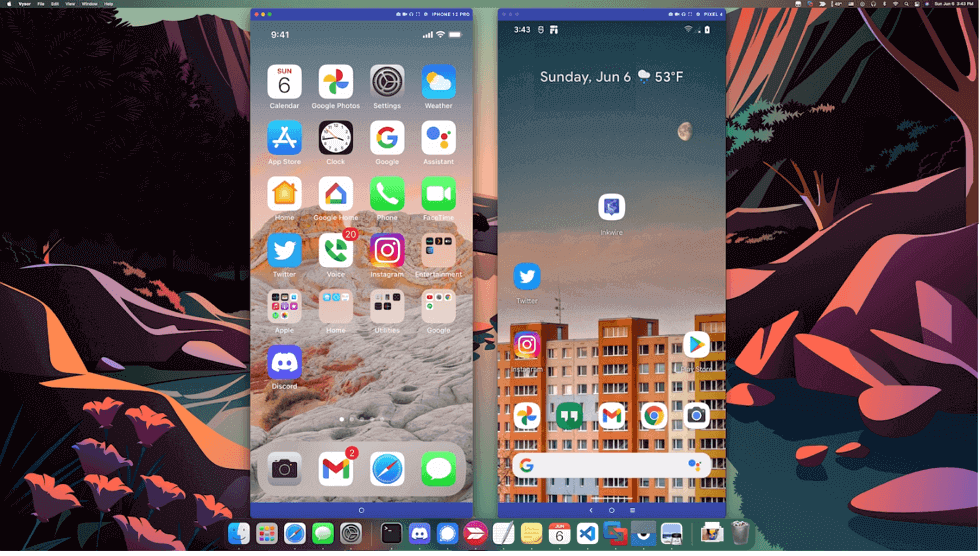
Vysor Sharing Android Screen to Mac
From gaming to app usage, Vysor extends the mobile experience to bigger screens.
Reasons to Recommend
Here are some reasons to recommend Vysor.
- Vysor works with both iOS and Android devices.
- You can use your desktop keyboard and mouse for efficient control.
- It offers real-device testing and debugging for developers.
- Easy screen sharing can be done through a link.
- Other features like screen rotation and screenshots are available.
Limitations
Here are some limitations of Vysor.
- For non-Pro users, a USB Data cable is necessary.
- Enabling USB Debugging can make devices vulnerable.
- Audio mirroring and screen recording are only available in the Pro version.
- The Pro version comes at a relatively high cost.
The last AirServer alternative we have is Screen Mirroring App.
10. Screen Mirroring App
Last but not least, Screen Mirroring App also stands out as a top-tier software. It facilitates wireless screen mirroring across a range of platforms. Using QR codes, Screen Mirroring App simplifies displaying content from one screen to another without cables.
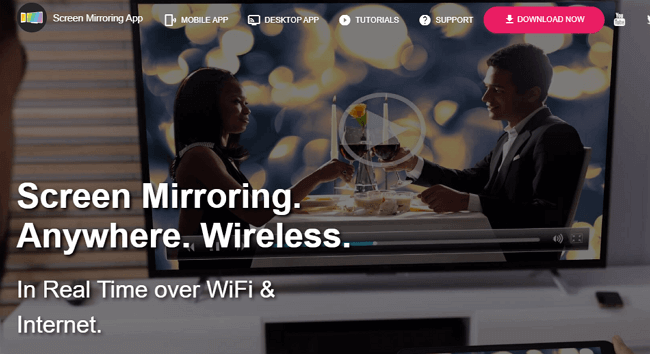
Screen Mirroring App
Reasons to Recommend
Here are some reasons to recommend Screen Mirroring App.
- It is compatible with Android, iOS, Windows, Mac, and more.
- There is no need for cable cords or USB cables.
- You can start mirroring by simply scanning a QR Code or inputting an ID Code.
- Users get a preview before the mirroring process is initiated.
Limitations
Here are some limitations of the Screen Mirroring App.
- The free version comes with restricted functionalities.
- The free version necessitates watching ads to access the mirroring feature.
- Experiencing delays while mirroring can affect real-time activities.
- Compared to competitors, it might offer fewer features.
And that’s it!!!
I bet you have already found the AirServer alternative you like.
But if you still don’t like any of these alternatives, let’s see more information on AirServer. Maybe you’ll choose AirServer again.
More Information About AirServer
AirServer is undoubtedly a notable software for mirroring content across various platforms. For those curious about its specifics, let’s break down some queries about AirServer.
1. Is AirServer free to use?
No, AirServer isn’t entirely free. AirServer Windows 10 Desktop Edition and the Education License cost $11.99.
However, the price is reduced to USD 9.99 when purchasing ten licenses. An education license requires a valid educational email for purchase.
2. Is AirServer the same as AirPlay?
AirServer and AirPlay are not the same. AirServer is software for mirroring screens and streaming across various devices. While AirPlay is Apple’s proprietary wireless streaming protocol. But, AirServer does support and is compatible with AirPlay. It allows users to mirror from Apple devices to AirServer-enabled displays.
3. How long does the AirServer free trial last?
AirServer provides a free 30-day trial with full access to its features. After this period, users must choose one of the licensing plans to continue using the service.
The Bottom Line
Screen mirroring has now become an essential tool for personal and professional use. And it’s crucial to find the right platform for it.
This article outlines the top AirServer alternatives. We’ve provided insights into their unique features and limitations. Notably, AnyMiro secured the top spot in our list with its powerful features and user-friendliness. Using AnyMiro for streaming mobile gaming, content creation, or displaying photos and videos on a larger screen will be seamless and smooth. So make sure to check it out if you are on the hunt for superior screen mirroring tools.
AnyMiro – Real-Time Screen Mirroring Tool
Free download AnyMiro to enjoy a fast, stable, and smooth screen mirroring experience. You can mirror for better game playing, video watching, or live streaming mobile phone content.
Product-related questions? Contact Our Support Team to Get Quick Solution >
