Top Picks – Best iPhone Webcam App Reviews
Use webcam apps to turn your iPhone into a webcam and record your next online meeting in high quality. In this article, we will review some of the best iPhone webcam apps and their pros and cons so you can choose one that best fits your needs.
Looking for a better webcam for your online meetings? Is your laptop or computer camera persistently producing low-quality videos? Not a problem!
Turn your iPhone into a webcam without spending a hefty amount on buying expensive ones. Whether you need to attend a Zoom meeting, record a podcast, or host a live class, do so through the comfort of your iPhone.
Simply download an iPhone webcam app and enjoy high-definition videos with various effects and filters. In this article, we will review some of the best iPhone webcam apps for HD recordings.
So, continue reading to find the one that best suits your needs!
1. EpocCam Webcam
The first one on our list is EpocCam Webcam, a powerful and user-friendly iPhone Webcam app. EpocCam works seamlessly with all the popular streaming and broadcasting platforms, such as Zoom, OBS Studio, Skype, Microsoft Teams, and YouTube, among others.
EpocCam supports both audio and video and is equally available for Windows and Mac. You can opt to use the free version or the paid one.
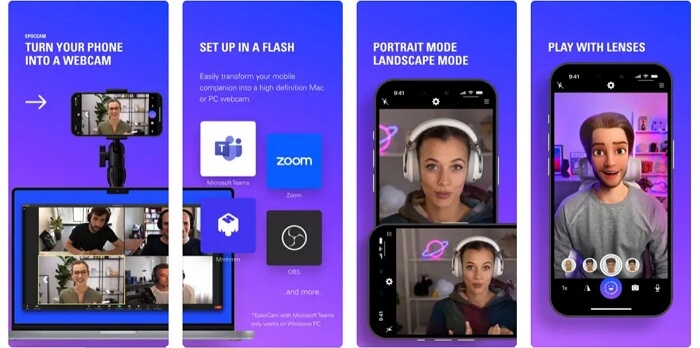
EpocCam Webcam for iPhone
Let us find out what makes EpocCam our top pick.
Pros
- Supports a wider variety of broadcasting platforms.
- Conference call and live stream in HD quality in the Pro version.
- Fun effects and features, along with Snapchat lenses.
- Connects via WiFi or USB.
- Supports both front and rear cameras.
Cons
- Must buy the app for HD video recordings.
- The free version includes a watermark on videos.
- Limited features on the free version.
Overall, EpocCam is definitely one of the best iPhone webcam apps. Hence, it is the first on our list. Now, let’s move on to other options which offer comparable features.
2. WebCamera
WebCamera by Shape is another powerful webcam app for iPhones. It is one of the best free iPhone webcam apps with professional features to meet your webcam needs.
WebCamera by Shape is available on Mac, PC, and iOS. It lets you capture videos in three resolutions, including 192×144, 480×360, and 640х480. It is compatible with video production platforms like Boinx TV, CamTwist, and Camtasia.
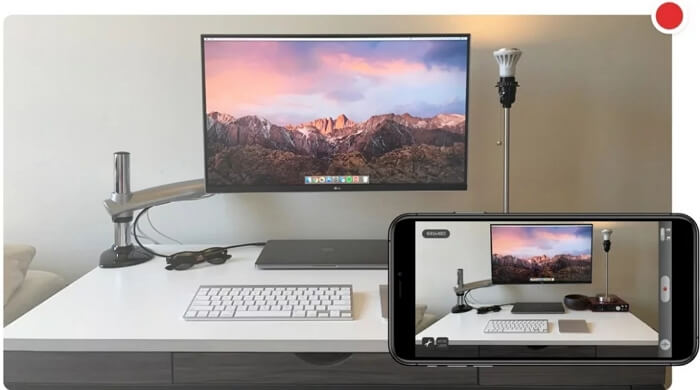
Webcamera Webcam for iPhone
Let’s find out what else this app has to offer.
Pros
- Supports most messaging apps and video production software.
- Wireless connectivity
- Works like a regular USB camera
- Free to download and use.
Cons
- The processing speed can be improved.
- The highest video quality offered on the free version is 640 х 480.
Free download, wireless connectivity, and good platform support make WebCamera one of the best iPhone webcam apps. But if it is not your cup of tea, we have an even better option below.
3. iCam
If you are a live streamer with the need to stream multiple videos in an instant, iCam has your back. iCam lets you record and playback motion events and supports both audio and video formats.
iCam is reliable for its iCam Cloud service that automatically backs up your videos. Apart from a webcam for online meetings, you can use it as a baby monitor, pet cam, or security camera. Plus, iCam supports Windows, MacOS, and iOS devices.
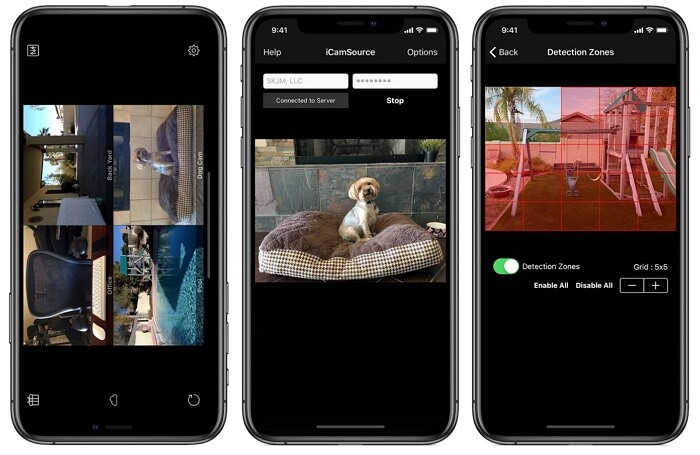
iCam Webcam for iPhone
Let’s find out why iCam can be your go-getter for webcam recordings.
Pros
- Connected via WiFi and EDGE/3G/4G or LTE.
- Motion in the camera is notified via push notifications.
- Supports up to 4 webcams on iPhone at the same time.
- Automatic backup via iCam Cloud.
- Record and Playback videos.
Cons
- You must buy the pro version to use iCam offline.
- There is no sound detection on the free version.
iCam is hands down one of the best iPhone webcam apps, offering the best surveillance features. But if it is not up to the mark for you, let’s move on to another option.
4. iVCam
iVCam is another top-notch webcam that is worth mentioning in our top picks of webcam apps for iPhone. iVCam Webcam effortlessly converts your iPhone or iPad into a Windows PC webcam. The app will use your iPhone’s rear camera for HD webcam recordings.
iVCam offers high-definition videos with low latency. Plus, you get to enjoy recordings in standard resolutions such as 1080p, 720p, 480p, and 360p. It also offers beauty filters, video flip or mirror, flash, etc.
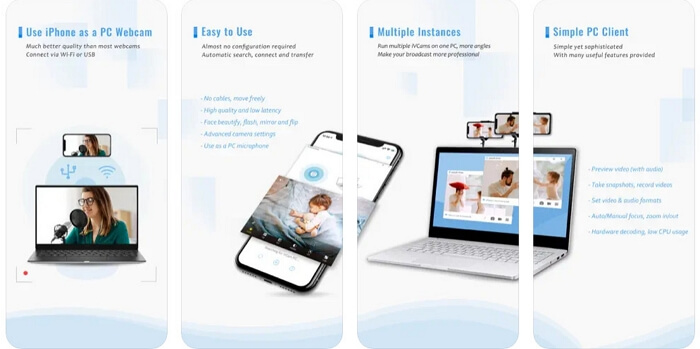
iVCam Webcam for iPhone
Let’s find out what makes iVCam the best iPhone webcam app.
Pros
- High-quality iPhone webcam with low latency.
- Automatic connection via internet or USB.
- Record up to 4K videos with iVCam Pro.
- Configurable frame rate.
- Support for both landscape and portrait modes.
- Background replacement.
Cons
- It is only available for Windows PCs.
- The free version has a watermark on videos.
- Ads on the free version limit user experience.
- Features like video quality are limited after the trial period.
iVCam Webcam is highly tempting with its top-notch video quality, editing, and configuration options. But we are not done yet. We have one last app to explore before we conclude our list of best iPhone webcam apps.
5. Camo
We could not wrap up without mentioning Camo, which is a webcam app available for both Mac and PC. Camo’s free version offers resolutions of up to 720p. However, you can unlock higher video quality, focus adjustments, lenses, and a lot more with the Camo Pro.
Camo supports various broadcasting apps such as Meet, Zoom, Skype, Teams, Slack, Google Chrome, Webex, and many more.
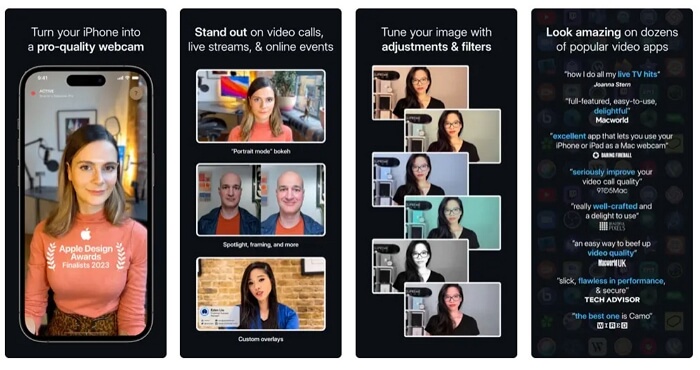
Camo Webcam for iPhone
So, let’s find out what makes it a must-mention on our list of top picks.
Pros
- Supports various platforms, including Android, iPhone, Mac, and Windows.
- Offers additional effects and features
- You can adjust your webcam in the Pro edition.
- Easy setup for iPhone
- High video quality.
Cons
- Must buy the app for Full HD recording.
- Must keep the desktop app open while using it.
- Videos with the free version have a watermark.
So, there you have it: a complete rundown of some of the best iPhone webcam apps in the market. Each app from our list of top picks offers a full suite of features for your webcam needs. Make sure to choose the one that is the most convenient for you.
FAQs
1. How do I use my iPhone as a webcam?
You can use your iPhone as a webcam by downloading webcam apps and installing companion software on your PC. After connecting both devices and configuring the settings, you can use your iPhone as a webcam.
2. Can I use an iPhone for an OBS webcam?
Yes, you can use an iPhone for an OBS webcam by using a webcam app. You can choose one from our list of best iPhone webcam apps, including EpocCam, WebCamera, iVCam, iCam, Camo, etc. Download the app on your iPhone and configure it as a video capture source in OBS.
The Bottom Line
Good-quality webcams are no longer a luxury but a necessity with the surge in online meetings and broadcasts. Although most laptops and computers have built-in webcams, they deliver poor-quality recordings.
But thankfully, your iPhone can be turned into a webcam by using webcam apps. EpocCam, WebCamera, iVCam, iCam, and Camo are some of the best iPhone webcam apps in the market.
Use our comprehensive review of each of these apps to turn your iPhone into a recording device for your next virtual meeting.



Senior writer of the iMobie team as well as an Apple fan, love to help more users solve various types of iOS & Android-related issues.
Product-related questions? Contact Our Support Team to Get Quick Solution >
