Ultimate Guide about DroidKit Activation Code Free 2026
Want to know what is iMobie DroidKit account and activation code and how to get DroidKit activation code free 2025? Read this in-depth review to find out the answer and get the best DroidKit keygen version.
DroidKit Activation Key: Quick Answer
A DroidKit activation key is the license information used to activate the paid features included in your DroidKit plan. If you purchase DroidKit through an official iMobie channel, use the registration information associated with your order to activate the software. If you have already purchased DroidKit but cannot activate it, check your purchase email and registration information before buying another license.
DroidKit is an Android toolkit that includes features for data recovery, screen unlocking, FRP bypass, Android system repair, data management, and other Android-related tasks. Some functions can be tested before purchase, while completing certain operations requires the appropriate paid license.
If you are searching for a DroidKit activation key, activation code, registration key, or account information, the sections below explain how official activation works, what the free version can do, and how to troubleshoot common activation problems.
Part 1. DroidKit Activation Code FREE Online
What Is a DroidKit Activation Key?
A DroidKit activation key is used to register an eligible paid DroidKit license and unlock the features included in the plan you purchased. You may also see users refer to it as a DroidKit activation code, registration key, or license key.
Your official activation information is associated with a legitimate DroidKit purchase. It should not be confused with random activation keys, keygens, or cracked copies distributed on third-party websites.
Where Can You Get an Official DroidKit Activation Key?
The reliable way to get valid DroidKit activation information is through an official DroidKit purchase. After your order is successfully processed, check the email address used for the purchase for your order and registration information.
If you already purchased DroidKit but cannot find the activation information, check your spam or junk folder and make sure you are checking the same email address used for the order. If the information is still missing, contact iMobie Support with your order details rather than purchasing the software again.
Can You Get a DroidKit Activation Key for Free?
You may find websites claiming to provide a free DroidKit activation code, serial key, keygen, or cracked version. These are not official iMobie activation methods. Third-party keys may already be invalid or may not correspond to the DroidKit plan or version you need, while unofficial software downloads may be outdated or modified.
- Invalid or reused keys: Activation information found on third-party websites may no longer work or may not correspond to your license.
- Outdated software: Unofficial copies may not support current Android versions, devices, or DroidKit features.
- Modified installers: Software downloaded from an unofficial source may have been altered from the official DroidKit installer.
- No official support: iMobie cannot verify or provide normal license assistance for unofficial activation information.
For these reasons, use the official DroidKit download and legitimate registration information if you need to activate paid features.
Get DroidKit from the Official Source
Download the official DroidKit trial to check compatibility and available features. If you need paid features, choose the license that matches your needs and activate it with the registration information provided with your purchase.
Part 2. Is There a Free Version of DroidKit?
Yes. DroidKit can be downloaded and tried before purchasing a license. However, the actions available without registration depend on the feature you are using. In general, the trial lets you check the software, device compatibility, and selected functions, while completing certain operations requires the corresponding registered version.
The Difference between Trial Version and Pro Version
The table below shows the current differences between the trial and registered versions. Because available features may change as DroidKit is updated, verify that the table matches the current product version before publishing this page.
How to Get DroidKit at a Lower Price
If the trial confirms that DroidKit supports the task you need, choose a license based on the feature and usage period that fit your situation. There is no need to search for an unofficial free activation key just to avoid purchasing features you do not need.
For current plans and prices, visit the iMobie Store. If a promotional coupon is displayed on the official website, confirm that it is still valid before completing your purchase.
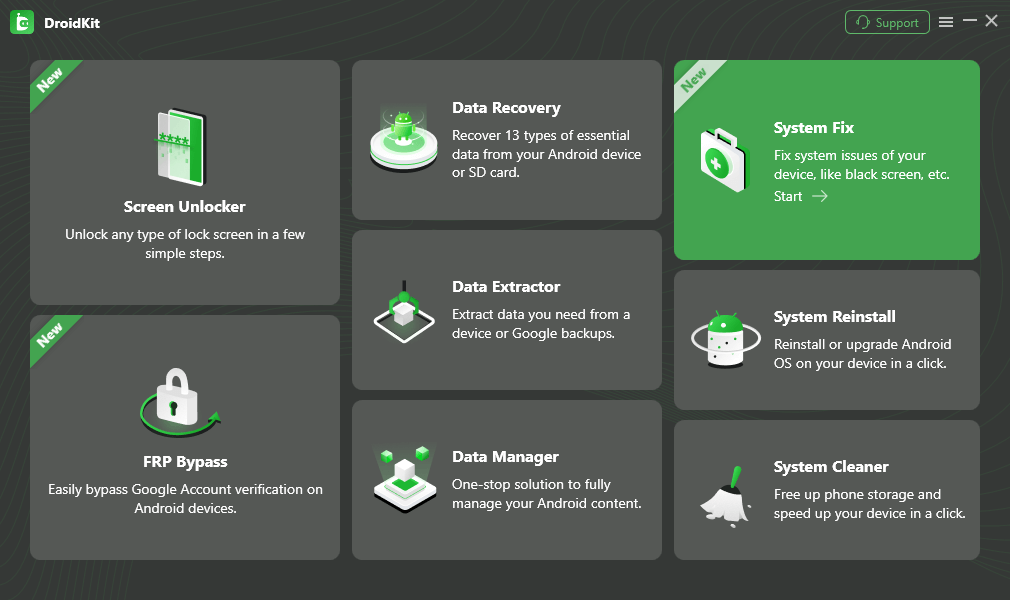
Part 3. How to Free Download and Install DroidKit Full Version
Download and Install DroidKit
Download DroidKit from the official iMobie website to make sure you are installing the current version. DroidKit is available for Windows and Mac.
For Mac:
- Download DroidKit on your Mac.
- Open the downloaded DroidKit DMG file.
- Follow the installation instructions shown on the screen.
- When installation is complete, open DroidKit.
For Windows:
- Download DroidKit on your Windows computer.
- Open the official DroidKit setup file.
- Follow the on-screen installation instructions.
- Launch DroidKit after the installation is complete.
How to Activate DroidKit After Purchase
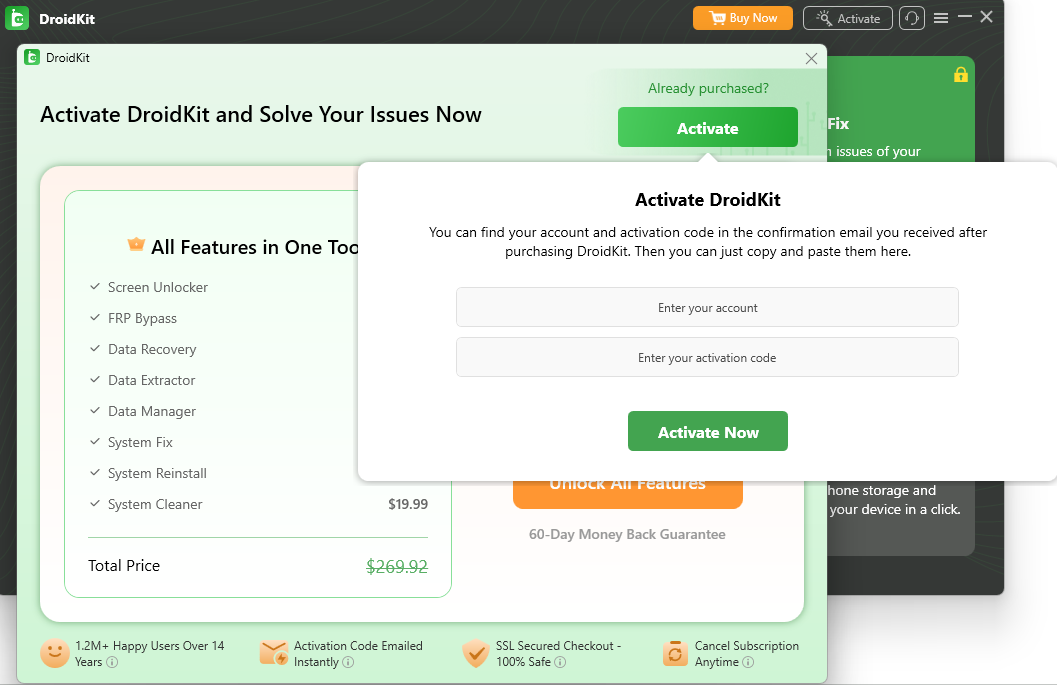
Once DroidKit is installed, register your paid license using the activation information associated with your purchase.
- Open DroidKit on your Windows PC or Mac.
- Open the Register or activation option in DroidKit.
- Locate the registration information provided with your DroidKit order.
- Enter or paste the required information carefully. Avoid adding extra spaces when copying it.
- Submit the registration information and wait for DroidKit to verify the license.
- After activation succeeds, confirm that the features included in your purchased plan are available.
If DroidKit does not accept your registration information, do not immediately purchase another license. Check for typing or copy-and-paste errors, confirm that the information belongs to DroidKit, make sure the computer has an internet connection, and review the license terms associated with your plan.
What to Do If Your DroidKit Activation Key Is Not Working
| Problem | What to Check | What to Do |
|---|---|---|
| DroidKit does not accept the activation information | Typing or copy-and-paste errors | Copy the registration information again and make sure no extra spaces are included. |
| You cannot find your activation information | Email used for the purchase | Check the inbox and spam folder of the email address used when placing the DroidKit order. |
| The license worked before but does not work on another computer | License or device limit | Check the terms of your purchased plan or contact iMobie Support for license assistance. |
| Activation cannot be verified | Internet connection | Make sure the computer is connected to the internet and retry activation. |
| You purchased DroidKit but received no registration information | Order status and purchase email | Confirm that the order was completed and contact iMobie Support with your order details if necessary. |
Part 4. What You Can Get after Purchasing
A genuine DroidKit license gives you access to the paid functions included in the plan you purchased. Instead of treating the activation key itself as the benefit, consider whether the licensed features match the Android task you need to complete.
1. Access to the Features Included in Your Plan
DroidKit includes multiple Android tools, and available paid functions depend on the plan or feature you purchase. Before buying, use the trial version where available and check the current product information to confirm that DroidKit supports your device and intended task.
2. Official License and Customer Support
Using an official license makes it possible to receive normal license and product assistance from iMobie. If you lose your registration information, encounter an activation problem, or need help with your license, contact iMobie Support with the relevant order information.
3. Product Updates
The official DroidKit version is updated as device, Android, and product support changes. Keeping DroidKit updated also helps ensure that you are using the current interface and supported functionality rather than an outdated third-party copy.
Before purchasing, check the current license duration, supported devices, feature availability, upgrade terms, and refund policy for the specific DroidKit plan you choose.
FAQs about DroidKit Activation Code
Here are answers to common questions about DroidKit activation keys, registration, and the free version.
Where can I find my DroidKit activation key?
After a successful official purchase, check the email address used for your DroidKit order for the registration information associated with the purchase. Also check the spam or junk folder if you cannot find the message.
What should I do if I don’t receive the DroidKit activation information?
First confirm that your order was completed and check the inbox and spam folder of the email address used for the purchase. If you still cannot locate the registration information, contact iMobie Support and provide the relevant order details so the purchase can be checked.
Why is my DroidKit activation key not working?
Common causes include incorrect or incomplete registration information, extra spaces introduced when copying it, using information that does not belong to DroidKit, network problems during license verification, or a license/device limitation. Check these items first and contact iMobie Support if the problem continues.
Can I get a free DroidKit activation key?
DroidKit offers a trial experience for supported functions, but a valid paid license is required to complete features that are limited to registered users. Random activation keys, keygens, or cracked copies found on third-party websites are not official DroidKit activation methods.
Can I use my DroidKit license on another computer?
This depends on the terms and device or computer limits of the DroidKit license you purchased. Check the current license details for your plan. If you replaced a computer or cannot activate an existing license on a new machine, contact iMobie Support before purchasing another license.
Is DroidKit only for Samsung devices?
No. DroidKit supports multiple Android brands, but device compatibility varies by feature. For example, supported devices for screen unlocking, FRP bypass, system repair, and data-related functions may differ. Check the current compatibility information for the specific DroidKit feature you intend to use.
Final Words
A DroidKit activation key is used to register the paid features included in an eligible DroidKit license. If you already purchased DroidKit, check the registration information associated with your order and use it in the software’s registration interface. If activation fails, verify the information, internet connection, and license limits before purchasing again.
If you have not purchased DroidKit yet, you can download the official trial version first to check the software and available features before choosing a license.



Jeremy Feron is a writer for iMobie with a deep passion for Android. He specializes in creating clear guides on Android tips and the latest updates, helping users navigate their devices and get the most out of new features.
Product-related questions? Contact Our Support Team to Get Quick Solution >
