What Are Samsung Secret Codes & How to Use
Samsung secret codes let you unlock hidden features, test hardware, and troubleshoot issues with ease. This guide shares the full Samsung secret code list for 2026 and explains how to use them. Plus, discover how DroidKit can help you unlock your Samsung device quickly if you forget your password.
Your Samsung device is packed with features, but not all of them are visible. One of these features is a secret code. Samsung secret codes are shortcuts to special functions and hidden features. A few taps and you can get the battery status, network information, or even troubleshoot minor problems without getting into complex settings.
They’re perfect for anyone who loves exploring their phone or wants fast solutions. And if you ever find yourself locked out, don’t worry. There are tools to help you get complete access to your phone. In this blog, we’ll share the most useful Samsung secret codes and show you how DroidKit can unlock your device with ease.
Some codes may not work on all devices or Android versions. Using certain codes, like factory reset codes, can result in data loss. You should always be cautious when using Samsung secret codes and ensure to back up your data before attempting any actions that could result in data loss.
Does Samsung Have Secret Codes?
Yes! Samsung phones do have secret codes, also known as dialer codes. They are special numeric codes that you can type into the dialer. They open features and hidden menus that are usually not visible. These secret codes may be used to test, troubleshoot, and get advanced settings. As an example, they may display data about the battery, hardware, or the network. Technicians often use them to check if everything is working well. You can also try them to explore phone functions.
Samsung secret codes save time because you don’t need to go through many settings. They also help in fixing Android system issues without third-party apps. However, they should be used carefully because some options may change essential settings on your device.
How to Use Samsung Secret Code Free?
Using Samsung secret codes is very easy – just dial the Samsung secret codes. You do not require any third-party applications to use these codes. You can get access to secret codes as long as you can open the dialer on your phone.
Follow the simple steps below to use the Samsung secret codes for free:
Step 1: First of all, open the dialer app on your Samsung phone.
Step 2: Now, enter a code using numbers and symbols. For example, dial *#06# to get your IMEI number.
Step 3: Once you are done typing, the result appears. You need not press the call button.
Samsung Secret Code List 2026
Below is a complete list of Samsung secret codes you can use in 2026 and get access to the hidden features easily.
Type 1. Samsung Secret Code for Device Information
- *#06# – Check IMEI number.
- *#0*# – Open hardware test menu.
- *#*#4636#*#* – View phone info, usage stats, and battery details.
- *#12580*369# – See software and hardware version.
- *#0228# – Check battery status.
Type 2. Samsung Secret Code for Firmware Check
- *#32489# – Get ciphering info and enter service mode.
- #0808# – Open USB service settings.
- *#197328640# – Access default service mode.
- *#9090# – Check diagnostic configuration.
- *#526# – Enter WLAN engineering WiFi service mode.
- *#2663# – Check TSP and TSK firmware update.
- *#7412365# – Open camera firmware menu.
- *2767*4387264636# – View sellout SMS / PCODE.
- #8736364# – Go to OTA update menu.
- *#2683662# – Access Samsung service mode.
- *#34971539# – Check camera status and firmware version.
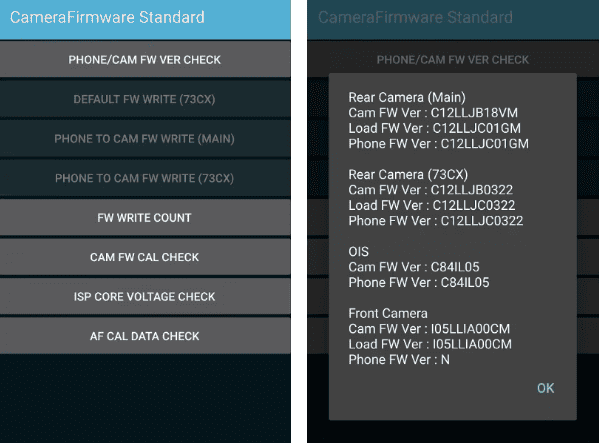
Samsung Secret Code for Firmware Check
Type 3. Samsung Secret Code for Restarting
- #*3849# – Restart your Samsung Galaxy device.
- #*2562# – Reboot the phone instantly.
- #*3876# – Perform a soft reset.
- #*3851# – Restart the device without pressing the power button.
Type 4. Samsung Secret Code for Network Check
- *7465625*638*# – Customize MCC/MNC network lock.
- *7465625*782*# – Customize network lock NSP.
- *7465625*782*# – Insert any network lock keycode (semi-partial).
- #7465625*77*# – Insert network operator.
- *7465625*77*# – Set network lock SP.
- #7465625*27*# – Insert Galaxy content provider network.
- *#272*IMEI# – Change the CSC of Samsung devices.
- *#2263# – Select network mode RF band.
Type 5. Samsung Secret Code for Debugging
- *#745# – Open the dump menu to dump RIL
- *#746# – Access the general debug dump menu
- *#03# – View NAND Flash serial number
- *#272886# – Enable auto-answer selection
- *#7594# – Remap the shutdown function to the End Call button
- *#9900# – Enter SysDump mode (helps improve network, battery life, and Wi-Fi speed)
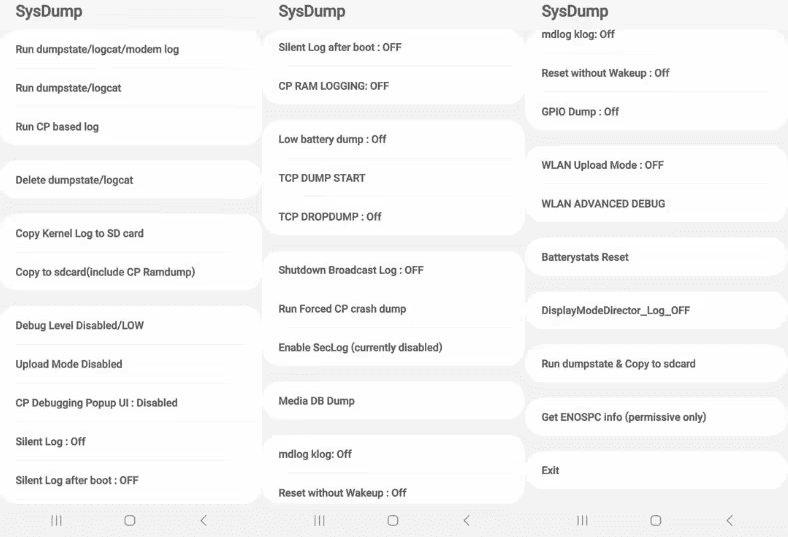
Samsung Secret Code for Debugging
Type 6. Samsung Secret Code for Factory Reset
- *#*#7780#*#* – Reset or format your Samsung phone with a confirmation message.
- *2767*3855# – Perform a factory reset without any confirmation prompt.
- *#*#273283*255*663282*#*#* – Back up and copy your media files.
- *#22558463# – Reset the total call time counter.
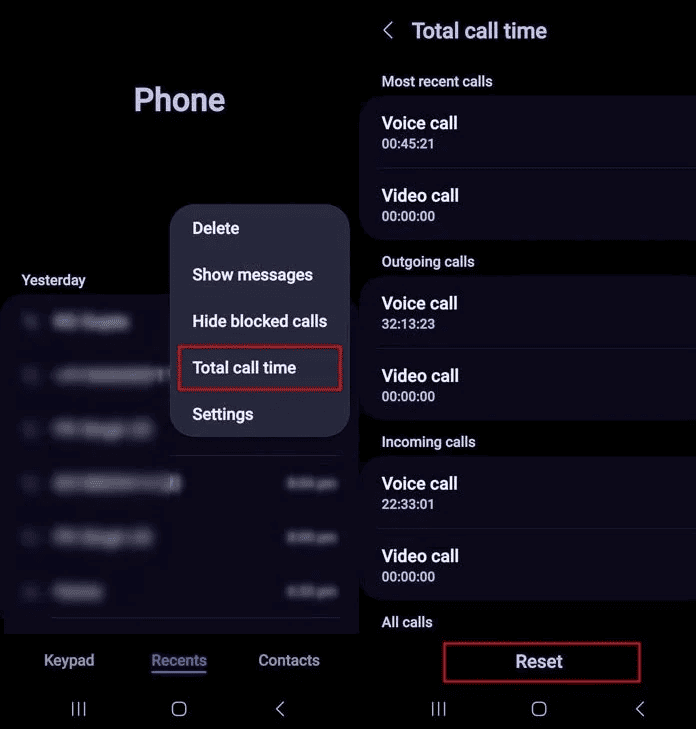
Samsung Secret Code for Factory Reset
Type 7. Samsung Secret Code for SIM Unlock
- #0111*0000000# – Unlock the SIM on your Samsung phone.
- #7465625*28746# – Check the network lock keycode.
- **04*[old PIN]*[new PIN]*[new PIN] – Change your SIM card PIN.
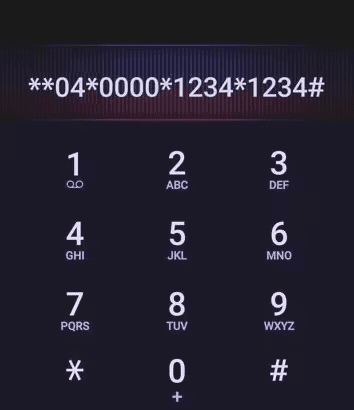
Samsung Secret Code for SIM Unlock
Bonus Tip. How to Unlock Samsung Without Secret Code
Besides the above functions the Samsung secret codes provide, some users also wonder if there is a secret code to unlock Android, just like the master code to unlock an Android phone. Unluckily, there is no such code to help you unlock your phone. Worry not! DroidKit can help. This efficient tool lets you unlock your Samsung phone without a PIN, a password, or a pattern.
DroidKit is safe, fast, and requires no technical skills. Whatever the cause, whether you forget your phone password or you are unable to access your phone, it will guide you to unlock your phone with ease. You don’t need to dial secret codes or follow complicated steps; just follow the steps below to get access to your Samsung phone.
DroidKit – Unlock Android without Password
- Unlock all types of screen locks on an Android phone in minutes.
- Unlock 20,000+ models of Android phones & tablets.
- No technical knowledge is required; No need to root your device.
- Bypass FRP lock without Google account or password.
Free Download100% Clean & Safe
Free Download100% Clean & Safe
Free Download * 100% Clean & Safe
Steps to Unlock Samsung with DroiKit:
Step 1: On your computer, download and install DroidKit. Connect your Samsung device to your computer via a USB cable. Then launch DroidKit and choose “Screen Unlocker” mode.
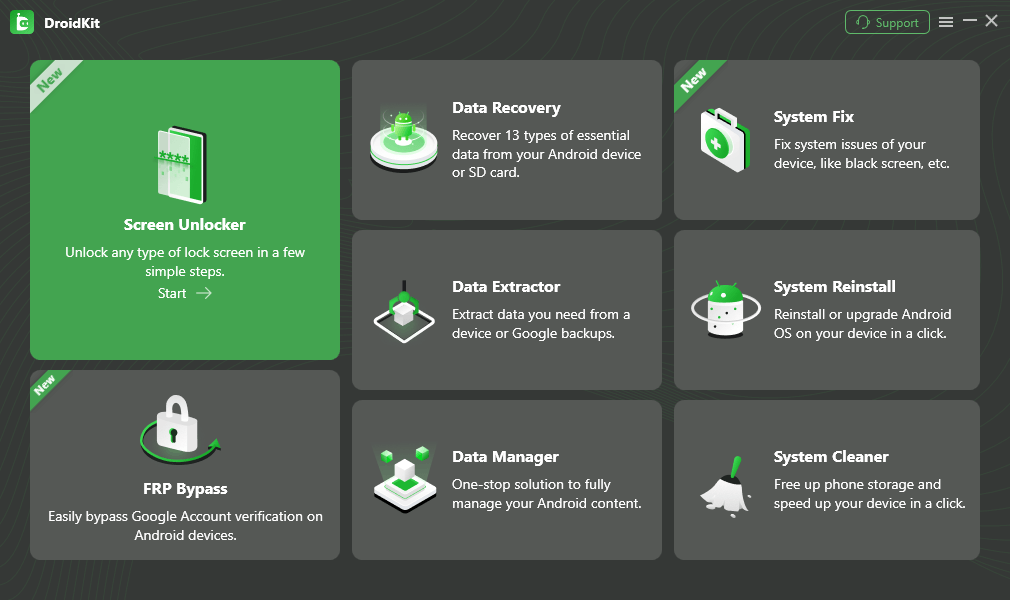
Select Screen Unlocker Mode
Step 2: Choose the “Start” button. Then, choose the Device Connected button.
Step 3: It will start preparing the configuration file of your device. Click the Remove Now button.
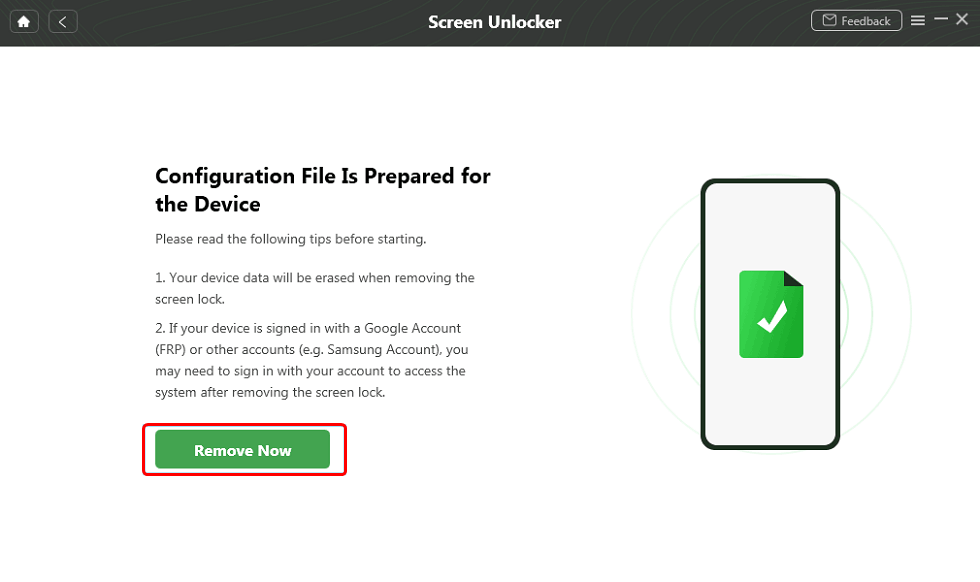
Click Remove Now Button
Step 4: Select the Samsung brand and choose the “Wipe device data (Recommended)” option. Then click OK.
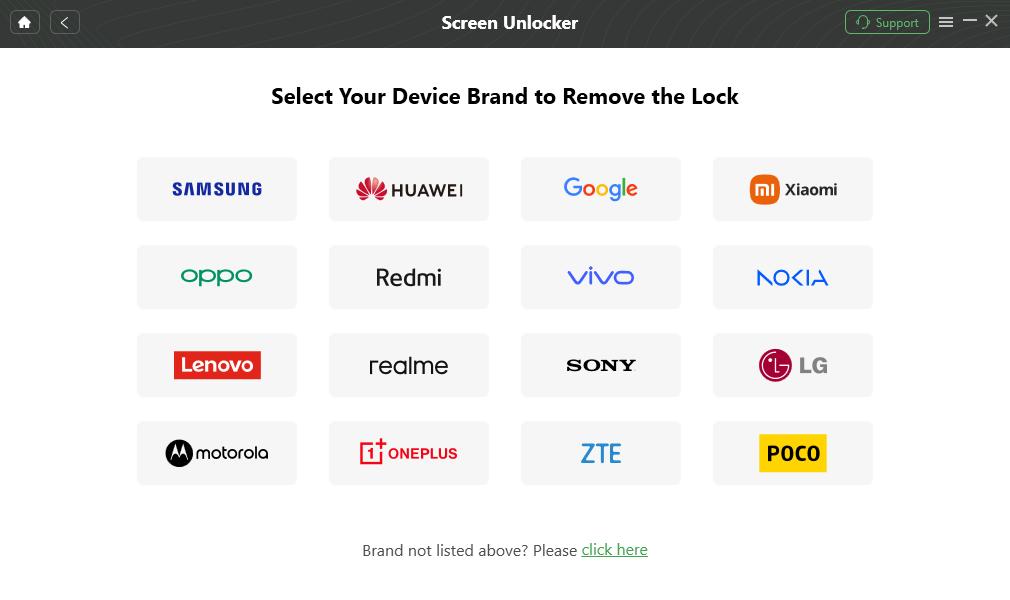
Confirm your Device Brand and Continue
Step 5: Put your Samsung device in recovery mode, depending on whether it has a home button/a Bixby button. Next, wipe the cache partition on your device.

Remove the Screen Password
Step 6: DroidKit will start removing your screen lock. Finally, the screen lock is removed successfully.
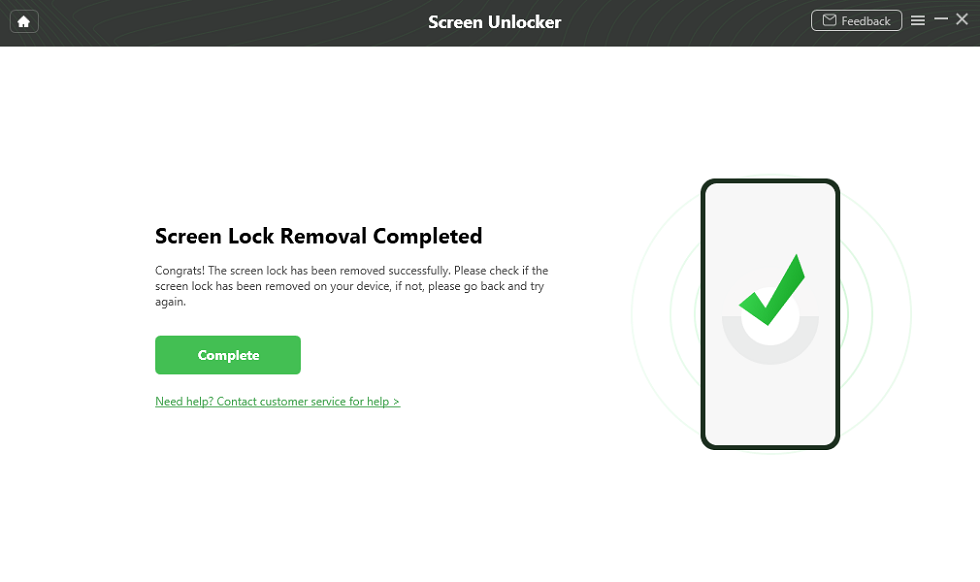
Samsung Unlocked Successfully
Conclusion
Now that you know the latest Samsung secret codes, you can try the one you may need to check your device, such as device information check, system debug, factory reset, etc. Always be careful to trying codes that may cause data loss or system issues. For those who want a Samsung secret code to unlock screen without password, the answer is no. But DroidKit provides an easy solution. It allows you to unlock your Samsung phone quickly and easily. Try DroidKit now and get your Samsung unlocked in a few minutes.
Free Download * 100% Clean & Safe



Jeremy Feron is a writer for iMobie with a deep passion for Android. He specializes in creating clear guides on Android tips and the latest updates, helping users navigate their devices and get the most out of new features.
Product-related questions? Contact Our Support Team to Get Quick Solution >
