What Is Ultra Tool and How to Use It? | With Alternative
Ultra Unlock Tool provides fast Android device unlocking by bypassing FRP and screen locks but offers limited features. For a comprehensive solution, DroidKit simplifies unlocking, data recovery, and system repairs, making it the smarter choice.
What if your smartphone was bricked, FRP-locked, or just stuck behind a bootloader that wouldn’t give way, and you couldn’t get any assistance? This is where the Ultra Unlock Tool comes into play, the number one solution in 2026, for repair professionals and mobile enthusiasts as well. No matter if you are disabling Samsung’s MDM kill-switch, flashing a firmware on Huawei, or restoring IMEI on Xiaomi, this tool is loaded with the capabilities for almost any latest device. This article is a deep dive into the features of Ultra Unlock Tool that set it apart from other products.
Part 1. What is Ultra Unlock Tool?
1. Overview of Ultra Unlock Tool
Ultra Unlock Tool is professional software for unlocking Android devices, bypassing FRP locks, and reading device codes with high efficiency. Designed for repair technicians and enthusiasts, it supports advanced tasks like firmware flashing, IMEI repair, and network unlocking via a user-friendly interface. Compatible with Samsung, Xiaomi, Motorola, Huawei, Oppo, and MediaTek devices, it ensures fast, secure operations.
2. Key features of Ultra Unlock Tool
Ultra Unlock Tool features a collection of the most brilliant ideas to make it easier for users, such as:
- Device unlocking: Direct unlock, FRP (Factory Reset Protection) bypass, and bootloader unlocking.
- Code reading & calculation: Extracts codes from devices, determines the IMEI, and enables network unlock functions.
- Firmware flashing: Flash the default ROM of the device, revert to previous versions, and handle partitions on the device.
- IMEI repair: Rebuild or fix the IMEI of Qualcoom, MediaTek, and Unisoc devices if you are a user of one of these brands.
- Supported models: Compatible with a variety of devices such as Samsung, Xiaomi, Motorola, Huawei, Oppo/Realme, and so forth.
- Windows compatibility: Works on Windows XP, Vista, 7, 8, 8.1, and 10 (both 32-bit and 64-bit) without any hiccups.
3. Pros and cons
Pros:
- Most of the popular smartphones and their chips are compatible with this software.
- The software offers a large toolkit: unlock, flash, repair, reset, and more.
- The user interface is easy for new users and appeals to experts.
- Compliance with the newest models and Android versions is ensured by frequent updating of the software.
Cons:
- This software is not available on Mac or Linux; it is only for Windows.
Part 2. How to Download and Use the Ultra Unlock Tool Latest Version
The results of the unlocking and repair procedures, which depend heavily on the choice of route, depend on how safely it is approached. One can easily get the latest Ultra Unlock Tool version 4.4.4 by just following a proper technique.
Step 1: Choose a trusted source
Locating a trustworthy distributor or the official site providing a non-malware version of Ultra Tool V4.4.4 would be the very first step to take. Do not download in suspicious places with excessive pop-ups, which ask for weird permissions and show cracked versions. Moreover, sources allow the software to be safe, stable, and up-to-date.
Step 2: Verify the downloaded file
Upon file downloading, it is important first to confirm its authenticity before installation is started. Please check if the file is in the standard .exe form and ensure that its size corresponds to the correct one stated by the official provider.
If the file is too small or too big, it may be corrupted or infected. Checking out these things before installation saves you from hassle, and your system will be safe from potential risks.
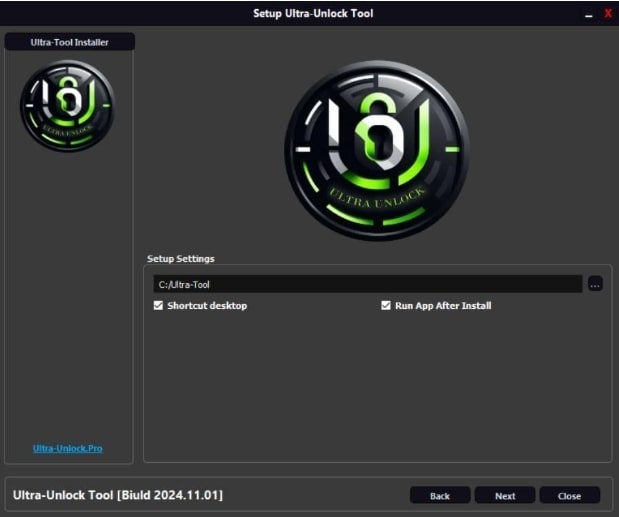
Ultra Tool Setup
Step 3: Install Ultra Tool V4.4
If the file is safe, then the installation process is very simple. Simply double-clicking the installer file will make the setup accessible. When you get the request, grant the necessary permissions so that the program may be installed properly.
Be sure to follow the directions given by the computer until the installation is complete. After the installation is complete, you can open Ultra Tool V4.4 and have access to all the features, including unlocking, flashing, or IMEI repair.
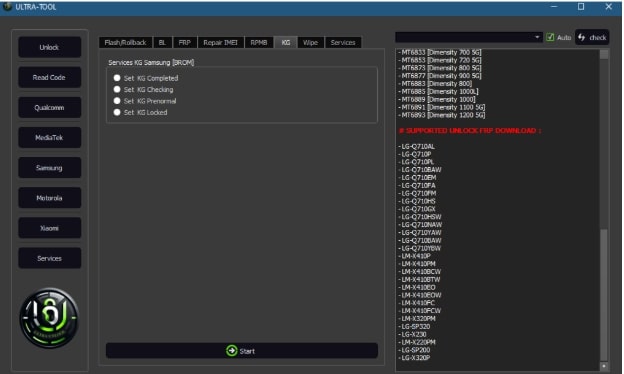
Install Ultra Tool
Safety tips for Ultra Tool V4.4.4 free download:
Ultra Unlock Tool is a wonderful piece of software, but it is always best to exercise some caution when using it. Below are some vital safety tips:
- Make sure that your antivirus is always updated and that you perform a security check on the file you have downloaded before proceeding with the installation.
- In some cases, the process of flashing or unlocking a phone may result in data loss. So, it is better to make sure that you have backed up all the important files.
Part 3. Bonus | Easier Alternative to Bypass FRP / Unlock Screen-DroidKit Way
Although Ultra Unlock Tool is a powerful tool intended for technicians and advanced users, there are still numerous users who desire a simpler method to remove the FRP locks or simply access their locked Android device. DroidKit is that exact solution – a single tool that works as a user-friendly bypass for FRP and unlocks the screen in just a few steps, even for novice users. With easy-to-follow instructions, compatibility with thousands of Android models, and potent technology, the need for complex flashing or rooting has just been discarded.
Key Features of DroidKit:
- FRP Bypass: Removes Google account locks post-factory reset without credentials.
- Screen Unlocking: Bypasses PINs, passwords, patterns, fingerprints, or face recognition in minutes.
- Data Recovery: Retrieves photos, contacts, and videos from black or broken screens.
- System Repair: Fixes over 50 issues, like app crashes (e.g., Samsung Experience Service) or freezes, without rooting.
- Broad Compatibility: Supports Samsung, Xiaomi, OPPO, Motorola, OnePlus, and more.
- No Root Required: Ensures safe, non-invasive operations.
Free Download * 100% Clean & Safe
Steps to Bypass FRP Via DroidKit:
Step 1: Select FRP Bypass Mode
On your PC, get and set up DroidKit. After the installation, open the software, and then select the “FRP Bypass” mode.
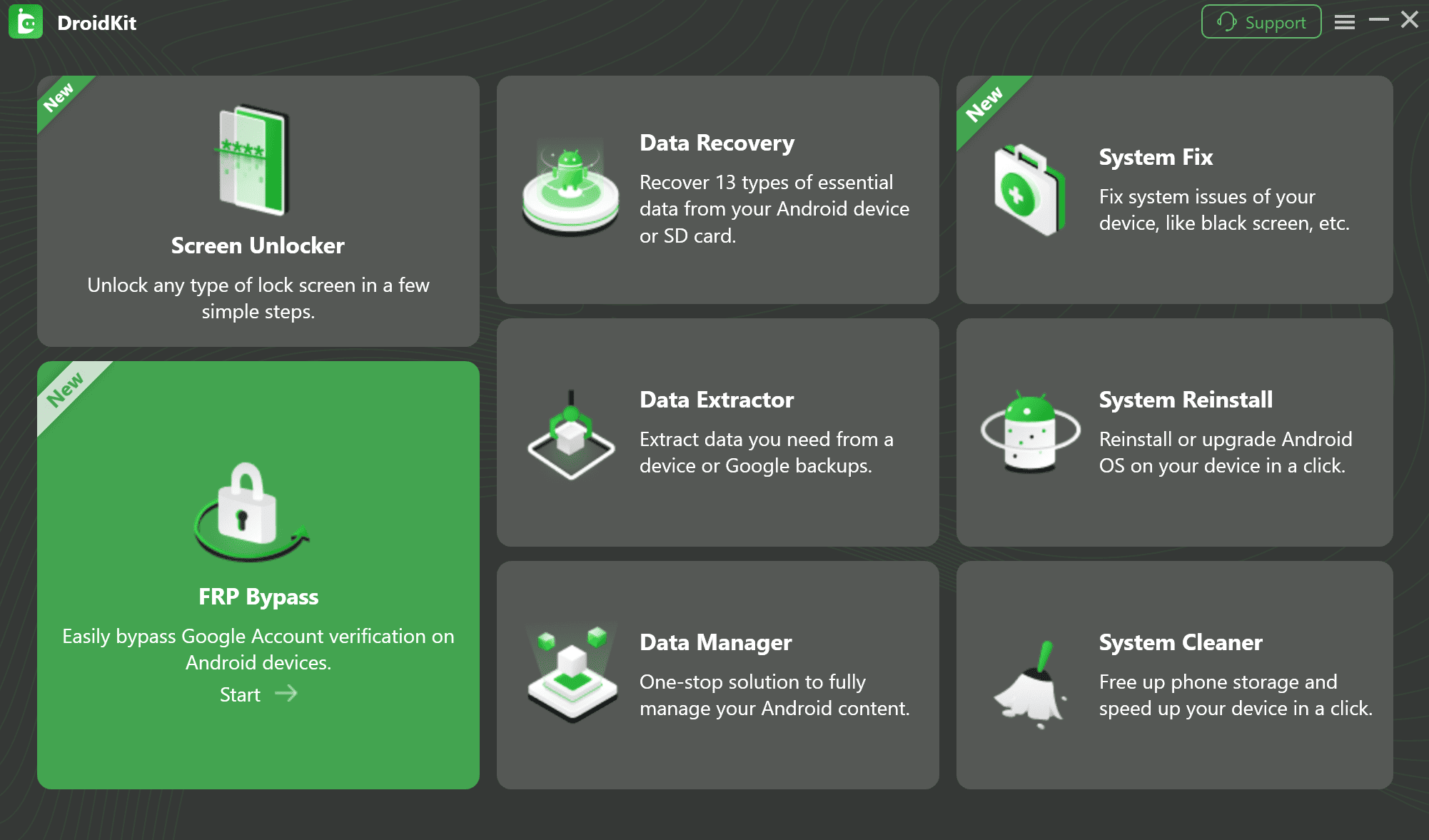
Select the FRP Bypass Feature
Step 2: Prepare Device Configuration File
Once the brand of the device is identified, a configuration file will be created by DroidKit of its own accord. When the progress bar reaches the end of the process, move on by clicking on “Start to Bypass.”
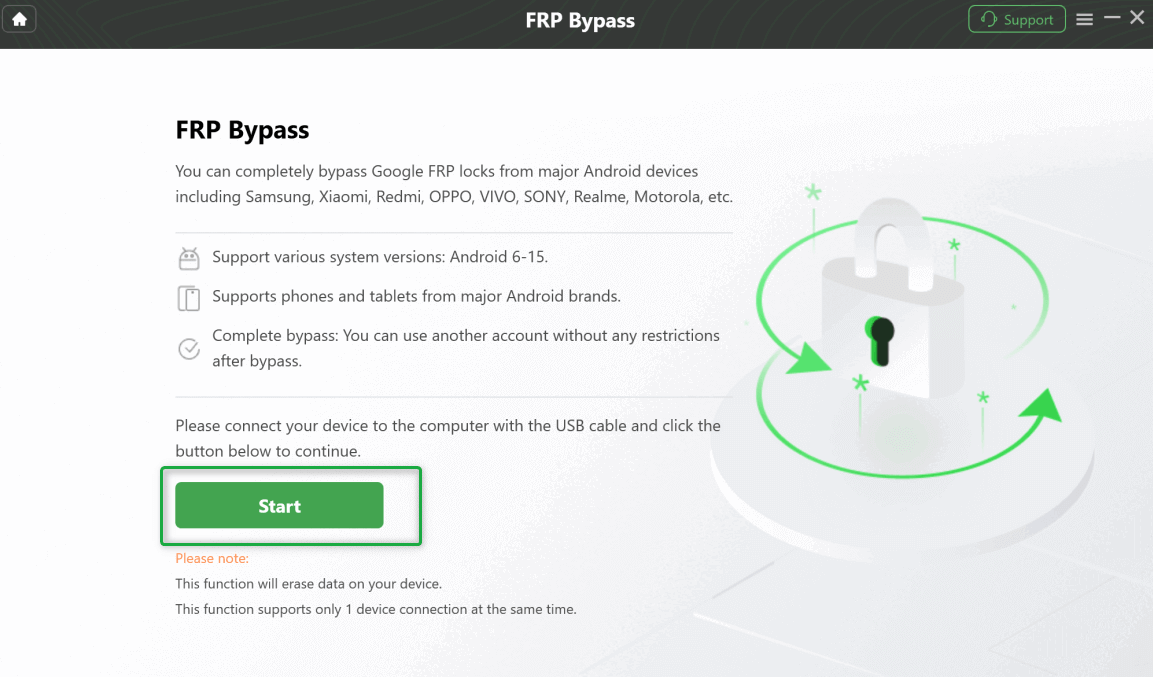
Connect Your Device and Start the Process
Step 3: Select Your Device’s System Version
The boot screen for different Android versions will be shown, and you must choose the one that is similar to your device and then press “Next.”
Step 4: Complete the Required Settings
For Samsung phones, dial *#0*# to go into Factory Mode and then click “Reset” on the DroidKit interface.
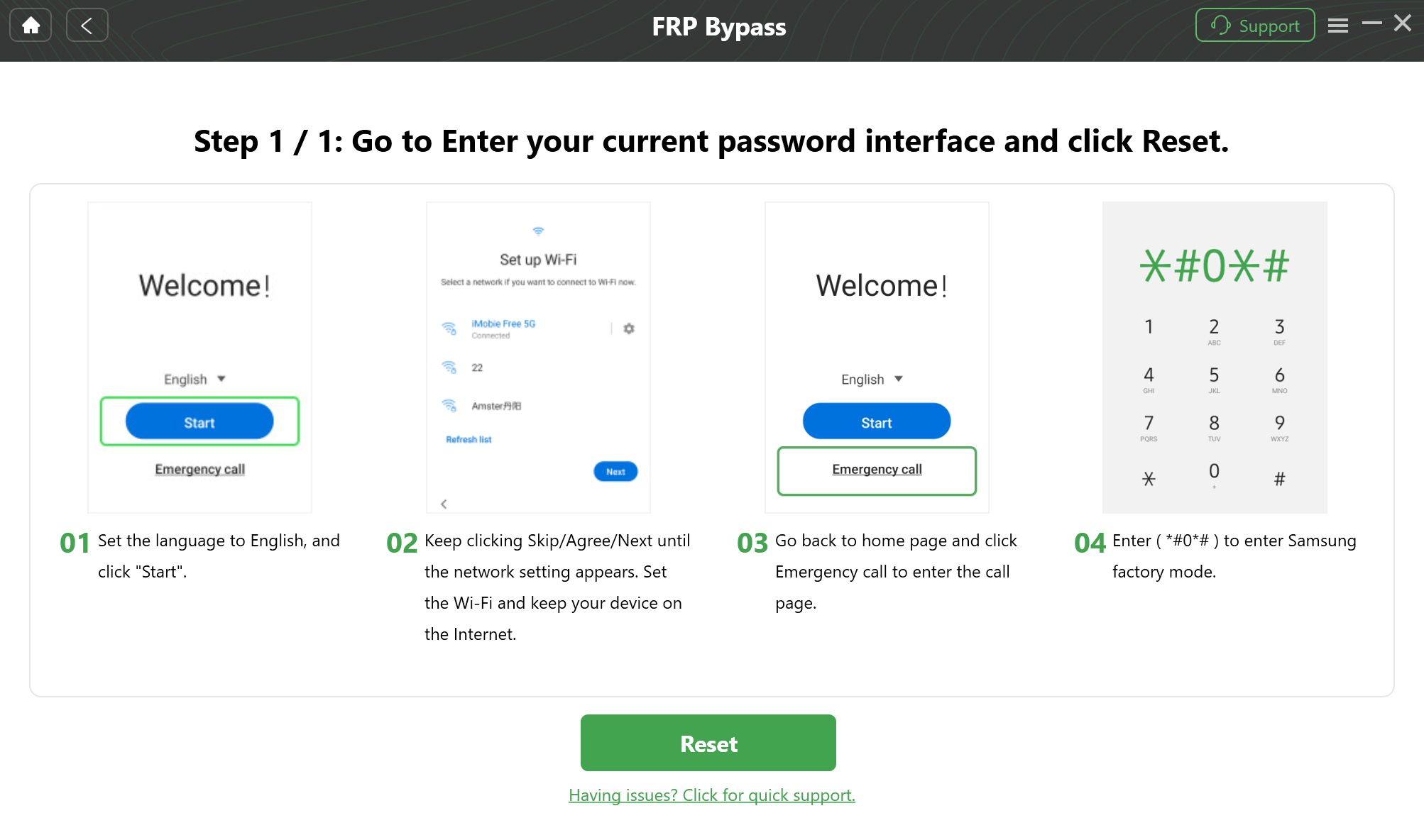
Follow On-Screen Prompts
Step 5: Bypass FRP Lock
After the settings are applied, the bypass can be started by clicking on “Reset” once again. The procedure can be quite a few minutes long, so keep calm. Your device will be automatically rebooted to mark the end of the FRP bypass, which will be performed successfully.
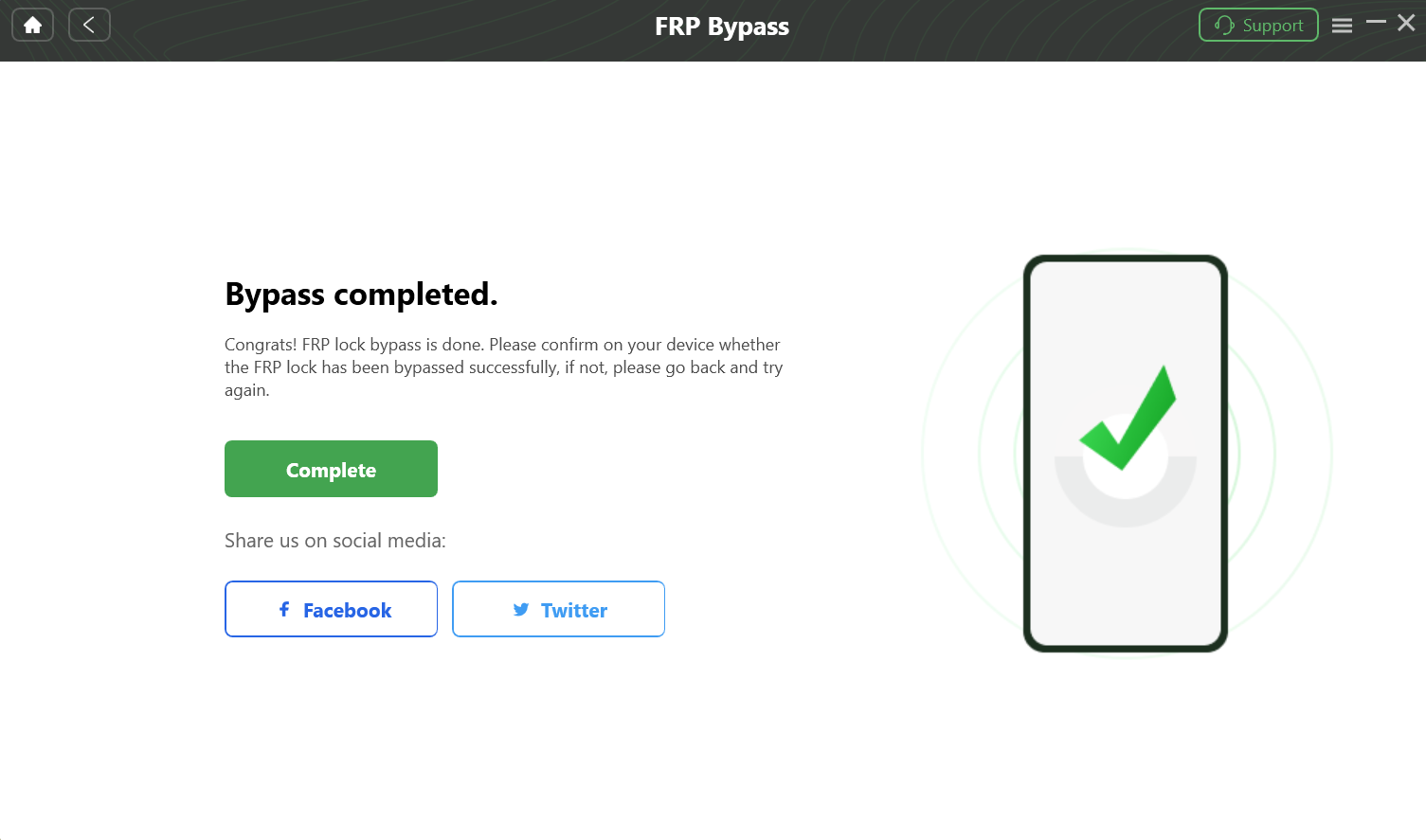
Bypass FRP Lock
Part 4: Frequently Asked Questions
Q1. Is Ultra Tool free?
The Ultra Unlock Tool is paid software. You can buy a $15 package of all of their services.
Q2. Does Ultra Tool work on iOS?
Ultra Unlock Tool is only for Android devices now. It concentrates on bypassing FRP, screen, and network locks in Android phones; therefore, it is not compatible with iOS.
Part 5: Conclusion
The Ultra Unlock Tool remains a suitable alternative in 2026 to escape from Android locks with its straightforward interface and broad range of supported devices. Nevertheless, DroidKit is the best solution if you want a more thorough and dependable one. In contrast to Ultra Tool, DroidKit is not just the one that lets you forcibly remove FRP and screen locks, but also the one that helps you recover lost data, repair your system, and even extract data from broken devices. It is a comprehensive Android toolkit that gives you power without the inconvenience.
Free Download * 100% Clean & Safe


Roger Smith is a senior technical writer with years of experience in providing Android solutions. He loves to help users solve various problems such as Android unlock, Android data recovery, and Android system repair.
Product-related questions? Contact Our Support Team to Get Quick Solution >
