Free Download For Win & Mac | 100% Clean & Secure


Enhance Video with Different AI Models
Through AI models, AnyEnhancer can perform various repair processes such as video quality/color enhancement, video/face restoration, and video colorization on old, low-quality, and blurry videos. You can get higher-quality video effects with simple clicks. This guide will help you know more detailed information about the AI Models of AnyEnhancer.
Part 1. Intelligent Enhancement
What is Intelligent Enhancement?
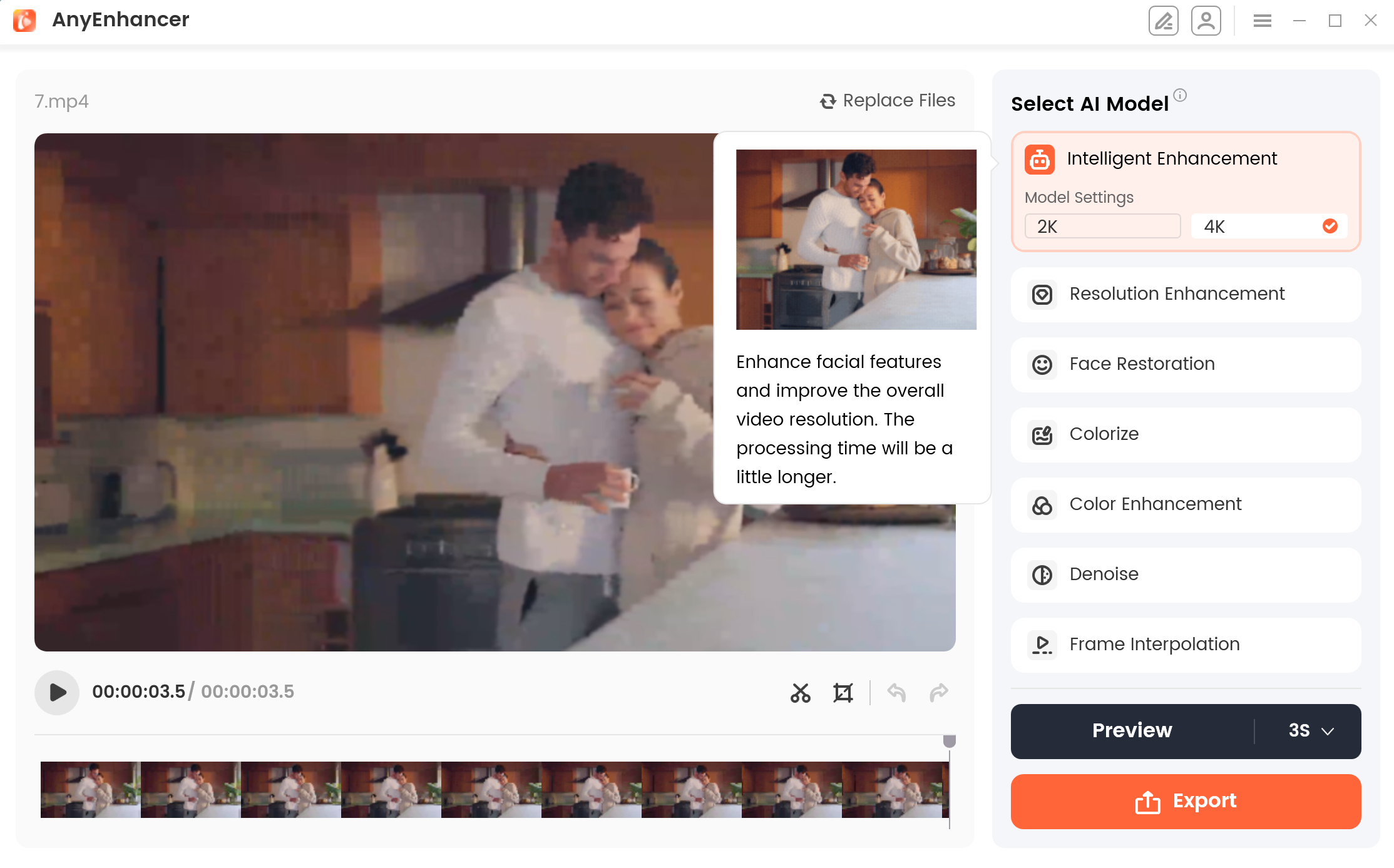
Intelligent Enhancement involves improving video quality by refining facial details and improving overall resolution. This AI model offers 2K/4K settings, allowing for significant resolution upgrades. It not only enhances video clarity but also meticulously processes character facial details in mission scenes, delivering a clearer and more refined video with just one click.
Intelligent Enhancement
What Scenarios are Available?
If you have family videos or travel memories where the people and overall clarity are not up to par, don't worry, the Intelligent Enhancement can help. With just one click, it improves the overall resolution and enhances the details, making your videos clearer and more vivid.
Intelligent Enhancement Effect
After applying the Intelligent Enhancement model, you'll notice a significant boost in the overall resolution of the video, including the clarity of both people and surroundings. You can observe the difference in the following comparison video.
Intelligent Enhancement Effect
Part 2. Resolution Enhancement
What is Resolution Enhancement?
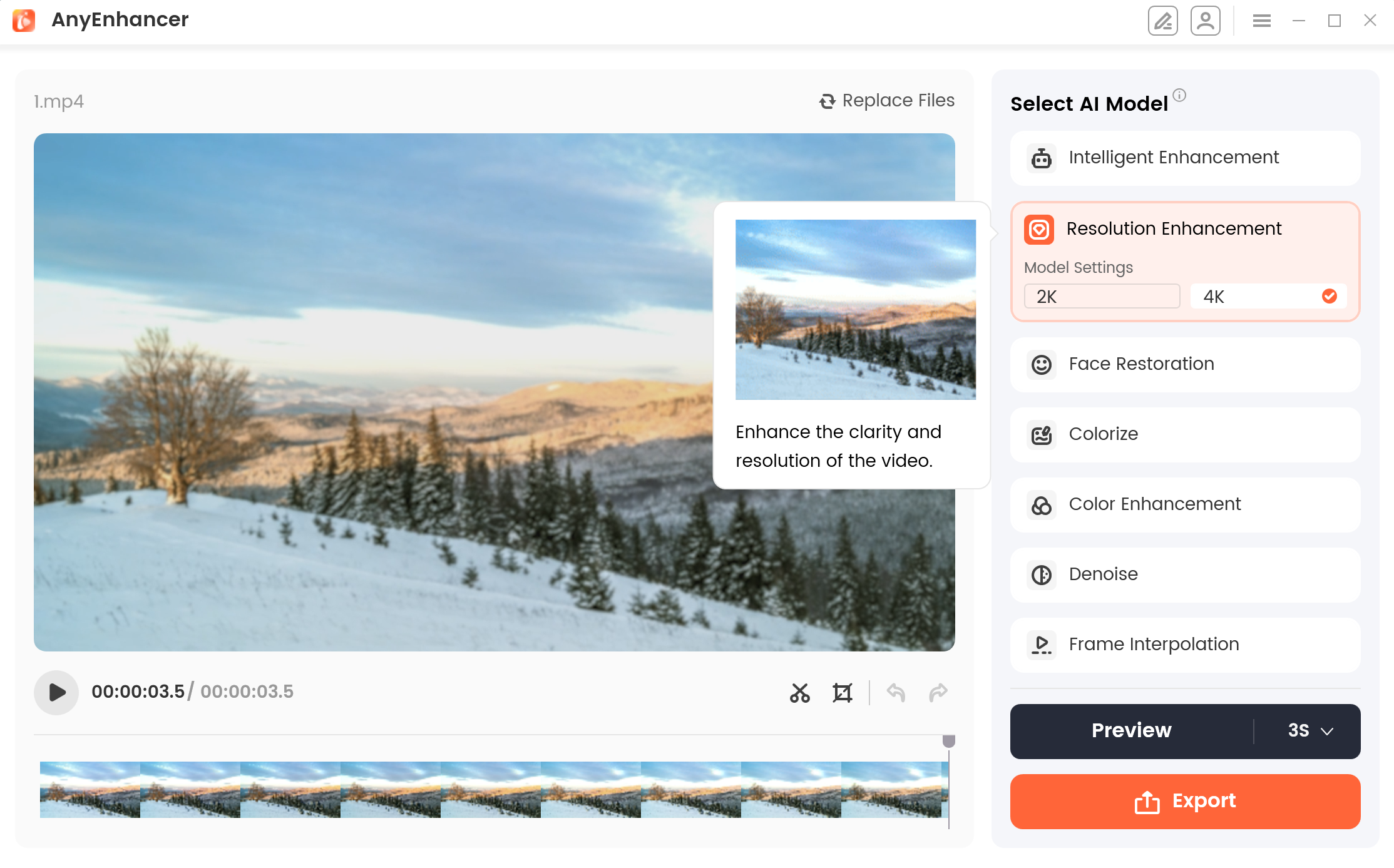
Resolution Enhancement is a video processing technique aimed at enhancing low-resolution videos to high-resolution levels. Using this AI technology, the video resolution can be increased to 2K/4K high-definition quality. It can effectively increase the details and clarity of video, thereby improving the visual experience.
What Scenarios are Available?
If you have a memorable or cherished video that is of poor quality or blurry, then this AI model will be suitable for you. You can use AnyEnhancer's resolution enhancement model to enhance the video quality. Enhance the video quality to 2k or 4K resolution, which will make it look clearer.
Resolution Enhancement Model
Resolution Enhancement Effect
After using the Resolution Enhancement model feature, you will notice an improvement in your video's resolution. You can view the effects in the following comparison video.
Resolution Enhancement Effect
Part 3. Face Restoration
What is Face Restoration?
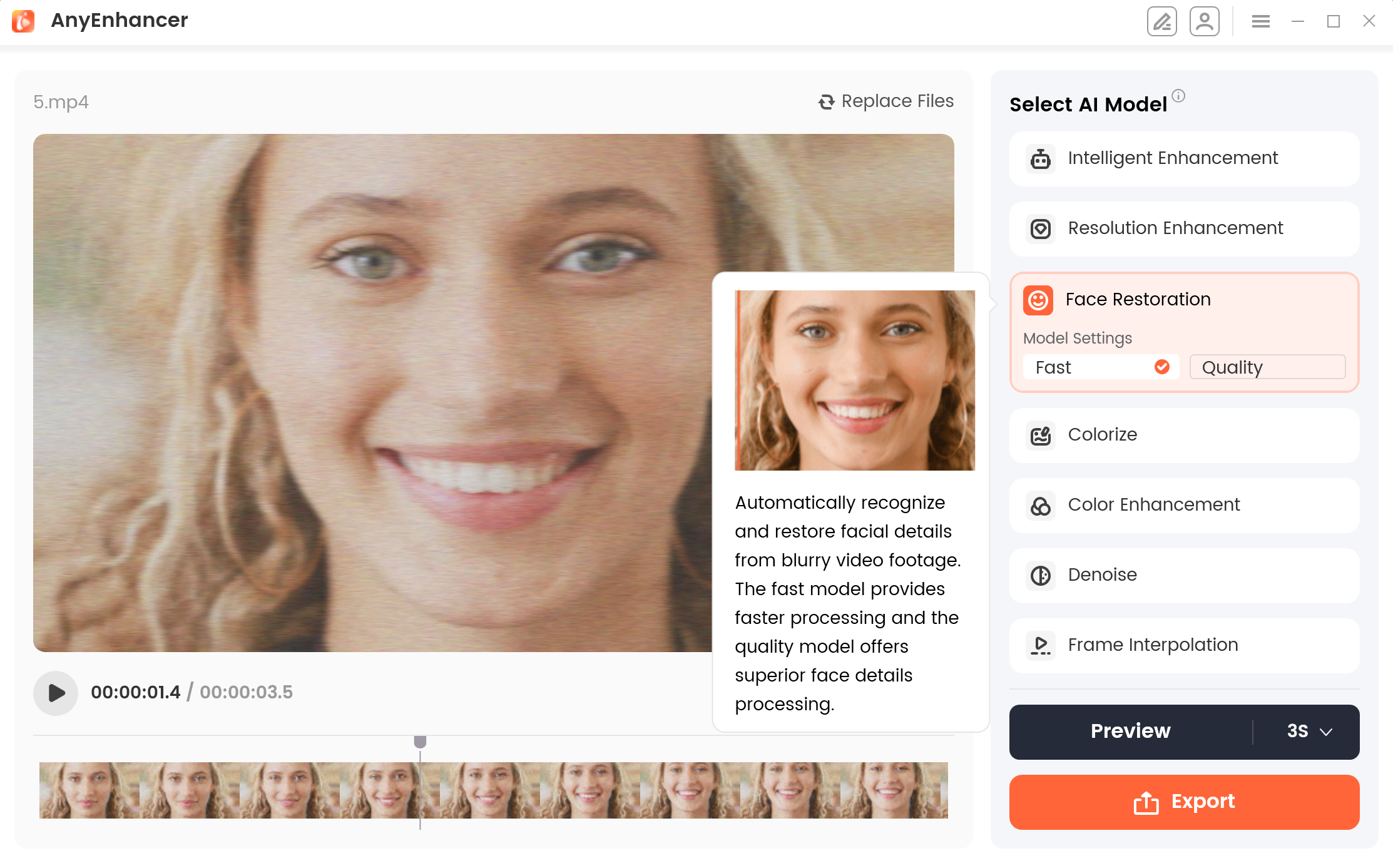
Face Restoration involves identifying and enhancing faces in blurred videos by repairing and refining features like eyes, nose, mouth, skin texture, and other subtle details. It offers two modes: Fast Mode for quicker processing with standard results, and Quality Mode for detailed restoration with slower processing speeds.
Face Restoration
What Scenarios are Available?
If you have a profile video where the facial clarity is blurry, and you need it urgently, don't worry, the Face Restoration model can help. With just one click, it enhances the resolution of the face, transforming the video into higher-quality, more professional content.
Face Restoration Effect
After applying the Face Restoration model, the visibility and sharpness of facial details are significantly enhanced, resulting in videos that appear more polished and professional. You can observe the difference in the following comparison video.
Face Restoration Effect
Part 4. Colorize Model
What is the Colorize Model?
Colorize Model refers to adding color to single or multiple sequences of grayscale videos, making the color in the video perceptually meaningful and visually attractive.
What Scenarios are Available?
If you happen to find an old movie that is very vintage, but unfortunately it is in black and white, and you want the colors of the video to appear more vivid, then you can use this Colorize model to colorize your video.
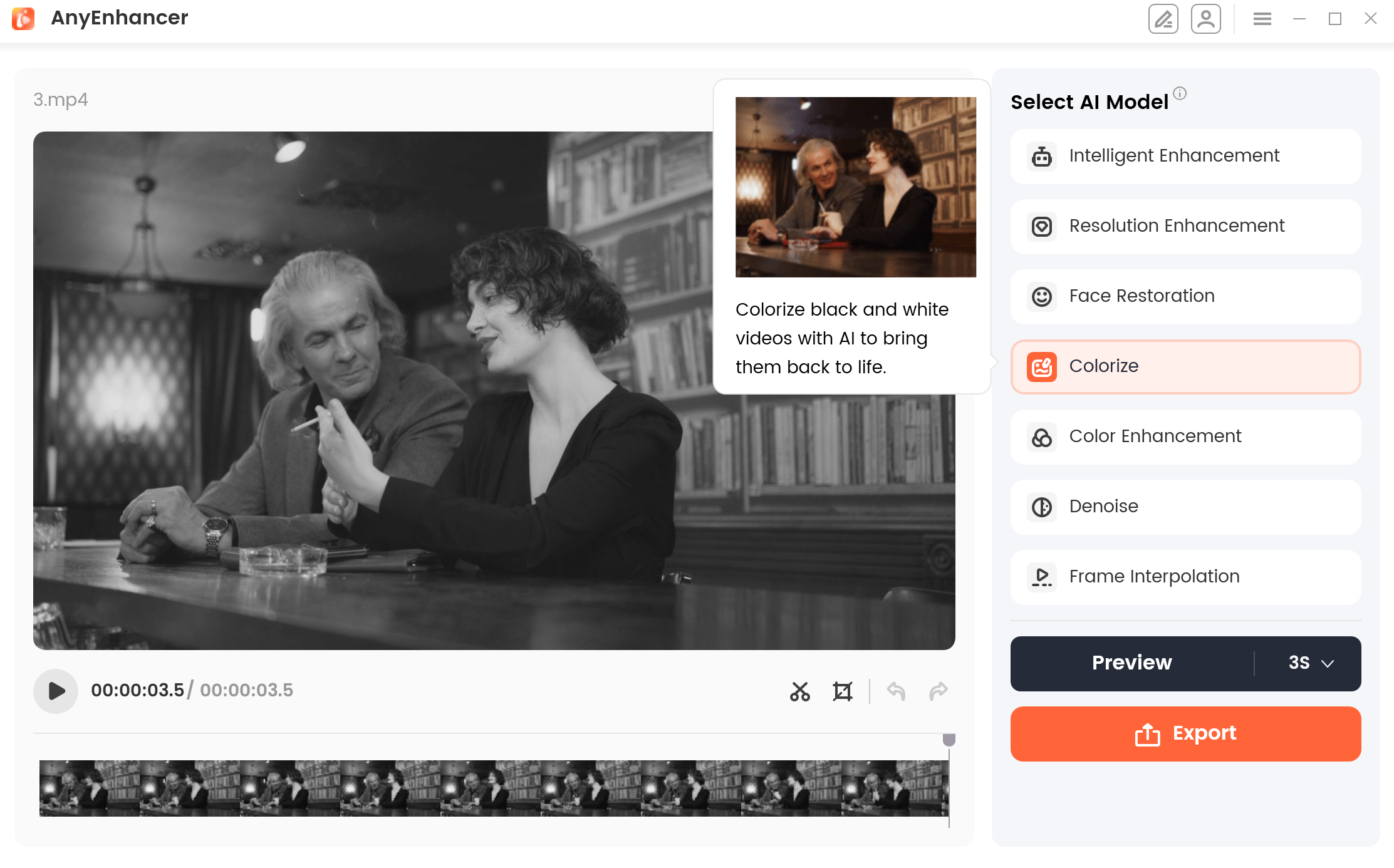
Colorize Model
Colorize Model Effect
When you use the Colorize Model to colorize your video, the color of your video will no longer be monotonous, more than just black and white. The video interface will appear more vivid and rich, making the overall effect of your video more lively. You can view the effects in the following comparison video.
Colorize Model Effect
Part 5. Color Enhancement
What is Color Enhancement?
Color Enhancement involves improving the vibrancy, accuracy, and overall quality of colors in a video. This technique adjusts and enriches the colors, making them more vivid, balanced, and true-to-life.
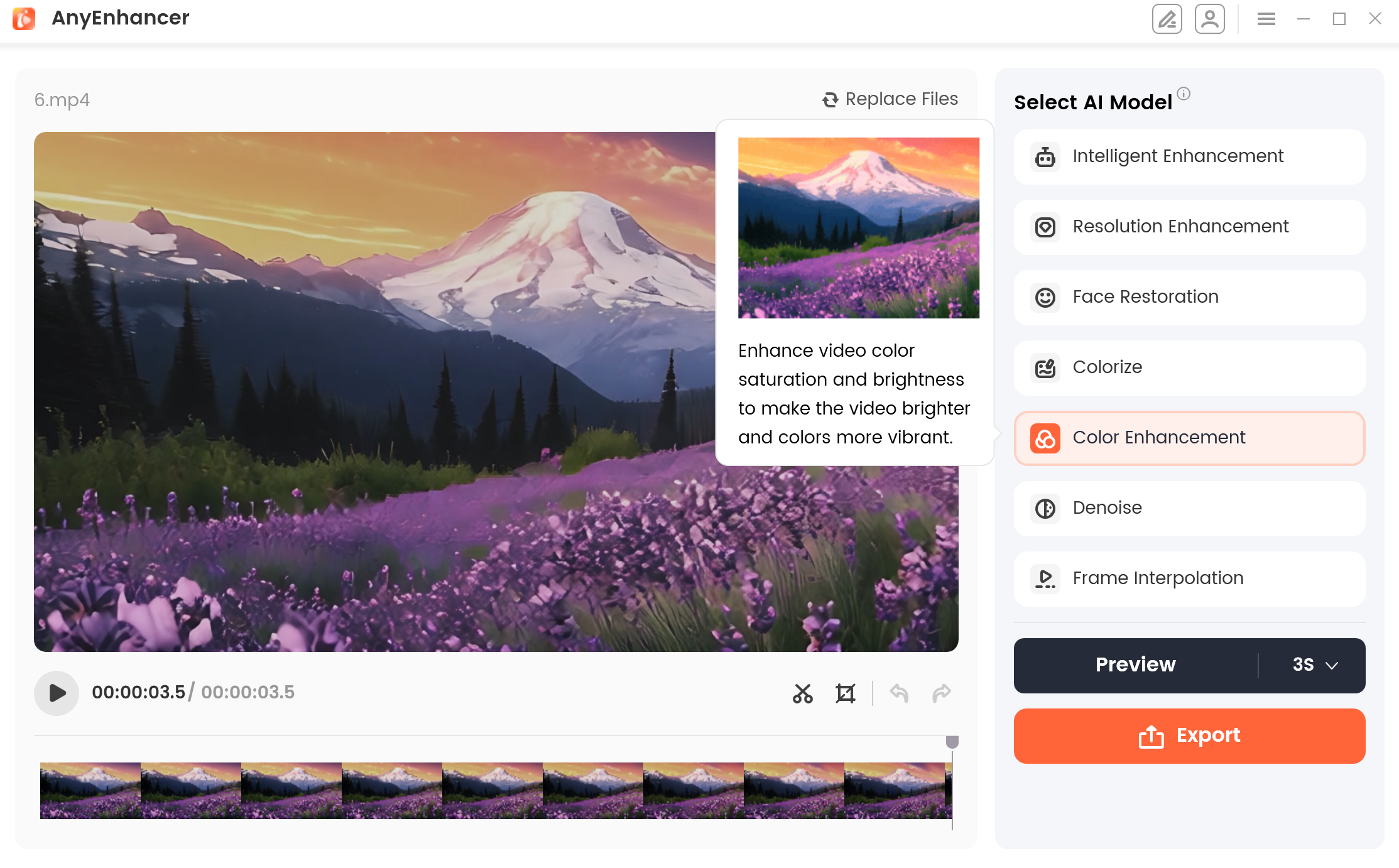
Color Enhancement
What Scenarios are Available?
If you've captured a video of a beautiful flower field, but the colors appear dull and the saturation is low, the video might not reflect its true vibrancy. In this case, the Color Enhancement model can enrich the colors, improve the saturation, and brighten the video, making it as stunning as the real scene.
Color Enhancement Effect
After applying Color Enhancement, videos become more vibrant, balanced, and visually engaging, revealing the true beauty and detail of the content. You can observe the difference in the following comparison video.
Color Enhancement Effect
Part 6. Denoise Model
What is Denoise Model?
The Denoise Model reduces noise from videos to enhance clarity and visual appeal. It effectively removes unwanted grain and artifacts, particularly in low-light conditions or high-ISO settings, improving overall video quality.
What Scenarios are Available?
If you record a beautiful starry sky video, but due to the light, there is a lot of noise in the video, making the overall effect of the video very unsightly. For similar situations, you can use the Denoise Model to reduce the noise in your video and improve the video quality.
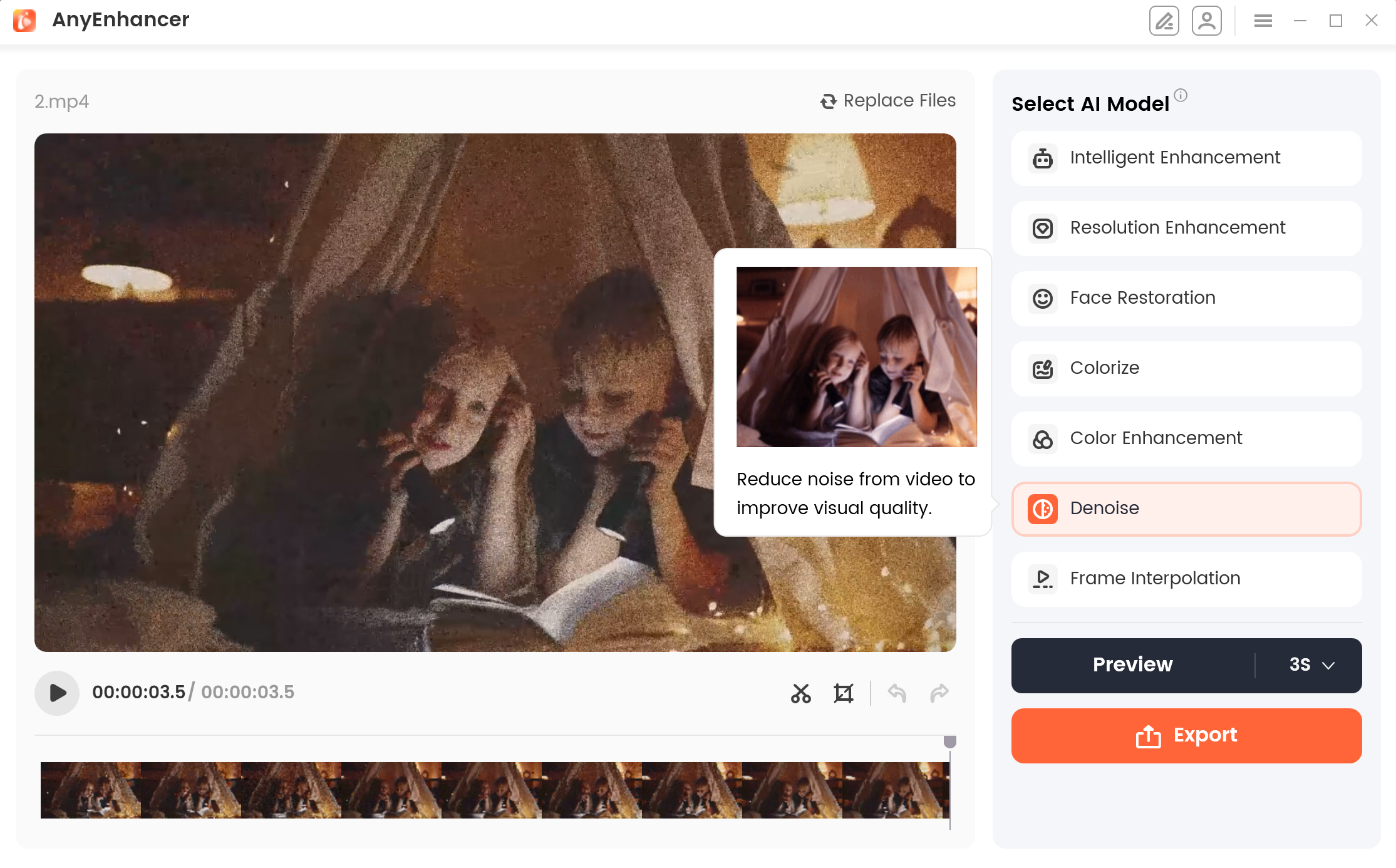
Denoise Model
Denoise Model Effect
When you use the Denoise Model, there will be no noticeable noise and blemishes in the video, and your video will appear clearer. You can view the effects in the following comparison video.
Denoise Model Effect
Part 7. Frame Interpolation
What is Frame Interpolation?
Frame Interpolation Model inserts adjacent frames in the video to make the fast-moving transition of the video smoother and more natural. Using the Frame Interpolation model, it provides 2x and 4x interpolation to choose from.
What Scenarios are Available?
If your friends or family recorded a car racing video for you but the video is very choppy, it may be quite frustrating. Please don't worry, the Frame Interpolation model can help make your video smoother and clearer. This AI technology enhances the details and smoothness of videos, providing a better viewing experience.
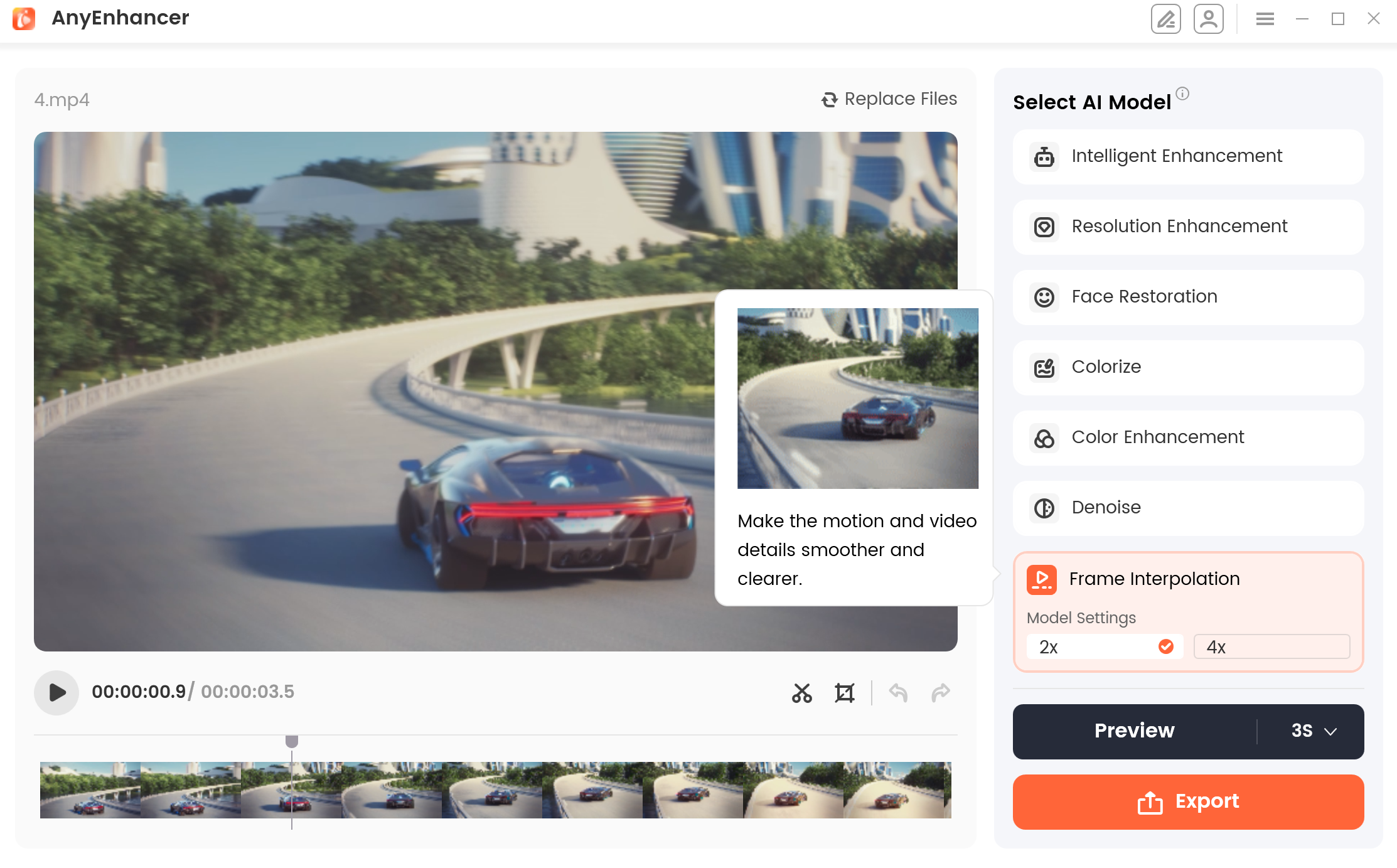
Frame Interpolation Model
Frame Interpolation Effect
After using the Frame Interpolation Model, your video will no longer have the stuttering caused by low frame rate video. Compared with the previous video, it will give you a smooth playback experience. You can view the effects in the following comparison video.
Frame Interpolation Effect
1. The actual effect is subject to the computer configuration and video screen. Different computer configurations and video screens will have different effects.
2. If you still have questions after reading this guide, please refer to FAQs page to check more solutions. Or you can contact our Support Team to get further help. We are here to help you!
FAQs About Enhancing Videos with Different AI Models
1. How many AI enhancement models does AnyEnhancer provide?
AnyEnhancer provides seven AI enhancement models: Intelligent Enhancement, Resolution Enhancement, Face Restoration, Colorize Model, Color Enhancement, Denoise Model, and Frame Interpolation. Each model is designed to address specific video quality issues, allowing you to choose the most suitable option for your footage.
2. What is the difference between Intelligent Enhancement and Resolution Enhancement?
Intelligent Enhancement improves overall video clarity and resolution while refining facial details. Resolution Enhancement focuses primarily on increasing video resolution and improving image details. Both models support 2K and 4K enhancement, depending on the selected settings and the original footage.
3. Which AnyEnhancer AI model should I use to improve blurry videos?
The best model depends on the type of blur. Use Intelligent Enhancement to improve overall clarity and facial details, Resolution Enhancement to upscale low-resolution footage, or Face Restoration when faces are particularly blurry. Preview the results to determine which model works best for your video.
4. What is the difference between Fast Mode and Quality Mode in Face Restoration?
Face Restoration offers two modes. Fast Mode processes videos more quickly and provides standard restoration results, making it suitable when processing time matters. Quality Mode takes longer but is designed to deliver more detailed facial restoration, including improvements to the eyes, nose, mouth, and skin texture.
5. Can AnyEnhancer colorize black-and-white videos?
Yes. The Colorize Model adds color to grayscale footage, making old movies, family recordings, and other black-and-white videos appear more vivid. The final colorization results depend on the original video content and the AI processing effect.
6. What is the difference between Colorize Model and Color Enhancement?
The Colorize Model adds color to black-and-white or grayscale videos. Color Enhancement, on the other hand, improves the vibrancy, saturation, balance, and accuracy of colors in footage that already contains color. Choose Colorize Model for monochrome videos and Color Enhancement when existing colors appear dull or faded.
7. How can I reduce grain and visual noise in a video?
Select the Denoise Model in AnyEnhancer. This model is designed to reduce unwanted grain, noise, and visual artifacts, particularly in footage recorded in low-light conditions or at high ISO settings. It can help make the video look cleaner and clearer.
8. How can I make a choppy video look smoother?
Use the Frame Interpolationmodel to add intermediate frames, making motion smoother and more natural. AnyEnhancer supports 2x and 4x interpolationto improve low-frame-rate footage and reduce choppy motion.
9. Can I use multiple AI enhancement models on the same video?
Different AI models address different issues, such as resolution, facial details, color, noise, and motion smoothness. You can evaluate the models most relevant to your footage by previewing their results. The appropriate workflow depends on the video and the options available in your installed version of AnyEnhancer.
10. Why do AI enhancement results vary between videos and computers?
Enhancement results depend on factors such as the original video's quality, its visual content, and your computer's hardware configuration. Some footage may show more noticeable improvements than others. For the best workflow, choose a model that targets your video's main issue and preview the result before processing the entire video.

Try It Out & Share Your Feedback!

We'd love to hear how AnyEnhancer is working for you.
Give it a try and share your thoughts—your feedback helps us keep improving.
If you're enjoying AnyEnhancer, we'd be so grateful if you could leave us a review on Trustpilot. Your support helps others discover AnyEnhancer and motivates our team!

Thank you for being part of the iMobie community — we couldn’t do it without you!
Try It Out & Share Your Feedback!
We'd love to hear how AnyEnhancer is working for you.
Give it a try and share your thoughts—your feedback helps us keep improving.
If you're enjoying AnyEnhancer, we'd be so grateful if you could leave us a review on Trustpilot. Your support helps others discover AnyEnhancer and motivates our team!
Thank you for being part of the iMobie community — we couldn’t do it without you!