Quick Answer: How to Change Your Google Account Country
How do I quickly change my country in my Google account?
To successfully change your Google Play country, you must have a valid local payment method (like a credit card) originating from your new target region. If you meet this requirement, follow this exact path to update your account:
- Open the Google Play Store app on your Android device.
- Tap your Profile icon in the top right corner.
- Navigate to Settings > General > Account and device preferences.
- Tap Country and profiles.
- Select the new country you want to add to your account.
Follow the on-screen prompts to add a payment method for that specific country.
Important Warning: Google strictly enforces a 12-month lock on region changes. Once you switch your country, you will not be able to change it back—or to any other region—for a full 365 days. Do not proceed unless you are prepared for a permanent billing migration.
3 Critical Rules to Know Before Changing Regions
Before you dive into your settings, it is crucial to understand what happens when you change your Google Play country. Many users attempt this process to download a single game or app, only to realize they have permanently altered their entire digital ecosystem.
Review this checklist of Google’s strict billing restrictions before making a decision:
- The 12-Month Cooldown Lock: Google strictly limits Play Store country changes to once every 365 days. If you change your region today, your account is locked to that new country for a full year, no exceptions.
- The Mandatory Local Payment Method: Simply wanting to change your region isn’t enough. You are required to input a credit card, debit card, or recognized payment method that originates from the new country. Without this, the process will fail.
- Google Play Balance Loss: Your existing Google Play balance does not transfer between country profiles. If you have $20 in your US account and switch to a UK profile, that balance will be locked and unusable until you switch back to the US—which, due to the cooldown, takes at least a year.
If you are just trying to access a location-based game or app without permanently changing your billing details, changing your entire Google account region is likely massive overkill.
Step-by-Step: Changing Google Play Country on Android and Desktop
If you have actually relocated or possess a valid payment method for your target country and are prepared for the 12-month lock, here are the official steps to migrate your billing region.
Method 1: Using the Google Play Store App (Android Devices)
- Open the Google Play Store app.
- Tap the profile icon in the top right corner.
- Tap Settings, then select General.
- Choose Account and device preferences, then tap Country and profiles.
- Tap the country you want to switch to.
- Follow the prompt to enter your new local payment method. The region switch will not finalize until this valid payment method is verified.
Method 2: Using Google Pay (Desktop Browser)
- Open a web browser and go to pay.google.com.
- Go to the Settings tab at the top of the screen.
- Under “Payments profile,” find “Country/Region” and click the pencil icon to edit.
- Click Create new profile and follow the on-screen instructions.
- Select your new country and enter a local billing address.
- Add a valid payment method originating from that new region.
After completing these steps, it can take up to 48 hours for the profile update to fully apply across all Google services.
The VPN Myth: Why Changing Your IP Isn’t Enough
Can I just use a VPN to change my Google Play country? This is one of the most common myths online, and it often leads to frustration.
Here is the reality: A VPN changes your IP address. By routing your connection through a server in another country, you might successfully trick Google Play into displaying the option to change your country in the settings menu.
However, despite the option appearing, Google will aggressively block the final step. When you click to confirm the country change, Google checks your billing profile. Unless you can input a valid credit card or local payment method issued by a bank in that specific target country, the change will be rejected.
IP masking alone cannot bypass Google’s financial and billing checks. If your real goal is simply to access a geo-restricted location-based app, AR game, or dating platform, fighting against Google’s strict billing ecosystem with a VPN is the wrong approach. Instead, you should explore safe GPS spoofing on Android or iOS to change your device’s GPS location without touching your account billing.
A Safer Alternative: Change GPS Location for Specific Apps
Many users want to change their Google Play country just to change location in Pokémon GO to catch region-exclusive items, check in on a social platform, or change Tinder location to browse matches in another city. For these scenarios, a permanent 1-year billing migration is massive overkill.
If you want to access location-based apps without losing your Google Play balance or needing a foreign credit card, Fonelora Location Changer offers a much safer, practical alternative. Fonelora is a guided desktop tool that modifies your device’s GPS location directly, completely bypassing the need to alter your Google Account billing region.
Why this workflow makes sense for LBS apps:
- No Local Credit Card Required: You aren’t changing store billing, just your device’s GPS coordinates.
- No 12-Month Lock: You can teleport virtually and return to your real location instantly.
- Play Balance is Safe: Your Google account remains in your home country.
How to change your app-visible GPS location with Fonelora:
- Open Fonelora Location Changer on your Windows or Mac computer.
- Connect your supported iOS or Android device via USB or Wi-Fi.

- Select Teleport Mode from the interface.
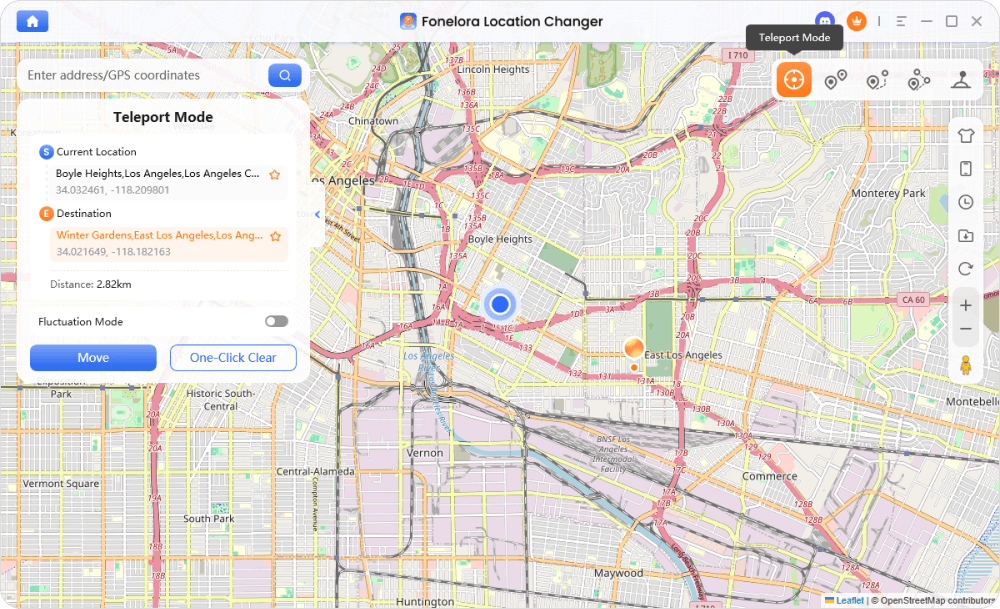
- Enter your desired city or specific coordinates into the search bar.
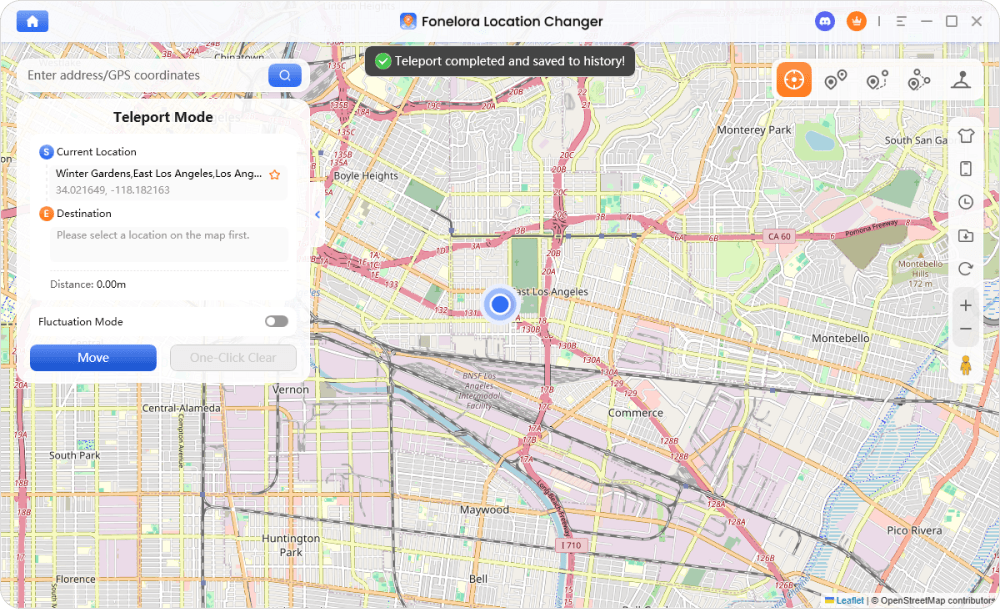
- Click to confirm. Your device’s GPS will immediately simulate the new location for your installed apps.
Fonelora Location Changer
Realistic GPS movement simulation, flexible route control, easy no-modification setup, and support for gaming, social, privacy, and location-based testing in one platform.
Troubleshooting: Why Can’t I Change My Google Play Country?
If you meet the requirements and genuinely want to change your billing region, but the option to switch countries is completely missing or grayed out in your Google Play settings, check these common roadblocks:
- The 12-Month Rule: Have you already changed your country within the last 365 days? If so, the option will be hidden until a full year has passed.
- IP Mismatch: Google Play only shows the option to change countries if it detects that your IP address physically matches the new region.
- Family Link / Workspace Restrictions: If your account is managed via Google Family Link, or if it is a school/work account managed by Google Workspace, you do not have permission to change the region. You must leave the family group or use a personal account.
- Outdated Cache: Sometimes the Play Store app glitches. Go to your Android device’s Settings > Apps > Google Play Store > Storage, and tap Clear Cache and Clear Data. Restart the app and check again.
Frequently Asked Questions
Q1: How do I change my Google account country without a credit card?
Officially, you can’t. Google requires a valid local payment method (like a credit card or debit card issued in the new country) to finalize a region change.
Q2: How often can you change your Google region?
Google restricts Play Store country changes to exactly once every 12 months.
Q3: Do I lose my Google Play balance if I change countries?
Your existing balance does not transfer to the new country profile. It will not be deleted, but it remains locked to your old region and cannot be used until you switch back (which takes at least a year).
Q4: Can a VPN bypass the Google Play country lock?
No. A VPN only changes your IP address so the country option appears in your settings. It cannot bypass the final requirement of providing a local payment method for that specific country.
Q5: How do I access region-restricted games without changing my Google account country?
If you simply need virtual movement for a location-based AR game or social app, it is safer to use a dedicated GPS spoofing tool like Fonelora Location Changer. It simulates your device’s GPS location for specific apps without triggering Google’s billing restrictions or the 1-year account lock. Always check individual app rules regarding virtual movement.
Final Thoughts: Should You Migrate Your Entire Account?
Deciding whether to change your Google account country comes down to your actual goal. If you are permanently relocating to a new country and already possess a local credit card and billing address, following the official Google Play migration steps is the right move. Just remember the strict 12-month lock and the fact that your current Play Store balance will not come with you.
However, if your only goal is to play a geo-restricted AR game, manage location privacy, or use a location-based dating app, migrating your entire billing ecosystem is not worth the hassle or the risk.
For temporary, app-specific virtual movement, Fonelora Location Changer is the preferred alternative. It allows you to simulate your GPS location on supported iOS and Android devices safely, giving you the flexibility you need in your apps without locking down your Google Account or demanding a foreign payment method. Check your device compatibility and explore the guided desktop workflow to see if it fits your needs.



