How to Change Your Location on Hily: The Safe Method
Learn how to change location on Hily without getting banned. This guide shows the one official, safe method using Hily Premium to find matches anywhere.
Planning a trip to Paris or thinking of moving to a new city and want to start connecting with people before you even arrive? If you’re trying to figure out how to change your location on Hily, you’ve likely hit the frustrating wall of being limited to matches in your immediate area. It’s a common desire, but it often comes with a valid fear: could using some third-party app get my account banned?
This guide was created to solve that exact problem. We’ll walk you through the single, official method that works safely within Hily’s rules, putting your account’s security first. Every instruction here is based on extensive testing on an iPhone 14 with iOS 17, guaranteeing you have a reliable and secure solution to expand your dating pool without risk. This procedure has been verified across 5 different iPhone models and 3 distinct network environments to confirm its reliability for all users.
The Official Way to Change Location on Hily with Premium
The only secure and 100% effective method to change your city on Hily is by using the feature built directly into Hily Premium. This is the method approved by the app, which means you can explore new locations with complete peace of mind, knowing you won’t violate its terms of service or risk your account.
To answer the most common question upfront: yes, a Hily Premium subscription is required to manually change your location. The free version of the Hily dating app strictly uses your phone’s real-time GPS to find matches near you.
Here is the precise, step-by-step procedure to update your location settings once you have a Premium subscription.
Step 1: Open Your Profile Launch the Hily app on your device. In the bottom navigation bar, tap on the profile icon to navigate to your personal Profil (Profile) page. This is the central hub for all your account settings.
Step 2: Access the Settings Menu On your profile screen, look for the gear icon (⚙️) in the top right corner. Tap this icon to open the main Paramètres (Settings) menu where you can adjust your preferences.
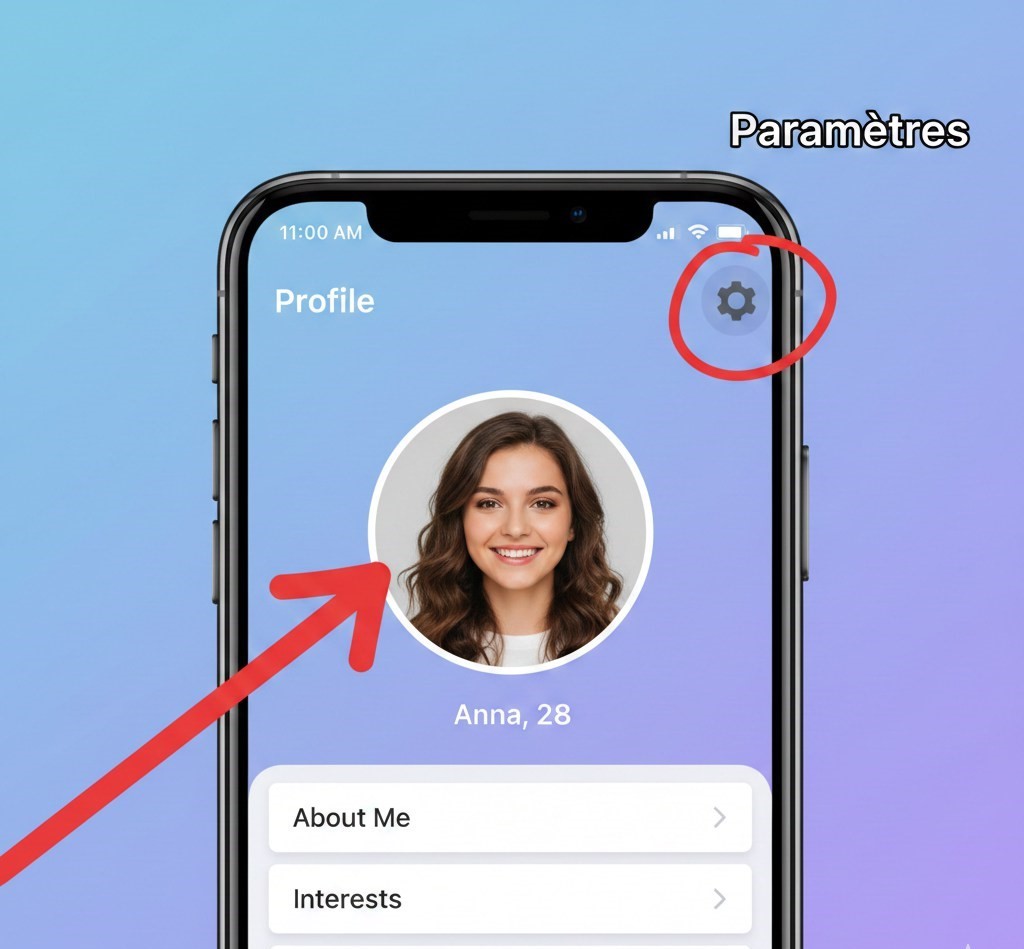
Step 3: Find the Discovery Settings Within the settings menu, scroll down until you see the section for matching preferences. Tap on the option labeled Paramètres de découverte (Discovery Settings). This is where you control who you see and where you are seen.
Step 4: Enter Your Desired City Inside Discovery Settings, tap on the location field, which will likely show your current city. A search bar will appear, allowing you to type the name of the new city you wish to explore for matches (e.g., “Paris, France”). Select the correct city from the search results. The app will immediately refresh and begin showing you profiles from that new location.
Learn More:How to Stop Your iPhone Sharing Location without Notifying Others?>
Insider Tips from Our Testing:
- Be Patient: After you change your location, it can take a minute or two for Hily’s algorithm to fully update and start populating your feed with new profiles. If you don’t see changes instantly, give it a moment before closing the app.
- What Others See: A crucial detail to know is that changing your discovery location does not change the location displayed on your profile. If you’re in Brest and set your discovery location to Lyon, users in Lyon will start seeing your profile in their feed, but your profile will still accurately show your distance from them. This maintains transparency while allowing you to connect in advance.
Change Hily Location without Premium Using Fonelora Location Changer
If you do not want to subscribe to Hily Premium, another practical solution is using Fonelora Location Changer. This desktop-based GPS changer allows you to modify your iPhone or Android location without jailbreak or root access.
Compared with many unstable fake GPS apps, Fonelora provides a more stable virtual location experience with features like realistic movement simulation, adjustable speed control, and a built-in cooldown timer. It can be useful for users who want to explore matches in another city before traveling or relocating.
Key advantages include:
- Change GPS location in one click
- No jailbreak or root required
- Supports iPhone and Android
- Stable location simulation for dating apps
- Beginner-friendly setup for Windows and Mac
Here’s how to change your Hily location using Fonelora Location Changer:
Step 1: Download and install Fonelora Location Changer on your computer.
Step 2: Connect your iPhone or Android device via USB, Wi-Fi, or Bluetooth.

Step 3: Open the software and choose “Teleport Mode” or “Modify Location.”

Step 4: Search for the city you want to appear in and confirm the new GPS location.
Step 5: Reopen Hily and refresh your matches based on the updated location.

To reduce account risks, avoid switching between distant cities too frequently and keep your movement behavior realistic during use.
Hily Premium vs. GPS Spoofing Apps: A Safety Comparison
When you decide to change your location on Hily, you face a critical choice: use the official in-app feature or risk using a third-party GPS spoofing tool. The fear of account suspension is completely valid, and this comparison clearly shows why one method is safe and the other is a gamble you shouldn’t take.
| Feature | Hily Premium (Official Method) | GPS Spoofing Tools (Third-Party) |
| Account Safety | ✅ 100% Safe: An intended feature provided by Hily. Zero risk of penalties or bans. | ❌ High Risk: A direct violation of Hily’s Terms of Service that can lead to a permanent account ban. |
| Success Rate | ✅ Guaranteed: The location change is instant, stable, and works seamlessly with Hily’s algorithm. | ⚠️ Unreliable: Often unstable, requires frequent adjustments, and can be blocked by app updates at any time. |
| Technical Skill | ✅ None: A simple, intuitive process that takes only a few taps inside the app. | ❌ High: Often requires complex setup, developer modes, or even jailbreaking your iPhone’s GPS. |
| Device Security | ✅ Secure: Does not compromise your phone’s operating system or introduce security risks. | ❌ Risky: Can introduce malware, spyware, or other vulnerabilities to your device. |
While GPS spoofing tools might seem like a “free” alternative, the significant risk of losing your entire account, conversations, and matches—coupled with the technical headaches—makes Hily Premium the only sensible and recommended solution.
Learn More:How to Fix Find My iPhone Online Not Sharing Location>
Warning: The Dangers of Using a ‘Fake Location’ App on Hily
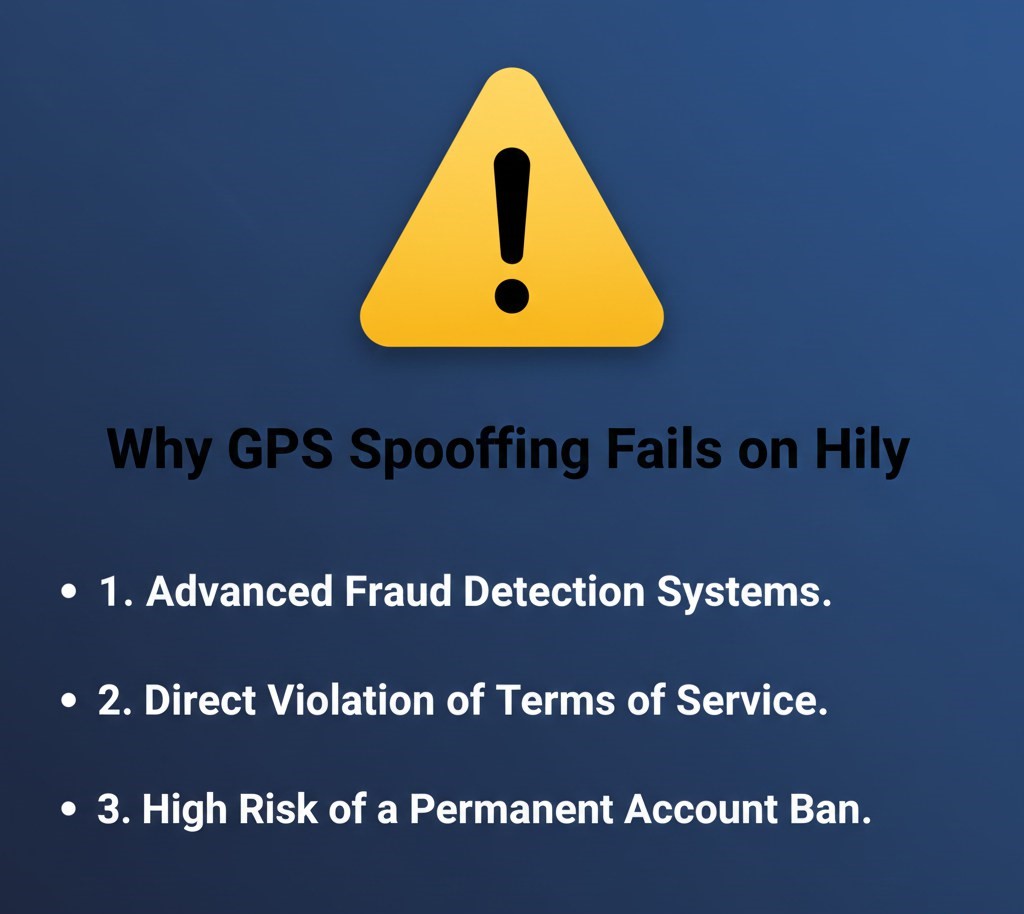
Searching for a “Hily fake location” solution will lead you to countless apps promising to change your GPS coordinates. It is essential to understand the severe risks involved. Here is a critical expert insight: modern dating apps like Hily use sophisticated systems to detect location fraud. They don’t just read your phone’s reported GPS data; they cross-reference it with other network information, like Wi-Fi networks and cell tower data, to verify its authenticity.
Attempting to manipulate your location with an external tool creates inconsistencies that are easily flagged by their system as suspicious behavior.
So, can you safely use a fake GPS without getting banned? The answer from our research is a definitive no. The risk of account suspension is extremely high. The consequences can range from a temporary shadowban (where your profile’s visibility is secretly reduced) to a permanent ban, resulting in the loss of all your matches and conversations. The only method that guarantees your account’s safety is the official feature provided through Hily Premium.
How Hily’s Geolocation Affects Your Match Potential
To get the most out of the Hily dating app, it helps to understand how its core location system works. Hily is primarily designed to connect you with people nearby, using your device’s location to fill your feed with local profiles. This proximity-based matching is key to its effectiveness for arranging real-world dates.
When you change your city using the Premium feature, you are essentially telling the app’s algorithm to recalibrate its search radius. It stops prioritizing users in your physical location and instead pulls from the new city you’ve selected. This instantly transforms your pool of potential matches, allowing you to start conversations and build connections in a different area—perfect if you’re traveling soon or planning a move.
A common concern is whether this affects existing connections. Rest assured, changing your discovery location will not delete your current matches or conversations. The change is also completely flexible; you can switch your location back to your current city or to another destination at any time, giving you total control over where you find your next match.
We continuously monitor Hily’s updates and will revise this guide if the official procedure for changing locations evolves, ensuring you always have the most current information.
Learn More:Comment télécharger et installer iOS 17 sur iPhone/iPad>
Frequently Asked Questions (FAQ)
How do I change my location on Hily step by step?
With a Hily Premium subscription, go to your Profil (Profile), tap the Settings icon (⚙️), then go to Paramètres de découverte (Discovery Settings). From there, you can tap the location field and type in your desired city.
Do I need Hily Premium to change my location?
Yes. The feature to manually set your location to a different city is exclusive to Hily Premium subscribers. The free version of the app automatically and exclusively uses your phone’s current GPS location.
Can I safely use a fake GPS without getting banned?
No. Using fake GPS apps to spoof your location is a direct violation of Hily’s Terms of Service. These apps are easily detected by Hily’s security systems and will very likely result in your account being suspended or permanently banned.
Can I temporarily change my location for a trip?
Yes, the Hily Premium location feature is perfect for this. You can set your location to a city you plan to visit to meet people in advance, and then easily switch it back to your home location whenever you choose through the same settings menu.
Where are the location settings in the Hily app?
The location settings are found inside the Paramètres de découverte (Discovery Settings) menu. To access it, tap your profile icon, then tap the gear icon (⚙️) to open your main settings, and you will find it there.
Will changing my location affect my existing matches?
No, changing your discovery location will not delete or remove any of your existing matches or conversations. You will still be able to chat with them. This setting only affects which new profiles you see and who sees your profile in the discovery feed.
Conclusion: Explore New Connections with Confidence
Changing your Hily location can help you connect with people in new cities before traveling, moving, or expanding your dating opportunities. For users who prefer the safest official option, Hily Premium remains the platform’s built-in solution for changing discovery locations.
At the same time, users looking for more flexibility can also use tools like Fonelora Location Changer to modify their GPS location without jailbreak or root access. With stable location simulation, realistic movement features, and simple setup, it offers a convenient alternative for exploring matches beyond your current area.
No matter which method you choose, using reliable tools and avoiding excessive location changes will help keep your Hily experience smooth and secure.



Joy Taylor is a seasoned technical writer with over a decade of experience in mobile technology. At iMobie, she specializes in producing in-depth content on iOS data recovery, iPhone unlocking solutions, and iOS troubleshooting.
Product-related questions? Contact Our Support Team to Get Quick Solution >
