Active Codes for Blue Lock Rivals: Your Guide to Free Rewards
Struggling in Blue Lock Rivals? Use updated codes to get free Flow Spins and Coins, upgrade your character, and compete more effectively against stronger opponents.
Getting stomped in the arena is incredibly frustrating. When you are just starting out as a casual player, matching up against veterans with maxed-out stats can make you feel completely outclassed. You are likely here for one simple reason: you need active Blue Lock Rivals codes to grab some free Flow Spins and Coins so you can finally level the playing field.
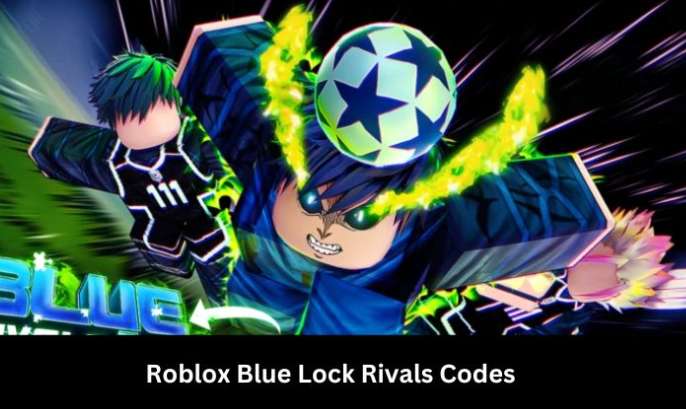
We have completely updated our list to cut out the expired clutter and get you straight to the rewards. By redeeming these bonuses daily, you can accumulate the resources needed to upgrade your character and improve your performance instantly.
Verified Blue Lock Rivals Code List for Instant Upgrades
Having access to an accurate code list is your first step toward optimizing your game strategy. We have separated the verified promotions from the outdated ones so you can quickly claim your Coins, Trait Rerolls, and Flow Spins.
Expert Strategy for Early Advantages: Players who redeem codes immediately upon release tend to gain a competitive edge through faster resource accumulation. Bookmark this page and check back weekly to guarantee you never miss out on vital spins.
Currently Active Promotions
Below is our verified list of working Blue Lock Rivals codes. These have been tested recently and provide immediate access to the game’s reward systems.
| Code | Reward Type | Status |
|---|---|---|
| BLUERIVALS2024 | 500 Coins & 2 Flow Spins | Active |
| UPDATE_KICK | 3 Trait Rerolls | Active |
| STRIKER_BONUS | 1 Flow Spin | Active |
| EPIC_GOAL | 1,000 Coins | Active |
Recently Expired Codes
Knowing which text strings are no longer valid saves you time and prevents the frustration of testing dead inputs. Do not bother trying to enter the codes listed below.
| Code | Reward Type | Reason for Expiration |
|---|---|---|
| LAUNCHDAY | 1,000 Coins | Time Limit Reached |
| BETA_TESTER | Exclusive Skin | Maximum Redemptions Reached |
| WINTER_CUP | 500 Coins & 1 Flow Spin | Seasonal Event Ended |
Mastering the Early Game: What to Do With Your Free Spins and Coins
A major mistake new players make is redeeming all their codes and then immediately wasting their newly acquired resources. Understanding the in-game economy helps you prioritize which rewards provide the most long-term value, leading to sustained competitive gameplay.
If you just redeemed the active list above, you should be sitting on roughly 1,500 Coins, 3 Flow Spins, and 3 Trait Rerolls. Here is exactly how you should spend them to maximize your advantage:
- Prioritize Weapon and Stat Upgrades: Do not spend your 1,500 Coins on visual cosmetics, custom jerseys, or goal animations. These do absolutely nothing to improve your performance in the arena. Instead, invest your Coins directly into upgrading your primary weapon or increasing your base stamina and speed stats. Moving faster than your opponent is the easiest way to secure early victories.
- Use Trait Rerolls Strategically: You start the game with a basic trait. Use your 3 Trait Rerolls to aim for higher-tier abilities like “Genius,” “Prodigy,” or “Egoist.” These traits offer massive passive buffs to your kick power and cooldown reductions. If you roll a decent mid-tier trait on your first try, hold onto your remaining rerolls until you reach a higher level.
- Save Flow Spins for Major Milestones: Flow Spins are incredibly valuable and much harder to acquire than standard Coins. We highly recommend saving your Flow Spins until you have developed a solid understanding of your preferred playstyle (e.g., aggressive striker vs. defensive midfielder). Using them too early often results in acquiring abilities that do not match your later character build.
By following this exact spending strategy, you ensure that the free currency you just claimed directly contributes to making you a stronger, more formidable opponent.
How to Redeem Codes in Blue Lock Rivals: A Step-by-Step Procedure
A frequent point of confusion is simply finding where the redemption box is located. Because Roblox developers frequently update user interfaces, the location of the code menu can change depending on the current game version and the device you are playing on. Whether you are playing on an iPhone, an Android tablet, or a desktop PC, here is exactly how to find it.
Exact Reward Claiming Process
- Launch the Experience: Open the official Roblox application, navigate to Blue Lock Rivals, and press play. Wait for the main lobby environment and user interface to fully load.
- Locate the Codes Menu: The redemption area is usually found in one of two places:
- Look for a Twitter Bird Icon or a dedicated “Codes” button on the left or right side of your main Heads-Up Display (HUD).
- If there is no dedicated button on the main screen, tap or click the Settings Gear Icon (usually in the bottom left corner) and scroll to the bottom of that panel.
- Input the String: Click on the text box labeled “Enter Code Here.” Type one of the active strings exactly as it appears in our list. Remember our warning: the system is entirely case-sensitive. “BLUERIVALS2024” is valid, but “bluerivals2024” will trigger a failure message.
- Confirm Redemption: Press the “Redeem” button or hit “Enter” on your keyboard. A green success notification should appear on the screen, and your inventory will instantly update with your new Trait Rerolls or Coins.
Troubleshooting: Why Your Blue Lock Rivals Codes Are Not Working
Encountering an error message when attempting to claim rewards is incredibly common. If you are struggling to get your codes to process, the issue usually falls into a few specific technical categories. Here is a breakdown of the most common error messages and what they mean:
- “Invalid Code” or “Does Not Exist”: This almost always means there is a formatting error. You likely included an accidental space at the end of the text string when copying and pasting, or you used lowercase letters instead of uppercase. It can also mean you forgot to join the developer’s Roblox Group, which is a mandatory requirement for many rewards.
- “Code Expired”: Developers frequently release promotional text strings that are tied to very short time limits (sometimes lasting only 24 hours) or maximum redemption caps (e.g., only the first 10,000 players). Once a promotion reaches this limit, it is permanently by the master server.
- “Already Redeemed”: You have successfully used this specific text string on your account in the past. You cannot claim the same promotion twice on a single Roblox account.
If you are certain you typed the text correctly and are a member of the required group, but still receive an “Invalid” error, the code has likely been quietly deactivated by the developers without an official announcement.
Advanced Strategy: How to Track Down New Codes Early
Consistently checking official game channels and community hubs significantly increases your chance of finding valid codes early. You should never rely solely on third-party websites if you want to be the first to claim limited-time promotions.
To ensure you never miss out, we highly recommend integrating the following habits into your gaming routine:
- Monitor the Official Discord: The most reliable method for discovering new releases is joining the official Blue Lock Rivals Discord server. Developers almost always post new promotions in a dedicated
#announcementsor#codeschannel the exact second a new update drops. - Follow the Developers on Social Media: Many times, developers will set a “Like Goal” on their social media platforms (e.g., “New code at 50,000 Likes!”). Following the lead developers on X (formerly Twitter) allows you to see these milestones approaching so you can log in right as the goal is met.
- Check the Roblox Game Page Description: Often, the easiest place to spot a brand new, active promotion is right in the description box of the game’s main Roblox page. Developers frequently place the newest active string right at the top of the text block to attract new players.
Alternative Solutions: Fonelora Location Changer
As mentioned earlier, desktop-based tools are generally the most dependable option for modifying GPS location on Uber. Compared to mobile apps that rely on easily detectable “Mock Location” settings, desktop solutions tend to deliver a more stable and consistent signal.
If you’re looking for a simpler and more reliable alternative, Fonelora Location Changer is a solid option to consider.
Instead of relying on basic spoofing techniques, Fonelora changes your device’s GPS location through a computer connection. This approach helps minimize common problems like location jumping (rubber-banding) and reduces the likelihood of immediate detection.
Why Choose Fonelora Location Changer?
Fonelora focuses on stability and realistic movement—two key factors when modifying location-based apps like Uber:
- Change GPS location instantly with one click
- Compatible with both iOS and Android devices
- No need to root or jailbreak your phone
- Built-in movement simulation for more natural behavior
- Adjustable speed and customizable routes
- Helps reduce sudden location resets or “snapping”
It’s especially useful for:
- Drivers aiming to position themselves in high-demand areas
- Users testing location-based features or scenarios
- Anyone seeking a smoother alternative to mobile spoofing apps
How to Use Fonelora to Change GPS Location
Follow these simple steps to get started:
Step 1: Download and Install
Download Fonelora Location Changer from the official website and install it on your computer.

Step 2: Connect Your Device
Connect your iPhone or Android device using a USB cable.
- On iOS: Tap “Trust This Computer” when prompted
- On Android: Enable USB Debugging

Step 3: Choose a Location
Open the map interface in the software:
- Enter a specific location (such as an airport or busy area)
- Or select a point directly on the map

Frequently Asked Questions About Blue Lock Rivals Promo Codes
To ensure you have all the necessary data for successful gameplay, we have compiled clear, objective answers to the most common queries regarding promotional offers.
What are the latest active codes for Blue Lock Rivals?
The most recent active strings, such as BLUERIVALS2024 and UPDATE_KICK, provide essential Flow Spins, Trait Rerolls, and Coin bonuses. Always refer to our updated Verified Active Codes table at the top of this article for the most current information.
Where can I find the official social media links?
You can find new announcements directly from the developers by joining the [Official Blue Lock Rivals Discord Server] or by following the creator’s specific X/Twitter handle (usually linked directly on the game’s Roblox description page). Monitoring these locations is the best way to secure your upgrades quickly. .
What exactly do Trait Rerolls and Flow Spins do?
Trait Rerolls allow you to spin for a new passive ability (like increased stamina or faster cooldowns) for your character. Flow Spins are generally used for higher-tier character awakenings or powerful aesthetic abilities. Both are critical resources for early game upgrades.
Conclusion
Securing a competitive edge in Roblox does not have to be an exhausting, endless grind. By keeping up with verified codes for Blue Lock Rivals, you can eliminate the frustration of stepping into the arena under-leveled and under-equipped. Knowing exactly where the redemption menu is located on your specific device, ensuring you have joined the correct Roblox groups, and prioritizing your Trait Rerolls over visual cosmetics will drastically change your gameplay experience.
Understanding the in-game economy helped me prioritize which rewards provide the most long-term value, leading to sustained competitive gameplay without spending a single dime of my own money. Keep this guide bookmarked, check back for the latest drops, and spend your newly acquired Coins and Flow Spins wisely to dominate the competition.



Joy Taylor is a seasoned technical writer with over a decade of experience in mobile technology. At iMobie, she specializes in producing in-depth content on iOS data recovery, iPhone unlocking solutions, and iOS troubleshooting.
Product-related questions? Contact Our Support Team to Get Quick Solution >
