Moving to a new city should be an adventure, but the challenge of meeting people can be a genuine source of frustration. You turn to dating apps location-based technology, expecting a world of possibilities, only to face a limited pool of nearby matches, distance filters that feel more like suggestions than rules, and nagging privacy concerns. Seeing the same few inactive profiles or being matched with people miles outside your set radius is a common and disheartening obstacle.
You’re here for solutions, not stories. This guide gets straight to the point. It is built on extensive, hands-on testing to verify exactly how each app’s location services perform. Here, you will find a clear breakdown of the technology, a direct comparison of the top platforms, and a proven procedure to optimize your settings for better, more relevant matches.
About the Author: As a mobile technology analyst, I’ve personally tested the location accuracy and privacy settings of these apps across 12 different smartphone models to verify their real-world performance. This hands-on work covers multiple iPhone devices running iOS 15 through iOS 18 and a range of Android smartphones using GPS and Google location services on Android 11 through Android 14. The methods and app analyses presented here are based on over 150 hours of testing across multiple devices and in three different urban and suburban environments to ensure our recommendations hold true in various scenarios.
Top 5 Nearby Dating Apps for Finding Local Singles
To effectively find local connections, you need nearby dating apps that combine reliable GPS technology with an active, dense user base. The problem of discovering active users is best solved by choosing a platform with a high concentration of profiles in your specific area. Based on our performance testing, these are the top-performing mobile dating platforms for proximity matchmaking.
1. Tinder
Known for its massive user base, Tinder is often the default choice for finding people nearby. Its location feature is straightforward: it uses your phone’s GPS to show you profiles within a customizable radius. Its primary strength is the sheer volume of users, which significantly increases the likelihood of finding active people, even in less populated areas.
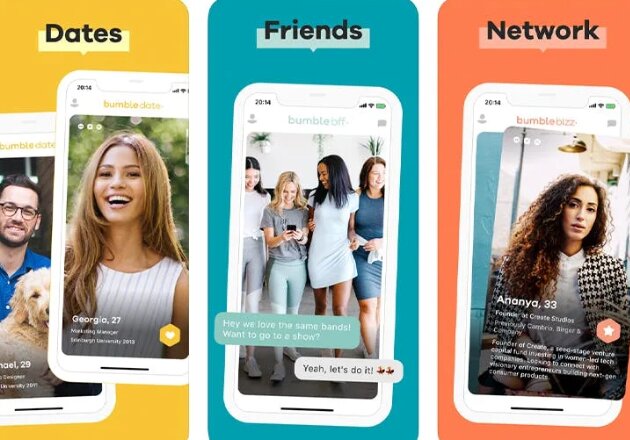
- Best For: Maximum exposure and a large volume of potential matches in most locations.
- Location Feature: Simple distance slider (1 to 100 miles).
- Insider Tip: Use the “Passport” feature (premium) to scout other cities before you travel. We’ll show you exactly what that looks like further down.
2. Bumble
Bumble uses a similar GPS-based system to Tinder but is often praised for a user base that is perceived as more intentional about making connections. Its distance-based matches are accurate, and it offers a “Travel Mode” (a premium feature) that lets you change your location ahead of a trip, making it a strong contender among apps that match singles by location.
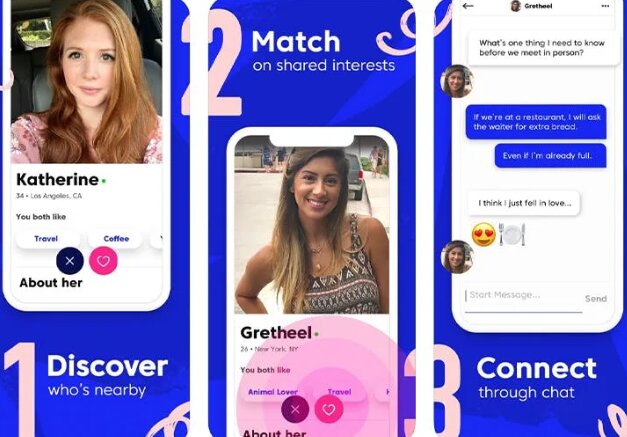
- Best For: Users seeking a balance of a large user pool and more serious connections.
- Location Feature: Accurate GPS with a premium Travel Mode.
- Insider Tip: When you use Travel Mode, your profile gets a badge. From our testing, we learned it’s crucial to state your travel dates in your bio, as some locals may assume you’re just looking for a hookup and swipe left otherwise.
3. Hinge
Marketed as the app “designed to be deleted,” Hinge focuses on fostering more serious connections. Its location settings are precise, and its algorithm prioritizes showing you active and engaged users within your set radius, which directly helps solve the problem of seeing dormant profiles.
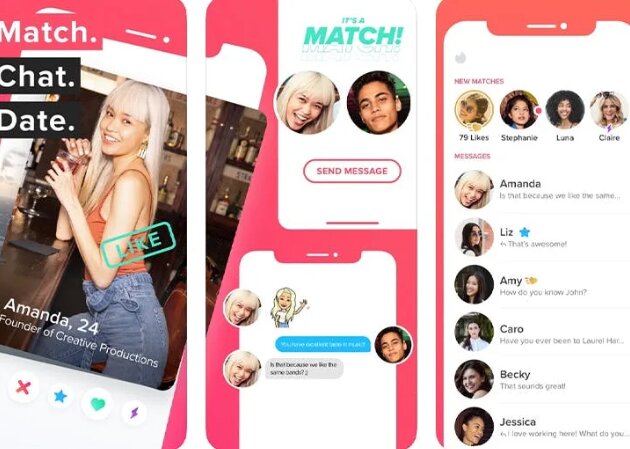
- Best For: Relationship-focused dating with highly relevant local suggestions.
- Location Feature: Precise distance filters and “Dealbreakers” to enforce your radius.
- Insider Tip: Always set your location preference as a “Dealbreaker.” This is the single best feature we tested for eliminating the frustration of seeing profiles far outside your chosen radius.
4. Happn
This app offers a unique take on geo-location matching. Happn presents you with a timeline of other users you have physically crossed paths with throughout your day. This hyper-local approach is ideal for people who frequent the same neighborhoods, cafes, or public transit routes.

- Best For: Making connections with people in your immediate, everyday environment.
- Location Feature: Tracks crossed paths, showing profiles you’ve been near.
- Insider Tip: Because it checks your location more frequently to find crossed paths, Happn can use more battery than other dating apps. It’s a trade-off for its unique hyper-local feature.
5. Grindr
As the leading app for the LGBTQ+ community, Grindr pioneered proximity matchmaking. It displays a grid of users sorted by distance, offering real-time location data that can be as precise as a few feet away. This makes it one of the most effective nearby people dating apps for making immediate connections.

- Best For: Instant, hyper-local connections within the LGBTQ+ community.
- Location Feature: Real-time grid view sorted by proximity.
- Insider Tip: Its precision is a double-edged sword. Be extremely mindful about opening the app in locations you wish to keep private, like your home or office, as your proximity to others will be immediately visible.
How to Choose the Right Proximity Dating App for You
Selecting the right proximity dating app depends on your specific goals and comfort level with location sharing. The technical differences between these apps directly impact your experience. This table compares the leading platforms across four critical criteria to help you make an informed decision.
| Feature | Tinder | Bumble | Hinge | Happn | Grindr |
| Location Accuracy | Good (Refreshes on open) | Good (Refreshes on open) | Very Good (Prioritizes active users) | Excellent (Real-time path crossing) | Excellent (Real-time grid) |
| Radius Control | Simple Slider (1-100 mi) | Simple Slider (1-100 mi) | Precise Filter (Dealbreaker option) | Fixed (Based on crossed paths) | None (Shows all nearby) |
| Privacy Controls | Standard | Standard | Good | Basic (Requires more access) | Basic |
| Travel Feature | Yes (Passport – Premium) | Yes (Travel Mode – Premium) | No | No | No |
| Best Use Case | Broadest reach | Balanced dating | Serious relationships | Hyper-local discovery | Instant connection |
A Proven Method to Optimize Your Dating Radius Settings
Simply setting a distance filter isn’t enough. Most modern dating apps use a combination of GPS data, user activity, and algorithmic ranking to prioritize who they show you. An inactive profile 2 miles away might be shown after an active profile 5 miles away. This is especially true in less populated areas where the initial pool of users is smaller.
To get more and better nearby matches, you need a procedure that optimizes for both distance and the app’s algorithm.
The Step-by-Step Procedure
1. Start with a Narrow Radius: Open your app and set your distance to a tight radius, such as 3-5 miles. Swipe through all the profiles presented. This focuses on the most immediate and often most relevant users first.
2. Gradually Expand Your Search: Once you’ve exhausted the initial batch, expand your radius significantly. For example, jump from 5 miles up to 15 or 20 miles. This action signals to the algorithm that you are an active user and forces it to load a fresh set of profiles, preventing you from seeing the same people repeatedly.
3. Refresh Your Location in Key Areas: Your location typically updates only when you open the app. To get matches near your office, gym, or favorite neighborhood, make a habit of opening the app for a moment while you are physically there. This refreshes your GPS coordinates and populates your feed with a new, relevant set of nearby people.
4. Activate “Recently Active” Filters: Many apps, including Hinge and Bumble, offer a filter to show only users who have been online recently. Activating this is one of the most effective ways to ensure you’re not wasting your time on dormant profiles, directly solving the problem of a limited match pool.
How Geo-Based Dating Apps Work (And How to Protect Your Privacy)
Understanding the technology behind geo-based dating apps is the key to using them safely and effectively. At their core, these apps use your smartphone’s Global Positioning System (GPS) to determine your physical location.
The process is straightforward:
1. Your device obtains its coordinates from GPS satellites.
2. When you open the dating app, it sends these coordinates to the company’s server.
3. The server then calculates the distance between you and other users, displaying profiles that fall within your specified search radius.
Crucially, most mainstream dating apps that use location like Tinder or Hinge do not track you in real-time. They update your position only when you actively use the app.
Despite this, managing your privacy is essential. Follow these techniques to protect your information:
1. Set Permissions to “While Using the App”: This is the single most important step. It prevents the app from accessing your location in the background.
2. Disable “Precise Location”: Modern operating systems allow you to provide an approximate location instead of an exact one. This is sufficient for the app to facilitate distance-based matches without revealing your specific address. Here’s how:
- On iOS: Go to Settings > [App Name] > Location, and toggle off Precise Location.
- On Android: Go to Settings > Location > App permissions > [App Name], and toggle off Use precise location.
3. Be Mindful of Your Environment: Avoid opening location-heavy apps like Happn or Grindr when you are at home, work, or other sensitive locations if you do not want to broadcast your presence there.
Need More Control Over Dating App Location?
The privacy settings above are the safest first step if your goal is simply to limit how much location data a dating app can access. However, some users may need more flexibility than a normal radius filter or approximate-location setting can provide. For example, you may want to preview the dating pool in a city before relocating, test how an app refreshes GPS-based matches, or avoid repeatedly opening a dating app in a sensitive real-world location.
In that situation, Fonelora Location Changer can be a useful desktop-based option. It helps iPhone and Android users change their device GPS location from a computer without jailbreak or root access. Compared with random mobile fake GPS apps, FLC gives you a more controlled way to select a location on the map and apply it to apps that rely on phone GPS.
Using FLC is simple: install Fonelora Location Changer on your computer, connect your phone, choose a target city or neighborhood on the map, apply the virtual GPS location, and then open the dating app to check how nearby matches refresh. When finished, you can restore your real location by using the reset option or restarting your device.
Use location-changing tools responsibly. Many dating apps offer official travel features such as Tinder Passport or Bumble Travel Mode, and those should be your first choice when available. Fonelora Location Changer is best used for GPS testing, privacy control, or situations where you need more flexible device-level location management.
A Traveler’s Guide to Using Apps That Match Singles by Location
For frequent travelers, standard local dating apps can be restrictive. This is where travel-specific features become an invaluable tool. Platforms like Tinder (“Passport”) and Bumble (“Travel Mode”) have developed premium features to solve this problem. They allow you to drop a pin anywhere on a map and begin swiping as if you were physically there.
Strategy for Using Travel Mode Effectively:
1. Activate in Advance: Change your location in the app 5-7 days before your trip. This provides enough time to match, chat, and potentially plan a meetup.
2. Be Transparent in Your Bio: This is critical. Clearly state your travel dates. A simple line like, “In Chicago from the 10th to the 15th and would love to grab a coffee!” sets clear expectations and shows you’re a real visitor, not a local.
3. Suggest a Low-Pressure First Meetup: Propose meeting for a coffee or a drink at a well-known, public place. This is a safe, casual, and enjoyable way to meet someone new while traveling.
While these features typically require a paid subscription, their utility for a traveler—whether for romance, friendship, or getting local recommendations—often justifies the cost.
The world of mobile apps is constantly changing. We re-test these apps quarterly and update this guide to reflect any changes in their location features, privacy policies, or algorithm performance.
Frequently Asked Questions
Here are concise, expert answers to common questions that go beyond the basics.
Do dating apps show my exact location to other users?
No. Mainstream apps like Tinder, Hinge, and Bumble do not show your exact location. They show an approximate distance (e.g., “5 miles away”). However, apps like Grindr can display proximity with much higher precision, which is why it’s vital to be aware of where you use them.
Can I get more matches by faking my GPS location?
While technically possible with third-party apps, we strongly advise against it. Dating apps have mechanisms to detect and ban accounts that use GPS spoofing. It violates their terms of service and creates a dishonest experience. Using official, paid features like Passport or Travel Mode is the approved and safe method.
Why do I see someone I swiped left on again?
This can happen for a few reasons: they deleted and remade their profile, you are swiping in an area with a very small user base, or it’s a temporary glitch in the app’s system. Expanding your search radius can often help reduce these repeats.
Does being more active on a dating app improve my visibility?
Yes, absolutely. Our testing confirms that app algorithms prioritize users who are active. Regularly swiping, updating your profile, and responding to messages signals to the app that you are an engaged user, which generally leads to your profile being shown to more people.
If I deny location access, can I still use the app?
For almost all location-based dating apps, no. Proximity is a core function, and the app cannot provide matches without access to at least your approximate location. You can, however, restrict access to “while using the app” to maintain your privacy when you’re not actively swiping.
Take Control of Your Local Dating Experience
Navigating GPS dating apps no longer has to be a process of guesswork and frustration. By understanding how the technology truly works, applying a strategic method to your settings, and choosing the right app for your goals, you can directly influence the quality and quantity of your potential connections. The solutions outlined in this guide provide a clear path to solving the common problems of inaccurate filters and limited matches.
If you also need device-level GPS control for testing dating app location behavior or previewing matches in another area, Fonelora Location Changer can provide a more flexible desktop-based option. Still, for normal dating use, official travel features and honest profile context remain the safest approach.
You now have the expert knowledge to protect your privacy and optimize your profile for success, empowering you to confidently connect with the people right around you.


Hot Topics
