If you are looking to quickly add a trainer you met online or at a local raid, using a QR code is much faster than typing out a 12-digit Trainer Code. Whether you’re checking out Pokémon GO guides or playing in a crowded park, here is exactly how to access your own code and use the in-game scanner:
- Open your Trainer Profile: Tap your Avatar icon in the bottom-left corner of the main map screen.
- Navigate to your Friend List: Swipe right or tap the Friends tab at the top of the screen.
- Open the Add Friend menu: Tap the Add Friend button.
- Use the QR Code feature: Tap QR Code at the top.
From here, you can toggle between two tabs:
- My QR Code: Displays your personal code so another trainer or a secondary device can scan it. You can also screenshot this to share on online friend directories.
- Scan QR Code: Opens your device camera, allowing you to instantly scan someone else’s code and send a friend request without typing a single number.
Why Add Global Friends in Pokémon GO?
Sharing your Pokémon GO friends QR code on online forums or global directories isn’t just about showing off your high-level Pokémon. Connecting with international players unlocks massive in-game advantages that you can’t easily get by only playing locally.
Here is why adding global friends is worth the effort:
- Collect rare Vivillon patterns: By pinning Gifts, or postcards, sent from different geographical regions around the world, you can encounter and catch all the unique regional patterns of Scatterbug and Vivillon.
- Earn massive XP boosts: Leveling up your friendship statuses, including Good, Great, Ultra, and Best Friend, awards chunks of XP, making it the fastest way to hit Level 50.
- Join international Remote Raids: Global friends can invite you to 5-star or Mega raids in different time zones, giving you access to raid bosses that might be asleep in your region or locked to specific global events.
The Catch: Pokémon GO’s 100-Meter Trading Distance Limit
Adding international friends via a QR code is incredibly easy, but you will quickly hit a major roadblock if your goal is to trade for regional Pokémon: the strict distance limit.
Under standard game rules, Pokémon GO requires both players to be physically within 100 meters (about 328 feet) of each other to initiate a trade. It can be incredibly frustrating to finally add someone from Japan or Brazil to get a region-exclusive Pokémon, only to realize the trade button is greyed out because of the physical distance.
While official remote trading does exist via the “Forever Friends” feature (introduced in late 2025), it requires players to interact daily for months to unlock that top-tier status. For most players who just want to do a quick Lucky Trade or grab a regional Pokémon they are missing, waiting months simply isn’t practical.
How to Bypass the Trading Distance Limit with a Location Changer
Since standard trading requires you to be within 100 meters of your friend, the only way to trade immediately without waiting months for “Forever Friends” status is to bridge the physical gap virtually. This is where a dedicated tool to change location in Pokémon GO, like Fonelora Location Changer, becomes highly relevant.
Fonelora Location Changer allows you to change your device’s GPS location on supported iOS and Android devices, depending on your OS version and connection method, effectively teleporting your in-game avatar to your global friend’s exact coordinates for the trade.
Instead of relying on unstable mobile apps that often trigger game errors, Fonelora provides a desktop-based, guided workflow. It features a specialized Game Mode designed specifically for location-based games (LBS), helping you manage virtual movement under supported conditions so you can bypass the 100-meter block and trade with your newly added international friends right away.
Fonelora Location Changer
Realistic GPS movement simulation, flexible route control, easy no-modification setup, and support for gaming, social, privacy, and location-based testing in one platform.
Step-by-Step: Teleporting to Trade Using Fonelora Location Changer
Ready to trade with the global friends you added via QR code? Here is how to use Fonelora Location Changer to safely teleport to their location.
- Connect your device: Launch Fonelora Location Changer on your PC or Mac, and connect your supported iPhone or Android device using a USB cable or Wi-Fi.

- Select Game Mode: Once connected, choose Game Mode. This ensures the tool optimizes the virtual environment specifically for location-based games like Pokémon GO.
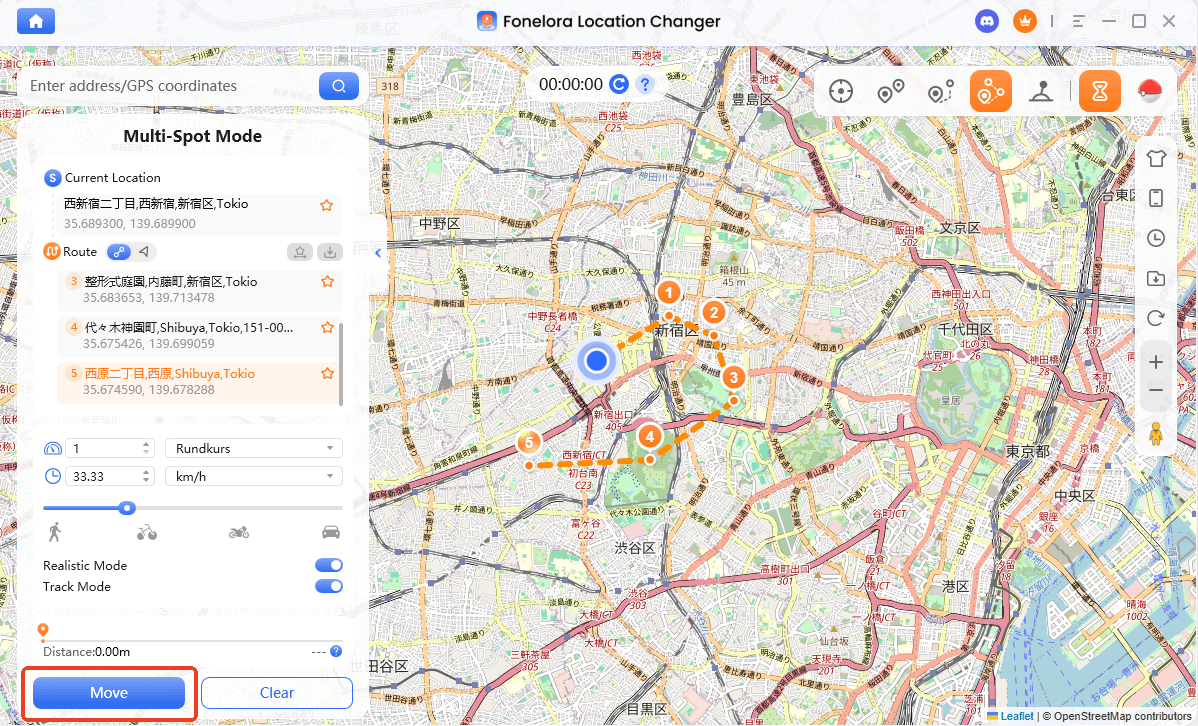
- Enter your friend’s coordinates: Ask your global friend for their exact current coordinates or a nearby landmark. Select Teleport Mode in Fonelora, paste the location into the search bar, and click to change your location.
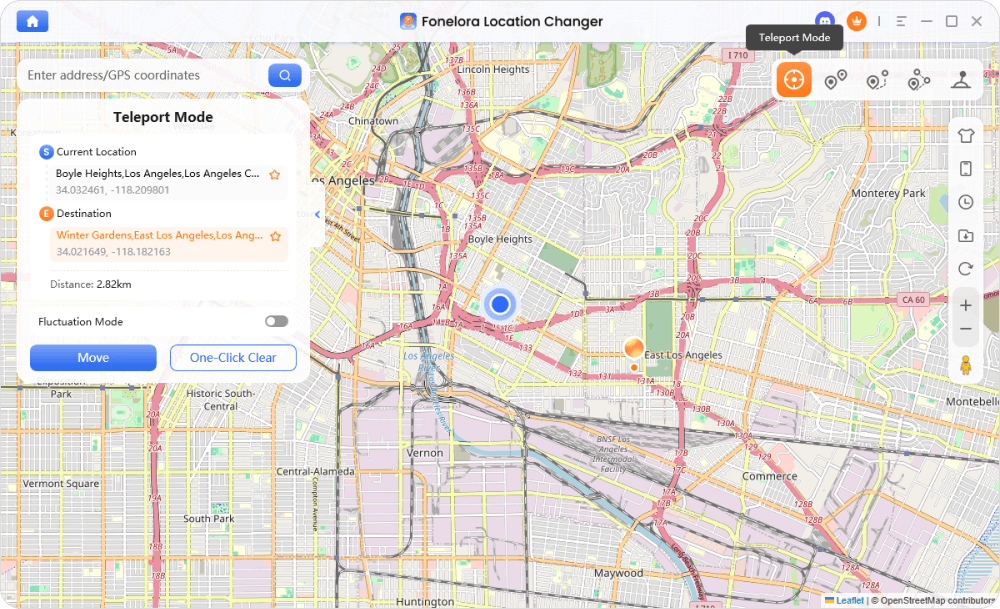
- Wait out the Cooldown Timer: This is critical. Fonelora’s built-in Cooldown Timer will show you how long you should wait after a long-distance virtual jump. Do not open the game or interact with anything until this timer expires.
- Launch the game and trade: Once the cooldown is clear, open Pokémon GO. You will now be within the 100-meter virtual radius of your friend. Initiate the trade, secure your regional Pokémon, and enjoy!
Crucial Rules for Safe Virtual Trading
While using a location changer is the most practical way to trade globally without waiting months, it is important to manage your account risks. No tool is 100% risk-free or completely undetectable, and Niantic actively monitors for suspicious jumps in location.
Follow this checklist to mitigate account risks when teleporting for a trade:
- Observe the Cooldown Timer: If you catch a Pokémon in New York and instantly teleport to Tokyo, you will trigger a “soft ban,” where Pokémon flee instantly and PokéStops yield no items. Always respect the Pokémon GO cooldown rules and wait the recommended time, up to 2 hours for long jumps, before launching the game at the new location.
- Close the app before jumping: Always force-close the Pokémon GO app completely before you change your location in Fonelora Location Changer. Never teleport while the game is running in the background.
- Stick to realistic interactions: If you teleport strictly for a trade, do the trade and log off. Avoid rapidly jumping across multiple countries in a single day to catch regional Pokémon.
- Use Game Mode: Ensure you are always using Fonelora’s Game Mode, as it is structured to handle the specific location data requirements of LBS games better than standard GPS spoofing apps.
No virtual location tool can guarantee zero account risk. Always check Pokémon GO rules, confirm your device compatibility, follow cooldown guidance, and use location changes responsibly under supported conditions.
Frequently Asked Questions About Pokémon GO Friends and Trading
- How do I find my Pokémon GO friend QR code?
- Tap your Avatar, go to the Friends tab, tap Add Friend, and select QR Code. Your personal code will be displayed under the “My QR Code” tab for others to scan or screenshot.
- How do I scan a QR code to add friends in Pokémon GO?
- In the same QR Code menu under Add Friend, switch to the “Scan QR Code” tab. This opens your camera so you can scan another player’s screen or a printed code instantly.
- Can I trade with friends I added via QR code online?
- Not immediately if they are far away. Standard trading strictly requires you to be within 100 meters of each other.
- What is the trading distance limit in Pokémon GO?
- The strict physical distance limit for any standard or lucky trade is 100 meters, or approximately 328 feet.
- How do I add friends from other regions for Vivillon patterns?
- You can join Pokémon GO online communities, Discord servers, or Reddit groups where players share their QR codes or 12-digit trainer codes specifically for gifting and pinning regional postcards.
- How can I trade with global friends without waiting for Forever Friends status?
- Because the official “Forever Friends” remote trading status takes months of daily interaction to achieve, many players use a desktop virtual location tool to temporarily change their device GPS coordinates to their friend’s location to complete the trade.
- Is it safe to use a location changer to teleport for Pokémon GO trades?
- No tool is entirely risk-free. However, using a desktop tool that features a built-in Cooldown Timer and a dedicated Game Mode helps you manage virtual movement carefully and mitigates the risk of triggering automatic soft bans.
Ready to Trade with Your New Global Friends?
Using a Pokémon GO friends QR code is undoubtedly the fastest way to expand your global friend list, earn massive XP, and collect regional Vivillon patterns. However, that strict 100-meter physical trading limit can quickly halt your plans to swap rare or regional Pokémon, and waiting months for the official “Forever Friends” status is rarely ideal.
If you want to trade with your new international friends right away, Fonelora Location Changer provides a guided, cooldown-aware solution. By utilizing its specialized Game Mode on your desktop, you can securely manage your virtual location on supported iOS and Android devices, bridging the global gap in minutes.
Ready to complete that Lucky Trade across the world? Check out Fonelora Location Changer and start trading without boundaries.

Fonelora Location Changer
- Bluetooth Hardware Simulation for Safer GPS Spoofing
- Realistic Movement & Route Simulation
- No Root or Jailbreak Required
- All-in-One Solution for Games, Social Apps & Privacy
More Related Articles



