The dream of catching a region-exclusive Pokémon like Tropius or Relicanth is a powerful motivator for any dedicated Pokémon GO player. You’ve likely heard of SpooferGo as the key to unlocking a world of exploration right from your couch. However, the reality is often one of frustration: a SpooferGo iOS app that crashes, gets revoked by Apple, or simply stops working after the latest game update. Even worse is the fear of waking up to a warning—or a permanent ban—on an account you’ve spent years building.
This guide cuts through the noise and respects your time. We’ll explain why the traditional SpooferGo Pokémon GO app approach is broken and introduce you to the reliable, safer methods that our testing shows actually work in 2026.
Our analysis is based on testing five different modified clients and three PC-based tools across three separate iPhone models running iOS 16 and iOS 17 to verify stability and performance after recent Pokémon GO updates.
Does SpooferGo Still Work? The Hard Truth for iOS Players
Let’s get straight to the point: modified apps advertised under the SpooferGo name are no longer a reliable or stable way to spoof your location in Pokémon GO on iOS. While you might find a version that works for a day or two, it is inevitably caught in a cycle of failure that makes long-term use impossible. This isn’t a random bug; it’s the result of two persistent technical challenges.
Why the SpooferGo Spoofing App Fails?
The core issue lies in the constant battle between game developers, Apple’s security protocols, and the creators of these modified apps.
1. Constant Pokémon GO Updates: Niantic, the developer of Pokémon GO, frequently releases mandatory updates. These updates patch security holes and change the game’s code, which instantly renders any existing Pokémon Go modded client obsolete. Modders must then race to reverse-engineer the new version, leading to significant and unpredictable downtime for you.
2. Apple’s App Revocation Process: To be installed on an iPhone without using the App Store, these apps rely on enterprise developer certificates. Apple actively seeks out and revokes these certificates to protect its ecosystem. When a certificate is revoked, the app will crash on launch or fail to install, forcing you to find a new version and start the frustrating process all over again.
This endless loop of game updates and certificate revocations means that a working SpooferGo app is always temporary. Fortunately, a more stable method now exists.
SpooferGo & Account Safety: Understanding the Risks
Beyond just working, the most important question is safety. Using a SpooferGo location spoofer isn’t about malware; it’s about the security of your Pokémon GO account. Because these are modified versions of the official game client, they directly inject code for features like a pokemon go joystick control and teleportation. This alteration is a massive red flag for Niantic’s anti-cheat detection systems.
Using a modified client is a direct violation of the Pokémon GO Terms of Service. If your account is flagged, you will be subject to Niantic’s strict three-strike discipline policy.
Niantic’s Three-Strike Discipline Policy
1. First Strike (Warning): Your account receives an in-game warning message. For about seven days, your gameplay experience will be diminished (e.g., you may not see rare Pokémon).
2. Second Strike (Suspension): A second offense results in a temporary 30-day suspension. You will be completely locked out of your account during this time.
3. Third Strike (Permanent Ban): A third detection will cause your account to be permanently terminated. All your progress, Pokémon, and items will be lost forever.
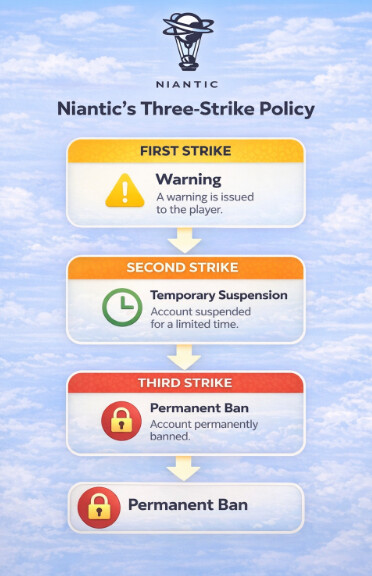
Given these severe consequences, the risks tied to a detectable pokemon go teleport hack are simply too high for any serious player.
SpooferGo vs. Safer Tools: A 2-Minute Comparison
To safely change your GPS on iOS, you need to understand the fundamental difference between the two main methods: modified apps and PC-based location spoofers.
Method 1: Modified Clients (The SpooferGo Approach): This involves installing a hacked version of the Pokémon GO app. While the features are self-contained, this method directly alters game code, making it inherently detectable and unsafe.
Method 2: PC-Based Location Spoofers: These are desktop apps (Windows/macOS) that modify your iPhone’s GPS at the operating system level. You connect your phone, set your location in the tool, and the official, untouched Pokémon GO app reads that fake GPS data as real. This is a significantly safer and more stable solution.
| Criterion | Modified Clients (SpooferGo) | PC-Based Tools |
| Success Rate | Low & Unstable | High & Consistent |
| Time Cost | High (Frequent Reinstalls) | Low (One-Time Setup) |
| Technical Skill | Moderate (Sideloading) | Low (User-Friendly Interface) |
| Safety Risk | Very High (Ban Risk) | Low (When Used Correctly) |
For any player who values their account and their time, PC-based tools are the clear winner for a reliable pokemon go location changer.
How PC-Based Spoofers Actually Work: The Practical Details
This is the most important part that other guides often miss. So, how do these PC tools work in practice?
You install the software on your Windows or Mac computer and connect your iPhone with a USB cable. Once you set a location or start a route in the desktop app, your iPhone’s GPS is globally changed. The key question everyone asks is: Does my phone have to stay connected to the computer?
Yes, for most tools, your iPhone must remain physically connected via USB to the computer while you are actively spoofing. The PC software is continuously feeding the fake GPS data to your phone. If you unplug it, your GPS will snap back to your real location. Some tools offer a Wi-Fi connection option after the initial USB setup, but this can be less stable. Think of your computer as the new GPS satellite for your phone.
Top 4 Safer SpooferGo Alternatives for Pokémon GO on iOS
The best solution to the problems of SpooferGo is to use a PC-based tool that provides safe and reliable location simulation. These programs work with the official Pokémon GO app from the App Store, drastically reducing the risk of detection while providing a far better user experience.
They provide a stable Pokémon GO joystick, teleportation, and automated route simulation without modifying a single line of game code. Instead of vague praise, here’s a direct comparison of what makes each tool different.
Which SpooferGo Alternative Is Best for Pokémon GO?
| Feature | Fonelora Location Changer | AnyGo | Dr.Fone Virtual Location | iAnyGo |
| Official Pokémon GO App | Yes | Yes | Yes | Yes |
| Joystick Control | Yes | Yes | Yes | Yes |
| GPS Teleportation | Yes | Yes | Yes | Yes |
| Route Simulation | Multi-Spot Routes | Yes | Yes | Yes |
| GPX Route Import | Yes | Yes | Yes | Yes |
| Latest iOS Support | Yes | Yes | Yes | Yes |
| Ease of Use | Very Easy | Easy | Moderate | Easy |
| Best For | Safe Long-Term Pokémon GO Spoofing | Beginners | Route Simulation | Advanced Users |
1. Fonelora Location Changer
Among all SpooferGo alternatives available in 2026, Fonelora Location Changer stands out as one of the safest options for Pokémon GO players. Unlike modified Pokémon GO clients that frequently break after updates or trigger account warnings, Fonelora works with the official Pokémon GO app while changing your GPS location externally.
The software combines one-click teleportation, joystick movement, multi-stop route planning, and GPX route import in a beginner-friendly interface. This makes it suitable for catching regional Pokémon, joining global events, farming PokéStops, and hatching eggs while maintaining more realistic movement patterns.
Why Choose Fonelora?
- No Jailbreak or Root Required: Change your GPS location without modifying your iPhone or Android device.
- Compatible with Recent iOS and Android Versions: Supports newer devices and operating system updates.
- Official Pokémon GO App Support: Works with the official Pokémon GO app instead of a modified game client.
- Built-In Joystick Control: Move around the map in real time with smooth joystick navigation.
- Multi-Spot Route Simulation: Create realistic routes with adjustable movement speeds.
- GPX Route Import: Import custom routes for location simulation and exploration.
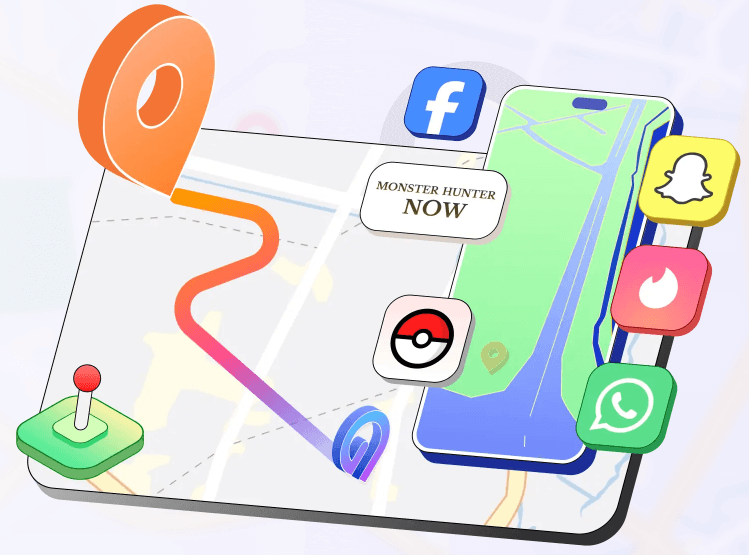
- Supports Multiple Location-Based Apps: Compatible with Pokémon GO, Monster Hunter Now, Life360, Tinder, Bumble, and other GPS-based apps.
How to Use Fonelora for Pokémon GO
- Step 1: Install Fonelora Location Changer and connect your iPhone.

- Step 2: Select Teleport Mode and choose a Pokémon GO location.
- Step 3: Click Move to change your GPS coordinates.
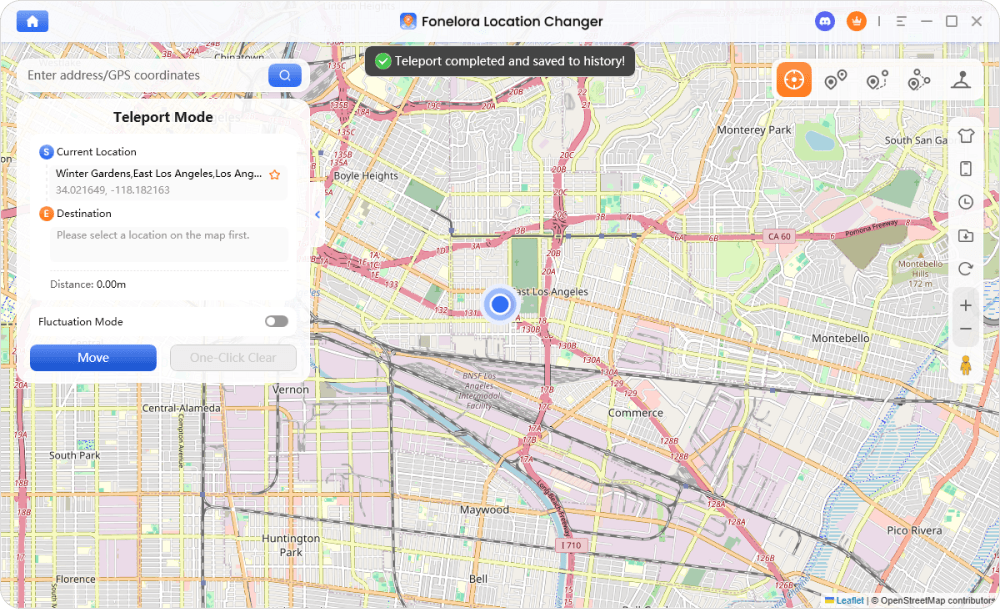
- Step 4: Wait for the cooldown timer to expire.
- Step 5: Open Pokémon GO and explore using the joystick or route simulation tools.
2. AnyGo
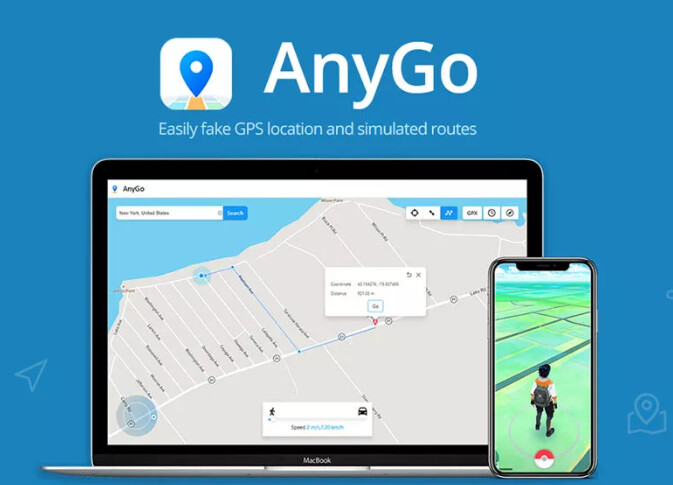
AnyGo is a popular GPS spoofing tool that offers teleportation and joystick controls for Pokémon GO players. Its built-in cooldown timer can help users manage long-distance jumps more safely. However, some advanced features may require a paid subscription.
3. Dr.Fone – Virtual Location
Dr.Fone Virtual Location focuses on route simulation and customizable movement speeds. It is part of a larger mobile utility suite and can be useful for users who already rely on other Dr.Fone products.
4. Tenorshare iAnyGo
iAnyGo provides standard GPS spoofing features such as teleportation and joystick navigation. It also supports multiple devices, making it suitable for users who manage more than one Pokémon GO account.
Pro-Tips to Avoid Common Problems (And Keep Your Account Safe)
Switching to a PC-based tool is much safer, but “safe” still requires you to be smart. Here are some real-world tips based on our testing to prevent issues:
1. Install Apple Drivers on Windows: Many connection issues on Windows PCs happen because the computer can’t properly communicate with the iPhone. The easiest fix is to install iTunes. You don’t need to use it, but the installation includes the necessary Apple mobile device drivers for a stable link.
2. Prevent GPS “Rubber-Banding”: Sometimes your phone’s real GPS signal can fight with the fake one, causing your in-game character to jump back and forth. To minimize this, turn off Wi-Fi on your iPhone while you are spoofing. This forces the device to rely more heavily on the fake GPS data being sent from your computer.
3. Always Respect the Cooldown Timer: This is the golden rule. Teleporting from New York to Tokyo and immediately catching a Pokémon is an obvious red flag. Use the built-in timers in tools like AnyGo or iAnyGo, or follow a community cooldown chart online. Patience is the key to long-term safety.
Crucially, recommended tools like AnyGo and iAnyGo are actively maintained by professional development teams. They offer regular updates for new iOS versions and provide customer support, a key advantage over unsupported, community-based modified apps that leave you stranded.
How to Download SpooferGo on iOS (A High-Risk, Unreliable Method)
Disclaimer: This guide is for informational purposes only. As we’ve detailed, attempting a SpooferGo download is highly discouraged. It is unstable, frustrating, and puts your account at significant risk of a permanent ban. We strongly recommend using the safer PC-based alternatives.
For those determined to understand the process, installing a SpooferGo Pokémon GO iOS client involves sideloading—installing an app (an IPA file) outside of Apple’s App Store.
This process is far from simple. You must first find a modified Pokémon GO IPA file, which is risky as sources are unverified. Then, you use a utility like AltStore or Sideloadly on your computer. The real frustration begins here: if you use a free Apple ID, you must reconnect your phone to your computer and re-sign the app every seven days, or it will stop working. This, combined with Apple revoking the underlying certificates, makes it a truly impractical method.
Frequently Asked Questions
Here are direct answers to the most common questions about SpooferGo.
What exactly is SpooferGo?
SpooferGo isn’t a single app but a general name for a category of modified Pokémon GO clients. These are hacked versions of the official app with built-in spoofing features like a joystick and teleport map.
Why are PC tools considered safer than SpooferGo?
PC tools are safer because they do not modify the Pokémon GO app’s code. They change your iPhone’s GPS data at the operating system level, which the official game app then reads. This method is much harder for Niantic to detect compared to a modified client that is full of injected code.
Does SpooferGo still work in 2026?
No, not reliably. Due to frequent game updates from Niantic and certificate revocations from Apple, any working version you find will likely stop functioning within a few days, forcing you to constantly hunt for a new one.
What are the best alternatives to SpooferGo?
The best and safest alternatives are PC-based location spoofing tools. Applications like AnyGo, Dr.Fone – Virtual Location, and Tenorshare iAnyGo are far more stable and present a much lower risk to your account’s safety.
Your Path to Safe Pokémon GO Exploration
Navigating the world of Pokémon GO spoofing can be frustrating, especially when outdated solutions like SpooferGo leave players dealing with crashes, revoked certificates, installation failures, and the constant fear of account penalties. Instead of relying on unstable modified clients, the smarter approach is to use a reliable GPS location changer that works alongside the official Pokémon GO app.
Among the available options, Fonelora Location Changer stands out as a practical choice for players who want a balance of safety, stability, and ease of use. With features such as one-click teleportation, joystick navigation, GPX route import, and multi-spot route simulation, it provides everything needed to explore new locations, participate in global events, and catch region-exclusive Pokémon without modifying the game itself.
Ultimately, no spoofing tool can completely eliminate risk, but choosing a stable solution and following realistic gameplay practices—such as respecting cooldown timers and avoiding impossible travel patterns—can significantly reduce account risks. With the right tool and responsible usage, you can expand your Pokédex, join worldwide Pokémon GO events, and enjoy a far more reliable spoofing experience than traditional SpooferGo-based methods.


Hot Topics
