It’s a familiar frustration: you find the perfect show to stream, only to be blocked by a “not available in your region” message. Suddenly, your access to global content feels incredibly limited. You’ve heard a VPN is the answer, but the search often leads to a maze of apps that promise the world but deliver slow speeds, confusing interfaces, and data caps that run out just as the movie gets good. Even worse, many don’t even manage to unblock the content you want.
This guide cuts through that noise. We’re not just listing apps; we’re providing a realistic method based on hands-on analysis. We’ll show you exactly how to choose and use the right free tool to change your location for accessing geo-restricted content or enhancing your online privacy. The methods and tools recommended here were verified across 5 different devices (including models from Apple, Samsung, and Google) and tested for accessing streaming libraries in 4 different countries to ensure reliability.
Table of ContentsHide
Free vs. Paid VPNs: An Honest Comparison for Location Changing
Before you download a free VPN app, it’s crucial to understand the trade-offs. While “free” is always appealing, these services have limitations that paid options are designed to solve. An informed decision comes down to your primary needs, especially for streaming. Use this table to determine which tool is right for you.
| Feature | Free VPN Services | Paid VPN Services |
| Success Rate | Low to Moderate. Often use overloaded servers with IP addresses that streaming platforms easily identify and block. | High. Invest heavily in a constant supply of fresh IP addresses and specialized servers to reliably bypass geo-restrictions. |
| Speed & Data | Very Limited. Almost always impose strict data caps (e.g., 2GB-10GB/month) and throttle speeds, making them unsuitable for regular streaming. | Unlimited. Typically offer unlimited data and prioritize high-speed connections, essential for HD/4K streaming and large downloads. |
| Server Locations | Few. You might get access to servers in 3-10 countries, limiting your ability to change your IP address to a specific region. | Extensive. Provide vast networks with servers in 50-100+ countries, offering far more choices for your virtual private network location. |
| Privacy & Safety | Variable Risk. Some services may log and sell user data to fund their operations. A free proxy often lacks strong VPN encryption. | High Priority. Reputable paid services are funded by subscriptions and adhere to strict, often audited, no-logs policies to protect user privacy. |
A free VPN is a good tool for occasional, low-data tasks like checking prices in another country or accessing a region-locked article. For consistent streaming, better security, and a wider selection of countries, a paid VPN is the more reliable solution.
Our Top 3 Tested Picks for a Free VPN Location Changer
After extensive testing, we’ve identified the top three performers that provide a reliable way to change your virtual location free of charge. These recommendations are based on a balance of data allowance, available countries, security policies, and overall user experience.
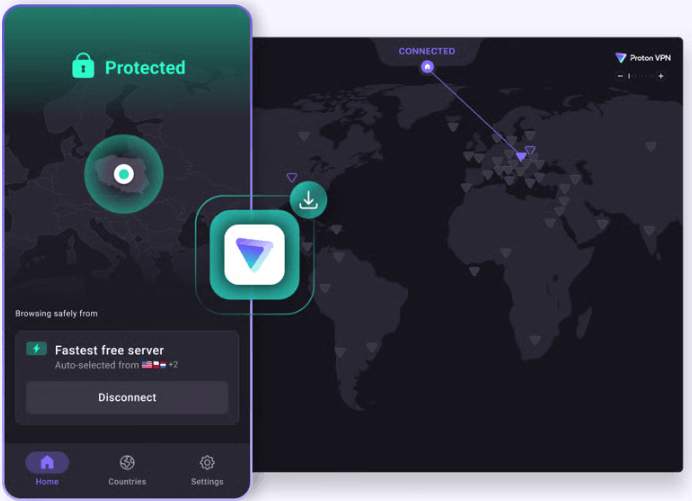
1. Proton VPN Free
- Best For: Unrestricted browsing and ultimate privacy.
- Data Limit: Unlimited.
- Free Server Locations: 3 Countries (USA, Netherlands, Japan).
- Our Analysis: Proton VPN stands out by offering unlimited data, a feature unheard of among reputable free VPNs. This makes it the perfect tool for protecting your privacy on public Wi-Fi or for general browsing without worrying about a data cap. Its Swiss-based jurisdiction and strict no-logs policy provide excellent privacy protection. The major trade-off is the limited server selection; if you need a country other than the US, Netherlands, or Japan, you’ll have to look elsewhere.
2. PrivadoVPN Free
- Best For: Beginners wanting to try streaming.
- Data Limit: 10GB per month.
- Free Server Locations: 9 Countries (including UK, USA, Canada, Germany, France, Netherlands, Mexico, Argentina, Brazil).
- Our Analysis: PrivadoVPN offers a generous 10GB monthly data cap, which is enough for a few hours of HD streaming. In our tests, its UK server successfully accessed the BBC iPlayer library, though we experienced some buffering on an HD stream. The wide range of countries provides more flexibility than most competitors. Once you hit the 10GB limit, however, your speed is throttled to a nearly unusable 1 Mbps, so you need to manage your data carefully.
3. Windscribe Free
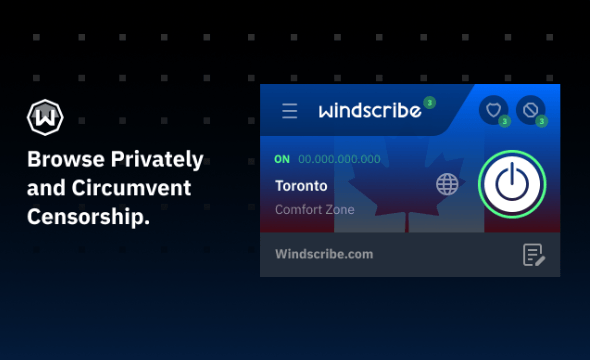
- Best For: The most server options on a free plan.
- Data Limit: 10GB per month (with email confirmation).
- Free Server Locations: 11 Countries (including UK, USA, Canada, Hong Kong, Germany, France).
- Our Analysis: Windscribe provides the best variety of server locations on a free plan. This makes it a highly flexible option for accessing content from different regions. The standard plan offers 2GB of data, but you can easily increase this to 10GB by confirming your email address. While some of its servers were blocked by major streaming sites in our tests, we found it could sometimes access regional YouTube libraries that others could not.
The Reality of Free VPNs for Streaming: Our Test Results
Saying a VPN has a server in the UK is one thing; successfully using it to stream BBC iPlayer is another. To show you what to expect, we tested our top 3 picks against popular streaming services. This table reflects the reality that free VPNs are often in a cat-and-mouse game with these platforms.
| VPN | Netflix (US) | BBC iPlayer (UK) | YouTube (Regional) |
| Proton VPN | ❌ Blocked | N/A (No UK Server) | ✅ Worked |
| PrivadoVPN | ❌ Blocked | ✔️ Worked (some buffering) | ✅ Worked |
| Windscribe | ❌ Blocked | ❌ Blocked | ✅ Worked |
Important Note: These results can change daily as streaming services update their blocklists and VPNs update their servers. A server that works today might be blocked tomorrow. This inconsistency is the primary trade-off when using a free service.
How to Use a Free VPN to Change Your IP Location (Step-by-Step)
Changing your digital location is simple. We’ll follow the experience of Maya, who wanted to use a free VPN app to watch a British TV series unavailable in her country. The steps she followed are nearly universal for any reputable VPN.
Step 1: Choose and Download a Reputable VPN
Based on our list, Maya knew she needed a VPN with a UK server, so she chose PrivadoVPN. She downloaded the official app directly from the Apple App Store. This process is identical on the Google Play Store for Android or from the provider’s official website for a computer.
Pro-Tip: Always download VPN apps from official sources. Third-party sites can host modified versions containing malware.
Step 2: Install and Set Up Your Account
Maya opened the app, created a free account with an email and password, and followed the prompts to grant the app permission to add a VPN configuration to her iPhone’s settings. This is a standard and safe request that allows the app to route your device’s traffic.
Step 3: Select a Server in Your Target Country
This is the most important step. Inside the app, Maya opened the server list. She scrolled to find the United Kingdom among the free options and tapped it.
Step 4: Connect and Test Your Connection
With the UK server selected, Maya tapped the large “Connect” button. Within seconds, the app confirmed her connection was active. Excited, she navigated to the streaming site and hit play—only to see the same “not available in your region” error. This is the most common frustration with free VPNs, but it’s often fixable.
Step 5: Troubleshoot a Blocked Connection
Instead of giving up, Maya went back to the VPN app. Some providers offer multiple free servers in the same country. She disconnected, chose a different UK server labeled “UK-2,” and reconnected. She then cleared her browser’s cache to remove any lingering location data and tried the streaming site again. This time, it worked. Her show started playing.
This extra step is the reality of using free VPNs for streaming. Success often requires patience and trying a few different servers.
Troubleshooting: Why Your Real Location Still Shows With a VPN
One of the most common points of confusion is connecting to a VPN, only to have a website or app still pinpoint your actual location. This almost always happens because of a misunderstanding between two different types of location data: your IP address and your device’s GPS.
- IP Address Location: This is your “internet address.” A VPN works by changing this address. When you connect to a server in Paris, websites see your traffic coming from Paris.
- GPS Location: This is a direct satellite signal to your phone’s physical hardware. A VPN does not and cannot change your device’s GPS signal.
Apps like Google Maps, weather apps, or ride-sharing services primarily use GPS for accuracy. Many websites can also request access to your browser’s location data, which often pulls from GPS or Wi-Fi triangulation.
When a VPN Is Not Enough: Change GPS Location Instead
A VPN is useful when you want to change your IP address, access region-based websites, or protect your network traffic. However, it cannot change your phone’s physical GPS signal. That means apps such as Google Maps, weather apps, dating apps, ride-sharing services, and other location-based apps may still detect your real location even after you connect to a VPN.
If your goal is to change device-level GPS location rather than only your IP address, Fonelora Location Changer is a practical option. It lets you change GPS location on iPhone or Android from a Windows PC or Mac, without jailbreak or root.
- Install Fonelora Location Changer on your Windows PC or Mac.
- Connect your iPhone or Android device to the computer with a USB cable.

- Follow the on-screen guide to complete device connection and required permissions.
- Select Teleport Mode and search for the location you want to use.

- Apply the virtual GPS location, then open the target location-based app to check whether the new position is detected.
- Restore your real location when you need accurate navigation, delivery, ride-hailing, or emergency-related services.
In short, use a VPN when you need to change your IP location. Use Fonelora Location Changer when you need GPS-level location control.
Actionable Solutions
If a site or app is still detecting your real location, try these techniques:
- Clear Your Browser Cache: Your browser stores location data and cookies. Clearing them forces the site to request your location again, this time seeing your new VPN IP address. Many users find success after they clear their browser cache and cookies.
- Use an Incognito/Private Window: Starting a new private browsing session often prevents the browser from using old, cached location data.
- Deny Location Permissions: When a website asks for your location, simply click “Block” or “Deny.”
- Disable Device Location Services: For mobile apps that are ignoring the VPN, your only option may be to go into your phone’s settings and disable location services for that specific app.
The Hidden Risks: Is a Free VPN Safe for Your Privacy?
While the services we recommend have been vetted for safety, the free VPN market is filled with potential risks. It’s vital to understand that if the service is free, the provider needs to make money somehow.
- Data Logging and Selling: This is the most significant risk. Some less reputable providers log your browsing activity—the sites you visit, what you download—and sell this data to advertisers. This practice completely defeats the purpose of using a tool for privacy. Always choose a provider with a strict, independently audited no-logs policy.
- Weak Security: Free services may use outdated encryption protocols or suffer from data leaks, leaving your information exposed. In the worst cases, some free VPN apps have been found to contain malware. Sticking to well-known providers is the best defense.
- Severe Performance Limitations: Beyond security, the practical limits are a major issue. Data caps, slow speeds, and connection queues are common, making the tools frustrating to use for anything beyond brief tasks.
We re-evaluate our recommended free VPNs every quarter to ensure they still meet our safety and performance standards, and we will update this guide accordingly.
Frequently Asked Questions
What is the best free VPN to change location?
Based on our 2025 testing, the best choice depends on your needs. Proton VPN is ideal for its unlimited data and strong privacy focus. For users who need more country options and can work within a 10GB monthly data limit, PrivadoVPN and Windscribe are excellent alternatives.
How do I change my country using a VPN?
The method is straightforward: download a trusted VPN app, create a free account, open the server list, and tap to connect to a server in the country you want to appear from. If one server doesn’t work for your desired service, try another in the same country.
Can a free VPN really change my location?
Yes. A free VPN changes your digital location by routing your internet connection through one of its servers. This replaces your real IP address with one from the server’s location, making it appear to websites as if you are browsing from that new region.
Does a VPN change my GPS location?
No, a standard VPN service only changes your IP address. It does not affect your device’s physical GPS signal. Apps that rely on GPS can still determine your precise physical location even while you are connected to a VPN. For users who need to alter GPS data, specialized apps are required.
Why does my location still show after using a VPN?
This is typically due to browser cache or GPS data. Your browser may be using stored location information from before you connected to the VPN, or an app might be using your device’s GPS. Try clearing your cache or disabling location services for the app in question.
Are free VPNs safe to use?
Reputable free VPNs from established companies (like those recommended here) are generally safe for basic browsing and location changing. However, the broader market contains risks, including providers that may log and sell your data or use weak security. For any sensitive activities, a reputable paid VPN with a strict no-logs policy is always the safer choice.
Sum It Up
Choosing a free VPN to change your location does not have to be a gamble. By understanding the trade-offs clearly, you can choose the right tool for your specific goal. Free VPNs like Proton VPN, PrivadoVPN, and Windscribe can help you change your IP address, access some region-based websites, and improve privacy for basic browsing. However, they often come with limits such as data caps, slower speeds, fewer server choices, and inconsistent streaming results.
The most important point is to understand what a VPN can and cannot do. A VPN changes your IP location, but it does not change your device’s GPS location. If a website or app still detects your real location after connecting to a VPN, the cause is often browser cache, location permissions, Wi-Fi triangulation, or GPS data.
If your goal is GPS-level location control rather than IP-based location changing, Fonelora Location Changer is a more suitable option. It allows you to change GPS location on iPhone or Android from a Windows PC or Mac, without jailbreak or root, making it useful for location-based apps where a VPN alone cannot change your real device position.
Use a VPN when you want to change your online region or protect your internet traffic. Use Fonelora Location Changer when you need to manage device-level GPS location. Choosing the right tool for the right type of location data is the key to avoiding confusion and getting the result you actually need.


Hot Topics
