Stepwise Guide: How to Delete Text Messages on Android for Both Sides
Accidentally sent the wrong text? This 2025 guide shows how to delete messages for both sides on Android using RCS, Messenger, or WhatsApp. For SMS limitations and easy recovery of deleted chats, discover iMobie DroidKit’s powerful tools.
Have you just accidentally sent a wrong message, or do you want to remove a sensitive text from your conversation? You are not a single case. A lot of Android users are asking how to delete text messages on Android for both sides, i.e., to make sure that the recipient cannot see them either. In any case, whether it is a normal SMS, a Google RCS chat, or messages sent through widely used apps like Messenger and WhatsApp, there are methods to handle or cancel those messages.
This article will tell you if it is possible to delete messages for both sides on Android, present you with the step-by-step methods for various platforms, and even give you a tutorial on how to get back deleted messages with the help of an advanced tool like iMobie DroidKit.
Also Read: How to Recover Permanently Deleted Videos on Android
Part 1. Can You Delete Text Messages for Both Sides on Android?
The answer fundamentally is different based on the type of messages you have. If you perform the typical SMS or MMS transmission, the app doesn’t have a function for deleting messages from both parties. If the receiver doesn’t delete it manually, the message remains in their inbox.
Nonetheless, this feature is available in the use of Google Messages (RCS), Facebook Messenger, and WhatsApp, among others. These apps provide “Delete for Everyone” or “Unsend” features, allowing a message to be removed not only from your chat but also from the recipient’s device within a certain timeframe.
Part 2. How to Delete Text Messages on Android for Both Sides
Here’s how you can remove text messages for both sides, depending on your app. Note that deleting messages for both sides works only in apps that support standard SMS; they do not offer this option.
1. Standard Text Messages(SMS)
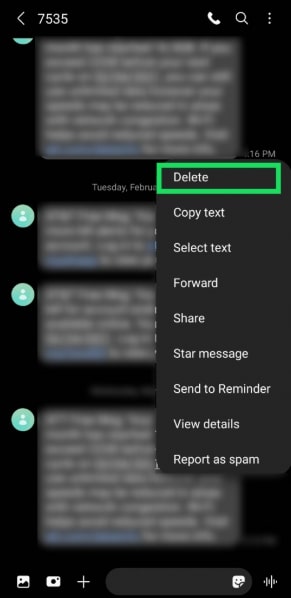
For regular SMS or MMS messages, one can only remove the messages locally from their own device. This is because the messages are also stored on the recipient’s device after the sending process, and hence, they cannot be deleted remotely. Still, if you are concerned about your privacy, you may at any time erase your chat history.
Step 1. Launch the Messages app on your Android device.
Step 2. Find the conversation that you want to get rid of.
Step 3. Click and hold the message or the whole thread that you want to delete. Hit Delete or the trash icon.
2. Google Messages (RCS)
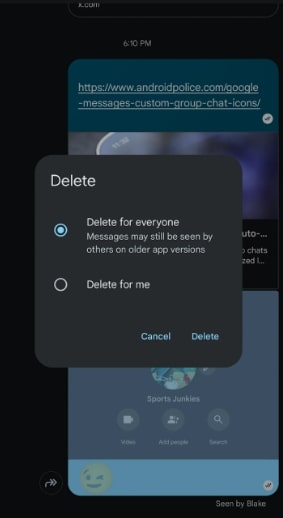
If you are using RCS chat via Google Messages, and the person you are messaging is also using the same, you can delete the messages from both sides. Nevertheless, this is feasible only if the option is present and the message has not been opened. The operation here is analogous to ‘Delete for Everyone’ in chat-based applications.
Step 1. Launch the Google Messages app.
Step 2. Locate and open the RCS chat conversation.
Step 3. Tap and hold the message that you want to remove. Click on the Delete for Everyone (if available). Verify the operation to cancel it from both sides.
3. Messenger
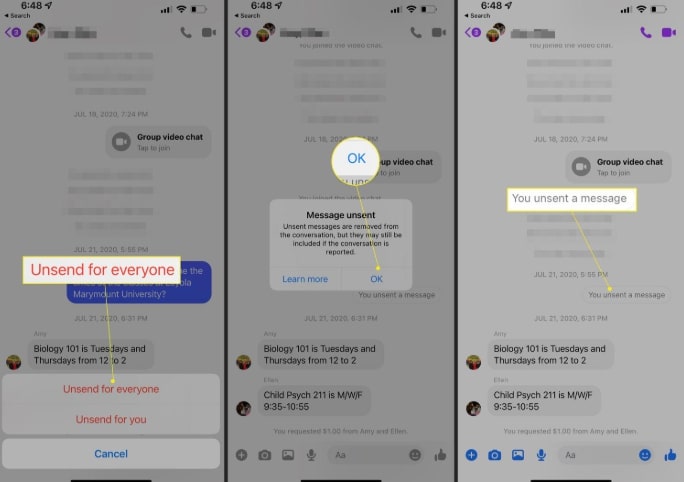
Facebook Messenger has a convenient “Unsend” feature that simply lets you delete a message from both sides of a conversation.
Step 1. Open the Messenger application on your Android device.
Step 2. Access the conversation where the message you want to delete is.
Step 3. Press and hold on to the specific message. Tap More and then select Unsend > Unsend for Everyone.
Verify your operation, and the message will be removed from both your and the recipient’s chats, with a small note saying, “You unsent a message.”
Part 3. How to Get the Deleted Text Messages Back on Android
Have you accidentally deleted an important text message while tidying up your inbox? Don’t be upset – recovery can be done if you have the right tool. iMobie DroidKit is a perfect Android solution to help users recover deleted data, unlock devices, fix system issues, etc. Its recovery feature allows users to quickly recover lost or deleted text messages and their attachments without rooting the device. With a simple interface and a powerful recovery engine, iMobie DroidKit ensures that recovery is successful most of the time and that your data is kept safe and secure.
Key features of iMobie DroidKit
- Recovery of messages without rooting: With Quick Recovery mode, you can easily retrieve deleted SMS along with the media files from your device.
- Various recovery options: Quick Recovery and Deep Recovery options are available for a high success rate.
- Restore after preview: Check all the recoverable messages and select only those you want to restore.
- An ultimate Android toolkit: Besides FRP bypass, screen unlocking, and data management, it also supports OS reinstall and system repair.
- It works with all Android brands, including Samsung, Google, Huawei, Xiaomi, Oppo, Vivo, OnePlus, etc.
Free Download * 100% Clean & Safe
Steps To Recover Deleted Text Messages Using iMobie DroidKit
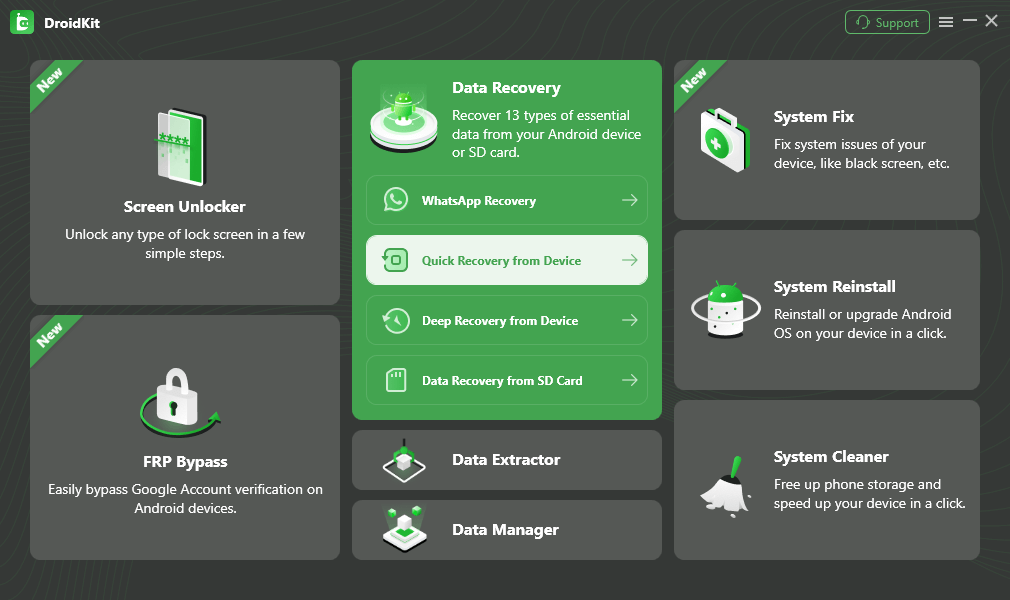
Step 1. Download and install iMobie DroidKit
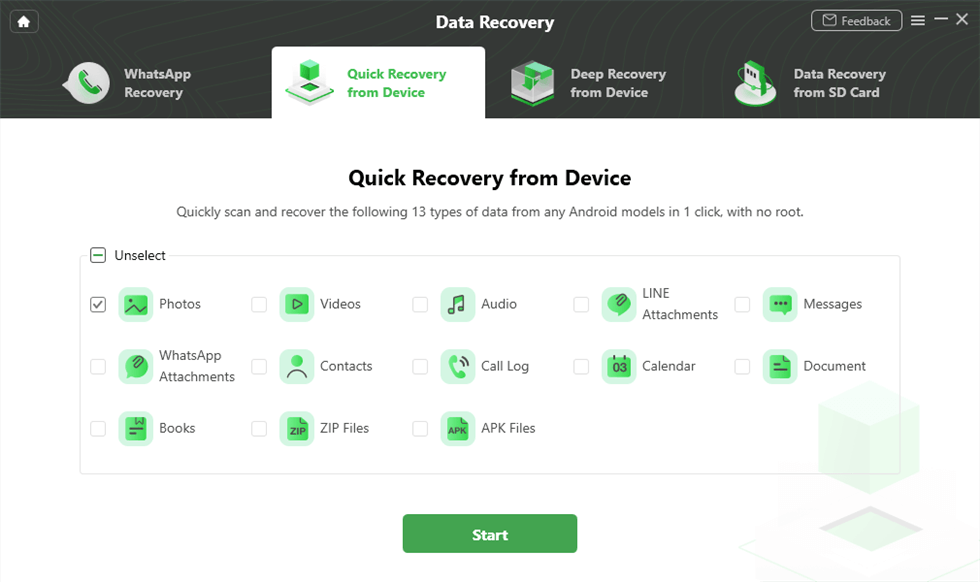
Go to the iMobie DroidKit official website and save the file appropriate for your Mac or Windows system. Run the software and hit the “Quick Recovery from Device” button. And connect your phone to the computer using a USB cable.
Step 2. Select the data type to recover
Firstly, Messages (and any other data you want to retrieve) should be selected from the listed categories, then click Start to begin a scan.
Step 3. Scan for deleted and existing data
iMobie DroidKit will perform a swift check to retrieve data that has been deleted or even that which is still present on your Android device.
Step 4. Preview the recovered messages
Review the complete list of messages, including those deleted that you want to recover, after the scan has been done. If you choose to restore files on the PC, you can also select the saving location and format.
Step 5. Complete recovery
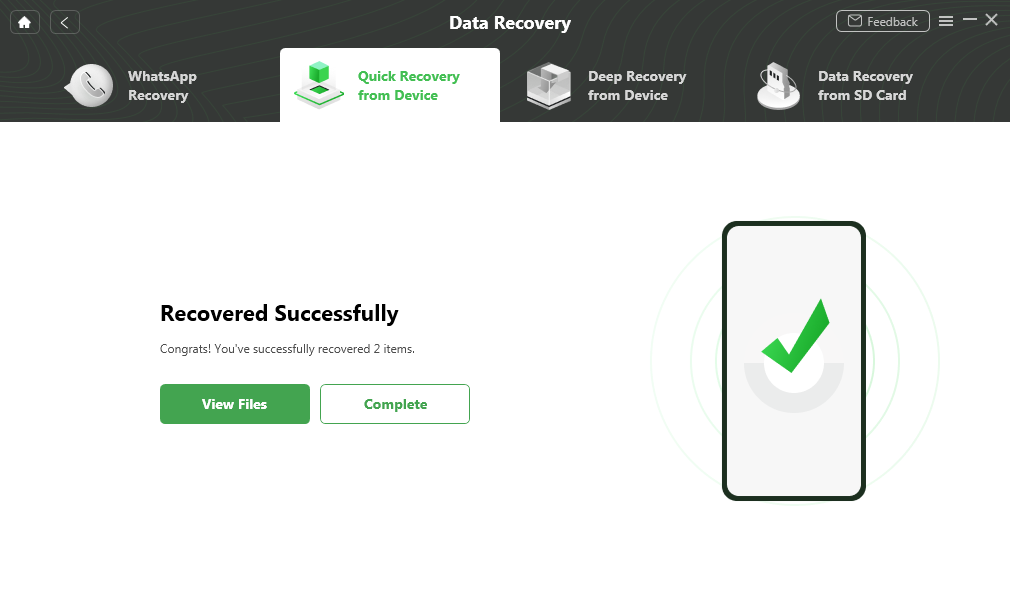
Give it a few seconds or minutes to complete the operation. Your deleted messages will be recovered and ready to view either on your phone or computer.
Part 4. FAQs
Q1. Does deleting a message on Android delete it for the other person?
That is completely dependent on the type of messaging you have. For a regular SMS or MMS, all you are able to do is delete the message on your device, so the one who got the message will still have access to it. However, if your Google Messages has RCS (Rich Communication Services) turned on, then deleting a message on both sides could be an option for you.
Q2. Why can’t Android users delete/unsend messages between each other?
Regular SMS and MMS are based on carrier networks and not on the internet. Once the message has been delivered, it will be sent to both devices separately. No server connection can retrieve it.
Q3. When I delete a text message, can the other person still see it?
Yes. The deletion of an SMS or MMS message is only done on your device. The person to whom the message was sent can still have access to it until they delete it themselves. Only RCS chats or applications that have the “Delete for Everyone” functionality can remove the message from both sides.
Q4. Do disappearing messages delete both sides?
Yes. Most chat applications that provide the option of disappearing or vanishing messages, such as WhatsApp, Messenger, and Signal, remove messages automatically for both sides once the predetermined time comes to an end.
Part 5. Conclusion
The ability to delete text messages for both sides on an Android device depends on the type of messaging app used. In the case of SMS and MMS, no deletion will be possible from either end. In RCS conversations and messenger applications such as Messenger and WhatsApp, there are “Delete for Everyone” features that allow this. These privacy safeguards enable individuals to maintain control over their conversations.
Additionally, if you have deleted something valuable by mistake, applications like iMobie DroidKit will be able to assist you in retrieving your lost messages quickly and securely. Try it now!
Free Download * 100% Clean & Safe


Roger Smith is a senior technical writer with years of experience in providing Android solutions. He loves to help users solve various problems such as Android unlock, Android data recovery, and Android system repair.
Product-related questions? Contact Our Support Team to Get Quick Solution >
