Is There 3uTools for Android? Best Alternatives in 2026
If you are looking for 3uTool Android version, you are in the right place. In this article, we will offer 3 best 3uTool alternatives for Android, including DroidKit, Odin and so on.
DroidKit – Best 3uTool Alternative for Android
DroidKit is one of the best alternatives to 3uTools. It combines multiple repair and recovery features into one toolkit, making it a go-to alternative for Android in 2025.

3uTools is a versatile software solution that offers a wide range of functionalities for iOS devices, including file management, app installation, backups, and system optimization. With its comprehensive features, it has become a favorite among iPhone and iPad users. However, many Android users search for “3uTools for Android” to replicate a similar experience on their devices. In reality, 3uTools is designed exclusively for the iOS ecosystem, so no official Android version exists.
3uTools for Android
This article explains why 3uTools isn’t compatible with Android and recommends the best reliable alternative tools in 2026 for tasks like device management, file transfers, and backups.
Part 1. Does 3uTools Work with Android?
3uTools is exclusively designed for iOS devices, combining features like file management, app installation, system flashing, and jailbreaking. It does not support Android compatibility. However, it does include a “Transfer Data” feature that enables data migration between Android and iOS devices. Using this tool, users can seamlessly move data from Android to iOS (or vice versa) via a PC connection.
Part 2. How to Use 3uTools Android Version for Data Transfer
While 3uTools is primarily an iOS tool, it offers limited support for Android users through its data transfer functionality. Note that it does not provide full device control or management for Android—unlike dedicated Android tools.
The steps to achieve data transfer with the 3uTools Android version are as follows:
Step 1. Download and install 3uTools on your PC
Download the Windows version from the official website and install it on your computer. Launch the application. To connect your Android device, you’ll need a QR code scanner app on your phone.
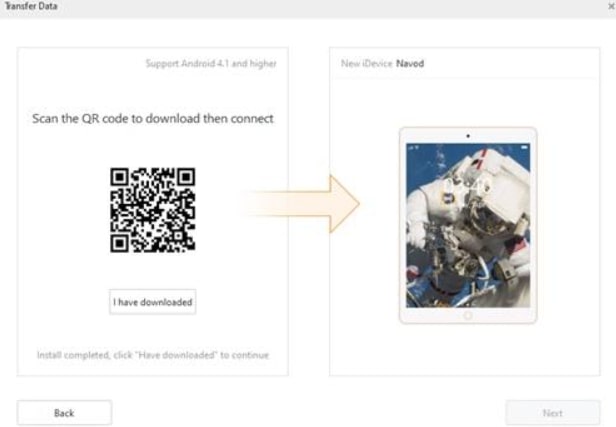
Scan Code to Download 3uTools
Step 2. Connect your iOS device to the PC
Use a USB cable to connect your iPhone or iPad to the PC running 3uTools. Ensure the software detects your device.
Step 3. Open the Transfer Data tool in 3uTools
From the 3uTools interface, go to the Toolbox section and tap Transfer Data. Pick whether you wish to transfer data from Android to iOS or vice versa based on your requirement.
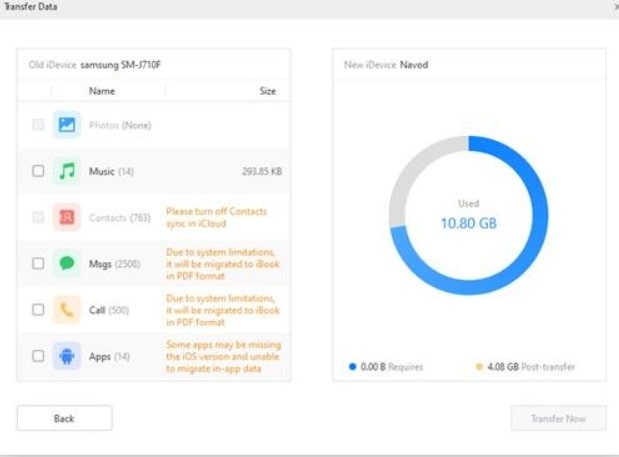
Open Data Transfer
Step 4. Bind your Android device via QR code
On your Android device, launch the 3uTools app and scan the QR code displayed on your PC screen. This will create a secure connection between your Android device and 3uTools.
Step 5. Select data to transfer
After the devices are linked, select the files, contacts, photos, or apps that you want to move. Press the Transfer button to initiate the transfer of the selected data. Usually, the duration is a few seconds, which depends on the size of the data.
Part 3. Best 3uTools Alternatives for Android 2026
While 3uTools remains an all-in-one solution for iOS, Android requires different toolsets tailored to its ecosystem. In 2026, several alternatives provide system repair, data recovery, and customization support:
No.1 DroidKit
DroidKit by iMobie is an all-in-one Android toolkit that allows users to fix their systems, get the lost data back, and keep the devices running smoothly without any technical knowledge or root access. Samsung, Xiaomi, Redmi, and POCO are among the numerous devices supported by DroidKit, which can bring a dead phone back to life, solve black screen and boot loop issues, etc., very quickly. Its intuitive interface makes it accessible for both beginners and experts, ensuring secure device handling, repairs, and recovery.
Free Download * 100% Clean & Safe
Key features:
- Fix all Android system issues without rooting
- Recover lost or deleted data from devices, SD cards, or a Google account
- Remove screen locks and Google account instantly
- Support for multiple device brands: Samsung, Xiaomi, Redmi, POCO, and more
- Preview and selectively extract data before recovery
- User-friendly interface with guided steps for non-tech users
- Secure and official ROM downloads for system repair
How to Use DroidKit to Fix Android System Issues:
Step 1. Connect your Android device and launch DroidKit
On your computer, link your Android phone through a USB cable. Ensure that USB Debugging is enabled on your device. Get the DroidKit for your computer, install it, and then open it. Select the System Fix mode, and in case the device is detected, tap the Start button.
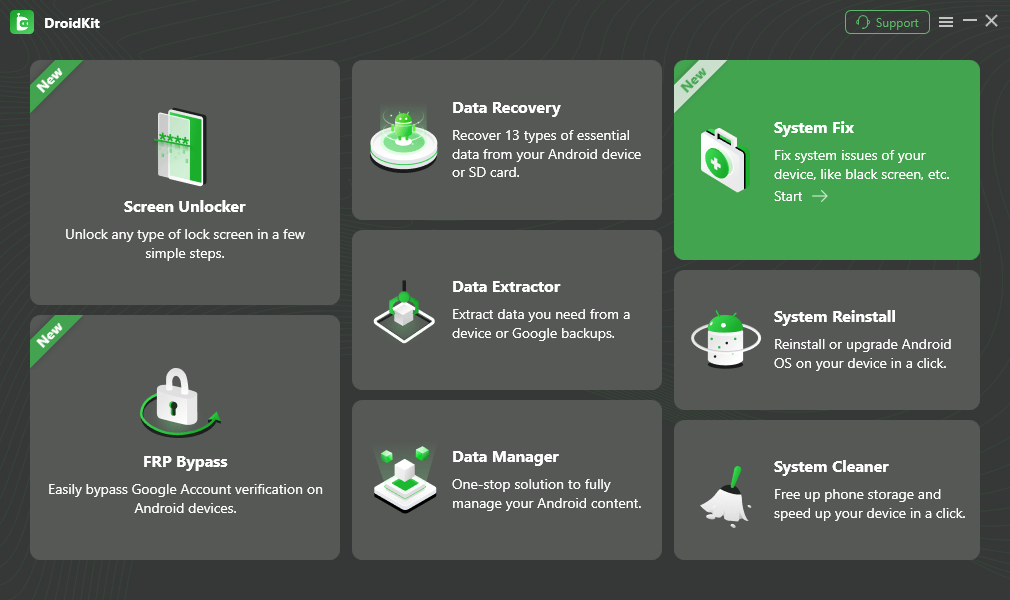
Choose System Fix Mode
Step 2. Get the firmware package
DroidKit will get the PDA code of your device (for example, a Samsung, Xiaomi, Redmi, or POCO device) without your input. Tap Download Now to initiate the firmware download. Do not unplug your device during the download phase.
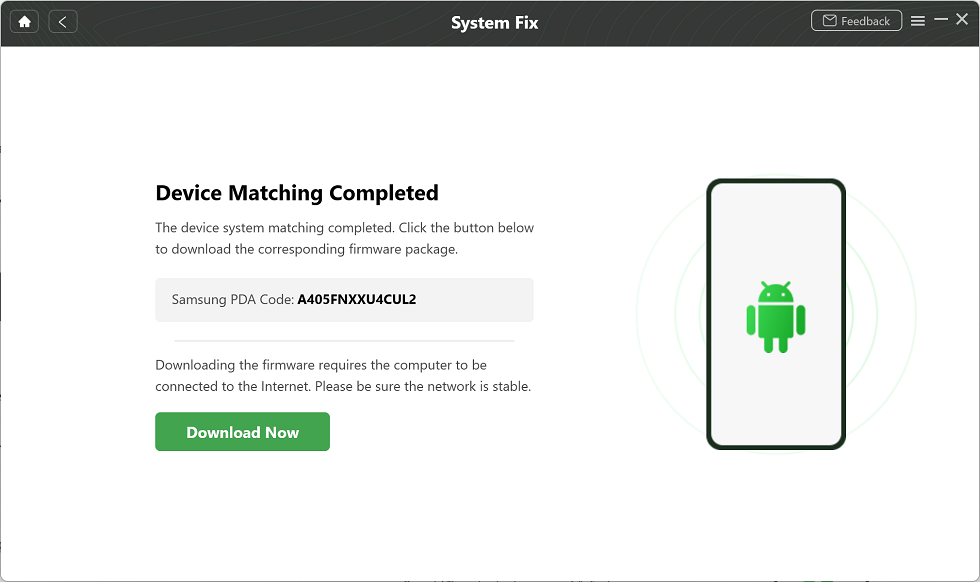
Complete Device Matching
Step 3. Put your device in Download Mode
Put your device into Download Mode as guided on the screen. Based on the presence or absence of the Home button, select the suitable method. After entering the Downloading Mode, hit the Next button.
Step 4. Repair the Android system
Once the firmware has been downloaded and verified, DroidKit starts the process of system repair. Please be patient as this may take a few minutes.
Step 5. Complete the repair
After the repair, your device will reboot on its own. Your Android system problem(s) should now be resolved, and the system should be at its full functionality.
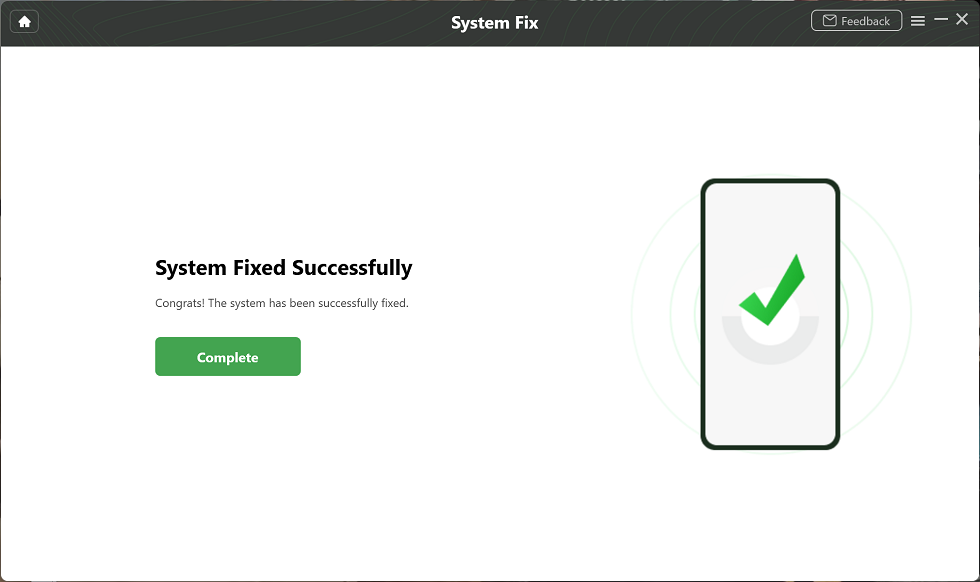
System Fixed Successfully
No. 2 Odin
Odin is a straightforward yet powerful flashing tool developed specifically for Samsung smartphones and tablets. Maintained by the developer community, it allows flashing of stock firmware, custom ROMs, recovery files, kernels, and root packages—ideal for fixing software glitches, unbricking, or customizing devices. It’s Windows-only but remains the most reliable option for unlocking Samsung firmware potential.
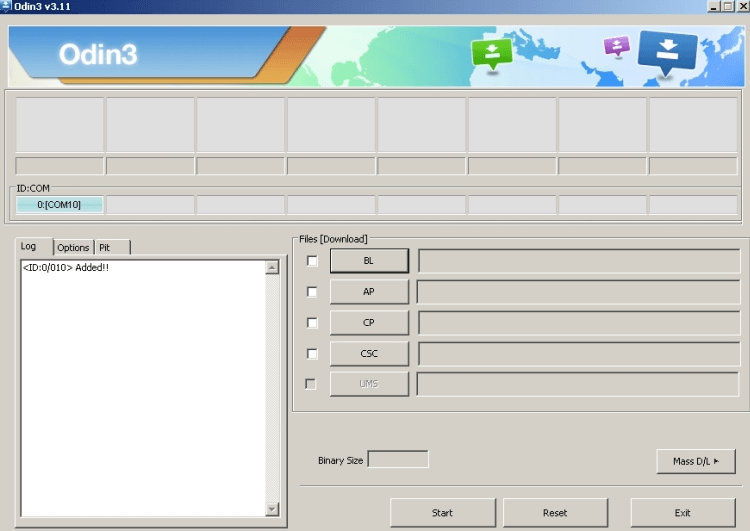
Odin Interface
Key features:
- Flash stock firmware to fix software issues or restore the device
- Flash custom ROMs for personalized Android experiences
- Install Stock or Custom Recovery (TWRP)
- Flash custom kernels (.tar, .zip, or .img files)
- Flash root packages to gain root access
- Regularly updated versions with improved interface and stability
- Wide device support across almost all Samsung models
No. 3 MOBILedit
MOBILedit is a versatile PC suite compatible with almost all mobile devices, including Android, iPhone, BlackBerry, Windows Phone, and even legacy feature phones. It provides the simplest way to manage contacts, messages, music, videos, apps, and other data from your computer. Beyond basic management, it offers advanced recovery, phone migration, and cloud integration for complete device access.
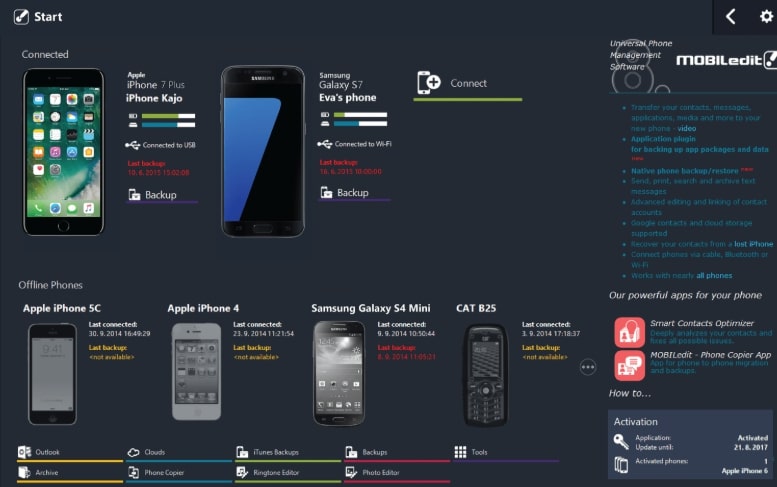
MOBILedit Interface
Key features:
- Fully manage your contacts, messages, apps, photos, and media files from your computer
- Phone backup and recovery can be done easily, as well as uploading the backup to the cloud.
- Data recovery can be performed for lost, broken, or even old phones.
- The feature Phone Copier allows the user to transfer data from one device to another
- Setting up custom ringtones and media becomes very user-friendly when using the software
If you’re on Android and searching for something as handy as 3uTools, there are several options available in 2025. Among them, DroidKit stands out as the most complete solution, offering system repair, data recovery, and lock removal in one simple package.
Part 4: FAQs
Q1. What is similar to 3uTools for Android?
The top alternatives are DroidKit, Odin, and MOBILedit. They cover essential Android needs like system repair, data transfer, backups, and management.
Q2. Can I flash my Android with 3uTools?
No. 3uTools is iOS-only and cannot flash Android firmware. For that, use tools like Odin or DroidKit.
Q3. What are the risks of using 3uTools?
When downloaded from official sources, risks are minimal for iOS use. Unofficial versions may carry malware. For Android, unsupported features could cause transfer errors—always back up data first.
Q4. Can 3uTools change the Android location?
No, 3uTools is not capable of spoofing or changing the location of an Android device. Its Android support is limited to data transfers between Android and iOS.
Part 5: Conclusion
While 3uTools excels as an all-in-one iOS solution, Android users require dedicated tools for management, repairs, and data handling. In 2026, DroidKit stands out as the most comprehensive option, offering root-free repairs, data recovery, and an intuitive interface. Tools like Odin and MOBILedit are solid alternatives, but DroidKit’s ease of use and broad features make it the top choice for Android enthusiasts.
Ultimately, DroidKit empowers you to repair systems, recover files, and manage your device confidently—enhancing your overall mobile experience.


Roger Smith is a senior technical writer with years of experience in providing Android solutions. He loves to help users solve various problems such as Android unlock, Android data recovery, and Android system repair.
Product-related questions? Contact Our Support Team to Get Quick Solution >
