How to Get ReiBoot Crack for System Repair
This guide explains what ReiBoot is, why people look for ReiBoot crack versions, and the risks of using them. It also shows how ReiBoot works for Android repair. Then introduces DroidKit as a safer, easier alternative. DroidKit fixes system issues, protects data, and offers extra features like data recovery, unlocking, and more.
We all want a quick fix when our mobile device starts acting up. There are various tools that help you do the job, and ReiBoot is one of them. It is designed to help repair iOS/Android devices, but getting access to it isn’t free. Many people search for ways to get the ReiBoot crack version to avoid the cost.
But is it worth it? In this article, we’ll show you the risks that it brings. We will also explore how to get and use ReiBoot for Android system repair. Plus, we’ll explore a better alternative that might suit your needs. Let’s dive in!
DroidKit – Easier Way to Fix Android System Issues
Failed to repair Android system issues with Reiboot crack? Try DroidKit and learn how to get your Android back to normal. It supports the latest Android 16 and is easy to use for all users.

What Is ReiBoot?
If your phone gets stuck on the logo, frozen, or caught in a boot loop, ReiBoot is a tool that can help. Developed by Tenorshare, it was first made for iOS but now also supports Android. With ReiBoot, you can enter/exit recovery mode with just one click. The free version covers basic recovery mode functions, while the paid Pro version adds full system repair.
On iOS, it can handle over 150 system problems like system update failures, boot loops, or black and white screens. For Android, it supports issues like stuck screens, app crashes, and system errors without wiping data.
Are There Reiboot Crack Versions?
Yes, cracked ReiBoot copies exist online, but they bring big risks. These copies promise free access; however, they always come from untrusted sources.
Risks of using ReiBoot crack:
- Malware and Viruses: Cracked files may carry malware, spyware, or hidden backdoors that steal data.
- System Instability: They can corrupt system files, cause crashes, or brick your device.
- No Updates: Cracked versions do not receive updates, leaving security holes open.
- No Support: If problems happen, you will have no official support or fixes.
- Legal Risks: Using cracked software may break laws and can lead to penalties.
The safe choice is to install the official ReiBoot from Tenorshare. It costs money, but gives updates, support, and peace of mind.
How to Get Reiboot Cracked Version
Due to the security concerns of Reiboot crack, it’s not recommended to download any cracked version from untrusted resources. Whether you find the free download on a website or from a YouTube video. Besides the cracked download, you can get free Reiboot activation codes. The codes are collected from the Reiboot website. We don’t guarantee the success of activation.
Email: huihuu33@gmail.com
Registration Code: AD67D0-5B3C30-D92579-8663AE-8158F223
Email: lopddd56@gmail.com
Registration Code: 3EDBA6-E9942D-C030DA-AC2A1D-178DB378
You may also like: How to get DroidKit activation code
How to Repair System with Reiboot for Android
After installing the ReiBoot for Android on your PC, launch it. Connect your Android device to your PC via a USB cable, enable debugging mode, and then click the “Repair Android System” button.
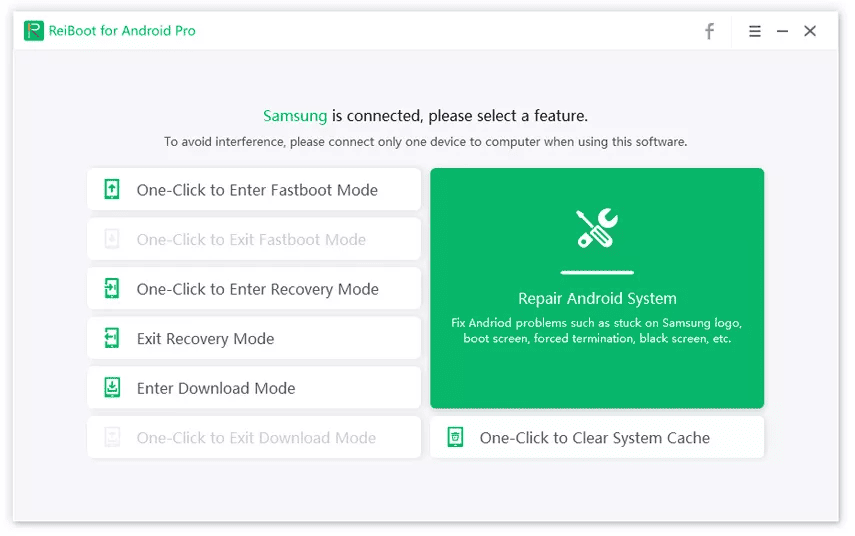
Repair Android System in Reiboot
Next, click “Repair Now,” and you will be taken to the next window. Here, you are supposed to select your device information.
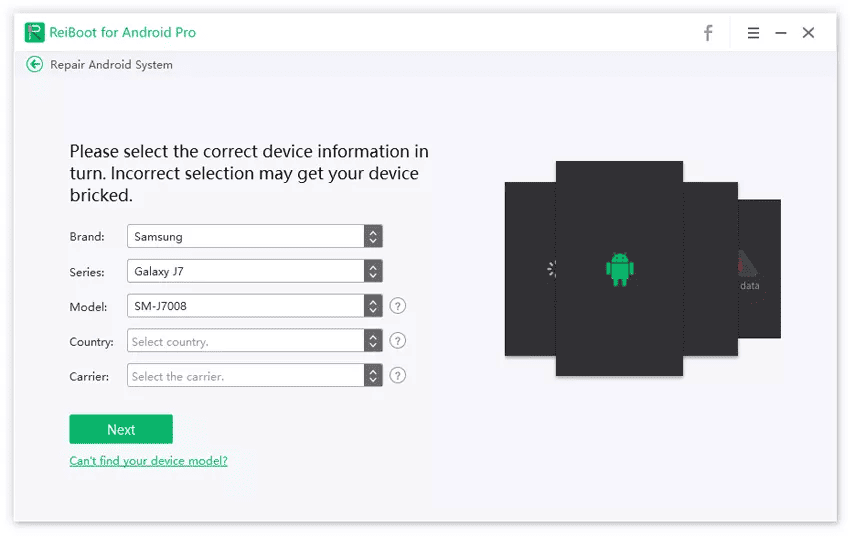
Confirm Device Information in Reiboot
After selecting the device info, ReiBoot will start downloading the relevant firmware package. Once done, you will see the window below, click “Repair Now” again.
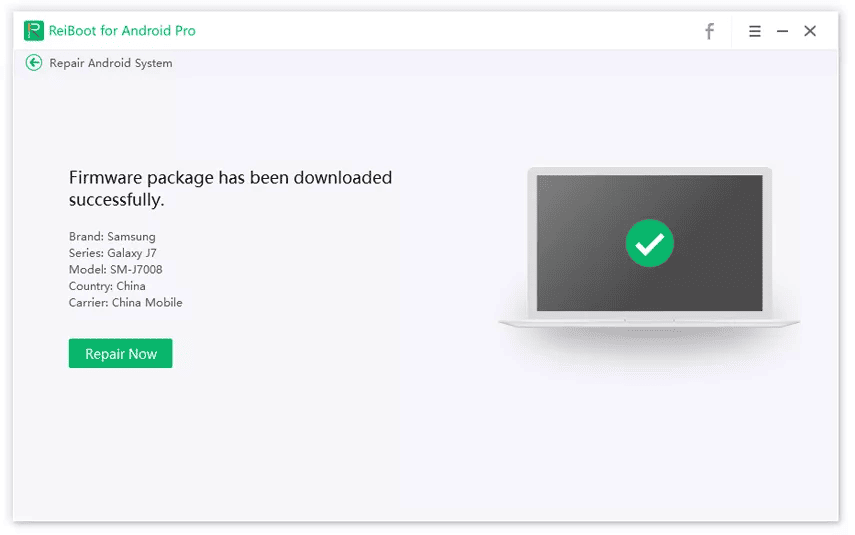
Download Firmware in Reiboot
Next, read the notice on the pop-up window and click “Continue.” Then, follow the on-screen instructions to enter download mode and launch the repairing process.
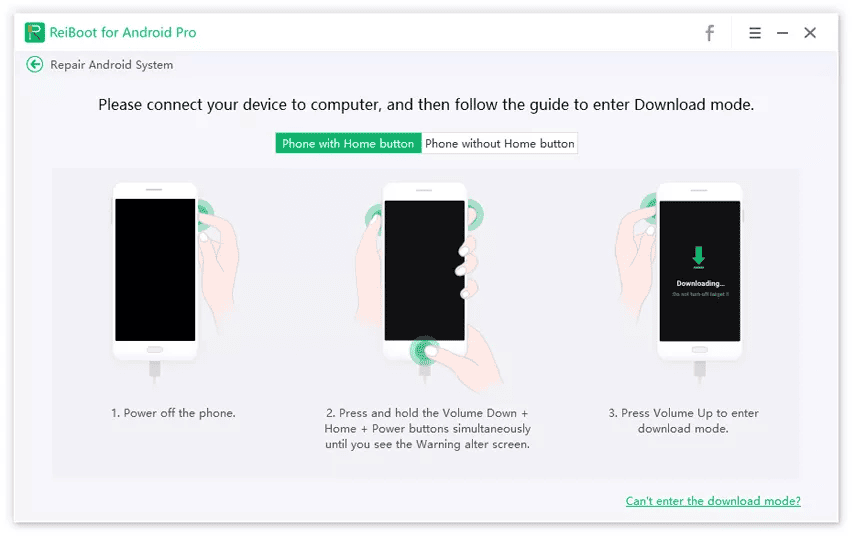
Enter Download Mode in Reiboot
It will take around 10 minutes to finish the repair process. When it is finished, your device will boot normally, and you will see the following interface.
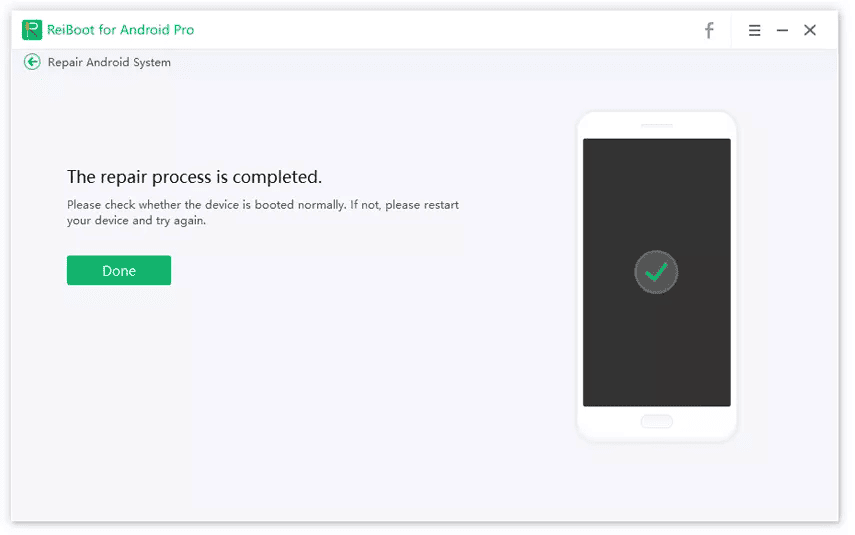
Finish Android System Repair in Reiboot
Most of the time, ReiBoot crack versions don’t work as expected and may cause even more issues. If you are thinking of going with the official version, you are likely to pay for it, which is costly for most people.
But don’t worry, in the next section, we’ll explore a great alternative that could save you both time and money.
Reiboot for Android Alternative – DroidKit
DroidKit is a more reliable and safer option when it comes to fixing system issues. It can fix boot loops, black screens, system crashes, and more. No need to download risky crack versions or pay a hefty amount just to get your phone back to normal. The best part? You don’t have to be a tech expert to use DroidKit. The tool automatically installs the right firmware to get your device back to normal.
It works with multiple Android devices, so chances are, it’ll work for you. No rooting required and no complicated setup. Just use the “System Fix” mode to fix your Android issues – all while keeping your data safe. Apart from system fixes, DroidKit also offers features like FRP Bypass, Data Recovery, Data Manager, and more. It’s a complete solution for all your Android-related needs.
Steps to Fix Android System Issues Using DroidKit:
Download and install the DroidKit software on your PC or Mac. Then follow the instructions given below:
Free Download * 100% Clean & Safe
After installation, open the DroidKit software and select “System Fix” from the home page. Also, make sure that the USB debugging mode on your Android is turned on.
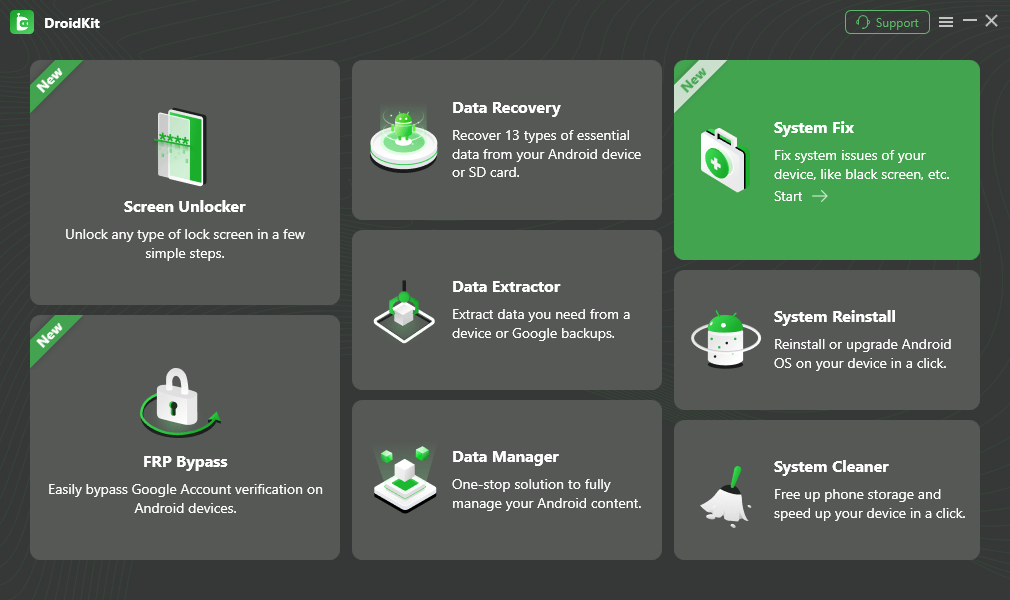
Choose System Fix Mode
When your Android device is detected, you will see the interface below on your screen. Click “Start” and DroidKit will search and access the PDA code of your device. Click “Download Now” to download the firmware package.
Once the firmware downloading is completed, click the “Fix Now” button, and DroidKit will take you to the next window.
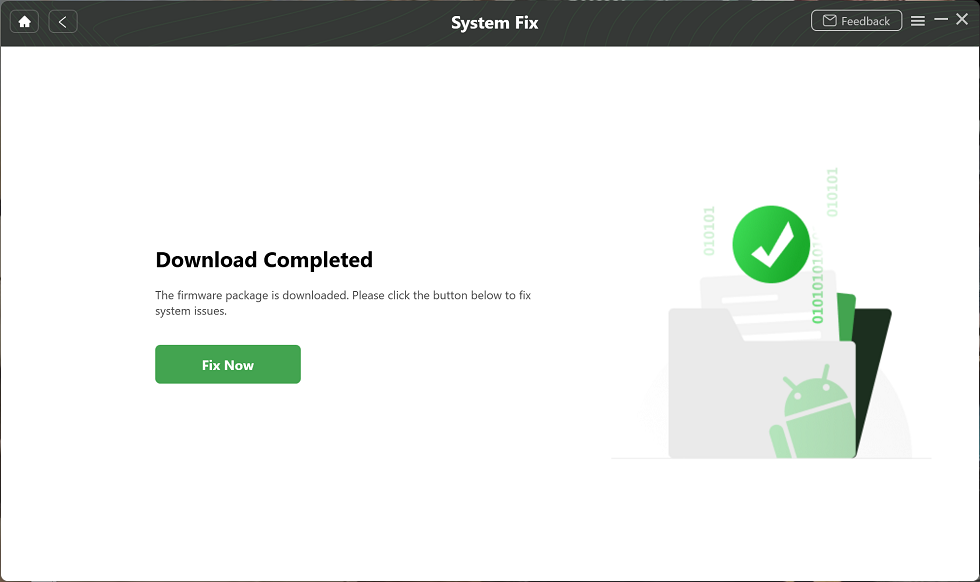
Complete the Firmware Download
Now, follow the on-screen instructions to put your device into download mode. When done, click “Next” and DroidKit will start fixing the system issues.
When the repair process is completed, you will see the interface given below. Your Android device will also be restarted.
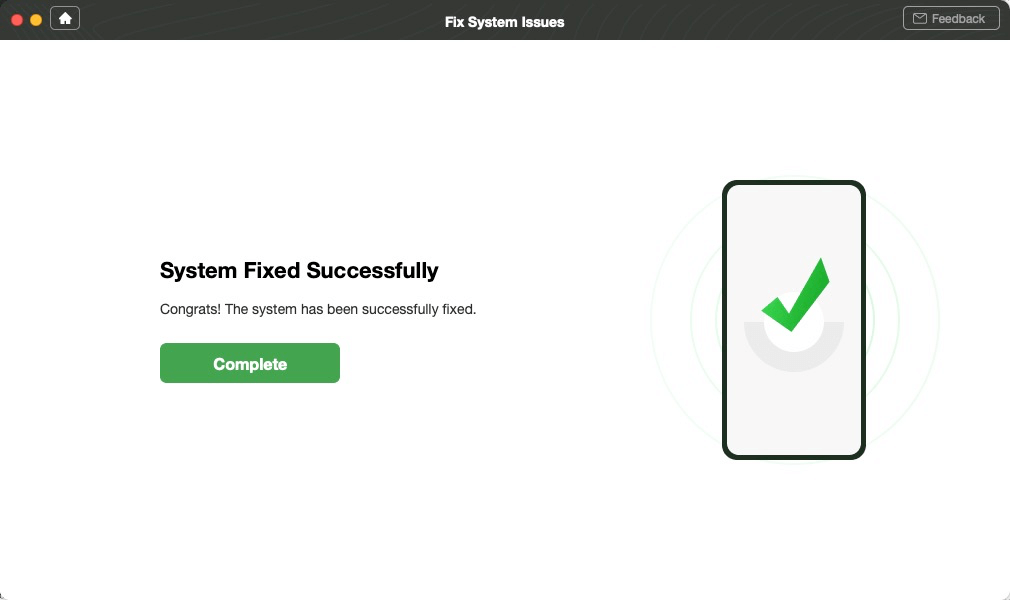
System Fixed Successfully
Note: These steps are for the USB debugging mode. You can also connect your phone via a USB cable and get the process done.
FAQs About Reiboot Crack
Q1. Is it safe to use Reiboot crack?
No, using a ReiBoot crack is risky and not safe. Cracked files often carry malware or hidden code that steals data. You also lose updates, support, and legal protection if things break.
Q2. Can I get Reiboot for Android free?
Some ReiBoot features are free to try, but limited in function. The full Android repair tools usually need a paid license to unlock. If cost is a concern, try the alternative tool we recommended.
Conclusion
Wrapping it up! We’ve seen what ReiBoot does, why cracked versions are tempting, and the risks they might bring. ReiBoot crack versions rarely work and often cause bigger problems like malware and data loss. Plus, you don’t get updates or support when things go wrong. That’s why using a safe tool is always a wise choice. DroidKit is a great option here. It works on almost all Android devices. It also includes extras like data recovery and screen unlocking. So, download DroidKit today and get your phone working again.
Free Download * 100% Clean & Safe



Jeremy Feron is a writer for iMobie with a deep passion for Android. He specializes in creating clear guides on Android tips and the latest updates, helping users navigate their devices and get the most out of new features.
Product-related questions? Contact Our Support Team to Get Quick Solution >
