Borneo Knox Erase Tool V2.7.5 Free Download [2026]
Struggling with FRP or KG lock on your Samsung device? Borneo Knox Erase Tool V2.7.5 offers a smart way to bypass these blocks. We’ll walk you through what this tool can help you with and how to get it running smoothly on even the newest Android devices.
Samsung phones are well-known for keeping your data secure with strong security features like FRP and Knox Guard. But sometimes, these same protections can lock you out of your own phone if the original credentials are forgotten. In such cases, the Borneo Knox Erase Tool is a trusted solution that helps bypass these restrictions. This article covers what the tool does, how to download it, and a full step-by-step guide on how to use the latest version (V2.7.5) to unlock Samsung devices. For users looking for an easier alternative, we also share a hassle-free tool to help you disable FRP lock without technical skills.
Introduction to Borneo Knox Erase Tool
The Borneo Knox Erase Tool is a free and easy-to-use software for unlocking Samsung phones. It helps to remove FRP locks, disable Knox Guard, and fix many other security restrictions. Whether you can’t access your phone or want to take control of it, this is the best quick option. It is compatible with various Samsung models and Android versions, making it easier for users and technicians alike.
Key Features:
- Remove FRP Lock: Quickly remove Factory Reset Protection (FRP) and regain access to your device.
- Erase Knox Guard (KG): Fully erase KG to unlock device features that were previously blocked.
- Disable Knox: Turns off Knox security, removing all Samsung-imposed restrictions.
- CSC Preconfiguration: Allows you to customize software settings for your region or preferences.
- Disable OTA Updates: Stops unwanted firmware updates that might block tools or custom ROMs.
- Factory Reset via MTP: Factory reset locked Android phones directly from the tool.
Pros:
- Free to download and use.
- User-friendly, even for novices.
- Regular updates with improved features.
- Works on a wide range of Samsung models.
- Solves complex issues like Knox relock and KG lock.
Cons:
- Only available for Windows.
- Only supports Android 10 -13.
- Data may be lost during operations (backup is essential).
- May void device warranty if Knox is triggered.
- Improper use can cause issues.
Is Borneo Knox Erase Tool Free to Use?
Yes, without the need to pay, register, or subscribe, Borneo KnoxErase gives full access to features like FRP and Knox removal at no cost. It’s a great option for anyone wanting to unlock their Samsung device without using paid tools. Just download it from a trusted source.
Is Borneo Knox Erase Tool Safe?
Yes, the Borneo Knox Erase Tool is safe to use if downloaded from a trusted source. Many users have used it successfully without issues, especially for removing FRP and KG locks. Please ensure your data backup first, as this process may clear everything. Also, a few users say that it may void the Samsung warranty after the Knox Guard is disabled.
How to Use Borneo Knox Erase Tool to Bypass FRP on Samsung
The Borneo Knox Erase Tool allows you to quickly bypass the FRP lock on Samsung devices without needing the original Google account credentials. Before starting, make sure you have a Windows PC and a USB cable. Here’s how you can take advantage of the latest update to the tool to bypass the FRP lock on your Samsung phone.
Step 1. Download the Borneo Knox Erase Tool from a safe website. Right-click the ZIP file and extract it.
Step 2. Disable your antivirus for now. Then open the setup file and install the tool.
Step 3. Launch the tool, click “Register,” and make an account and log in.
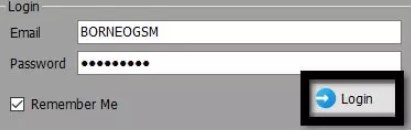
Log in Borneo Knox Erase Tool Account
Step 4. Put your Samsung phone in download mode and connect it to your pc via usb.
Step 5. Once the tool detects your phone, click the “Erase FRP” option.
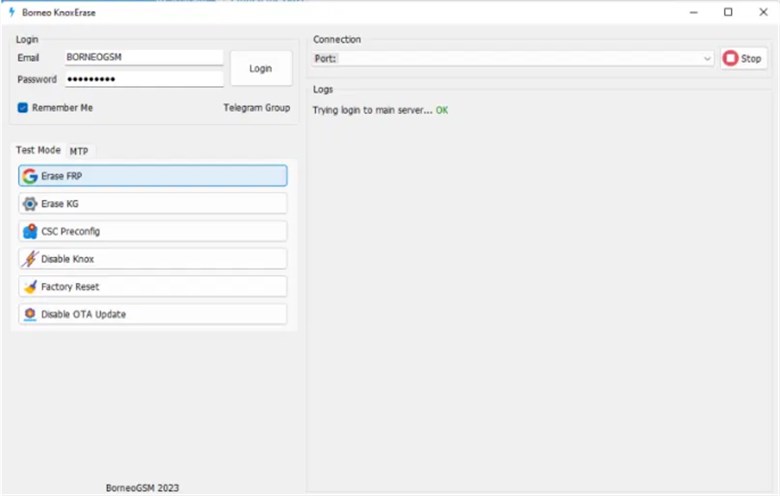
Bypass FRP via Borneo Knox Erase Tool
Step 6. Click the “Start” button. Wait a few minutes while it works.
Step 7. After the process is completed, your phone will restart. Now you can set it up without the old Google account.
Best Alternative to Borneo Knox Erase Tool – DroidKit
Considering security and ease of use, DroidKit by iMobie is highly recommended for Android FRP bypass. Compatible with both Windows and Mac, this software provides a versatile way for the end user to unlock, recover, and fix their Android devices. More than 20,000 Android models, including Samsung, Motorola, Asus, and others, are supported. With only a few clicks, you can bypass Google verification without credentials effortlessly. Except for FRP bypass, DroidKit also supports Android screen lock removal, data recovery, OS reinstallation, and system problems. It provides a perfect solution for a user who wants an all-in-one Android fix without hassle.
Key Features of DroidKit FRP Bypass:
- Bypass FRP after reset on devices running Android 6 – 15.
- Easy steps and user-friendly interface, more suitable for beginners.
- Fast process and High success rate in Android FRP Bypass.
- Support various Android brands, including Samsung, Xiaomi, OPPO, etc.
Free Download * 100% Clean & Safe
How to Use DroidKit to Bypass FRP Easily:
Step 1. Download and install DroidKit on your desktop and begin using it. Select the FRP Bypass function on the main window.

DroidKit FRP Bypass
Step 2. Connect your device using a USB cable. Wait for the configuration file to be prepared. Then click start to bypass again to move forward.
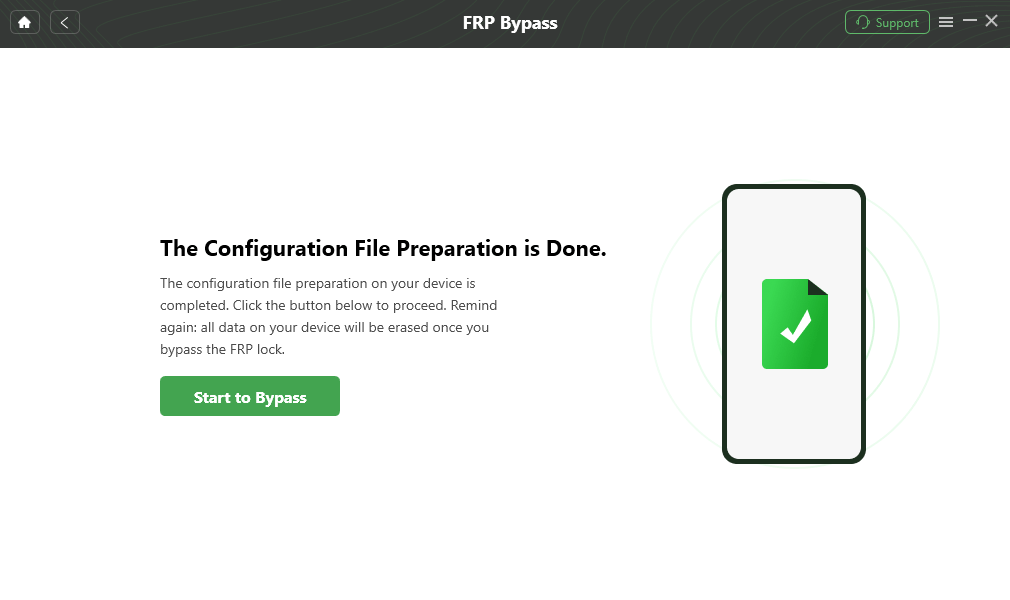
Click Start to Bypass
Step 3. Follow the on-screen steps to bypass FRP on your device.
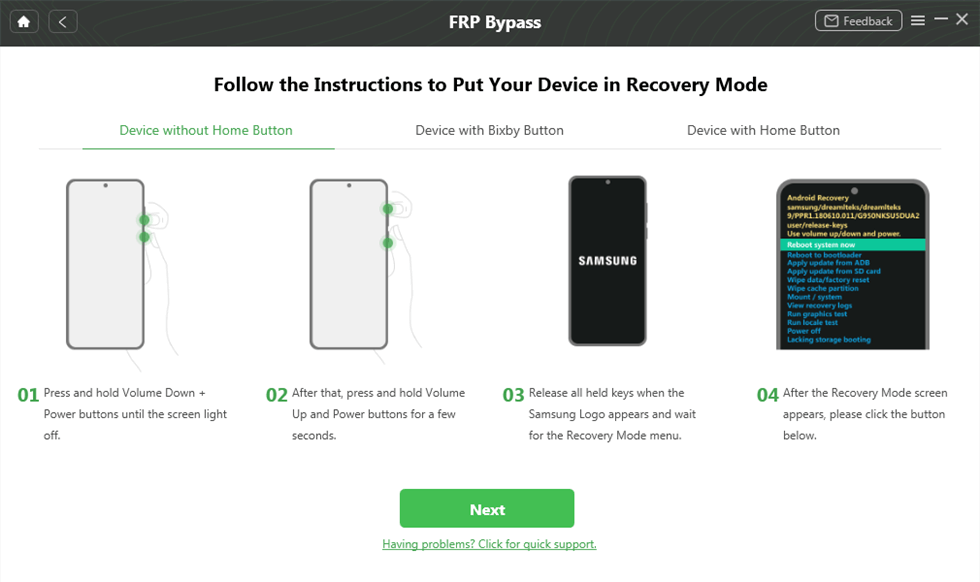
Put Device into Recovery Mode
Step 4. After finishing the steps, just restart your phone. The FRP lock should be gone now.
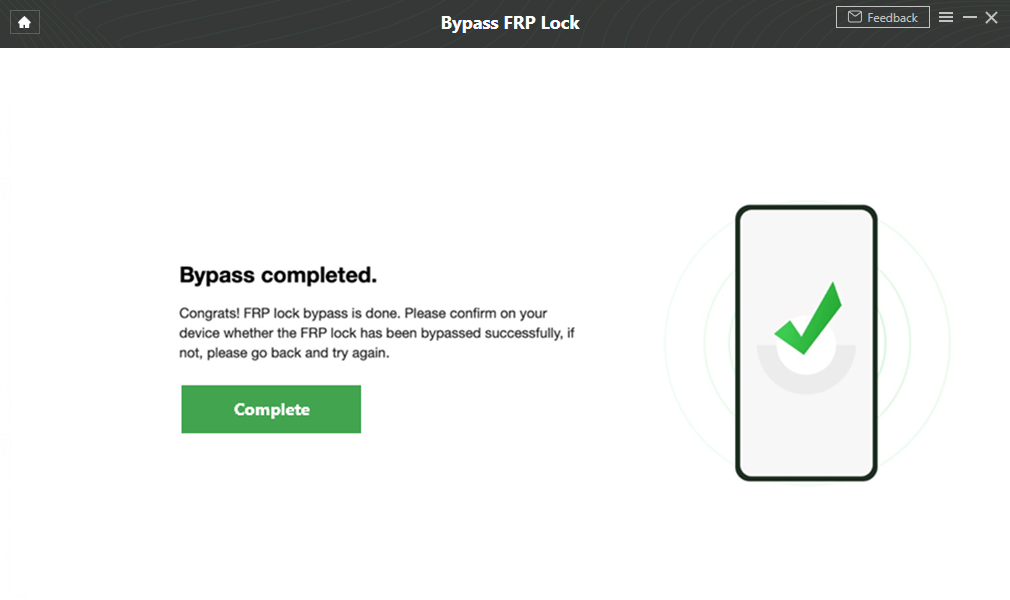
Google Account Verification Bypass Successfully
FAQs about Borneo Knox Erase Tool
Q1: Is Borneo Knox Erase Tool Compatible with All Devices?
No, the Borneo Knox Erase Tool is designed specifically for Samsung devices. It works best on Android 10 to 13. If you’re using an older Samsung model or a different brand, it might not be fully supported.
Q2: Does Borneo Knox Erase Tool Only Support Windows?
Yes, right now, the Borneo Knox erase tool works only on Windows. If you’re on a Mac, you’ll need to switch to a windows pc or try something like DroidKit, which runs on both Windows and Mac.
Conclusion
In summary, this article covers all you need to know about Borneo Knox Erase Tool. As an effective FRP bypass tool, it is practical to unlock Samsung phones, remove FRP, and disable Knox. However, if you need a tool covering more brands, DroidKit could be a better choice. Compatible with both Windows and Mac, it can help you disable FRP lock with a few clicks. Free download DroidKit to enjoy a hassle-free FRP bypass process now!
Free Download * 100% Clean & Safe



Senior writer of the iMobie team as well as an Apple fan, love to help more users solve various types of iOS & Android-related issues.
Product-related questions? Contact Our Support Team to Get Quick Solution >
