How to Jailbreak Locked iPhone [Proven Ways]
It is upset to buy a second-hand iPhone that is still locked by the iCloud Activation Lock. In this case, some users may seek to jailbreak iCloud locked iphone to unlock it. Can you jailbreak a locked iPhone? And how to jailbreak? This post will give you the answer and effective ways to jailbreak locked iPhone and bypass iCloud Activation Lock.
Quick answer: Can you jailbreak an iCloud-locked iPhone?
Yes, some supported iPhone models can be jailbroken, but jailbreaking alone does not remove iCloud Activation Lock. A jailbreak changes parts of the device software environment, while Activation Lock is tied to the Apple Account associated with the device.
If your iPhone is locked to the previous owner, the most direct options are to ask that owner to remove the device from Find My, use Apple’s Activation Lock support process when eligible, or check whether a compatible third-party solution supports your device and iOS version.
Important: Jailbreak and Activation Lock removal are not the same thing. Some older bypass workflows may require jailbreak, while other supported workflows may not require it at all.
Can You Jailbreak A Locked iPhone
You can jailbreak some supported iPhones, but jailbreak alone does not remove Activation Lock. Jailbreaking changes parts of the device software and can allow access that Apple normally restricts. It does not, by itself, remove the Apple Account/device relationship stored by Apple’s activation service.
This distinction matters because many pages use “jailbreak iCloud locked iPhone” and “remove Activation Lock” as if they were the same action. They are not. A jailbreak may be required by an older third-party bypass workflow, while newer supported workflows may not require jailbreak at all.
| Action | Removes Apple Account Link? | Normal Full Activation? |
| Jailbreak alone | No | No |
| Legacy DNS workaround | No | No |
| Third-party Activation Lock bypass | Usually a bypass workflow, not Apple account-side removal | Depends on device/iOS and workflow limitations |
| Previous owner removes device from Find My | Yes | Yes, after the device is released |
| Apple-approved Activation Lock removal | Yes, if Apple approves the request | Yes |
Below, we explain the main ways people try to deal with an iCloud-locked iPhone, with a focus on when jailbreak is relevant, when it is not, and which options actually remove the Activation Lock connection.
Jailbreak iCloud Locked iPhone and Bypass Activation Lock via iOS Unlocker
If the previous-owner or Apple-support options are not available, some device owners look at third-party Activation Lock tools. One example is AnyUnlock, which provides different workflows depending on the supported device and iOS version.
Do not assume every AnyUnlock Activation Lock workflow requires jailbreak. The current AnyUnlock compatibility guide separates older supported devices, some of which use jailbreak-based workflows, from newer supported iPhone/iPad combinations on iOS 17.2 through iOS 26.1 that use a no-jailbreak workflow. Check your exact device and iOS version before downloading or purchasing.
Before using a third-party bypass: verify device/iOS compatibility, whether jailbreak is required, whether cellular calls/data, FaceTime, iMessage, iCloud sign-in, or iTunes/Finder use will be limited, and whether an erase or system update can cause Activation Lock to appear again.
AnyUnlock – iCloud Activation Unlocker
AnyUnlock provides an Activation Lock bypass workflow for supported iPhone and iPad models without requiring the linked Apple Account password. The required preparation and post-bypass limitations depend on the device and iOS version, so use the current compatibility table rather than assuming one workflow applies to every model.
Free Download100% Clean & Safe
Free Download100% Clean & Safe
Free Download* 100% Clean & Safe
For this article, the relevant feature is Activation Lock bypass. Other AnyUnlock modules are separate and do not change the Activation Lock compatibility requirements described here.
The exact AnyUnlock steps differ by supported device/iOS combination. The screenshots below show the Activation Lock module, but always follow the current onscreen workflow shown for your device.
Steps for Windows Computer
Step 1. Download and launch AnyUnlock on Windows > choose Bypass iCloud Activation Lock.
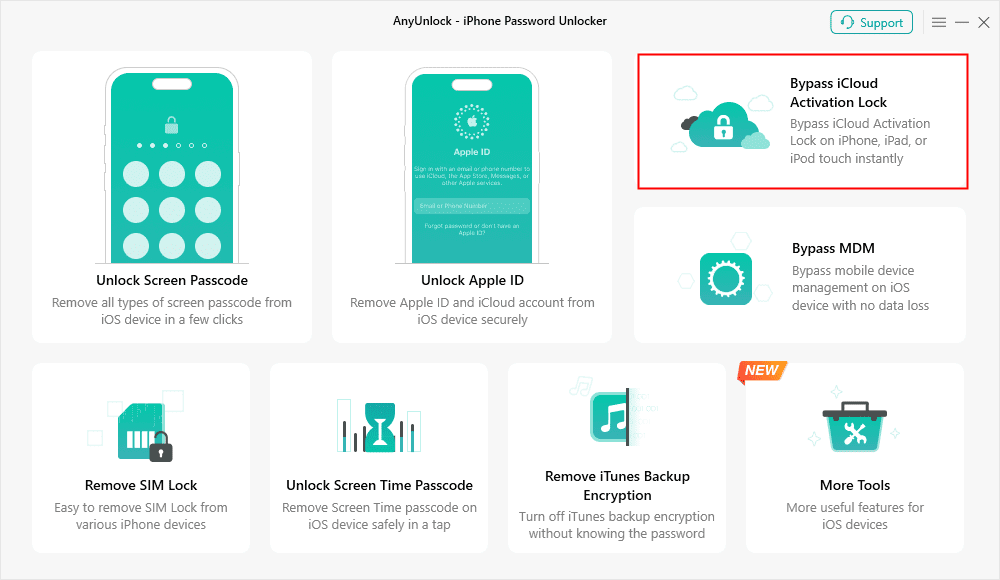
Choose Bypass iCloud Activation Lock
Step 2. Connect the iPhone or iPad and confirm the detected device information. Review the Terms of Use and current compatibility before continuing.
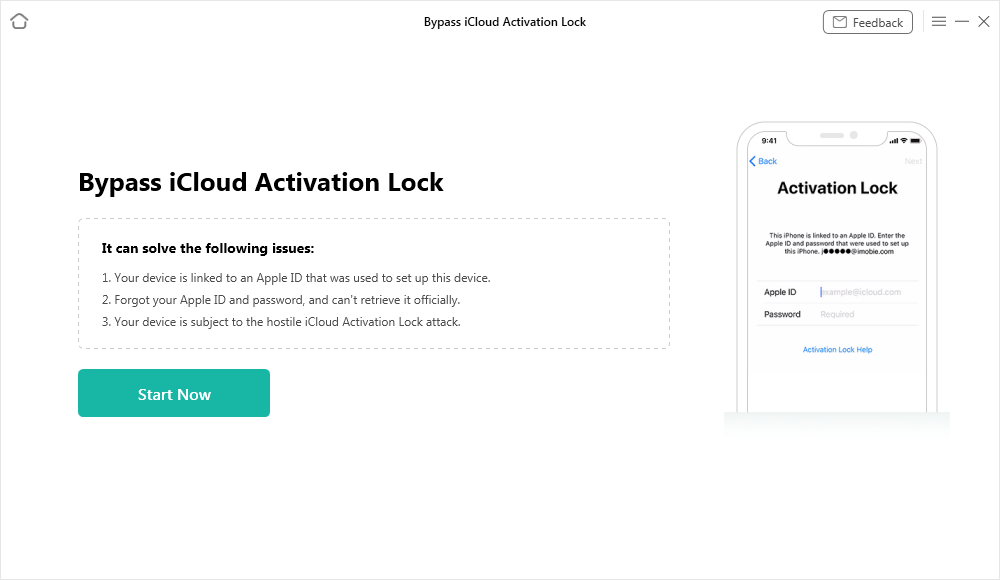
Connect Your iOS Device to the Computer
Step 3. Follow the workflow AnyUnlock displays for your device. Older supported iOS/device combinations may require a jailbreak preparation step; newer supported combinations can use a no-jailbreak workflow.
Step 4. Start the bypass only after confirming the device information and the limitations shown for your supported configuration.
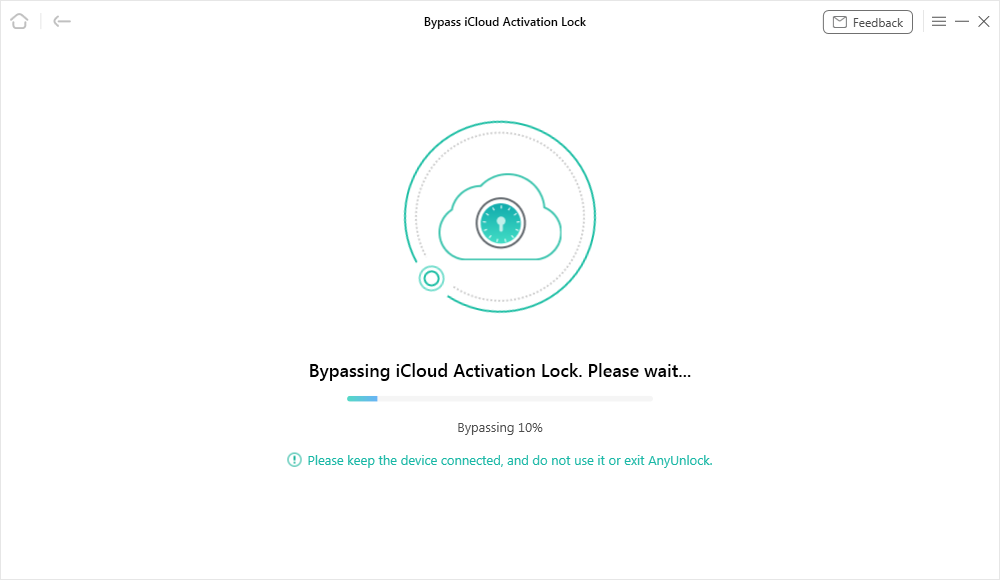
Bypassing iCloud Activation Lock
Step 5. When the software reports completion, verify what functions are available on the device. A third-party bypass is not the same as Apple removing the device from the linked Apple Account.
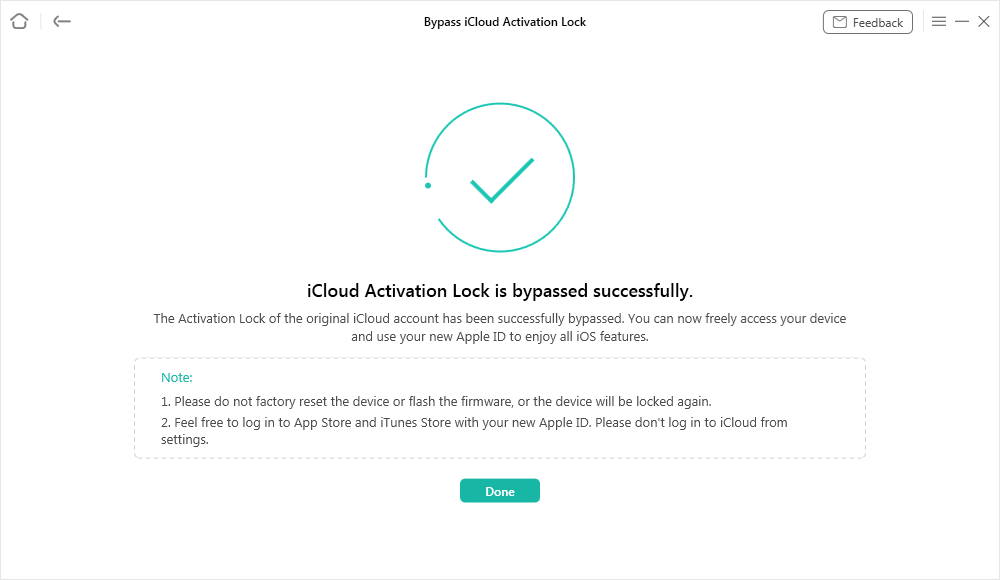
Activation Lock Bypass Completed
Steps for Mac Computer:
Step 1. Launch AnyUnlock on your Mac, connect the supported iPhone/iPad, and choose Bypass iCloud Activation Lock.
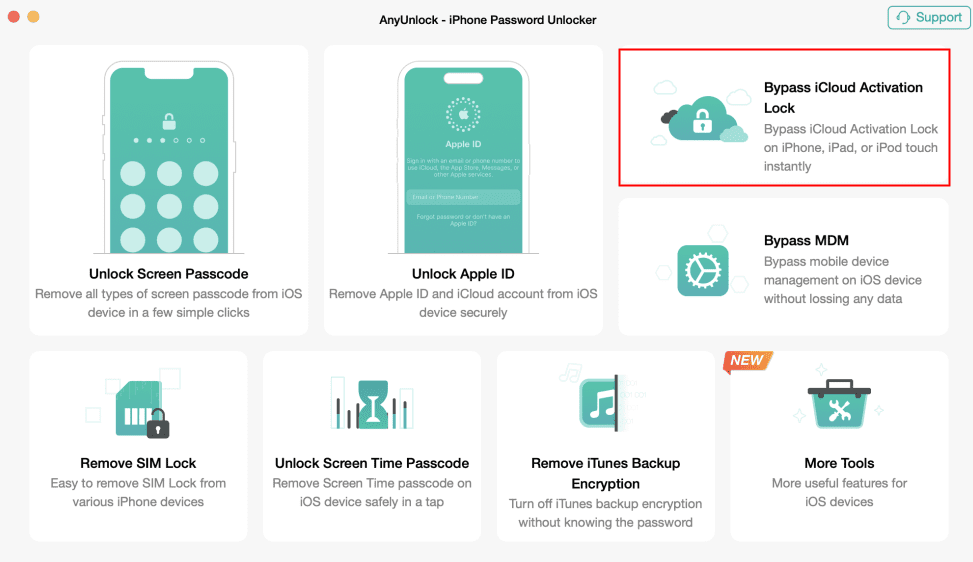
Choose Bypass iCloud Activation Lock
Step 2. Review the detected device/iOS version and follow the workflow shown by the current software. Depending on the supported configuration, the workflow may be no-jailbreak or may require jailbreak preparation.
Step 3. Start the bypass only after reading the restrictions for your device. Keep the device connected until the software reports that the selected workflow has finished.
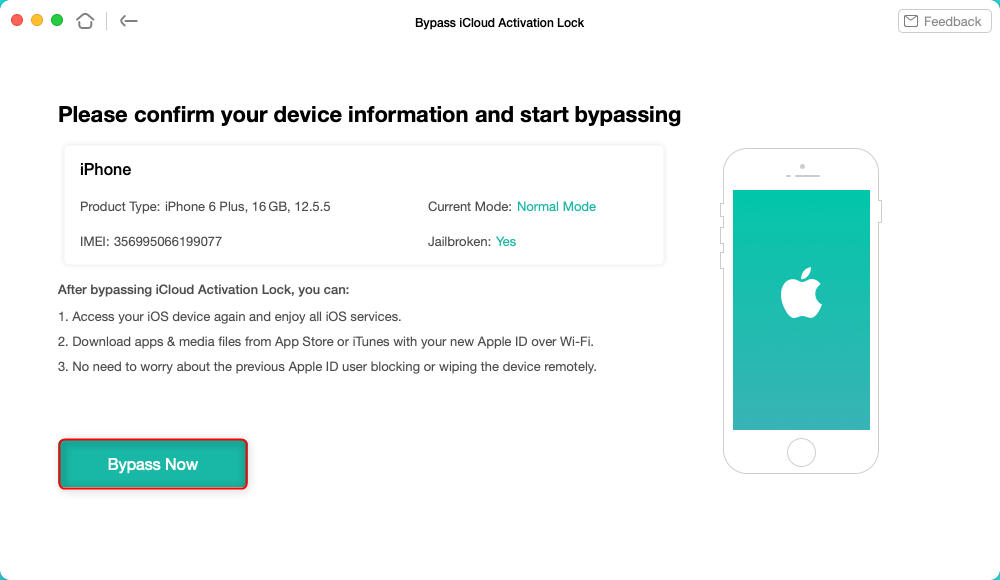
Start Activation Lock Bypass
Compatibility matters: Current AnyUnlock documentation lists different device ranges and effects for iOS 12–16.7.16 and for iOS 17.2–26.1. Do not reuse an older jailbreak tutorial if the current software gives your device a no-jailbreak workflow.
Jailbreak iCloud Locked iPhone [Video Tutorial]
This video demonstrates an older jailbreak-oriented Activation Lock workflow. Use it only if the current compatibility information for your exact device still requires that route; newer supported configurations may use a different no-jailbreak process.
Can an Online Service Unlock an iCloud-Locked iPhone?
An online IMEI-based unlocking service is different from jailbreaking. Jailbreak modifies the software environment on a supported iPhone, while online unlocking services typically ask for device information such as the IMEI and claim to process the request remotely.
If you consider a third-party online service, check exactly what the provider means by “unlock.” In particular, review the supported devices, refund terms, company information, privacy policy, expected limitations, and whether the service claims to remove Activation Lock or only provide a workaround.
Be cautious: an IMEI number identifies the device, but entering an IMEI on a website does not by itself remove Activation Lock. Avoid services that guarantee results without clearly explaining compatibility, limitations, and refund conditions.
For users who can contact the previous owner or provide valid proof of purchase, the official options described later in this guide are generally the more direct routes to check first.
Jailbreak an iCloud-Locked iPhone with a Jailbreak Tool
Checkra1n is a real jailbreak tool whose official site lists support for iPhone 5s through iPhone X and iOS 12.0 and up, with macOS and Linux downloads. Its current public release is still labeled beta. However, Checkra1n does not by itself remove Activation Lock; it only jailbreaks supported hardware.
If you have a supported device and a legitimate reason to jailbreak it, use the official Checkra1n source and follow its current device-specific guidance. Do not treat a successful jailbreak as proof that the Apple Account link has been removed.
Compatibility warning: Checkra1n’s hardware range stops at iPhone X. It is not a general jailbreak solution for newer iPhones, and its official notes include additional limitations for some A11 devices and iOS 14 configurations.
Ask the Previous Owner to Remove Activation Lock
If the iPhone is still linked to another person’s Apple Account, contacting the previous owner should be one of the first options to try. Jailbreaking the device does not remove that account relationship.
The previous owner can either enter the required credentials when appropriate or remove the device from their account remotely through Find My. Once the device has been properly released from the previous account, it can be set up for a new owner.
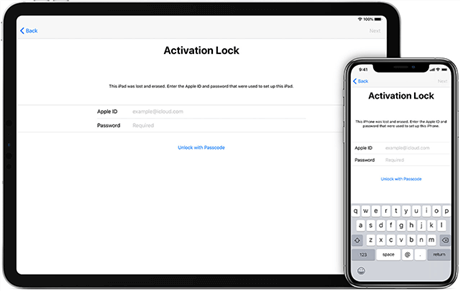
Input the iCloud Password to Unlock the iPhone
Get in touch with the person whose Apple ID is being used on your device and ask them to enter their password on the phone. Once they have done that, the lock will be removed. You can then remove the existing Apple ID from your iPhone and add your own ID to it, or you may need to take other measures to remove Activation Lock without previous owner.
Remove Activation Lock Through Find My
If the linked Apple Account owner is available but does not have the iPhone in hand, they may be able to remove the device remotely through Find My.
The account owner can sign in to iCloud.com/find, select the relevant device, and follow the available removal instructions. Depending on the device state, additional steps such as erasing the device may be required before removal can be completed.
This is different from jailbreaking: the change is made through the linked account rather than by modifying the iPhone software.
Request Activation Lock Help from Apple
If you cannot access the linked Apple Account or contact the previous owner but you have valid proof of purchase, Apple provides an Activation Lock support process for eligible cases.
Apple reviews the ownership information before deciding whether the lock can be removed, so approval should not be treated as automatic.
If the iPhone belongs to a business, school, or other organization, contact the relevant administrator or IT department instead.
FAQs About Jailbreaking an iCloud-Locked iPhone
Can you jailbreak an iCloud-locked iPhone?
Some supported iPhone models can be jailbroken, but compatibility depends on the device, iOS version, and jailbreak tool. Jailbreaking alone does not remove Activation Lock.
Does jailbreaking remove Activation Lock?
No. A jailbreak changes parts of the device software environment, but it does not by itself remove the Apple Account relationship responsible for Activation Lock.
Can you jailbreak an iPhone that is locked to the owner?
Some supported devices may still be technically jailbreakable, but that does not mean the device will become normally activated or removed from the previous owner’s account.
Do all Activation Lock bypass methods require jailbreak?
No. Some older workflows use jailbreak as a preparation step, while other supported workflows may not require jailbreak. Compatibility depends on the specific device and iOS version.
What should you do if the previous owner is available?
Ask the previous owner to remove the iPhone from their Apple Account through Find My. This addresses the account relationship responsible for Activation Lock rather than modifying the device software.
The Bottom Line
You can jailbreak some iCloud-locked iPhones, but jailbreaking alone does not remove Activation Lock. Jailbreak changes the device software environment, while Activation Lock remains tied to the Apple Account associated with the device.
If the previous owner is available, having them remove the device from Find My is the most direct account-side option. Users with valid proof of purchase may also check Apple’s Activation Lock support process.
For supported third-party workflows, always check your exact iPhone model, iOS version, whether jailbreak is required, and what limitations remain after the process. Do not assume that an older jailbreak tutorial applies to every device.
If your device is supported and you want to check the available third-party workflow, review the current compatibility information before downloading.
Free Download * 100% Clean & Safe



Joy Taylor is a seasoned technical writer with over a decade of experience in mobile technology. At iMobie, she specializes in producing in-depth content on iOS data recovery, iPhone unlocking solutions, and iOS troubleshooting.
Product-related questions? Contact Our Support Team to Get Quick Solution >
