How to Jailbreak iPhone 14/14 Pro Max with/Without Computer
Trying to jailbreak iPhone 14 starts with proper preparation and awareness of potential risks. The available no-computer tools range from Checkra1n Mirror and Zeon Repo Extractor to Hexxa Plus Repo Extractor. AnyUnlock offers a reliable desktop approach to bypass activation locks and jailbreak iOS devices.
AnyUnlock – JailBreak iPhone14/14 Pro with Ease
Free download AnyUnlock to jailbreak and bypass iCloud activation lock on iPhone 14/14 Pro in clicks. This tool offers versatile functions, such as screen unlock, MDM removal and so on.
You love your iPhone 14 for the speed, design, and reliability it offers, but again, there’s one thing that always is a bit bothersome. It is the control of Apple over what you can or can’t do. You can’t install the apps you want or customize the look you prefer. It feels like owning a premium phone but not having full freedom to use it your way.
This is exactly why many iPhone users look into jailbreaking. It’s a way to remove Apple’s restrictions and unlock new features, themes, and apps that aren’t available in the App Store. This guide will show you how to jailbreak iPhone 14 or 14 Pro Max safely, both with and without a computer.
Part 1. Preparations before Jailbreaking iPhone 14
Before you jump into jailbreaking iPhone 14 Pro Max, take a few minutes to prepare using these simple steps:
1. Back Up Your iPhone
While data loss does not happen, always start with a full backup using iCloud or iTunes on your computer. It is to make sure you have an exit strategy if something goes wrong during the jailbreaking process.
2. Check iOS Version Compatibility
Most jailbreaking tools support only specific iOS versions. So, your selected method of jailbreak should actually work for your mobile. The latest version that an iPhone 14 can be updated to is iOS 26.
3. Charge Your Battery
Ensure your phone has at least 70% battery. An unexpected shutdown during jailbreaking may lead to software corruption.
4. Turn Off Face ID and Passcode
Some jailbreak tools require temporarily disabling security features. You can re-enable them after the process.
5. Free Up Storage Space
Jailbreak tools and new app installs need extra space. So, clear unnecessary media or unused apps before you begin. You should aim for at least 3 GB of free storage.
Risk Warning Notice:
Jailbreaking removes native restrictions imposed by the system. While you get more control, it also carries real risks:
- It voids your warranty.
- It weakens system security.
- Installing the wrong tweaks or files can crash your phone.
- Using the wrong tool can make your phone dead.
Part 2. Tools to Jailbreak iPhone 14/iPhone 14 Pro Max Without Computer
The most reliable programs to jailbreak iPhone 14 or 14 Pro Max without a computer are the following:
1. Checkra1n Mirror Jailbreak
An online adaptation of the Checkra1n jailbreak, designed for users who don’t want to use a PC or Mac. It installs a lightweight version of Cydia directly via Safari.

Pros
- Works without connecting to a PC or Mac, making the process more accessible
- Supports recent firmware versions, including iOS 18 and iOS 26.1 Beta
Con
- Not made by the original Checkra1n team, so reliability is not guaranteed.
2. Zeon Repo Extractor
Zeon Repo Extractor is a web tool designed for the latest iOS devices, including iPhone 14/14 Pro Max. It lets you extract jailbreak repositories and install tweaks and external apps without needing a computer.

Pros
- Offers a large collection of trusted repos designed for newer iOS versions.
- Supports up to iOS 17.5 for iPhone 14 users for jailbreaking.
Cons:
- Not a full jailbreak in the traditional sense, as it doesn’t modify system root access.
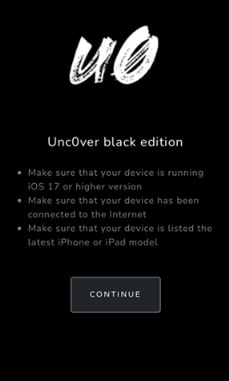
3. Unc0ver Black Edition
This tool is a modified variant of the original Unc0ver jailbreak that is used to jailbreak iPhone 14 online without needing a computer. It is advertised to work on the latest firmware versions, up to iOS 26.
Pros
- Automated jailbreak flow, where the process runs in-app and completes without user input.
- Visual customization through Cydia Dark, which bundles darker UI elements and interface tweaks.
Con
- No verified developer or open-source record, serious doubts on its reliability and safety.
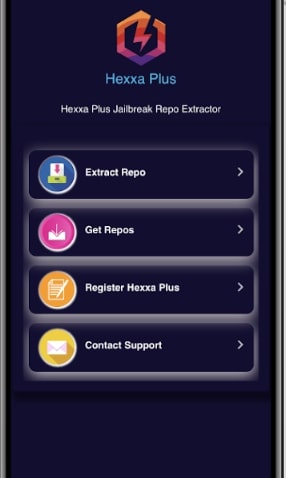
4. Hexxa Plus Repo Extractor
Hexxa Plus Repo Extractor is an online jailbreak-style tool that lets you extract jailbreak repositories on your phone. It claims to work for the iPhone 14 series running up to iOS 17. However, this is not a full jailbreak because system-level access is not provided.
Pros
- Provides access to large collections of jailbreak repos, allowing desired tweaks.
- Advertised as a “no-damage” method that doesn’t break the iOS system root.
Con
- No support for full jailbreak tools like Cydia or Sileo.
Part 3. How to Jailbreak iPhone and Bypass Activation Lock on Computer – AnyUnlock
Most no-computer jailbreak tools are unreliable or hide risks behind flashy promises. So using a desktop solution gives you clearer control and predictable results. AnyUnlock is a trusted unlock toolkit that handles a wide range of iPhone lock problems.
From removing screen passcodes to bypassing iCloud Activation Lock, you can do all without any risks. Moreover, AnyUnlock presents a guided approach to jailbreaking devices running up to iOS 26 with ease. During the process, your old Apple ID or phone passcode is not needed to restore your access.
Jailbreak iPhone 14/14 Pro
- Bypass remote management iPad/iPhone easily.
- Help remove local device management from iPad and iPhone.
- Support the latest iPhone 17/ iPhone 17 Pro and iOS 26.
Free Download100% Clean & Safe
Free Download100% Clean & Safe
Free Download * 100% Clean & Safe
Detailed Instructions on How to Jailbreak an iPhone and Bypass Activation Lock
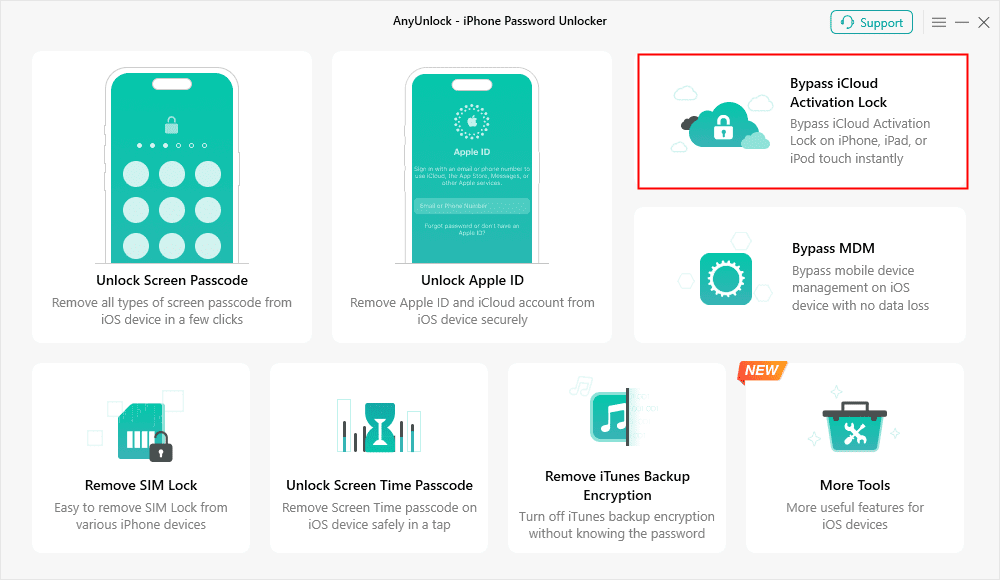
Step 1. Run AnyUnlock on your computer and choose the “Bypass iCloud Activation Lock” mode to continue.
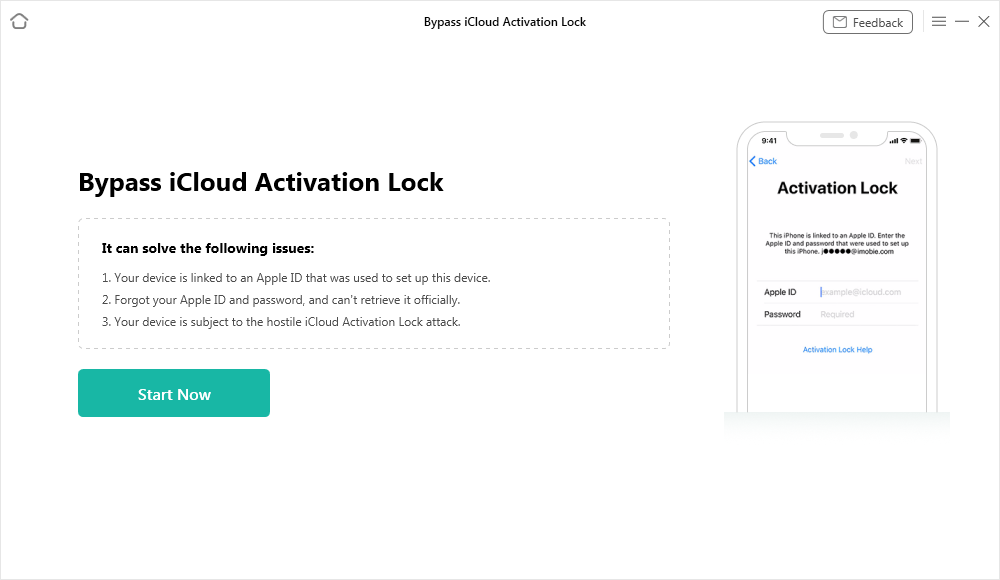
Step 2. Attach your iPhone to the computer and hit the “Start Now” button when it is detected.
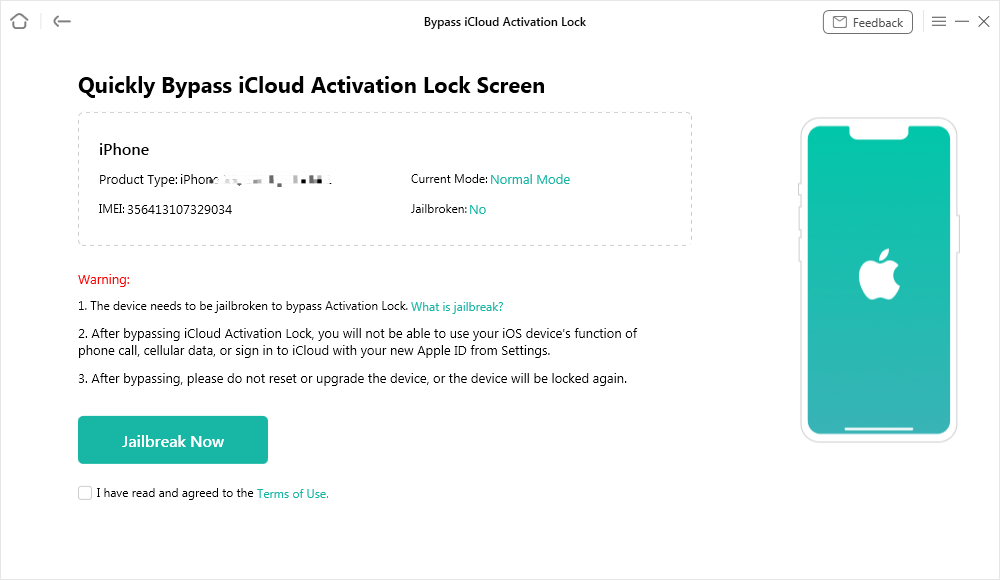
Step 3. Then, hit the “Jailbreak Now” button after reading the warnings and check the terms of use box.
For iOS 12.0 – iOS 14.8.1
Step 4. Now, hit the “Jailbreak Tutorial” button to learn how to jailbreak your phone and perform the process. When done, click the “Next” button to proceed.
Image alt: tap next after jailbreaking the phone
Image address: https://imobie-resource.com/en/guide/img/bypass-icloud-activation-lock-5.png
For iOS 15.0 – iOS 16.7.11
Step 5. Utilize the instructions provided on the screen to enable DFU mode on your mobile. As soon as it is done, the program will automatically jailbreak the iPhone.
Image alt: activate dfu mode
Image address: https://imobie-resource.com/en/guide/img/anyunlock-bypass-icloud-activation-lock-12.png
Step 6. When the jailbreaking process completes, hit the “Bypass Now” button to commence the iCloud lock removal.
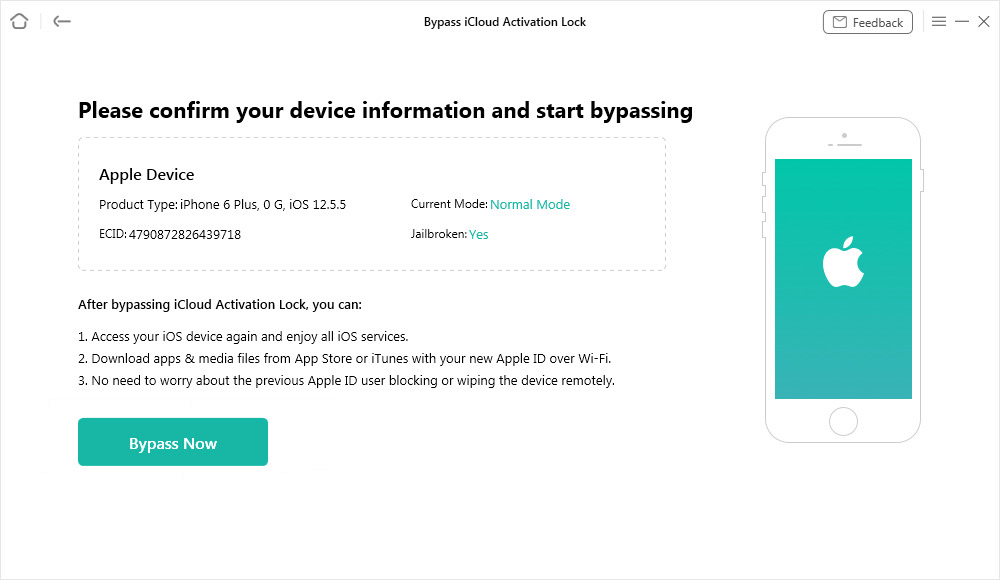
Step 7. If asked, put your device back into DFU mode following the provided instructions. A screen will appear showing the progress of Activation Lock bypassing.
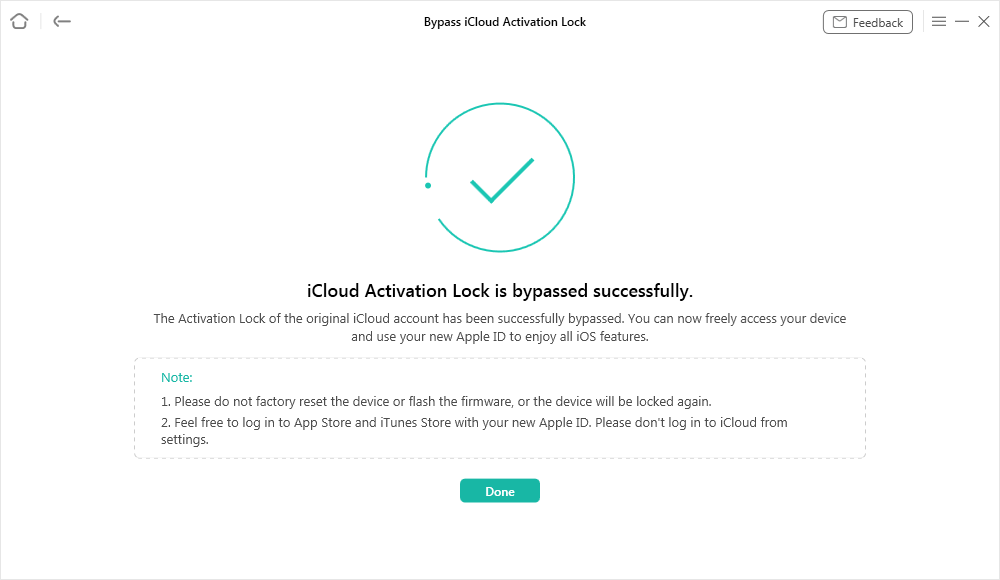
Step 8. Finally, hit the “Done” button once the phone unlocking process has ended to conclude the operation.
Part 4. FAQs on iPhone 14 Jailbreak
Q1. Does Apple know if you jailbreak?
Yes, Apple can mostly trace a jailbroken device when it gets connected to its servers or visits any service center. During diagnostics, jailbreak traces are visible from system logs and altered security files.
Q2. How do I remove the previous owner’s Apple ID from an iPhone?
Ask the previous owner to remove the device from their iCloud account. If that’s not possible, AnyUnlock can remove the Apple ID without needing the password.
Q3. Which iPhones support jailbreak?
Full jailbreaks stopped being viable after the iPhone X era. Newer devices, including the iPhone 14 series, can only use partial or virtual jailbreak methods that mimic certain customization features but don’t access the system root.
Part 5. Conclusion
Essentially, the process of attempting to jailbreak iPhone 14 involves preparation in the right direction: from backing up the data to the right tool. This guide discussed four well-established no-computer tools: Checkra1n Mirror, Zeon Repo Extractor, Unc0ver Black Edition, and Hexxa Plus Repo Extractor. Each one offers unique customization features.
Among these, in an on-desktop-based approach, AnyUnlock is noted as the best all-in-one solution. It helps users bypass activation locks and jailbreak iOS devices with the utmost ease. In addition, it even offers removing the Apple ID and bypassing the screen lock.



Wanda Norris is a junior author in iMobie specializing in iOS tips and solutions. She keeps a close eye on every iOS update to provide practical, easy-to-understand guides that help users solve problems and master their Apple devices.
Product-related questions? Contact Our Support Team to Get Quick Solution >
