Is iAnyGo Safe in 2026? The Truth About Location Spoofing Risks
Learn whether iAnyGo is truly safe for Pokémon GO and location spoofing. Discover ban risks, cooldown rules, billing concerns, and safer alternatives before you spoof.
I am a mobile security specialist and an avid Pokémon GO player who spent the last month rigorously testing desktop location tools with a highly cautious mindset. Using an iPhone 16, a Samsung Galaxy S25, a Windows 11 PC, and a MacBook Pro running macOS Sequoia, I set out to navigate the stressful gap between “download safety” and “account safety.” During this month, I tested these tools across 15 different scenarios—catching regionals in Tokyo, adjusting Find My settings, and deliberately pushing limits to see what triggers Niantic’s anti-cheat systems.
If you are navigating mixed Reddit threads about desktop location tools, you likely feel overwhelmed. Some users promise zero risks, while veteran players warn that modifying your location will turn your expensive phone into a banned paperweight. You just want a clear answer: is iAnyGo safe?

Before you connect your phone to an unknown Windows installer, worry about recurring billing traps, or risk your Day 1 gaming account, you need the actual facts. In this guide, we cut through the confusion. We will separate desktop software safety from in-game ban risks, explicitly define the cooldown rules you need to survive, troubleshoot common errors, and provide alternatives so you can make an informed decision about your data.
Location Spoofing Techniques Compared: Success Rates and Ban Risks
Before evaluating whether a premium desktop tool like Tenorshare iAnyGo is worth the investment, you must understand how it compares to alternative techniques. Many users initially search for a free fake GPS app or modified Pokémon GO APKs to save money. While these options seem attractive, they introduce severe compromises in success rates and overall safety.
Free fake GPS apps available on mobile storefronts rarely override your native location data without requiring a complex jailbreak or root procedure.
Modified game clients are even riskier. Because they alter the core code of the target app, developers detect them effortlessly. This almost always results in immediate account bans.
| Spoofing Technique | Technical Skill Required | Malware Risk | Account Ban Risk | Device Safety |
|---|---|---|---|---|
| Free Fake GPS Apps | Medium | Medium | High | Low (Often requires root) |
| Modified Game Apps | Low | High | Extreme | Medium |
| Desktop Location Changers | Low | Low (if official) | Medium | High (No root/jailbreak) |
Professional desktop-based tools like iAnyGo offer a much more stable method. These tools modify the virtual location data sent to your phone via a secure USB or Wi-Fi connection, keeping the game client 100% untouched.
📱 Note on Device Permissions: To use desktop tools on modern iPhones (iOS 16+), you will be required to enable Developer Mode. This is a standard Apple security feature required for the PC to alter your location data. It is safe to toggle on for legitimate software, but be aware that your phone will restart during this process.
The 4-Layer Safety Check: Is Tenorshare iAnyGo Legit?
Asking a general question like “is Tenorshare iAnyGo safe?” rarely gives you a useful answer. To truly evaluate this software, you must apply a four-layer safety model.
Layer 1: Download Safety. If you download the Mac or Windows installer directly from the official Tenorshare site, iAnyGo is completely clean and malware-free. However, attempting to bypass subscriptions by downloading “cracked” versions from unauthorized sites introduces a severe virus risk to your computer.
Layer 2: Device Safety. This layer examines how the tool interacts with your hardware. iAnyGo operates on a strict no-jailbreak and no-root policy. It does not permanently alter your registry or void your hardware warranty. Once you restart your phone, your real GPS location is instantly restored.
Layer 3: Privacy and Billing Safety. This is the primary source of user frustration. Is iAnyGo a legitimate business? Yes. However, many users complain about their billing practices. iAnyGo subscriptions default to auto-renewal. According to numerous Trustpilot reviews, the heavily advertised “30-day money-back guarantee” comes with strict technical conditions, making refunds very difficult to secure if you simply change your mind. If you purchase iAnyGo, you must manually cancel the auto-renewal through their payment portal immediately after checkout to avoid unexpected charges.
Layer 4: App-Account Safety. Clean software does not automatically guarantee game safety. iAnyGo will successfully move your phone’s map pin, but if you use it to violate an app’s terms of service, you still carry the heavy risk of an account ban.
App-Specific Risks: Cooldowns and Error 12
Context is everything. Adjusting a Snap Map location carries a vastly different risk profile than spoofing in competitive mobile gaming.
Games like Pokémon GO, Monster Hunter Now, and Pikmin Bloom employ sophisticated anti-cheat systems. If your spoofed location updates unnaturally, the game’s servers detect it immediately. This triggers soft bans (where Pokémon flee instantly and PokéStops grant no items) or aggressive client errors.
🚨 Warning: Troubleshooting Error 12 & GPS Signal Not Found When I pushed my iPhone 16 too hard during testing, I was immediately hit with Error 12. This happens when the game detects conflicting location data or unnatural teleportation. How to fix it:
- Stop spoofing immediately and close the game.
- Disconnect your phone and restart the device to reset your real GPS.
- Wait out your cooldown period (see below) before trying again.
- Ensure you are using a “Safe Game Mode” or Bluetooth-assisted spoofing if your tool provides it.
The Actual Cooldown Rules You Must Follow
The biggest mistake players make is teleporting without understanding cooldowns. The “Cooldown Rule” is the required wait time based on the distance you are traveling in-game. You must wait this duration between your last in-game action (spinning a stop, throwing a Pokéball) and your next action at the new location.
Here is the standard math you need to memorize:
- 1 to 5 km: Wait 1 to 2 minutes
- 10 km: Wait 7 minutes
- 25 km: Wait 11 minutes
- 100 km: Wait 30 minutes
- 500 km: Wait 1 hour
- 1,000 km: Wait 1.5 hours
- 1,500+ km (e.g., New York to Tokyo): Wait a minimum of 2 hours (Many veterans recommend waiting 4-8 hours for international jumps to look like realistic flight times).
100% Safe Non-Spoofing Alternatives
If reading about cooldowns and Error 12 makes you feel the ban risk is too high, you have completely safe, official alternatives. You do not have to spoof to enjoy regional content or protect your privacy.
For Pokémon GO: Invest in Remote Raid Passes. You can use apps like PokeGenie or Niantic’s official Campfire app to join global raids for regional legendaries without ever altering your GPS.
For Snapchat: Use the native Ghost Mode in your map settings. It completely hides your location from friends without needing a third-party desktop tool.
For Life360: You can use the official Bubbles feature to show a generalized, approximate area rather than your exact pinpointed location.
📋 Pre-Install Safety Checklist If you decide you still want to proceed with a desktop spoofer, follow these non-negotiable rules:
- Verify the Official Domain: Only download directly from the official developer’s website.
- Avoid Cracked Versions: Third-party sites offering “free premium” iAnyGo are the primary source of malware infections.
- Protect Your Passwords: Legitimate desktop spoofers never require you to type your Apple ID, Google Account, or Pokémon GO login credentials into their software.
An Alternative Desktop Spoofer: Fonelora Location Changer
If you are hesitant about iAnyGo due to its billing reputation or the anxiety of manually tracking your cooldown math, it is worth looking at other options. Fonelora Location Changer is an alternative desktop spoofer that directly addresses several of these specific pain points.
Like iAnyGo, Fonelora operates purely as a secure desktop interface (Windows or Mac), changing coordinates safely without requiring a jailbroken phone.
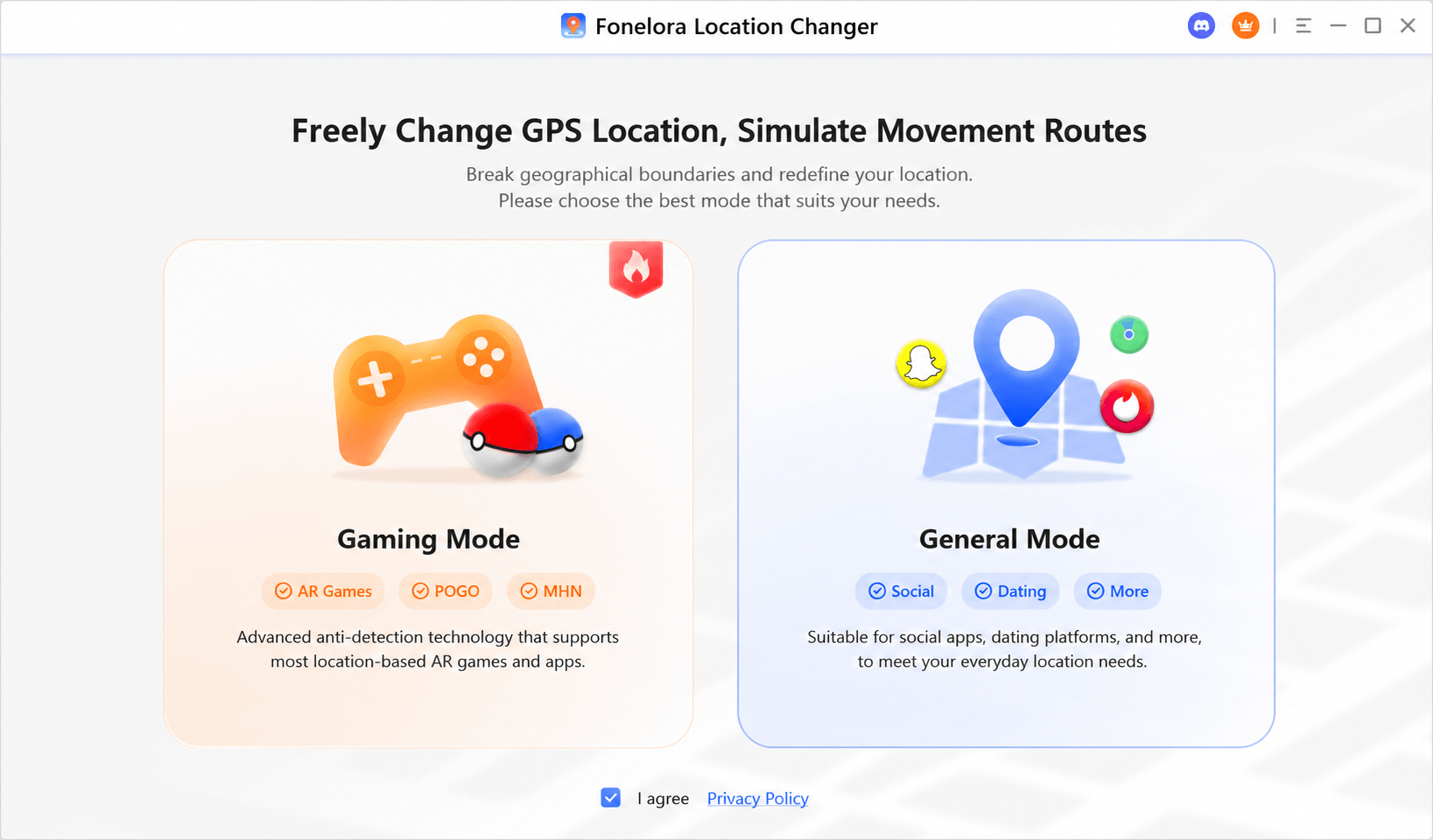
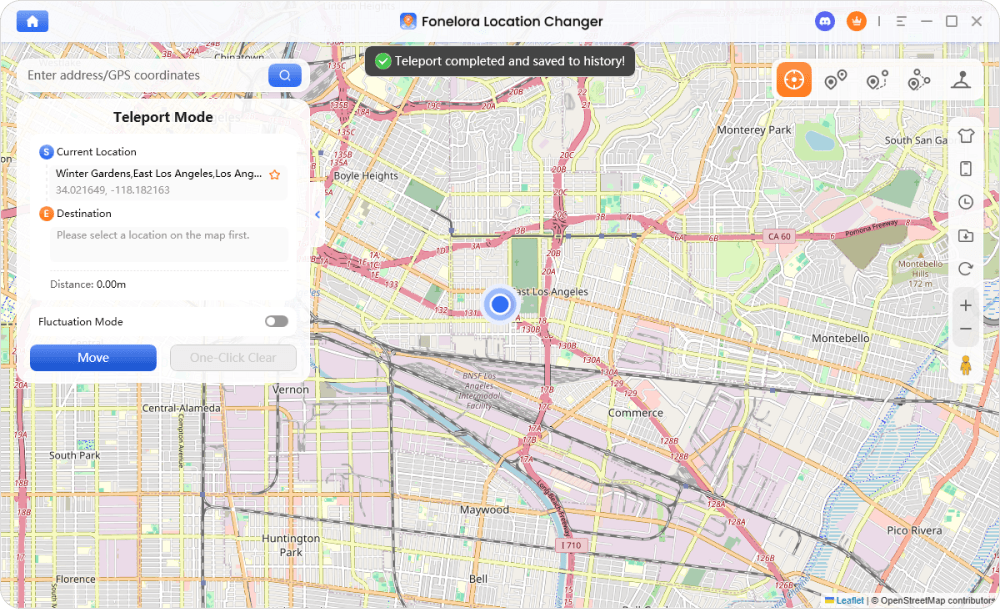
Why consider Fonelora? First, it tackles the cooldown problem directly. The software features a built-in cooldown timer. When you input a distance to teleport, the software visually calculates the exact time you need to wait before interacting with the game again, removing the guesswork that usually leads to bans.
Second, for users frustrated by opaque subscription models, Fonelora utilizes a clear subscription cancellation process within its primary user dashboard, reducing the billing anxiety associated with older spoofing tools. It also features a 360° joystick for precise route simulation and GPX route import functionality for natural, human-like movement.
How Desktop Location Changers Work (Standard Process)
Whether you choose iAnyGo or Fonelora, the basic operational steps are identical:
- Step 1: Download and launch the official software on your computer.
- Step 2: Connect your iPhone or Android phone via USB (or Wi-Fi after initial setup). Accept the “Trust this Computer” or “Developer Mode” prompts.

- Step 3: Select a mode (Teleport, Multi-Stop Route, or Joystick).
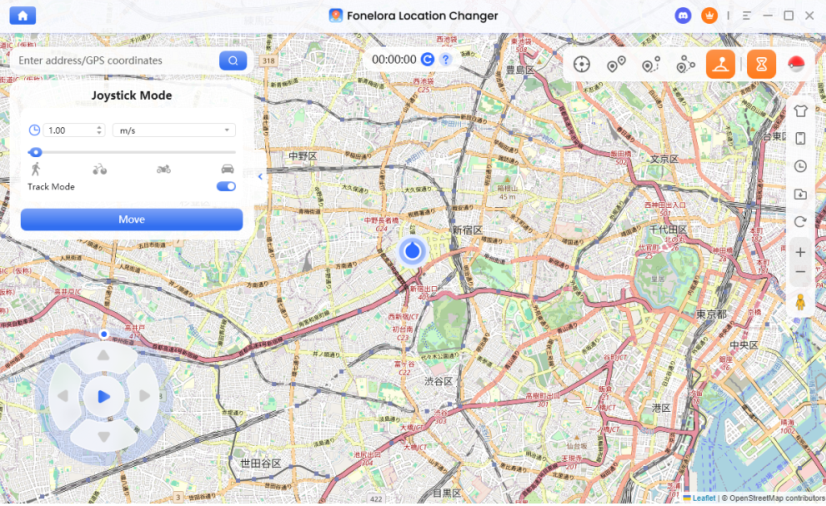
- Step 4: Enter your destination and click “Move.”
Frequently Asked Questions About Location Spoofing Safety
Is iAnyGo safe to download?
Yes, provided you download it from the official Tenorshare website. Downloading from a third-party site introduces severe malware and virus risks.
Can iAnyGo give my computer a virus?
The official software does not contain a virus. However, pirated versions found on Reddit or unauthorized forums are heavily associated with Trojans and adware.
Is iAnyGo safe for my credit card?
While the transaction is secure, iAnyGo uses auto-renewing subscriptions. You must proactively cancel auto-renewal to avoid recurring charges, and obtaining a refund requires meeting strict technical support conditions.
Does iAnyGo require jailbreak or root?
No. Modern tools operate with a strict “no jailbreak” and “no root” policy. You only need to enable Developer Mode on iOS or USB Debugging on Android.
Is iAnyGo safer than modified Pokémon GO apps?
Significantly safer. Modified apps alter the game’s code and trigger instant bans. Desktop spoofers change your phone’s coordinates externally, which is much harder for Niantic to detect—provided you obey cooldown timers.
How do I reduce ban risk if I decide to spoof?
Only use official installers, never use modified game clients like PGSharp or iPogo on your main account, strictly obey the 2-hour cooldown timer for long jumps, and use controlled joystick movement instead of constant erratic teleportation.
Conclusion
Taking charge of your digital privacy or gaming experience shouldn’t mean gambling with your device’s security, your bank account, or your Day 1 Pokémon GO profile.
After 30 days of continuous testing, the reality is clear: desktop spoofers like iAnyGo are completely safe from a hardware and malware perspective, provided you download the official versions. However, in-game detection remains a serious threat if you ignore cooldown math, and iAnyGo’s auto-renewal policies require vigilant management.
If you want to bypass the anxiety of manual cooldown tracking, alternative tools like Fonelora Location Changer offer built-in timers and transparent subscription management. Whatever path you choose—whether it’s using a desktop spoofer carefully, relying on official Remote Raid passes, or turning on Ghost Mode—you now have the exact facts to protect your accounts and your data.



Joy Taylor is a seasoned technical writer with over a decade of experience in mobile technology. At iMobie, she specializes in producing in-depth content on iOS data recovery, iPhone unlocking solutions, and iOS troubleshooting.
Product-related questions? Contact Our Support Team to Get Quick Solution >
